
Fixing a table stuck on “Loading data…” or showing “Invalid JSON response”
If a DataTables View spins on Loading data… and never finishes, or shows a DataTables warning: Invalid JSON response alert, the table asked your site for its rows and got back something it could not read. This article covers what that means and how to find the cause.
Almost always the table itself is fine. Something else on the site interrupted the response on its way back.
What you should see now #
From DataTables 3.11, a failure shows a message and a Retry button instead of loading forever.
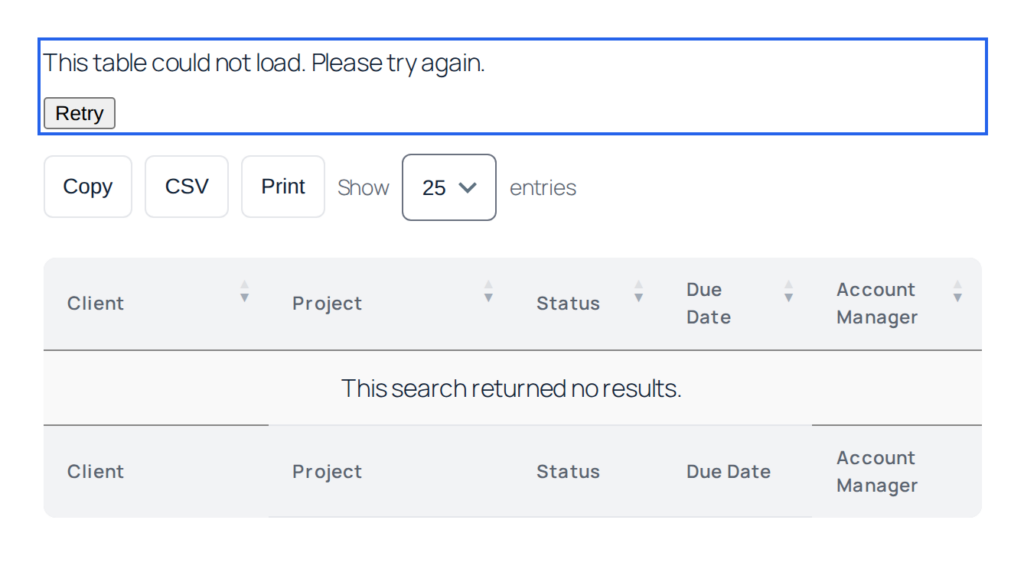
Try Retry first. Some causes are momentary, and a table on a page that has been cached for a long time can fail simply because its security token expired, which a retry resolves on its own.
Finding the cause #
View the page while logged in as an administrator. Administrators are shown diagnostic details alongside the message, including the name of the plugin whose output or error interrupted the response. Logged-out visitors only ever see the plain message, so this detail is never exposed publicly.
The diagnostics also include a correlation ID. If you have PHP error logging enabled, searching your error log for that ID takes you to the matching entry, which usually names a file and a line number.
Common causes #
Another plugin printing into the page
The most frequent cause. A plugin or theme prints a PHP notice, a debug line, or a stray blank line, and it lands in the middle of the table’s data. The table now strips that output and still loads, and shows administrators which plugin produced it, but the underlying problem is worth fixing: it affects far more than this table.
A PHP error part-way through
If something fails while the rows are being built, the response is cut short. The table reports the failure rather than hanging. The diagnostics name the plugin involved; deactivating it temporarily is the quickest way to confirm.
An expired security token on a cached page
Pages served from a cache for longer than a day can carry a token the site no longer accepts. The table refreshes the token by itself, so this should now resolve on a retry. If you see it repeatedly, shorten the cache lifetime for pages containing Views, or exclude them from full-page caching.
A security plugin or firewall blocking the request
The table loads its rows through admin-ajax.php. Firewalls and security plugins sometimes block or challenge those requests, particularly for logged-out visitors. If the table works for you but not for visitors, this is the first thing to check.
Narrowing it down #
- Load the page as an administrator and read the diagnostic details.
- Deactivate the plugin named there and reload.
- If nothing is named, deactivate other plugins in batches until the table loads, then reactivate one at a time.
- Switch temporarily to a default theme to rule the theme out.
- Check whether the problem follows a specific View or affects all of them. A single View points at its own configuration; all of them points at the site.
Still stuck? Contact support with the diagnostic text shown to administrators, the correlation ID, and whether the problem happens for logged-out visitors as well. That is usually enough to identify the cause without further back and forth.

