
Showing entries added since a user’s last login
A View can list only the entries added since the logged-in user’s last visit, such as new notices on a member dashboard. WordPress keeps no lasting record of when each user logs in, so a short snippet saves the time, and an Advanced Filter condition compares each entry’s date with it.
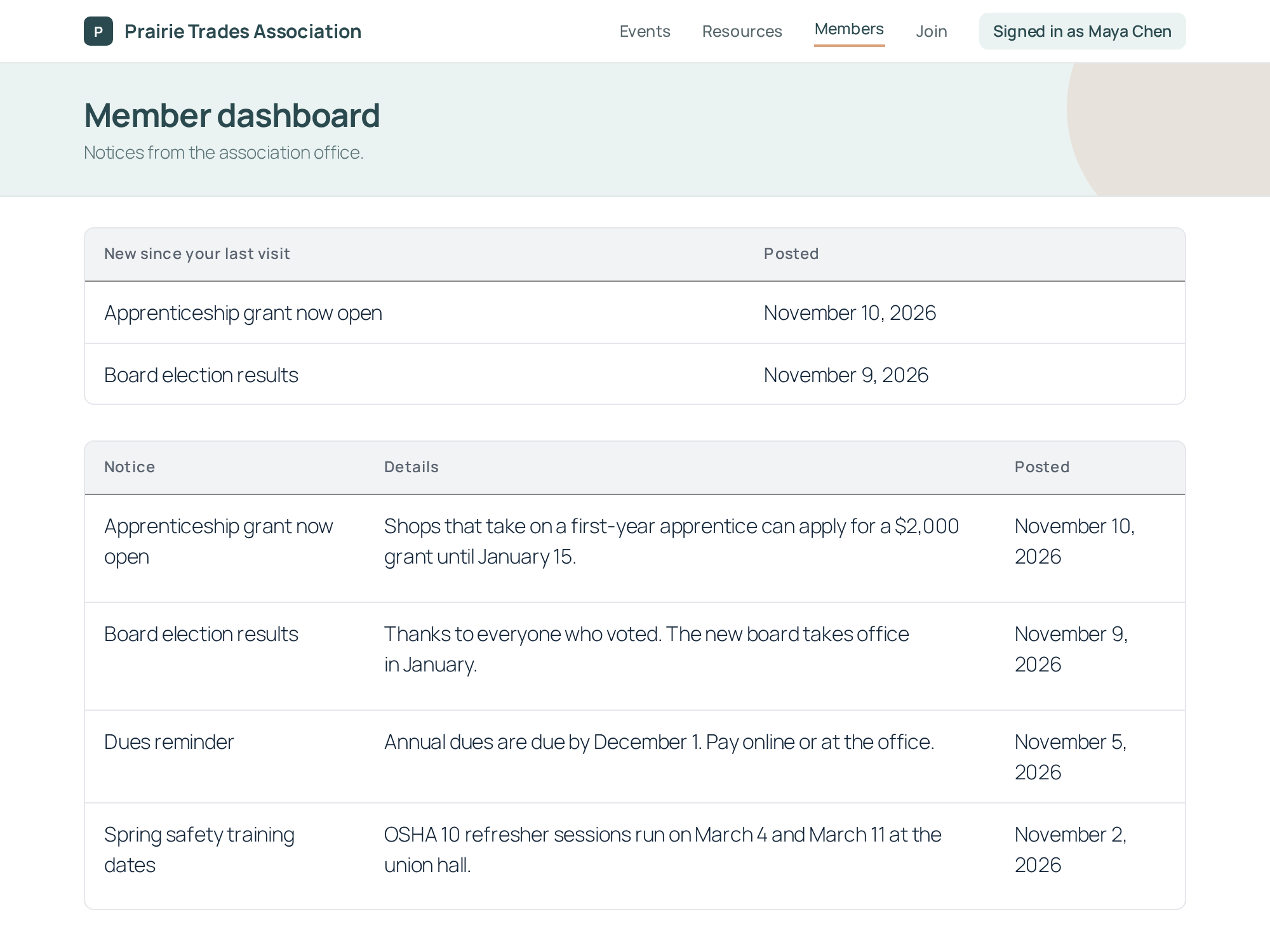
Step 1: Save each user’s login time #
Add this snippet to your site. Every time a user logs in, it saves the time of that login and keeps the time of the login before it:
add_action( 'wp_login', function ( $user_login, $user ) {
    $now     = current_time( 'mysql', true ); // UTC, like entry dates.
    $current = get_user_meta( $user->ID, 'current_login', true );

    // Keep the login before this one, so new entries stay listed.
    $previous = $current ? $current : $now;

    update_user_meta( $user->ID, 'previous_login', $previous );
    update_user_meta( $user->ID, 'current_login', $now );
}, 10, 2 );Note: Adding custom PHP code snippets to your website shows where to put this code.
The View compares entries with previous_login, the login before the current one. Logging in doesn’t clear the list: entries added since the last visit stay listed for this whole visit, and drop off at the next login.
Both times are saved in UTC, the time zone Gravity Forms uses for entry dates, so the comparison is right whatever your site’s time zone.
Step 2: Filter the View by the saved time #
- Edit the View and open the Filter & Sort tab in the Settings box.
- Under Advanced Filter, click + Condition.
- Choose Entry Date as the field and is after as the operator.
- In the value list, choose Custom Value, then type
{user:previous_login}. The merge tag list doesn’t offer it, so type it in. - Click Update.
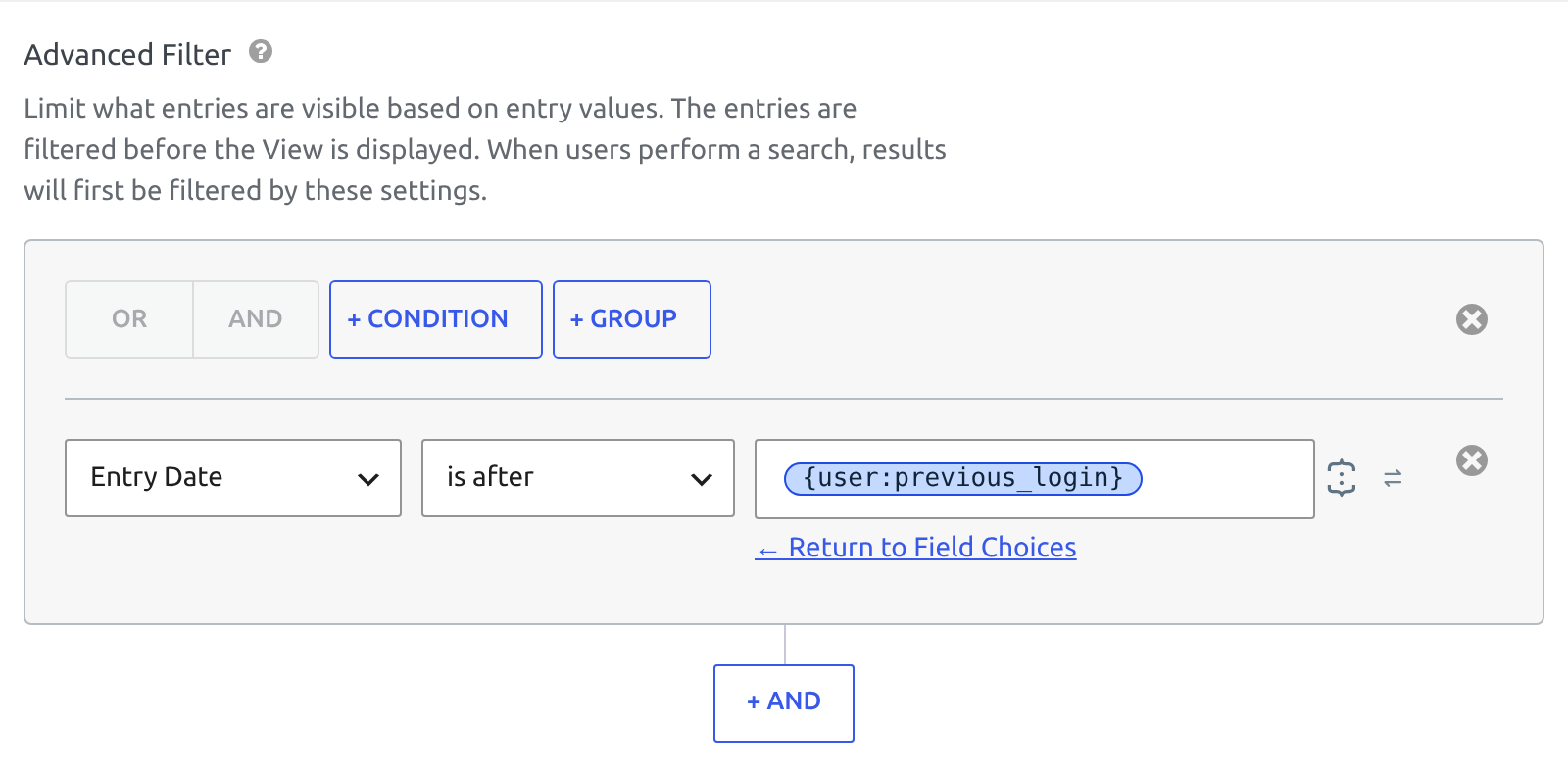
{user:previous_login} is the {user} merge tag with the meta key the snippet saves.
Step 3: Show the list only when something is new #
To use the View as a “New since your last visit” box above a full list:
- In the View’s Settings box, open the Multiple Entries tab and set No Entries Behavior to Hide the View.
- Embed this View on the page, above the View that lists all entries. Embedding a View on a page or post shows how.
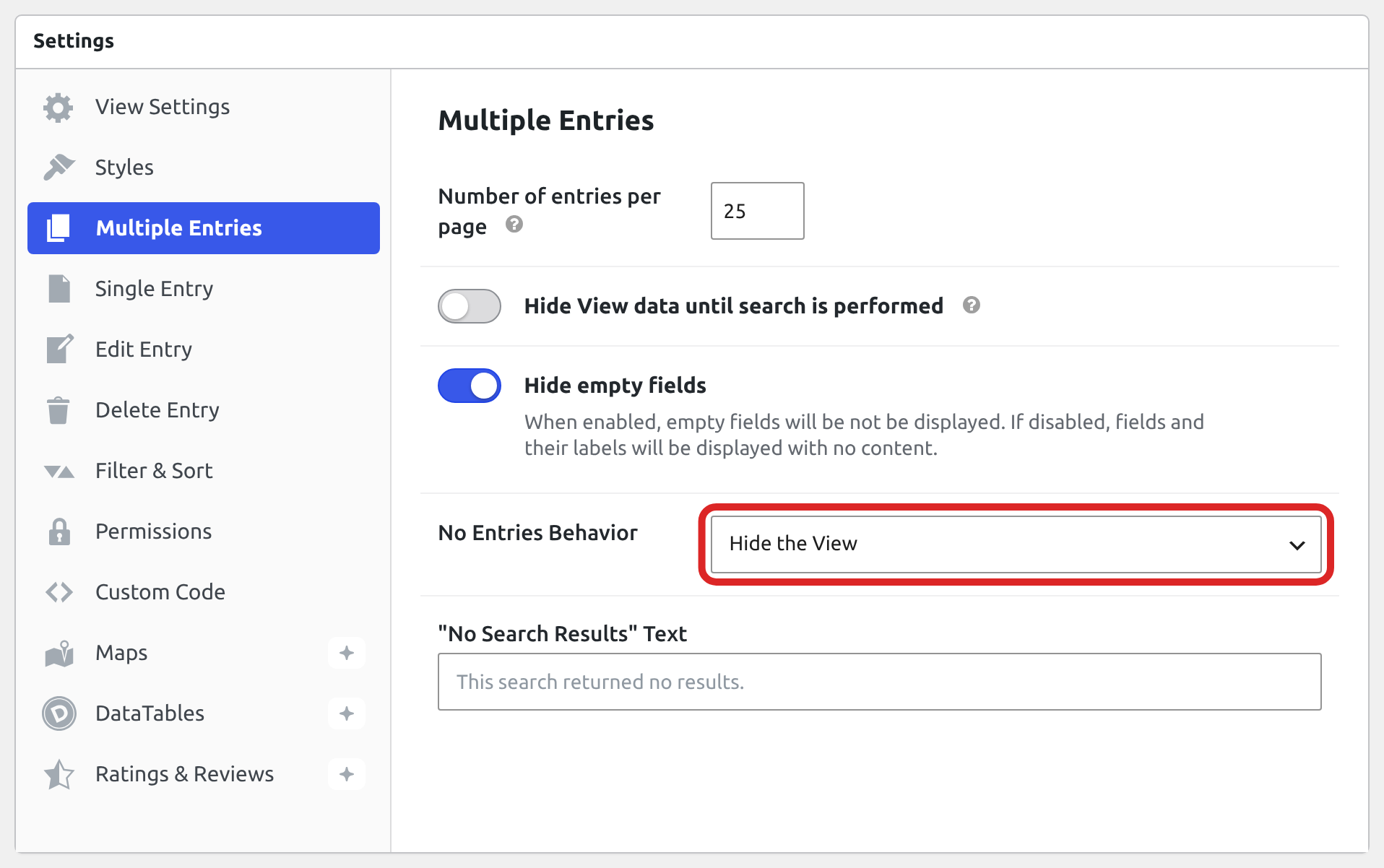
When nothing is new for the user, the box isn’t shown.
Users with no saved login time #
Until a user logs in after you add the snippet, {user:previous_login} is empty and the View lists every entry for them. At that first login, both saved times are the login itself, so the list starts empty and fills with the entries added after it.
Visitors who aren’t logged in have no saved time either, so they see every entry. To show the View to logged-in users only, see Restricting a View to logged-in users or user roles.

