
Known limitations of Multiple Forms
Some GravityView features work differently, or not at all, on a View that joins or unions forms. This list reflects Multiple Forms 1.0.0 with GravityView 3.8.0 and Advanced Filter 4.8.0.
Add an Edit Entry link for each form #
On a joined View, add a Link to Edit Entry field from each form, with that form’s Add Field from button. Each link opens its own form’s entry.
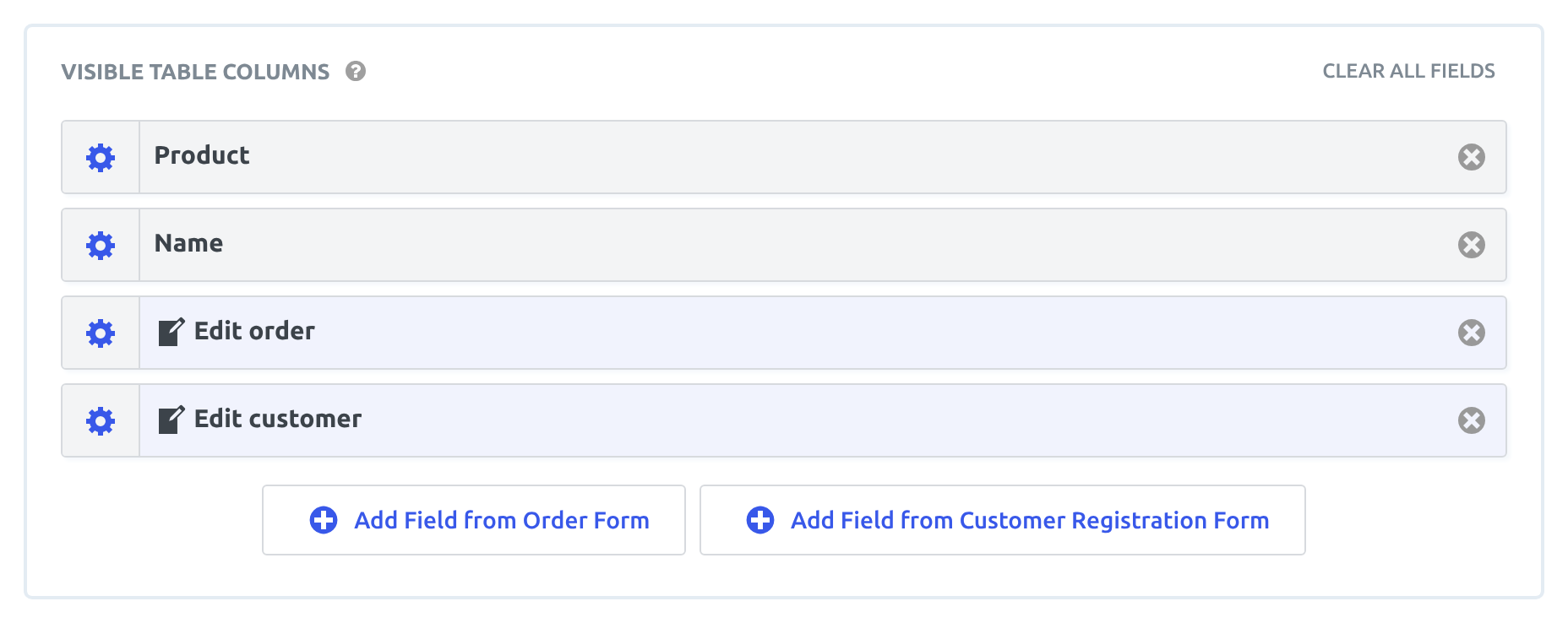
Fields you add to the Edit Entry Layout tab with a form’s Add Field from button show on that form’s edit page only, and saving writes into that form’s entry. A Custom Content field on the tab shows on every form’s edit page. Its merge tags are filled in by field ID from the entry being edited, so a merge tag written for one form shows the field with the same ID on the other form’s edit page.
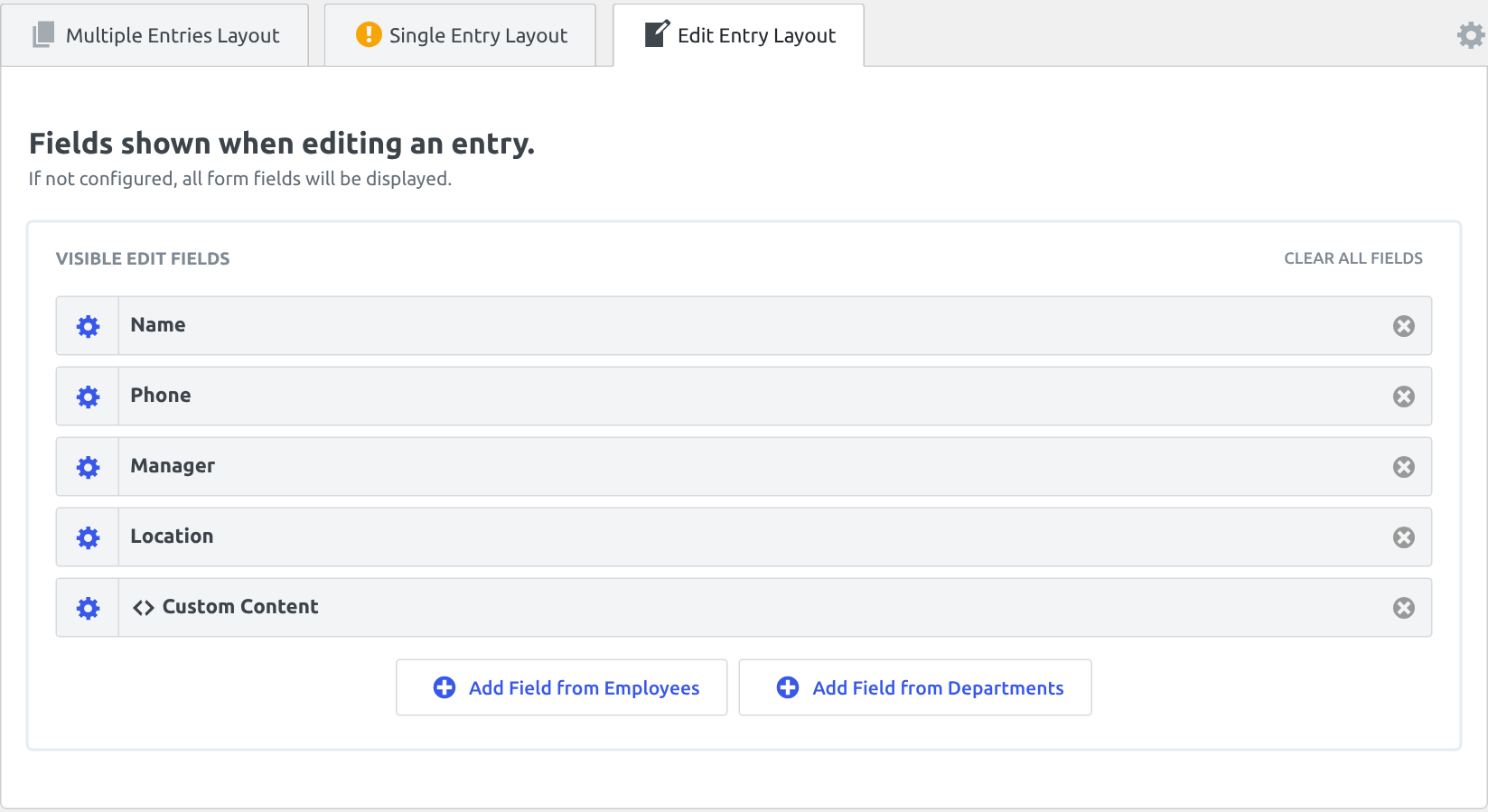
Note: On GravityView 3.7.0 and older, leave the Edit Entry Layout tab empty on a View that merges forms. Its fields were matched by field ID on every form’s edit page, so a joined form’s field showed and saved the primary form’s field with the same ID.
Fields of a joined form have fewer filter options #
Advanced Filtering conditions can use the fields of any joined form: choose the form in the condition, then its field. Using Advanced Filtering with Multiple Forms walks through it. A joined form offers fewer choices than the primary form:
- Its field list has the form’s own fields and a few entry properties, such as Entry ID and User ID. Entry details such as Date Created and Approval Status aren’t listed.
- The is empty and is not empty operators aren’t offered.
To show only the entries that have no match in a joined form, leave Strict Entry Match unchecked. Then add a condition on the field the join uses in that form, set to is, with the value left empty.
On a union View, each row is a standalone entry, so conditions apply through the primary form’s mapped columns, and an added form’s own fields can’t be chosen. Using unions in Multiple Forms explains how unions work.
Merge tags work only in Custom Content from the same form #
Outside the Edit Entry tab, a Custom Content field fills in merge tags from the form it was added from. To show a joined form’s values, add a Custom Content field with that form’s Add Field from button. Type its merge tags by hand, because the merge tag picker lists only the primary form’s fields.
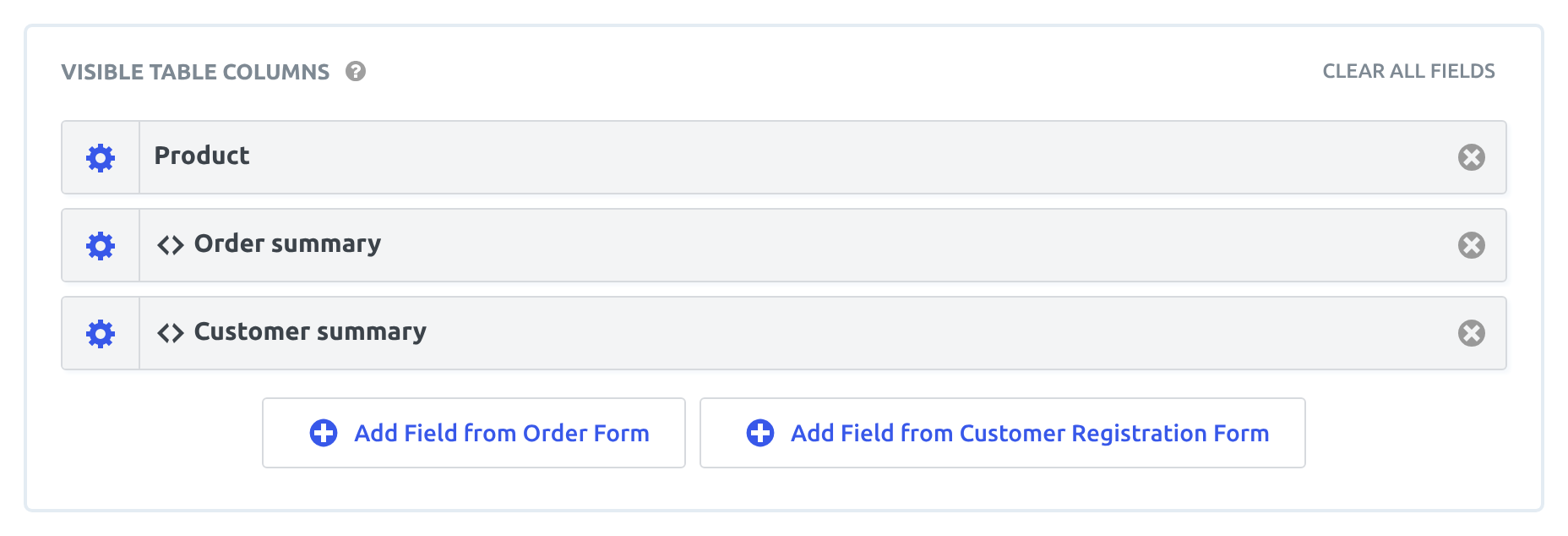
A joined form’s merge tag typed into the primary form’s Custom Content doesn’t show the joined value. It shows the primary form’s field with the same ID instead. The form: modifier that Advanced Filtering accepts in condition values shows nothing in Custom Content.
Entry blocks need an entry from the primary form #
The GravityView Entry block and the [gventry] shortcode show the joined row when set to first or last, to the primary form’s entry ID, or to the View’s own entry link, such as 12,34. A joined form’s entry ID on its own shows nothing: link to the View’s Single Entry page or open it in a lightbox instead. The GravityView Entry Field block and the [gvfield] shortcode show the primary form’s fields only.
Nested Form fields cannot be edited on a joined View #
GravityView supports editing Nested Forms fields, but if the View has a joined form, editing a Nested Form field doesn’t work.

The Edit Entry page on a View using Multiple Forms:

The Map layout cannot use Address fields from a joined form #
The Map layout’s Address Fields setting lists only the primary form’s Address fields, so markers can’t come from an Address field on a joined form.
A View can join up to about 60 forms #
Gravity Forms keeps every form’s entries in the same database tables, and a joined View reads them once more for each joined form. MySQL allows a single query to read tables at most 61 times, so a View can join about 60 forms, counting its own. Past the limit, the View shows no entries.
Was this page helpful?


- Add an Edit Entry link for each form
- Fields of a joined form have fewer filter options
- Merge tags work only in Custom Content from the same form
- Entry blocks need an entry from the primary form
- Nested Form fields cannot be edited on a joined View
- The Map layout cannot use Address fields from a joined form
- A View can join up to about 60 forms