Case study
How Princeton University uses GravityKit to manage student, equipment, and IT records
Princeton University’s Department of Music transformed a patchwork of spreadsheets, long forms, and email-based workflows into integrated, searchable systems powered by GravityKit. By centralizing student, instrument, and IT data and surfacing it through role-based portals, Michael and his team dramatically reduced manual work, and improved visibility for faculty and management.
Meet Michael D. Langley
Michael is the technical support manager at Princeton’s Department of Music. His team manages the technology that powers the operations behind student placement with instructors, audition scheduling, instrument inventory, course requests, and IT support for faculty and staff.
Because so many processes intersect, the department needed a way to make data easy to collect, update, and reference without relying on custom software development.

Discovering GravityKit
Michael’s team was already invested in Gravity Forms as their primary data collection tool. As their use cases grew more complex, they needed a way to turn form entries into usable databases, dashboards, and portals—without abandoning WordPress or rebuilding systems from scratch.
In evaluating options, GravityKit stood out because it allowed them to:
- Import existing spreadsheets directly into Gravity Forms
- Build front-end portals and role-based views for different user groups
- Extend Gravity Forms into full-fledged applications instead of isolated forms
This combination made GravityKit a natural fit compared to maintaining manual Google Sheets, relying on email alone, or commissioning custom development.

Building with GravityKit
Michael and his team used GravityKit to turn previously manual, spreadsheet-based workflows into structured, data-driven applications. Across student placement, faculty portals, inventories, and IT processes, GravityKit provided the tools to centralize information, automate tasks, and create usable interfaces for both administrators and instructors.
I can’t tell you how much I love GravityView and what it has allowed us to do. It has evolved my job and abilities in ways I couldn’t have imagined.
Use case 1: Student placement system
Goal: Replace a massive, manual placement process with an automated system that connects students, instruments, and instructors.
Previously, student placement relied on a single Google Sheet containing roughly 400 students and 60 instructors each semester. Sorting, matching, and updating this sheet consumed a lot of Michael’s time every term.
With GravityKit:
- A Student Placement form manages placement for about 400 students each semester.
- Instructors are filtered by instrument, ensuring students see only relevant options.
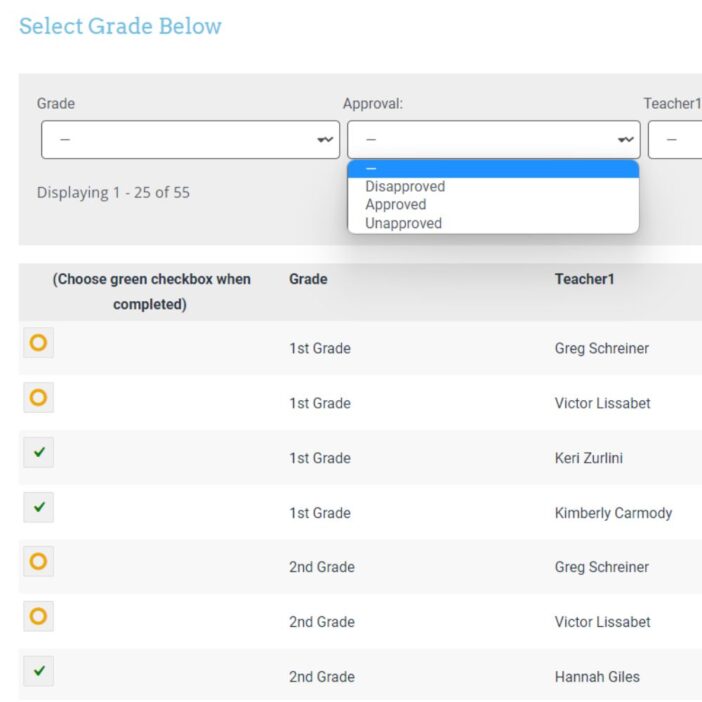
- Placement data feeds a faculty portal, where instructors can view assigned students and audition videos.
The result: the department moved from sorting one huge spreadsheet to managing a structured, form-driven workflow.
Use case 2: Faculty portal
Goal: Give instructors a clear, self-service view of their students and materials.
Using GravityView, Michael built a faculty portal where instructors can:
- Log in to see their assigned students
- Access audition videos and placement-related details
Use case 3: Centralized student database
Goal: Bring student data from multiple forms into a single, queryable database.
Over time, the department’s Gravity Forms usage generated student data across many different forms. With GravityKit, Michael built a Student Database that:
- Centralizes student information from various forms
- Supports role-based views for different internal teams
Instead of digging through separate forms or spreadsheets, stakeholders can now see filtered, relevant data through the interfaces built on top of GravityKit.
Use case 4: Instrument database
Goal: Replace a static instrument inventory spreadsheet with a dynamic, trackable system.
The department previously maintained a static Google Sheet with more than 1,000 instruments. This made liability tracking, insurance reporting, and location management cumbersome.
With GravityImport, the team:
- Imported the existing instrument data into Gravity Forms
- Used GravityKit to present that data as a living instrument database
Now, the department has an up-to-date list of instruments that can be searched, filtered, and maintained over time—supporting better liability tracking, insurance reporting, and location oversight.
The impact
GravityKit has had a broad impact across the department’s academic and IT workflows:
- Massive time savings: The student placement process, once dependent on sorting a single Google Sheet for 400 students and 60 instructors, now runs via structured forms and views—saving Michael weeks of work every semester.
- Centralized, reliable data: Student and instrument data moved from static spreadsheets into dynamic databases, making it easier to keep records accurate, current, and usable.
- Better visibility for stakeholders: Faculty can log into portals to see their students and audition materials.
Looking ahead, Michael is exploring additional tools in the GravityKit ecosystem to further enhance their technical operations.
Takeaways
This case study demonstrates how university departments can move from manual, spreadsheet-heavy workflows to automated systems that don’t require custom development.
For institutions running on WordPress and battling manual processes, Princeton’s experience demonstrates how GravityKit can power real applications, allowing for effortless data management, saving time, reducing friction, and making critical information easier to find and act on.
Ready to get
started?
GravityKit’s integrated toolkit of Gravity Forms add-ons transforms your data into actionable applications.
Browse more case studies
Killer Shorts
Think:Kids
Leadpal
Jacksonville Port Authority
South Florida Web Advisors
NSSL
Dragonfly
West Fork School District
HappyTree IT
Mediebruket
Bet Hannon
Experience Solutions
Slight Revision
LifterLMS
Jamie Madden
GCPE
Rochelle Victor
43Folders
Nile Flores