
How to change where the Go Back link takes visitors
On a Single Entry page, the Go Back link leads to the View’s Multiple Entries page. You can change the link’s text in the View editor, and its destination with a short snippet.
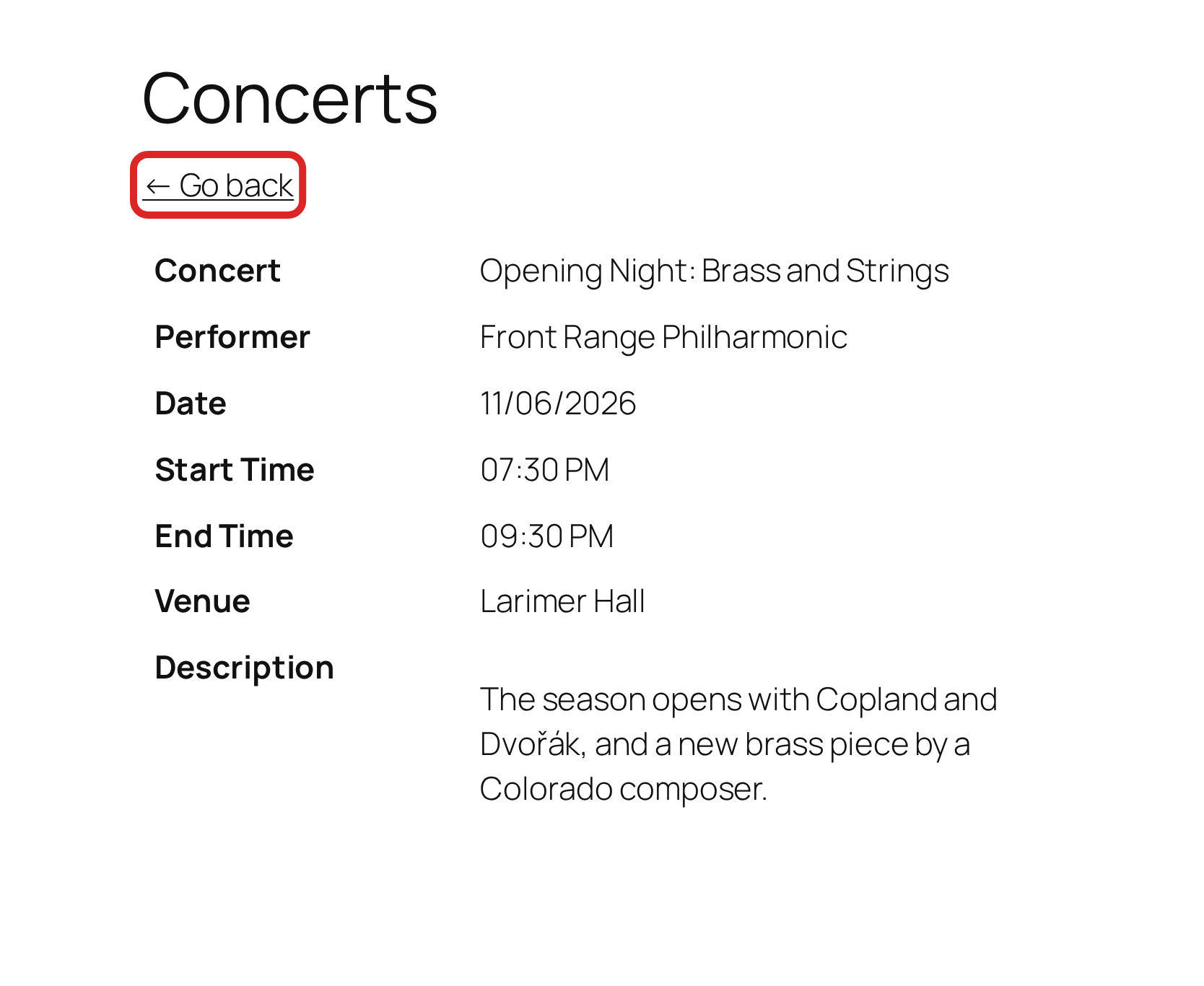
Changing the wording #
In the View editor, find the Settings box and click Single Entry. The Back Link Label field sets the text of the link. Leave it empty to use the default, an arrow followed by “Go back.” The field accepts merge tags, so ← More concerts at {Venue:6} shows each entry’s venue in the link. Click Update to save the View.
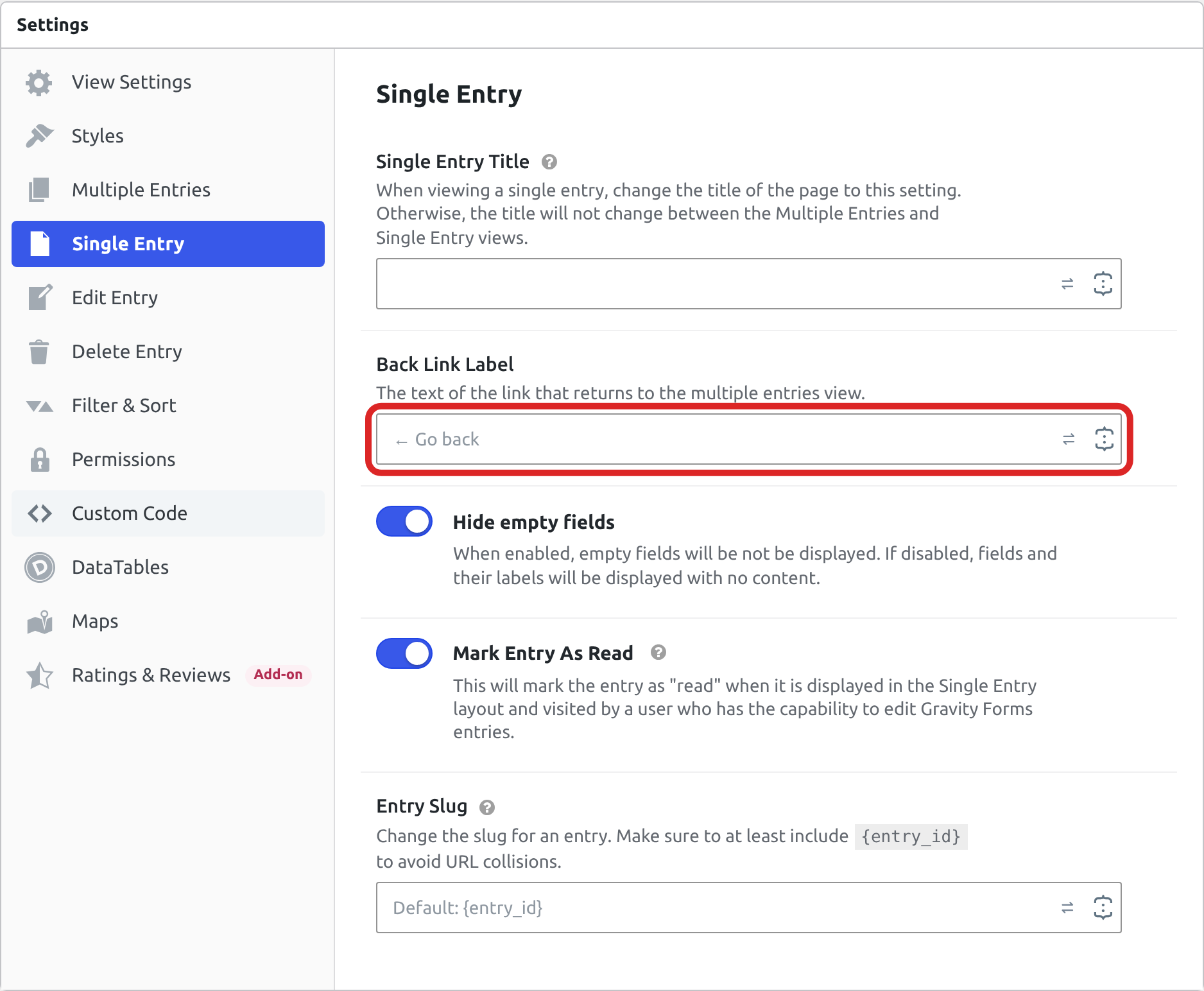
Note: The setting changes only the text. The link’s destination has no setting, so changing it takes one of the snippets below.
Cases that need no snippet #
The Go Back link already returns visitors to the page they started from in these cases:
- The same View is embedded on more than one page. Entry links and the Go Back link are both built from the page the View is on, so a visitor who opened an entry from one page goes back to that page.
- The visitor opened the entry from a GravityCalendar calendar whose events link to their single entry page. The Go Back link returns to the calendar, including after the visitor edits the entry. Linking a calendar event to its single entry page shows how to set up the event links.
Pointing the link at a specific page #
The gravityview/template/links/back/url filter sets the destination. Returning a URL from it sends every Go Back link there. The 20 at the end runs the snippet after GravityCalendar’s own filter, so visitors who opened the entry from a calendar go to your page too.
add_filter( 'gravityview/template/links/back/url', function ( $href ) {
    return home_url( '/directory/' );
}, 20 );Note: To add a snippet to your site, see Adding custom PHP code snippets to your website.
To change the link for one View only, use the filter’s second argument, which holds the View being shown, and compare its ID. The 2 at the end of the snippet passes that argument. Without it, the snippet causes a fatal error.
add_filter( 'gravityview/template/links/back/url', function ( $href, $context ) {
    if ( ! $context instanceof \GV\Template_Context ) {
        return $href;
    }

    // Replace 123 with the ID of your View.
    if ( 123 === (int) $context->view->ID ) {
        return home_url( '/directory/' );
    }

    return $href;
}, 20, 2 );The check at the start of the snippet is needed because older templates show the link without passing the View. In that case $context is empty, and reading the View ID from it would cause an error.
Returning visitors to the page they came from #
When visitors reach an entry from anywhere other than the View, such as a dashboard or a link in an email, the Go Back link still leads to the View’s Multiple Entries page. To send them back to where they started, put the starting page in the link to the entry, then read it on the way back.
Add ?origin=123 to the links that lead to your entries, where 123 is the ID of the page to send visitors back to. If the link leads to the View’s page instead, GravityView keeps the parameter in the link to each entry. This snippet makes it the Go Back destination:
add_filter( 'gravityview/template/links/back/url', function ( $href ) {
    if ( empty( $_GET['origin'] ) ) {
        return $href;
    }

    $origin = get_permalink( (int) $_GET['origin'] );

    return $origin ? $origin : $href;
} );The snippet accepts only the ID of a page or post on your site. Any other value, or an ID that matches nothing, leaves the link at its normal destination, so a visitor who edits the address cannot point the link at another website.
Warning: Avoid using the browser’s referrer for this. Browsers do not always send it, a visitor who arrives from a bookmark or a typed address has none, and it can point at another website, which would send your visitors off your site.
Matching the Cancel button on Edit Entry #
The Edit Entry screen has a Cancel button that is separate from the Go Back link. Two filters control it, and what you need depends on whether the form has more than one page.
add_filter( 'gravityview/edit_entry/cancel_link', function ( $back_link ) {
    return home_url( '/directory/' );
} );

add_filter( 'gravityview/edit_entry/cancel_onclick', '__return_empty_string' );On a form with more than one page, the first filter is enough. On a single-page form, the button goes back through the browser history and ignores its address, so the second filter is what makes the new address take effect. Using both is safe on either kind of form.
Removing the link #
Returning false from the same filter removes the Go Back link from every Single Entry page.
add_filter( 'gravityview/template/links/back/url', '__return_false' );
