
How to stop the Go Back link from clearing the search
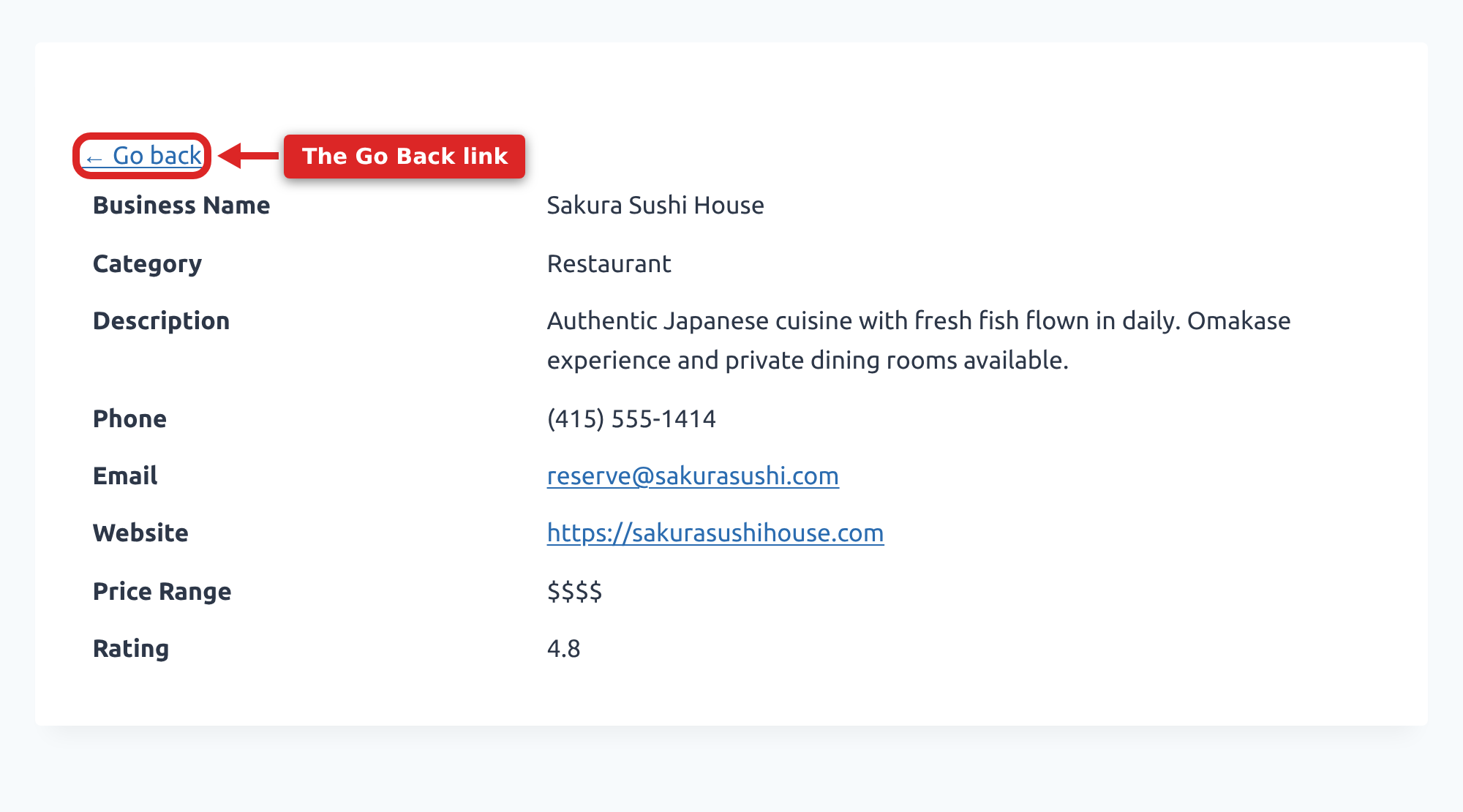
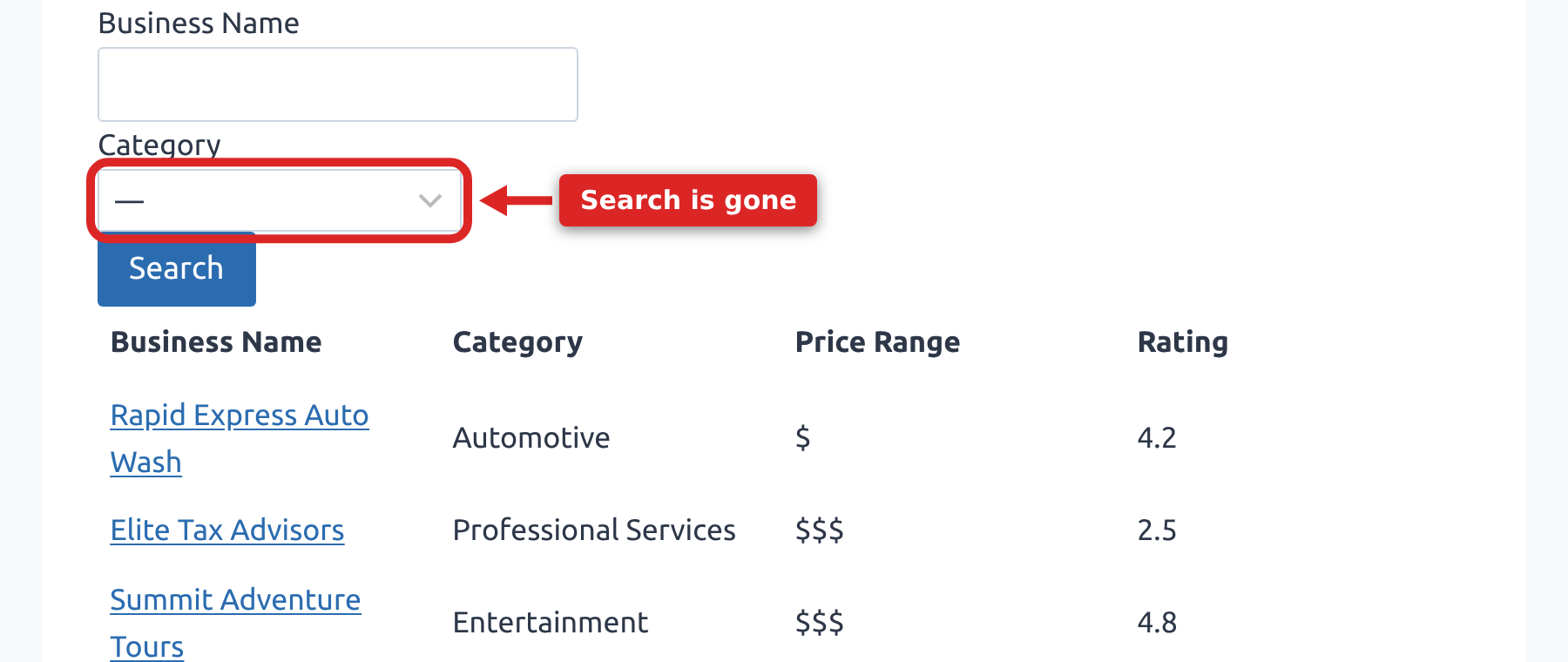
The Go Back link of the Single Entry page redirects the user to the Multiple Entries page. However, if the user performs a search, the Go Back link will lose the search parameters when returning to the Multiple Entries page.
What happens by default #
The search is dropped in two separate places. GravityView keeps a list of reserved query parameters that it does not pass from one request to the next, and the Search Bar adds its own parameters to that list. Links to a single entry are built from the parameters that remain, so the search is not carried onto the link the visitor clicks.
The Go Back link is built separately, from the address of the Multiple Entries page, and it carries only the current page number and the sorting. By the time the visitor clicks it, there is nothing left to restore, so they land on the full list and have to search again.
Adding the snippet #
Using the code snippet below, these search parameters will be kept, and the user will be redirected to the search results.
$gv_carry_search = static function ( $url ) {
    $keys = [
        'mode', 'gv_search', 'gv_start', 'gv_end',
        'gv_id', 'gv_by', 'gv_search_view',
    ];

    $search = array_filter( (array) $_GET, static function ( $key ) use ( $keys ) {
        return 0 === strpos( (string) $key, 'filter_' )
            || in_array( $key, $keys, true );
    }, ARRAY_FILTER_USE_KEY );

    return $search ? add_query_arg( $search, $url ) : $url;
};

add_filter( 'gravityview/entry/permalink', $gv_carry_search, 10 );
add_filter( 'gravityview/template/links/back/url', $gv_carry_search, 10 );See how to add this code snippet to your website: Where to put code samples.
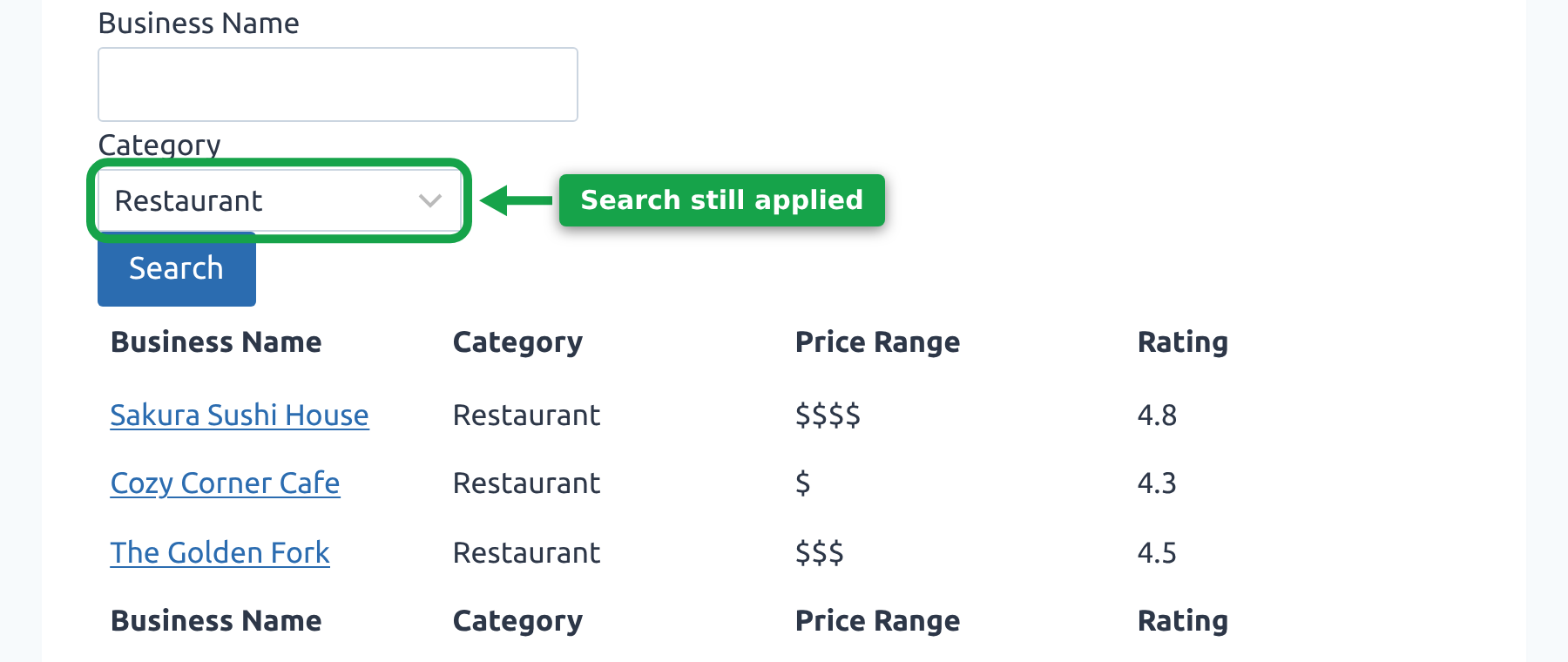
With both filters in place, the search travels onto the link to the entry and back onto the Go Back link, so the visitor returns to the same results with the Search Bar still filled in.
What each filter does #
The first filter adds your search to the link that opens a single entry. GravityView builds that link without the Search Bar’s parameters, so without this filter the search is already gone by the time the visitor reaches the entry.
The second filter puts the same parameters back on the Go Back link, which GravityView does not do on its own. Both filters copy the same short list: the Search Bar’s filter_ fields, mode, and the gv_ search keys. Everything else in the address is left alone.
Note: both filters are needed, and they do different jobs. Removing either one stops the search from being preserved.
Why the snippet does not copy every parameter #
An earlier version of this snippet copied the whole query string onto the link to the entry. GravityView reserves certain parameters and clears them between requests so they do not conflict with other plugins that use the same names, and add-ons such as DataTables add parameters of their own to that list. Copying everything puts those parameters back on the address, which is exactly what the reserved list is there to prevent. The snippet above names the parameters it carries instead, so nothing else comes along.
If you already have an older version of this snippet on your site, replace it with the one above rather than running both. That includes any version that removes the Search Bar’s parameters from GravityView’s reserved list. The same list decides which hidden fields the Search Bar renders, so taking them off it makes the form submit two values for every field, and the next search quietly returns the previous search’s results.

