
Published
•
Updated
Launch Log: Search Bar default values, Multiple Forms 1.0, and a keyboard-friendly GravityBoard
GravityView adds Search Bar default values, Multiple Forms reaches 1.0 with joined-form search, and GravityBoard gets keyboard, security, and performance fixes.


This week’s releases bring a Default Value setting to GravityView’s Search Bar and joined-form search to Multiple Forms, which reaches version 1.0. GravityBoard gets a large update with a security fix, faster large boards, and a full pass on keyboard and screen reader use. Across the suite, the conditional logic editor is easier to use without a mouse, and filters on product prices now match the right entries in every currency format.
All ten releases shipped on September 24, 2026, and each now requires WordPress 6.5 or newer. GravityBoard and Multiple Forms also require PHP 7.4 or newer.
GravityBoard v1.5.0
This update to GravityBoard starts with a security fix. Card notes no longer show images loaded from other sites, because such an image could report the IP address and browser of everyone who read the note to whoever added it. If your team relies on images in notes, a developer filter can add them back (see the developer updates below).
Boards now work properly from the keyboard. Shortcuts such as ? and / respond before you click the board, arrow keys and J/K move between cards, and the card menu follows the arrow keys, Home, and End, and keeps your place when you close it with Escape. Tags can be added and removed with the keyboard, and lane titles, menu items, link buttons, and the Tags field show a focus outline.
Screen readers get clearer output too. They now hear “1 card” rather than “1 cards”, hear something for a card’s description icon, and can tell which note an Edit or Delete button belongs to. The conditional logic in the board settings is also easier to use with a keyboard and screen reader.
Large boards render faster, since cards scrolled out of view in a lane are drawn only when they come into view. A board holding more cards than it can show now says how many it is showing, with that number set by the server’s available memory. A board whose lane field has no choices now explains how to fix it instead of showing an empty space, and fields you can’t edit appear read-only in the card.
Saving a card no longer changes fields nobody touched. Before this release, a save could rewrite a title or description containing characters such as & or ‘, clear assignees or tags on boards with those features turned off, blank out a field holding 0, or move a card between lanes without sending the lane-change notifications. Saving only a card’s assignees also failed on PHP 8, and on PHP 7 it skipped the “Card Edited” notifications.
Attachments now show the uploader’s name instead of “User #” and a number. A file larger than the server allows is refused as soon as you pick it, with the maximum upload size shown, instead of an unclear “No file uploaded.” message. Deleting an attachment now requires permission to view attachments, and a refused delete says which permission is missing.
Mention notifications now respect the “Enable Mention Notifications” setting, and a note mentioning several people sends each of them their own email with their own links, instead of a copy of the first person’s. Boards created by an import, another plugin, or the GravityKit MCP now send mention emails and apply the feed defaults straight away, so assignees, @mentions, and access work without a manual update.
Other fixes in this release:
- An optional drop down in the card editor can be set back to empty, and a radio field with a numeric value shows its selected choice
- The due date can be set with the keyboard and follows your site’s date order
- Saving a note without changing its text no longer shows an error, and a file dropped on an existing card uploads right away
- Cards whose lane value matches no lane now appear in a lane named “Not set”, instead of an unnamed lane whose actions didn’t work
- A new lane given a renamed lane’s name no longer shares its cards, and a new card no longer takes the same position as another card
- The drop indicator no longer flickers while you drag a card over another lane
- Copying the URL of a board filtered by “No assignees” or “No label” now opens the same filter
- A card’s Activity list loads its notes on sites using Plain permalinks
- Assignee merge tags such as
{gravityboard_assignees:names}show names containing & correctly - The admin board screen no longer tells administrators they lack permission to view a board that is switched off
- Conditional logic on product prices matches the right entries when the currency uses a comma for decimals or puts the symbol first, and opening a date picker in conditional logic no longer scrolls the page
Developer updates
- New filters (full list on the GravityBoard developer hooks page):
gk/gravityboard/notes/allowed-htmlsets the HTML a card note may contain. Addimgback to allow images in notes.gk/gravityboard/data/max-entriessets how many entries a board renders. The default follows the request’s memory limit, between 250 and 1,000 cards.gk/gravityboard/data/paginationchanges thetotal,per_page,offset,count, andhas_morevalues the cards endpoint returns.gk/gravityboard/renderer/skip-offscreen-cardsturns off drawing cards only when they scroll into view. Safari’s find-in-page does not match text in a card that has not been drawn.gk/gravityboard/card/writable-fieldslists the mapped card fields a card save may write.gk/gravityboard/card/comparison-valuesets the form of a field value used to decide whether a card save changed it.gk/gravityboard/card/self-managed-keyslists card keys an integration fills in itself throughgk/gravityboard/card/data.gk/gravityboard/feed/field-configchanges the editor configuration the board sends for each mapped form field.
- An attachment over the upload size limit is refused with the error code
gk_gravityboard_file_too_large. Feed::DEFAULT_DARK_TEXT_COLORandFeed::DEFAULT_LIGHT_TEXT_COLORare deprecated in favor of the same constants onGravityKit\GravityBoard\Integrations\EntryTags.
GravityCalendar v2.23.0
This update to GravityCalendar makes the conditional logic that decides which events appear on a calendar easier to use with a keyboard and screen reader. Focus stays in place when you add or remove a condition, the AND/OR switch is now a single control, and date fields and buttons identify the field they belong to. The Custom Value box is also wider in narrow settings panels.
Conditional logic on product prices now matches the right entries, including for currencies that use a comma for decimals or place the symbol first, such as Pound Sterling. Opening or closing a date picker calendar no longer scrolls the page.
GravityCharts v1.22.0
This update to GravityCharts fixes how charts keep up with the Views they sit in. Charts in the GravityView widget now redraw with current data when a View refreshes on the page. On pages with more than one DataTables View, each View now updates its own chart, and the chart description read by screen readers changes when a DataTables View loads different entries.
Charts that total, average, or compare product prices showed wrong values, often 0, in three cases: Calculation, Shipping, and User Defined Price fields; currencies such as Pound Sterling and Japanese Yen; and entries saved before the site currency changed. All three now chart the right amounts.
The conditional logic editor is easier to use with a keyboard and screen reader, and conditional logic on product prices now matches the right entries. Opening or closing a date picker calendar no longer scrolls the page.
GravityExport v1.17.0
This update to GravityExport fixes a critical error that could appear while GravityExport Lite was inactive, either on pages that check for GravityExport add-ons or when deactivating GravityExport. The GravityExport Save and GravityExport Filters tabs also now appear in form settings without the download URL being enabled first.
Conditional logic in your exports is easier to use with a keyboard and screen reader, and the Custom Value box is wider in narrow settings panels. Conditions on product prices now match the right entries with every currency format, and opening or closing a date picker calendar no longer scrolls the page.
GravityImport v2.12.2
This update to GravityImport fixes importing Consent fields. An import could overwrite the form’s consent text and link imported entries to the wrong version of the terms. Consent terms containing % or _ were also saved as a new version on every import. If you map a Consent column in your imports, both issues are resolved.
GravityMath v2.12.1
This update to GravityMath fixes a database error when counting Multi Select choices individually with a filter applied and empty values included.
GravitySearch v1.2.0
This update to GravitySearch makes conditional logic easier to use with a keyboard and screen reader. Focus stays in place when you add or remove a condition, the AND/OR switch is now a single control, and date fields and buttons identify the field they belong to. The Custom Value box is also wider in narrow settings panels.
Conditional logic on product prices now matches the right entries, including for currencies that use a comma for decimals or place the symbol first, such as Pound Sterling. Opening or closing a date picker calendar no longer scrolls the page. New to GravitySearch? Getting started with GravitySearch covers setup.
GravityView v3.5.0
This update to GravityView adds a Default Value setting to Search Bar fields. A default pre-fills the field and filters the View until a visitor runs their own search, and for fields with choices you pick the default from a list. Radio button search fields also get a “No value” option, which adds a choice that clears the field, since radio buttons can’t otherwise be deselected.
Screen reader navigation is much improved. The Search Bar is now a search landmark, the entries are a named region, and the View title names both. Pagination arrows and First/Last links have accessible names, radio, checkbox, date, and range search fields announce their field name, and Links search fields read as a named list that announces the active option.
That accessibility work changes some Search Bar markup. Fields that hold a group of inputs now render as a fieldset with a legend instead of a div with a label. If you have custom CSS for the Search Bar, check the developer notes below and the Search Bar styling guide, which covers selectors that work with both versions.
Search, sort, and pagination links now use readable query keys, such as sort[3] rather than sort%5B3%5D. DataTables Views using the Vantage theme also look more consistent: pagination buttons match the rest of GravityView, the page-length control sits at the end of the toolbar, and focus outlines are fully visible. The conditional logic editor is easier to use with a keyboard and screen reader, and the Custom Value box is wider in narrow settings panels.
Views that combine entries from several forms with Multiple Forms get three fixes. A Search Bar field from a joined form now searches that form instead of the View’s main form, filters on a joined form’s fields work with relative dates such as “yesterday”, and sorting by a field works on sites running Gravity Forms older than 3.0.0.1.
Other fixes in this release:
- The User Activation field shows the Activate User button on multisite subsites instead of “Invalid activation key”
- In the Vantage theme, a single-checkbox search field shows its checkbox beside the field name, and Advanced Search fields follow the Search Bar’s grid, including the single-column layout on mobile
- Choosing an option in a Links search field no longer clears the other search fields
- Views added to a block theme’s template or template part through the Site Editor are recognized as part of the page
- The
:diffmerge tag modifier (for example,{date_created:diff}) is no longer off by the site’s UTC offset, so an entry created two hours ago no longer shows as “2 hours from now” - A
form:merge tag no longer shows a value from the main form when the target form no longer has that field - Filters on product prices match the right entries with every currency format, and opening a date picker calendar no longer scrolls the page
Developer updates
- Added the
GET /wp-json/gravityview/v1/views/{view_id}/refreshendpoint, which returns a View’s entries, entry total, and page window for a given query. Layouts opt in with thegk/gravityview/view/refresh/livefilter. - Added sorting by a joined form’s field on any layout with a
sort[<field_id>:<form_id>]URL parameter. Search Bar fields from a joined form now render the matchingfilter_<field_id>:<form_id>key. - The
gk/gravityview/view/entries/query/sorting-parametersfilter now provides aform_idkey on each sorting parameter. - Added the
gk/gravityview/view/outputfilter to modify a View’s fully rendered HTML before it is returned. - Added the
gk/gravityview/search/field/default-valuefilter to provide or override a Search Bar field’s default value. - The
{gv_entry_link}merge tag no longer writes a deprecation notice to the debug log every time it renders. - Search Bar fields that hold a group of inputs (radio, checkbox, chained select, date, date range, number range, and entry date) now render as
<fieldset class="gv-search-box ...">with a<legend>instead of a<div>with a<label>. Class names, IDs, input names, and the per-choice.gv-check-radiolabels are unchanged. Custom CSS works with both versions when it leaves the element name off the class (.gv-search-box, notdiv.gv-search-box) and targets both field-name elements (.gv-search-box > label, .gv-search-box > legend).
GravityView – Advanced Filter Extension v4.8.0
This update to the Advanced Filter Extension makes filter conditions and field conditional logic easier to use with a keyboard and screen reader. Focus stays in place when you add or remove a condition, the AND/OR switch is now a single control, and date fields and buttons identify the field they belong to. The Custom Value box is also wider in narrow settings panels.
Filters on product prices now match the right entries, especially with currencies that use a comma for decimals or place the symbol first, such as Pound Sterling. On Views that join forms with Multiple Forms, filters on a joined form’s fields now work with relative dates such as “yesterday”.
A form: merge tag no longer shows a value from the main form when the target form no longer has that field, and opening or closing a date picker calendar no longer scrolls the page.
GravityView – Multiple Forms v1.0.0
This update takes Multiple Forms to version 1.0 and adds search on joined form fields. You can now add a joined form’s fields to the Search Bar widget, so visitors can search a joined View by any form’s fields, not only the main form’s. Joined Views also load their entries more efficiently.
Sorting in joined Views works as expected again. A random sort order no longer shows an empty View, sorting on the joined form’s Entry ID or Date Created returns entries, and clicking those column headers sorts by the joined form instead of the main form.
The merge editor no longer clears a View’s merge configuration if you save before it finishes loading. Smaller issues with duplicate merge conditions, focus handling, and dropdowns are also fixed.
Developer updates
- Sorting on a joined form’s field now uses GravityView’s
<field_id>:<form_id>key, the same one search uses. The previousform:<form_id>|<field_id>key still works, so saved Views and shared links keep sorting.
In summary
GravityBoard sees a security fix, faster large boards, and a long list of keyboard, screen reader, and card-save fixes. GravityView gains Search Bar default values and better screen reader navigation, while Multiple Forms reaches 1.0 with joined-form search and sorting fixes. The Advanced Filter Extension, GravityCalendar, GravityCharts, GravityExport, and GravitySearch share a more accessible conditional logic editor and correct product price matching, and GravityImport and GravityMath get targeted fixes for Consent fields and Multi Select counts.
Before updating, confirm your site runs WordPress 6.5 or newer, and PHP 7.4 or newer if you use GravityBoard or Multiple Forms.

Get better at Gravity Forms, one email a week
New GravityKit releases, practical Gravity Forms tutorials, and subscriber-only discounts. One short email every week, unsubscribe anytime.
More articles

Launch Log: Search Bar default values, Multiple Forms 1.0, and a keyboard-friendly GravityBoard
GravityView adds Search Bar default values, Multiple Forms reaches 1.0 with joined-form search, and GravityBoard gets keyboard, security, and performance fixes.

Launch Log: AI-assisted migrations and a stronger Prevent Direct Access setting
GravityMigrate can now hand a whole migration to an AI assistant, GravityKit MCP installs into Claude Desktop in one click, and GravityView tightens the Prevent Direct Access setting.
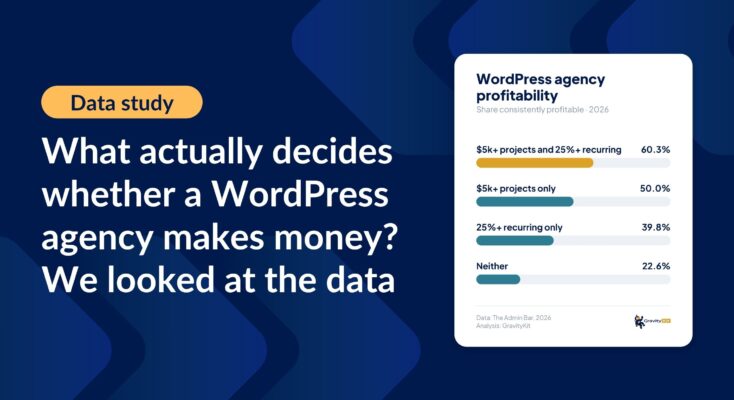
What actually decides whether a WordPress agency makes money? We looked at the data
Two 2026 surveys of 832 WordPress agencies, plus our own analysis of the raw data. What separates the profitable agencies from the rest, and what does not.