Getting started with GravitySearch
Gravity Forms lets you browse one form’s entries at a time, with no real way to search across them. GravitySearch fixes that, in two places: a Global Search page that searches every form’s entries at once, and the same advanced filtering added to each individual form’s own entries.
Before you begin: GravitySearch works with Gravity Forms 2.5 or newer. If you haven’t set it up yet, follow Installing, activating, and updating GravityKit plugins and Managing your licenses.
If you have an All Access pass, you can skip the download entirely: hover GravityKit in the admin menu, click Manage Your Kit, find GravitySearch, and click Install to add and activate it in one step. We’ll pick up from the moment GravitySearch is active.
Prefer to watch the video? #
Open the Global Search page #
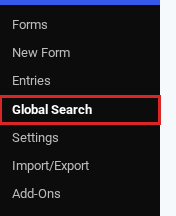
GravitySearch adds a Global Search page to your admin. In the menu, go to Forms and click Global Search. Think of it as your home base: every form’s entries gathered into one list, with status tabs, a date filter, bulk actions, and pagination.
Run your first search #
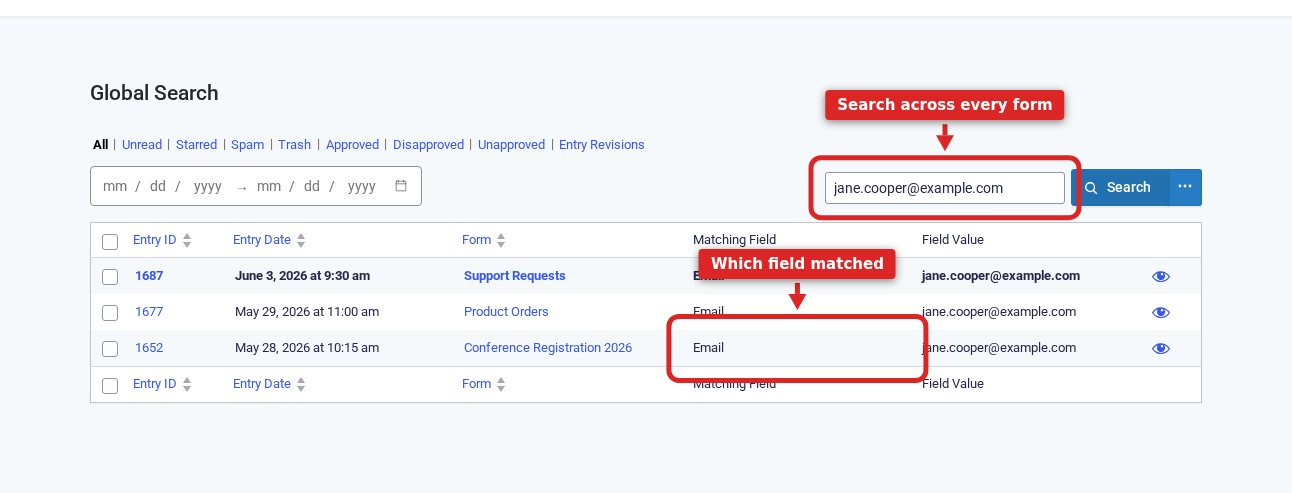
Type into the Search entries box and click Search. GravitySearch looks through every form at once and lists the matches, telling you which form each one came from, which field matched, and the value it found. Search a customer’s email address and you’ll see everything they ever submitted, no matter which form it landed on.
Narrow by status or date #
The tabs above the results filter by status: All, Unread, Starred, Spam, Trash, and, if you use GravityView, approval statuses. To zero in on a time period, set a start and end date in the range picker (both are shown at the top of the results in the screenshot above). On top of the usual presets, GravitySearch adds quick ranges for the last 90, 180, and 365 days.
Filter across forms with Advanced Search #
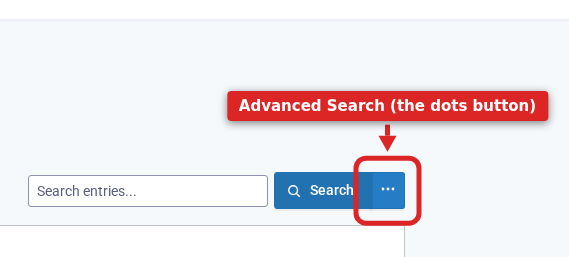
For anything more specific, click the Advanced Search button. It’s the small three-dots button right next to Search (its tooltip reads “Advanced Search”).
Because the Global Search page spans every form at once, the filter builder here offers only the things every entry has in common: Entry Properties like the entry date, who submitted it, payment status, and starred state, plus a Form option to limit which forms you search. (Individual form fields aren’t here, because your forms don’t all share the same fields. For those, see the last section.)
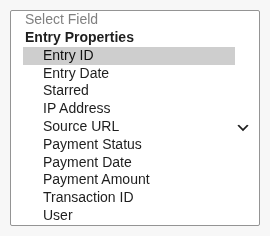
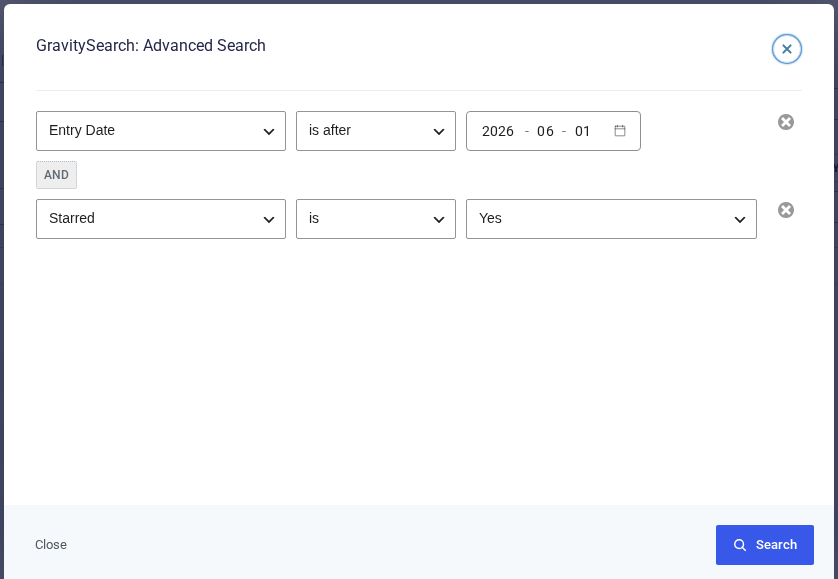
Pick a field, an operator, and a value to build a condition, then add more and combine them with AND or OR.
For example, to round up every entry you have flagged across all your forms, filter Entry Date is after a date AND Starred is Yes:
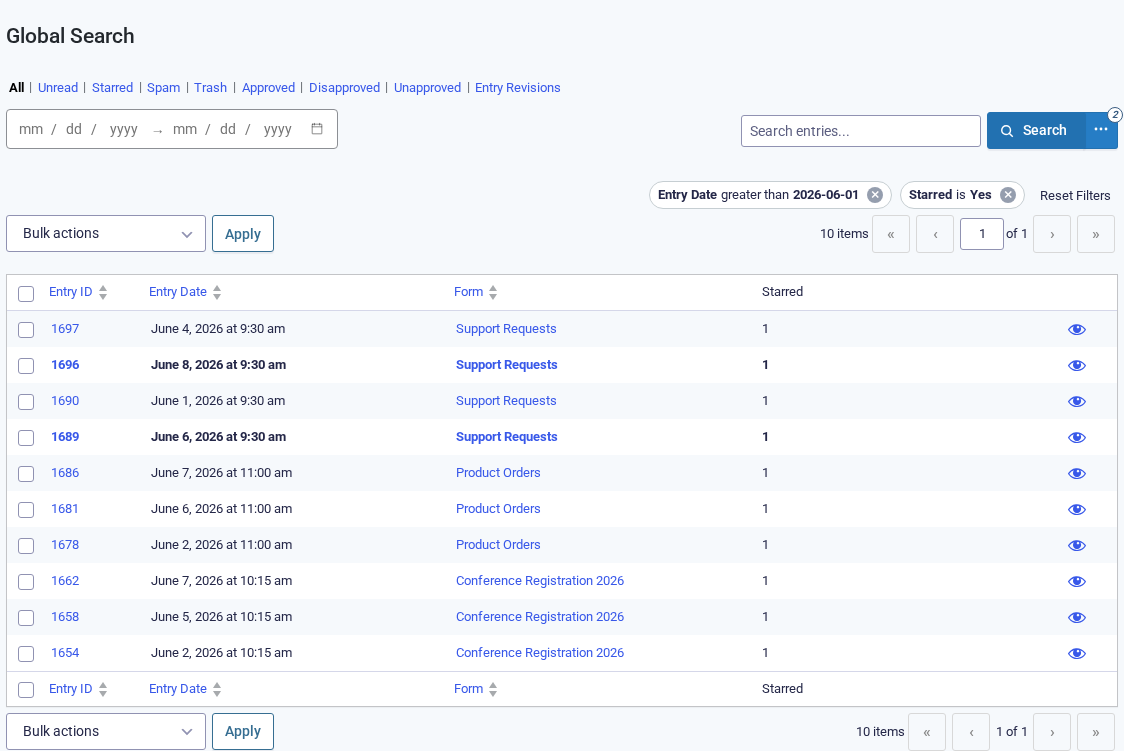
Click Search and Global Search returns just those entries, gathered from every form at once, with each condition shown as a chip you can drop. Here it pulls the recent starred entries from Support Requests, Product Orders, and Conference Registration into a single list:
Preview an entry #
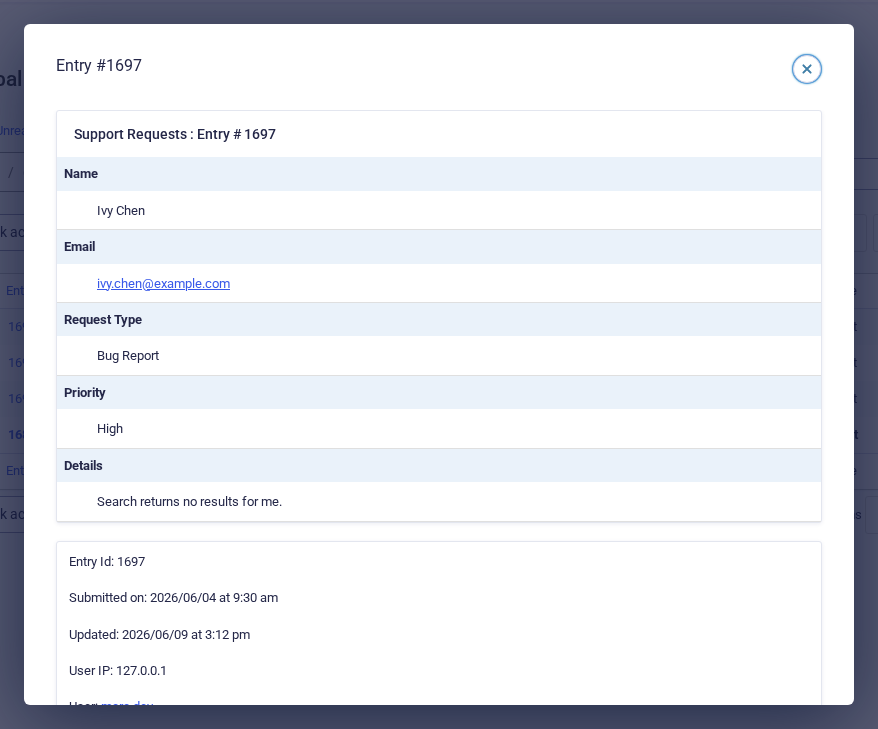
Found a promising row? Click the eye icon on it to open the entry right where you are. The preview shows every field of the submission, so you can confirm it’s the one you want, close it, and carry on down the list. No new tabs, no losing your place.
Act on the results in bulk #
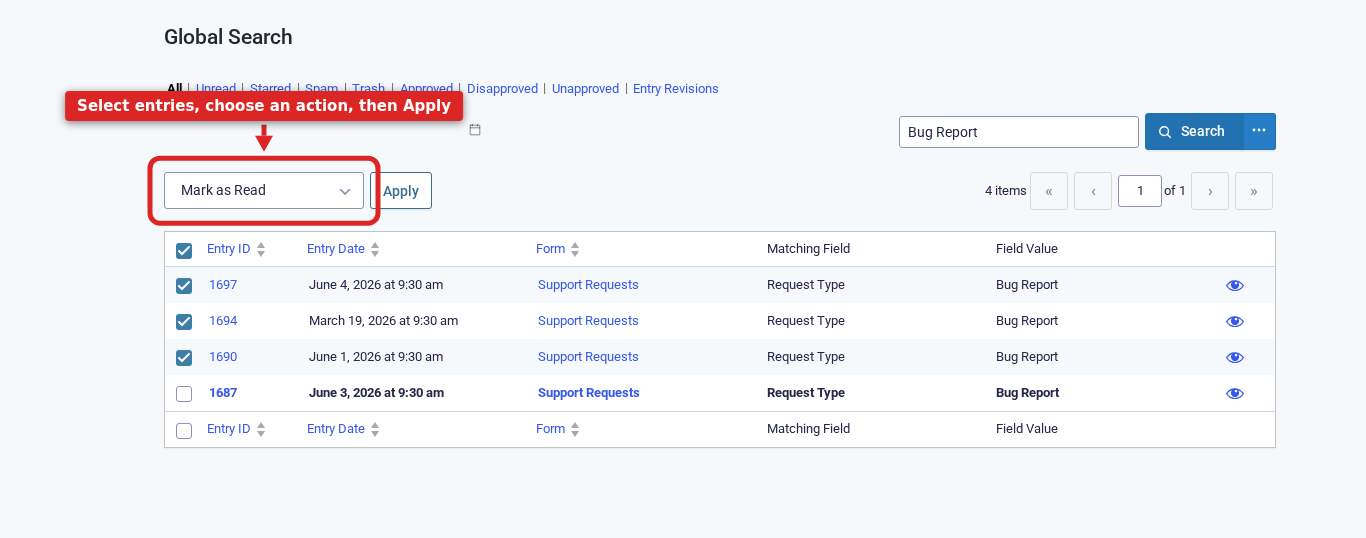
Tick the entries you want, choose an action from the Bulk actions menu (Mark as Read, Add Star, Spam, Trash, and Approve when GravityView is active), and click Apply. Because Global Search spans every form, you can tidy up across your whole site at once instead of form by form.
Filter a single form by its own fields #
Everything so far has searched across all your forms. To filter by a specific form’s own questions, you work from that one form’s Entries list instead. Go to Forms, hover the form, and click Entries.
GravitySearch adds the same search box and the same three-dots Advanced Search button right there:
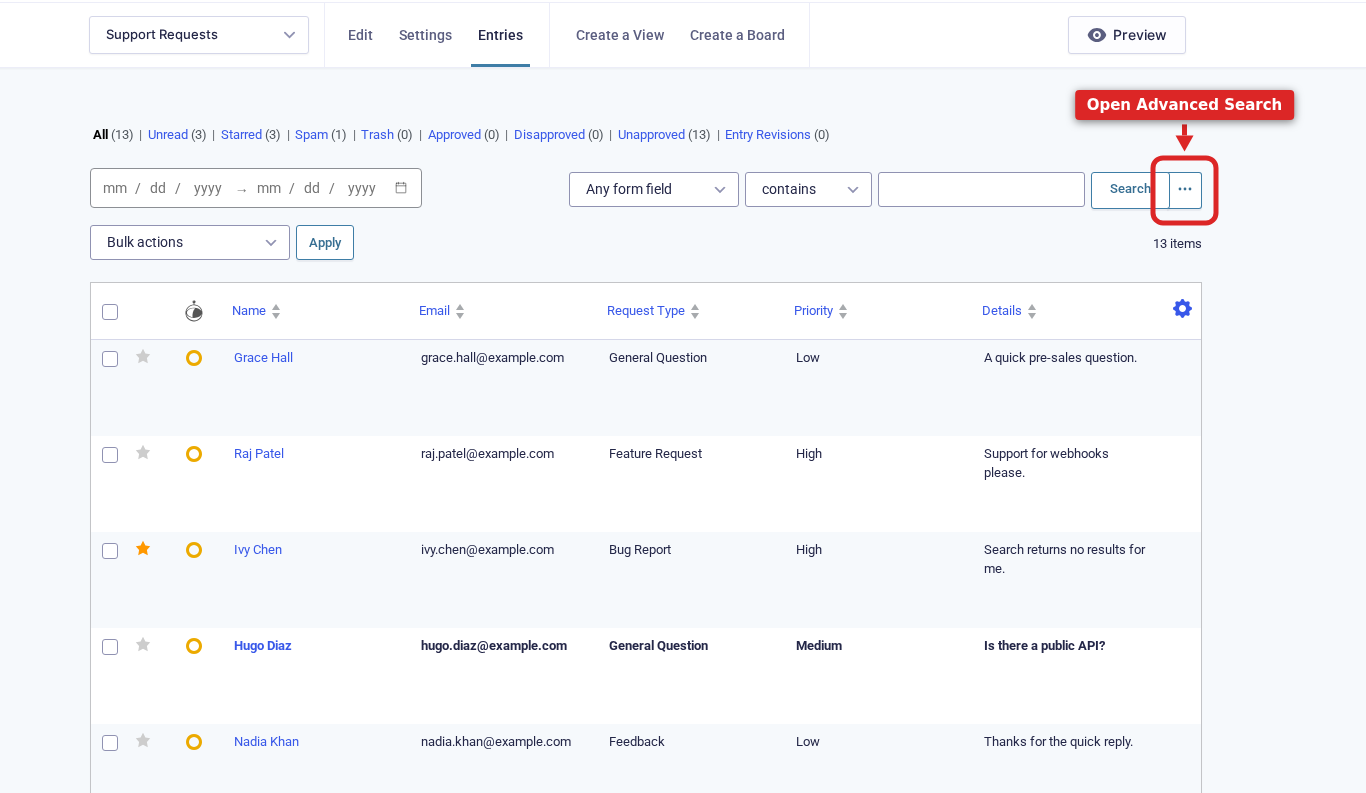
The difference is the field dropdown. Because you’re now looking at just one form, it adds a Form Fields group listing that form’s own questions, above the same Entry Properties you saw on Global Search:
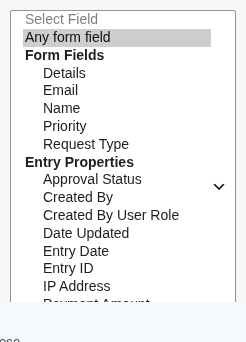
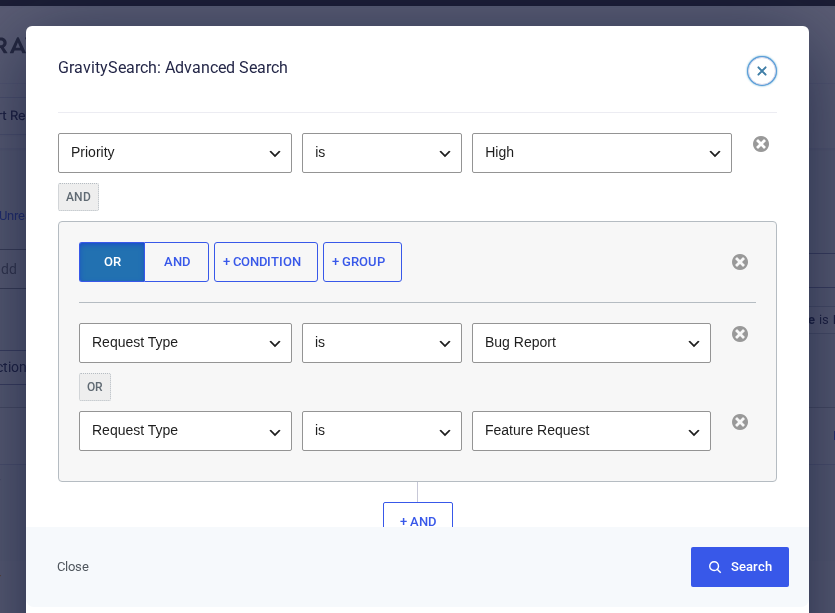
That Form Fields group is what lets you build precise, field-level filters. Conditions combine with AND (every one must match) or OR (any one can), and you can nest a group inside another. For example, on a support form: Priority is High AND (Request Type is Bug Report OR Request Type is Feature Request), the urgent bug reports and feature requests together.
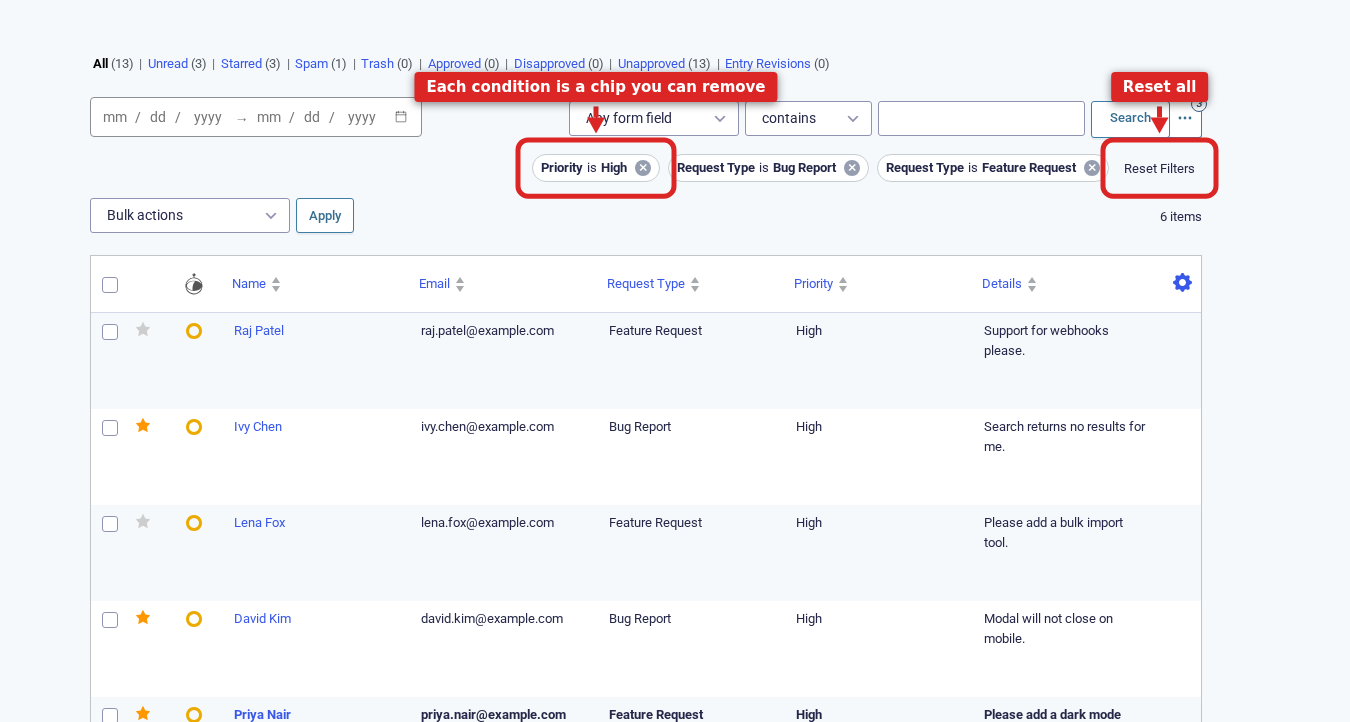
Click Search and the list updates in place. Each condition becomes a chip above the results, so you can drop a single one with its x or clear them all with Reset Filters.
Save and share a search #
Every search you run lives in the page’s URL, which means any view you build is also a link. Bookmark the searches you run every day, or paste the URL to a teammate, and they’ll land on the exact same results. If you write code, you can construct the same filters yourself with the gk_search URL parameter.
Open search from anywhere #
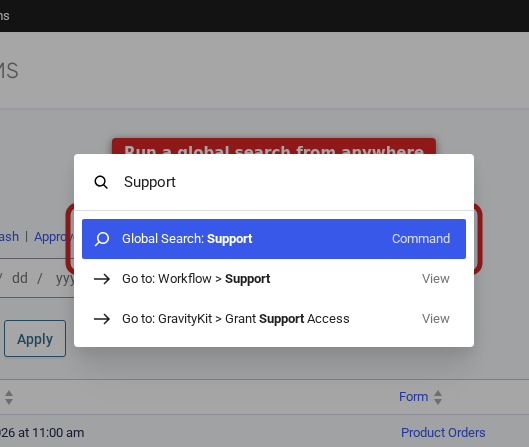
You don’t even need to be on the Global Search page to start. On WordPress 6.3 and later, press Cmd+K (or Ctrl+K on Windows) from any admin screen to open the command palette, type a few letters, and jump straight into a global search, or to any form’s entries, editor, or settings.
Where to go next #
- See the filters put to work in What you can do with GravitySearch, a set of real-world recipes.
- Read more on the GravitySearch product page.