
Products show as unlicensed
GravityKit marks a product as unlicensed when the product is active on your site and no license that covers it is active there. The product’s card on the Manage Your Kit page then shows Unlicensed product, or License required to update if a newer version is available.
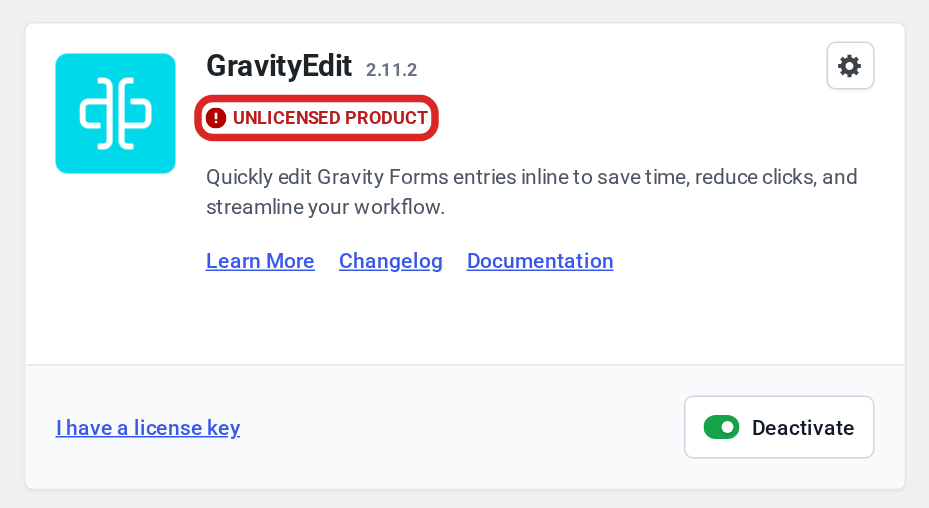
To find the cause, go to GravityKit, then Manage Your Kit, and check the Licenses section at the top of the page. If none of the cases below matches what you see there, contact our support team.
No license is listed #
If the Licenses section shows No Licenses Activated, no license is active on this site. Click Connect GravityKit Account to activate a license from your account, or click Enter a license key manually, paste your key, and click Activate License. On a site already connected to your account, the section reads No license active on this site and has the same Enter a license key manually link. Managing your licenses explains each method.
If licenses were listed before and a red Licensing data is inaccessible notice now appears, the keys that protect the site’s licensing data have changed. Follow The license key keeps disappearing to restore the licenses.
The license shows Not Activated for This Site #
This status means the license is valid but the site’s current address is not one of its activations. It appears after you move the site to a new domain or copy it to another address. A license with no activations at all shows Not Activated instead. In both cases, click Activate on the license’s row to activate it for this address.

Activating this address leaves the old one activated too. If you see “Activation limit reached” when you click Activate, free the old address in your GravityKit account:
- Sign in to your GravityKit account and open Licenses.
- Click the × next to the old address on the license, and confirm. If the license has more than five sites, click Manage to see them all.
- On this site, click Activate on the license’s row again.
If the other address is a staging or development copy, Development websites and GravityKit licenses explains which addresses don’t use up an activation.
The license shows Expired #
An expired license no longer covers your products. Its row shows Expired with how long ago the license expired, and a Remove link in place of Deactivate. Leave the row in place and renew the license in your GravityKit account: open Licenses and click Renew on the license. Then click Refresh next to the Manage Your Kit heading so the site checks the license again.
If the row shows Disabled or Revoked instead, contact our support team.
The license doesn’t include the product #
If the license row shows Active and a product’s card still shows Unlicensed product, the license doesn’t include that product. Upgrade your license to one that includes it, then click Refresh next to the Manage Your Kit heading. If you buy the product separately instead, click I have a license key on its card, paste the new key, and click Activate.
On a multisite network #
A license activated on one site of a network covers only that site, and a license activated in the Network Admin covers every site. A product that is active for the whole network needs a network-wide license, and its Unlicensed product label appears in the Network Admin instead of on each site. See Multisite and GravityKit licenses.
On a site connected to your GravityKit account #
If the Licenses section shows the notice “This site was disconnected from your GravityKit.com account”, the licenses activated through the connection were deactivated. Click Reconnect to activate them again. Managing connected sites covers the other connection messages.

