
Can’t deactivate license key
To deactivate a license, go to GravityKit, then Manage Your Kit, and click Deactivate on the license’s row in the Licenses section. For a license whose status is Expired, Disabled, Revoked, or Invalid, the link reads Remove. Either link removes the license from the site and asks GravityKit.com to free the site’s activation. If none of the cases below matches what you see, contact our support team.
A note appears in place of Deactivate #
Some licenses can’t be deactivated on this page. Their row shows a note where the Deactivate link would be.

| Note on the row | Why | What to do |
|---|---|---|
| Set in wp-config.php | The key is hard-coded in wp-config.php with the GRAVITYKIT_LICENSES constant or the older GRAVITYVIEW_LICENSE_KEY constant. | Remove the key from the constant. The license leaves the list the next time an administrator opens the dashboard. The site’s activation stays on your account, so free it there as described below. |
| Managed by network admin | The license covers every site on a multisite network. | A network administrator deactivates it in the Network Admin: go to GravityKit, then Manage Your Kit. |
| Managed by the connected account | The license came through the site’s connection to your GravityKit account. | Deactivate it from Connected Sites in your GravityKit account. |
| Your access is view-only | The site’s access level in your GravityKit account is View only. | Deactivate it from Connected Sites in your account, or change the site’s access level there. |
| Reconnect your account to manage this | The site’s connection to your GravityKit account stopped working. | Click Reconnect in the Licenses section. |
| Account access unavailable | The site couldn’t reach your GravityKit account to confirm its access level. | Click Refresh next to the Manage Your Kit heading to try again. |
Deactivating a license that came from your account can also fail with a message such as “You do not have permission to change this license.” In that case, deactivate it from Connected Sites in your account. Managing connected sites explains that page.
The site still counts toward your license #
For a license you entered with its key, Deactivate removes the license from the site even when GravityKit.com doesn’t confirm the deactivation. That happens when the site can’t reach GravityKit.com, or when the site’s address changed after you activated the license. The activation then stays on your account. To free it, including one held by a site you deleted or can no longer sign in to:
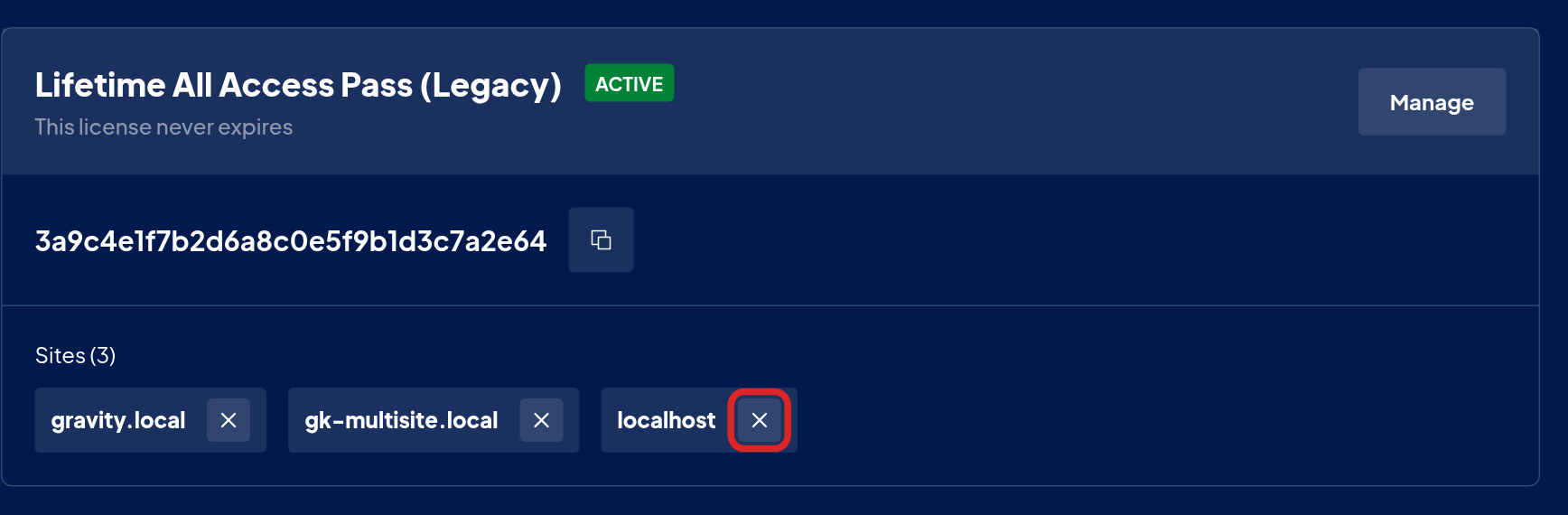
- Sign in to your GravityKit account and open Licenses.
- Click the × next to the site’s address on the license, and confirm. If the license has more than five sites, click Manage to see them all.
WP-CLI can’t deactivate the license #
When the site’s current address is not one of the license’s activations, wp gk licenses deactivate stops with the error “Site is not activated for this license.” and keeps the license on the site. Click Deactivate in Manage Your Kit to remove it, then free the old address in your GravityKit account as described above.

