

Restricting file access in GravityExport & GravityExport Lite
Each GravityExport download URL is a fixed address with a random code in it. The Download Permissions setting decides who can download the file from that URL: anyone who has it, or only people signed in to your site who are allowed to export entries.
Download Permissions for a form’s download URL #
- Go to Forms, hover over the form and click Settings, then click GravityExport. With only GravityExport Lite installed, the tab is GravityExport Lite.
- Under Security Settings, choose a Download Permissions option.
- Click Save Settings.
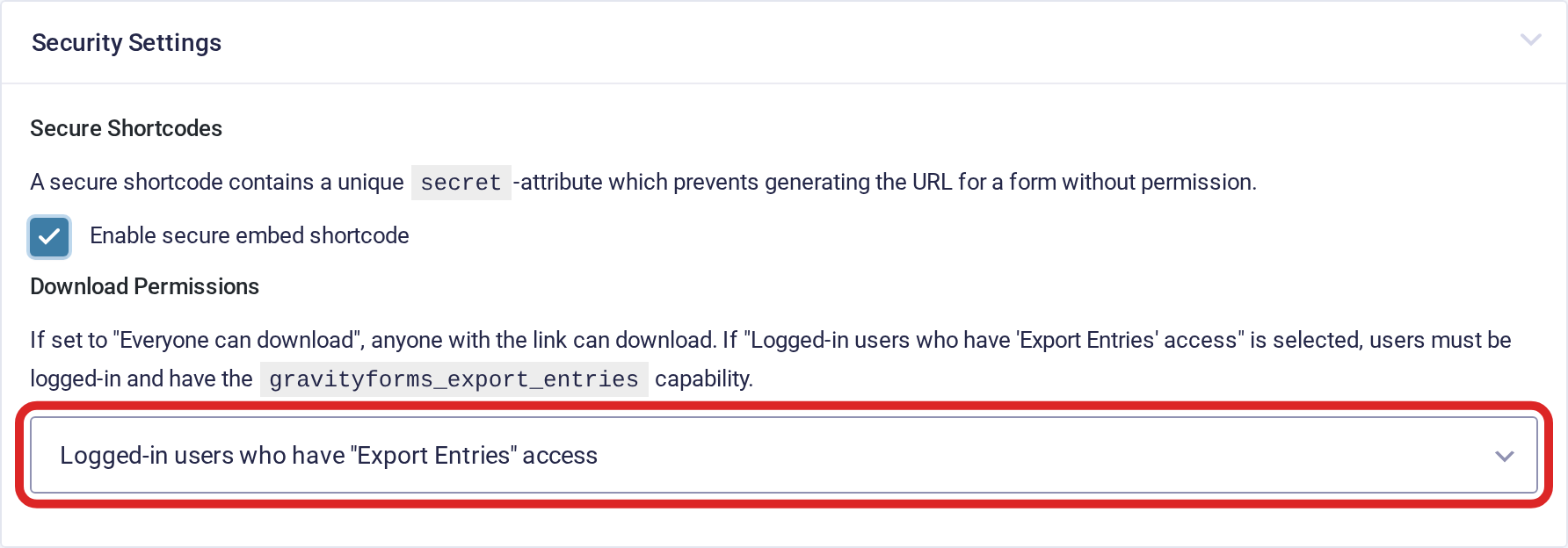
- Everyone can download: anyone with the URL gets the file, signed in or not. A form’s download URL starts with this option.
- Logged-in users who have “Export Entries” access: only signed-in users with the Gravity Forms Export Entries permission (
gravityforms_export_entries) get the file. Administrators have it by default. Anyone else gets an empty page.
This setting also covers the form’s GravityExport Filters feeds: with it set to the second option, a Filters feed set to Everyone can download still refuses people who aren’t allowed to export entries.
To require sign-in for every download URL on your site, add this line to your site’s wp-config.php file. The Everyone can download option then disappears from every form and feed.
define( 'GFEXCEL_SECURED_DOWNLOADS', true );Download Permissions for a GravityExport Filters feed #
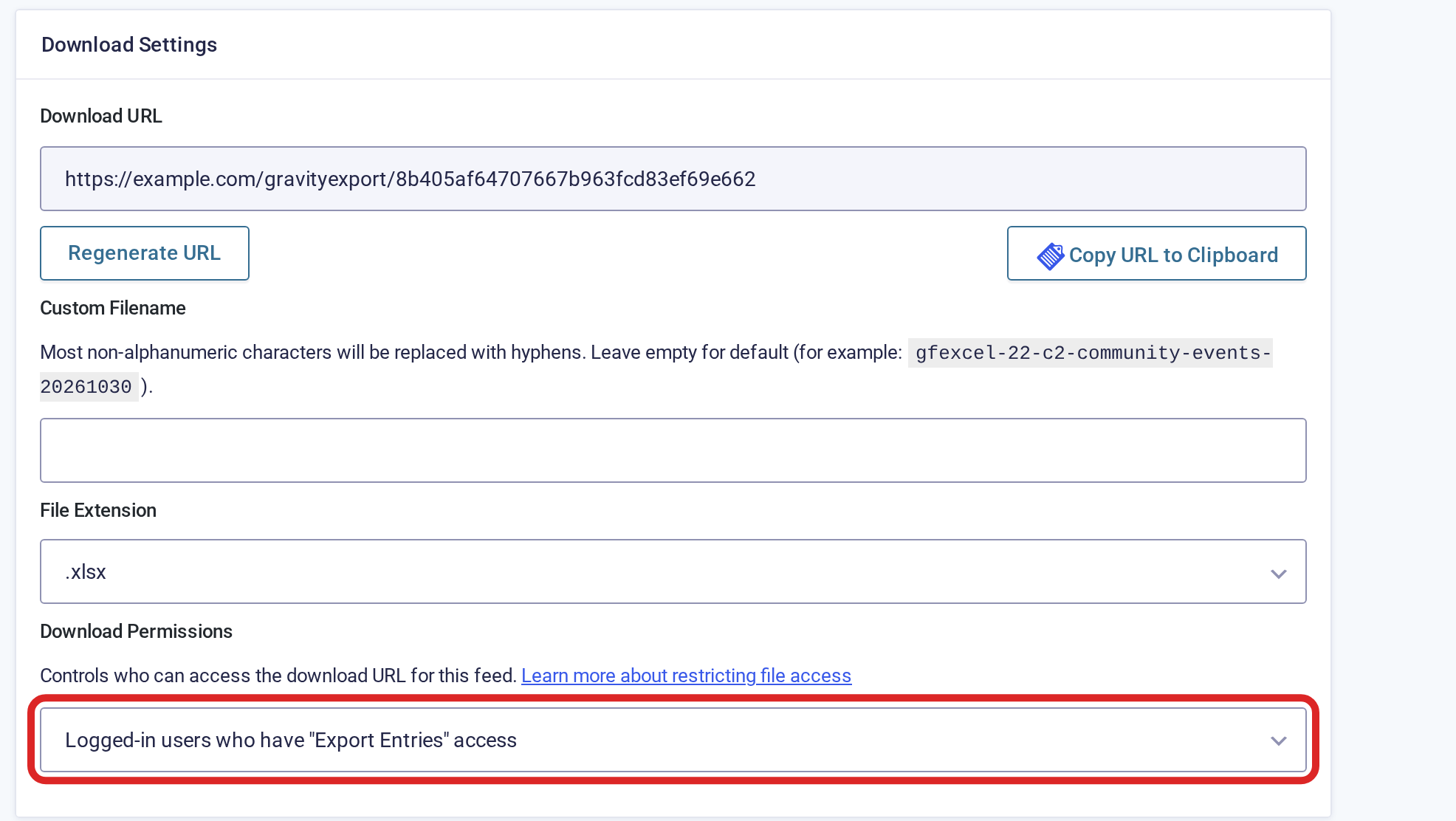
Each GravityExport Filters feed has a download URL and a Download Permissions setting of its own, on the Export Settings tab under Download Settings. A new feed starts with Logged-in users who have “Export Entries” access.
People the feed refuses see a page titled “Export not available”. A visitor who isn’t signed in reads “This export is only available to people signed in to this site.” with a link to sign in. A signed-in user without permission reads “Your account does not have access to this export.”
The feed’s Conditional Logic tab decides which entries the file includes. Everyone the feed allows still gets a file: a condition on Current User Role, for example, gives people with other roles a file with no entries.
Sharing exports with people who can’t sign in #
A download URL has no password, expiry date or one-time use. With Everyone can download, the random code in the URL is the only protection, and anyone who receives the URL, or a forwarded copy, can download the file.
For exports that hold personal data, save the file to a shared folder instead. A GravityExport Save feed can save the export to Dropbox or Box on a schedule, and you share that folder with the people who need it. See Connecting Dropbox to GravityExport, Connecting Box to GravityExport and How to schedule automated exports.
Revoking a download URL #
If a URL reached someone it shouldn’t have, change or turn it off on the same settings page:
- Regenerate URL gives the form’s URL, or a Filters feed’s URL, a new code. The old URL stops working, so send the new one to everyone who still needs it.
- Disable download URL turns off the form’s URL. The form’s Filters feeds keep their own URLs.

Both ask you to confirm, and neither can be undone.
Allowing or refusing downloads with code #
For a URL set to Logged-in users who have “Export Entries” access, the gk/gravityexport/download/can-download filter decides whether the current user gets the file. It needs GravityExport Lite 2.7.6 or later, and GravityExport 1.18.1 or later for Filters feed URLs. A URL set to Everyone can download doesn’t run it.
The filter receives:
$can_download(bool): whether the user has the Export Entries permission.$feed(array): the export being downloaded, with itsform_id.$user_id(int): the current user’s ID, or0for a visitor who isn’t signed in.
Return true to let the user download, or false to refuse them. This example lets Editors download the exports of one form without the Export Entries permission:
add_filter( 'gk/gravityexport/download/can-download', 'gk_let_editors_download_exports', 10, 3 );

/**
 * Lets Editors and Administrators download the secured exports of one form.
 *
 * @param bool  $can_download Whether the user has the Gravity Forms Export Entries permission.
 * @param array $feed         The export being downloaded.
 * @param int   $user_id      The current user's ID, or 0 for a visitor who isn't signed in.
 *
 * @return bool Whether the user may download the file.
 */
function gk_let_editors_download_exports( $can_download, $feed, $user_id ) {
    // Replace 12 with the ID of the form.
    if ( 12 === (int) rgar( $feed, 'form_id' ) && user_can( $user_id, 'edit_others_posts' ) ) {
        return true;
    }

    return $can_download;
}Note: Read Where to put code samples to learn how to add this code to your site.
A download can run the filter more than once, so return the same answer each time.