How to re-run a GravityExport Save feed
You can run a GravityExport Save feed straight away, without waiting for its trigger. The export writes to the feed’s destination immediately and replaces what is already there. When a single feed finishes, GravityExport tells you how many rows it wrote, and the run is added to the feed’s Activity Log.
Export Now works on active feeds whose Export Type is All Entries:
- The feed must be active, because a paused feed is skipped.
- The feed’s Export Type must be All Entries. A Single Entry feed stops with the error “Single entry feed cannot be processed as form feed.”
- If the feed’s Entries to Include is set to Only entries since the last export, Export Now sends only the entries that arrived since the last export that worked, and the next scheduled run starts counting from this one.
1. Run a single feed with the Export Now link #
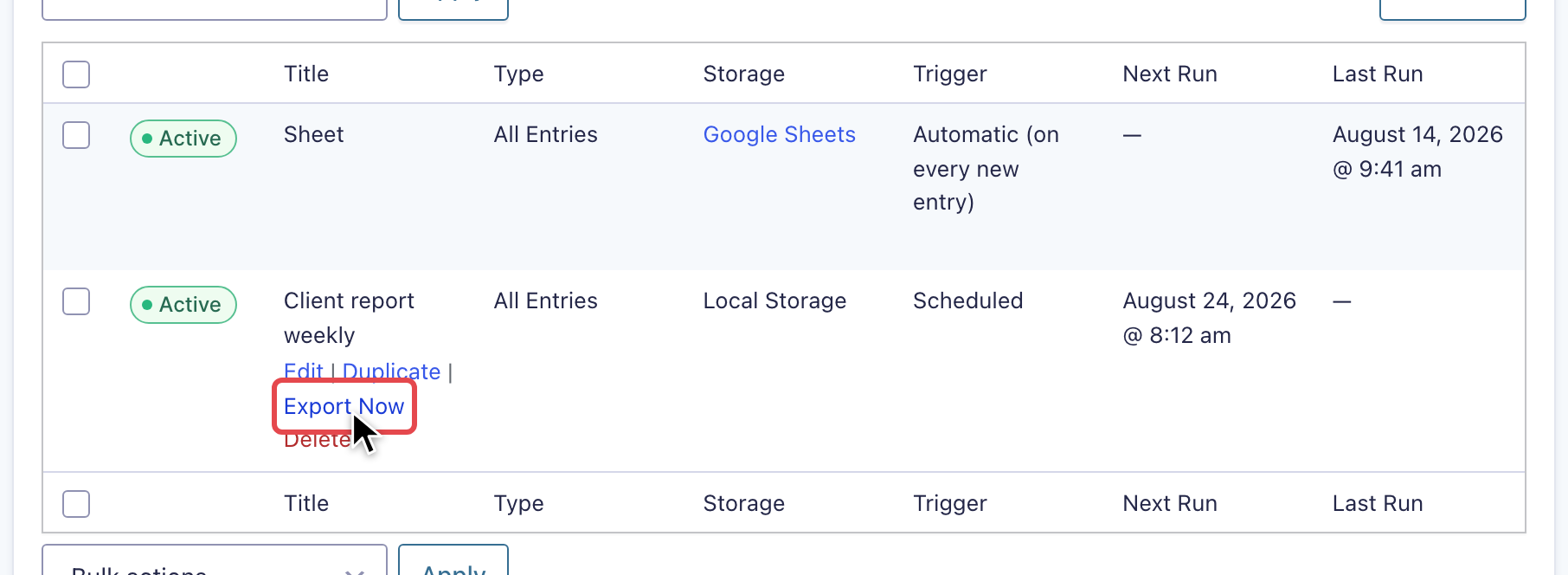
Go to the form’s Settings, then GravityExport Save. Hover over the feed you want to run, click the Export Now link, and confirm. In versions before 1.15.0 this link was called “Process”.
Note: GravityExport 1.17.0 and newer always list the GravityExport Save tab in a form’s settings. On 1.15 and 1.16, it appears only once the form’s download URL is enabled (Settings > GravityExport > Enable download URL), or once the form has an active Save feed. To reach a paused feed on those versions when the form has no download URL, open /wp-admin/admin.php?page=gf_edit_forms&view=settings&subview=gravityexport-save&id=FORM_ID on your site, with FORM_ID replaced by the form’s ID.
2. Run multiple feeds with a bulk action #
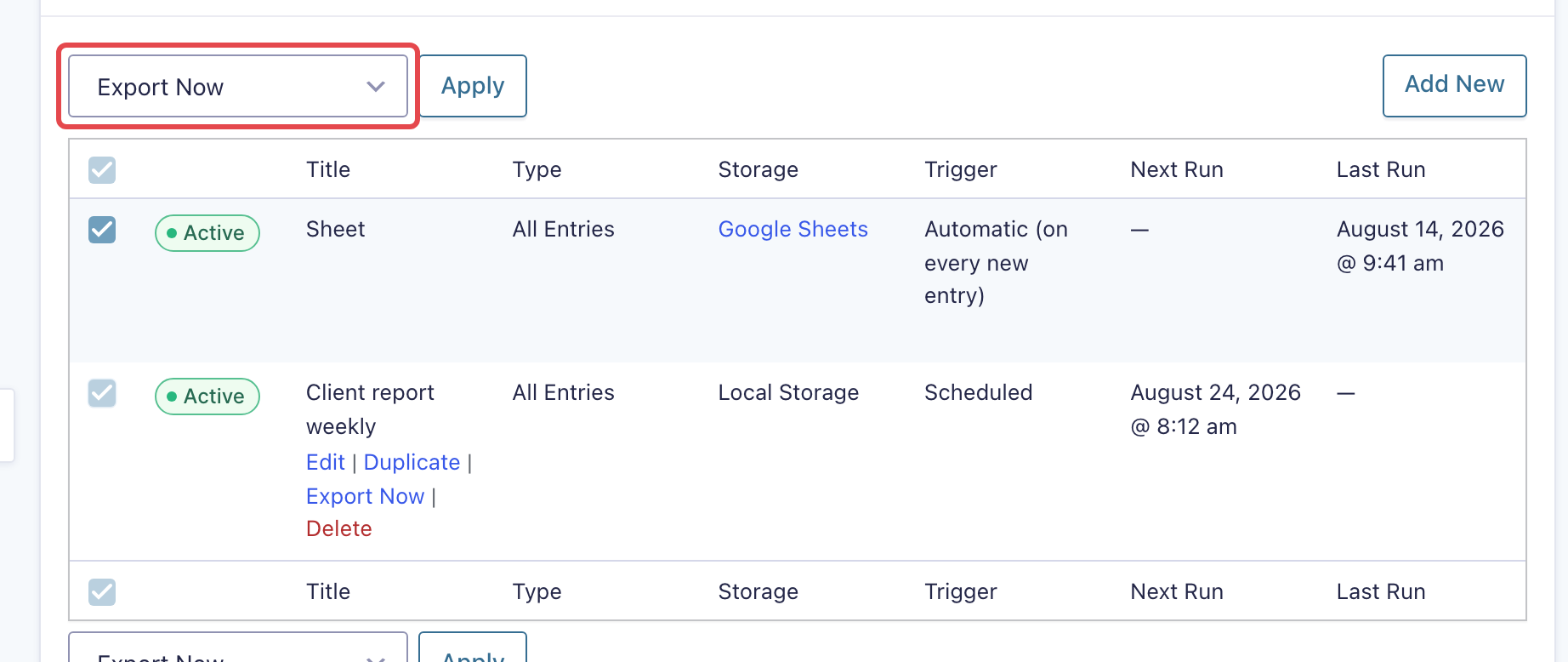
To run several feeds at once, on the GravityExport Save settings page:
- Check the boxes next to the feeds you want to run.
- Select Export Now from the Bulk actions dropdown.
- Click Apply.
The bulk action does not ask you to confirm: the exports start as soon as you click Apply, and the notice tells you how many finished.