
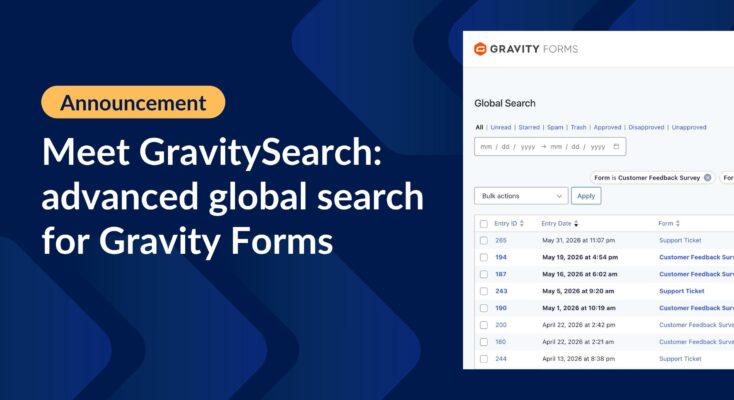
Meet GravitySearch: advanced global search for Gravity Forms
GravitySearch adds cross-form search to Gravity Forms: find any entry from one screen, build advanced filters, and preview results without leaving the page.
Product updates

Launch Log: GravitySearch arrives, plus AI spam review and GravityView fixes
This week, releases are anchored by a brand-new product! GravitySearch joins the GravityKit suite with cross-form entry search for Gravity Forms. Alongside it, Gravity Forms Zero Spam picks up an AI-powered review step, and GravityView sees fixes for Enhanced Security, Edit Entry, and Entry…

Launch Log: 3D maps in the Maps Layout, plus enhanced conditional logic in Charts and Calendar
3D map types and an Edit Entry location picker land in the Maps Layout, plus conditional logic upgrades in GravityCharts and GravityCalendar.
Latest Posts
Gravity Forms vs Elementor Forms: In-depth comparison
Gravity Forms and Elementor Forms are both powerful tools for creating forms on your WordPress site, but they emphasize different features and functionality: In this post, we’re going to compare both solutions by taking an in-depth look at their features, functionality, pricing, and more….
Gravity Forms image upload plugins: a full review of file uploaders 2025
Compare the best Gravity Forms image upload plugins for 2025. Side-by-side review of File Upload Pro and Image Hopper covering features, pricing, and front-end performance.

How to easily add Gravity Forms to Divi: step-by-step guide
Two methods to embed Gravity Forms in the Divi page builder, plus tips for styling your forms and displaying submitted entries on the front end of your site.

How to build a volunteer management system on WordPress without code
Nonprofits depend on volunteers, but managing them efficiently can be a challenge. While many organizations turn to expensive software solutions, there’s a more affordable, flexible alternative: build your own volunteer management system using WordPress. In this step-by-step guide, you’ll learn how to create a…

How to edit Gravity Forms entries on the frontend using GravityView
Allow site visitors to edit their Gravity Forms submissions from the front end without admin access. Ideal for member profiles, job applications, and registration forms.

How to display Gravity Forms entries on a page or post
Gravity Forms is a powerful WordPress plugin for collecting user input, but what if you want to display that data publicly on your site? That’s where GravityView comes in. In this tutorial, we’ll show you how to display Gravity Forms entries on a WordPress…

How to build an intranet to power your business with Gravity Forms & GravityView (no code required)
Looking for a way to manage your team, projects, or HR processes from one central place, without the cost of expensive SaaS solutions? With Gravity Forms and GravityKit, you can create a powerful, flexible intranet on WordPress that’s tailored to your business needs (all…

How to automatically export Gravity Forms entries and send reports via email
If you rely on Gravity Forms to collect data, you probably wish there was an easier way to export submissions. By default, Gravity Forms only lets you export entries manually (and only as CSV files). What if you want to automate exports, generate Excel…

Helpful tips right in your inbox.
Subscribe to get the latest articles, information on releases and helpful Gravity Forms tips!