
Published
•
Updated
Meet GravitySearch: advanced global search for Gravity Forms
GravitySearch adds cross-form search to Gravity Forms: find any entry from one screen, build advanced filters, and preview results without leaving the page.

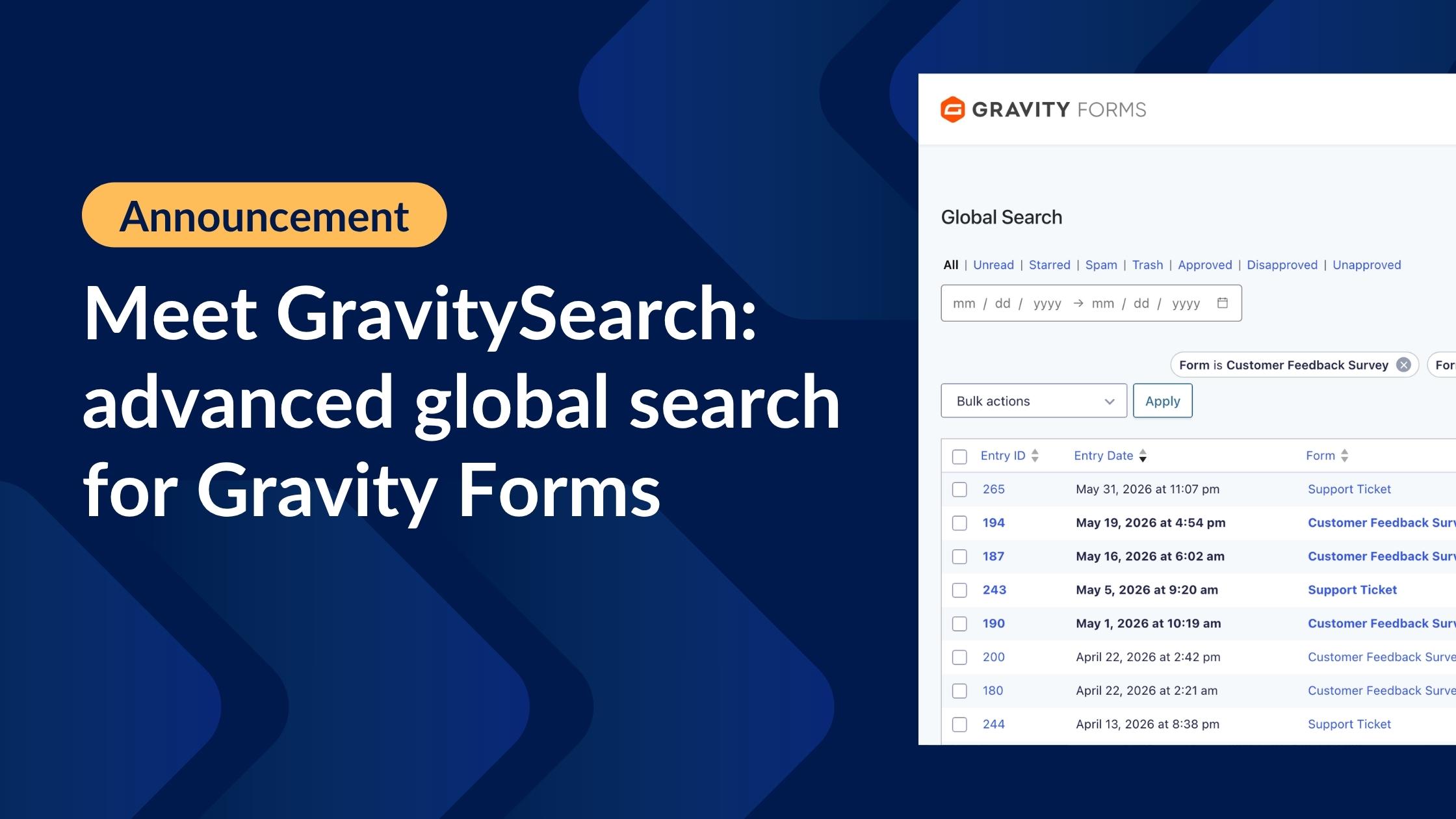
Gravity Forms is great at collecting data. Finding it again is another story. The moment you have more than a handful of forms, tracking down a single entry means opening each form’s entry list one at a time and querying a basic search box without support for multiple conditions.
We built GravitySearch to fix that. It’s a new add-on that brings cross-form search to Gravity Forms, right inside your WordPress admin. Search every entry across every form from one screen, build precise filters with AND/OR logic, and preview results without leaving the page.
See GravitySearch in action
Search every form from one place
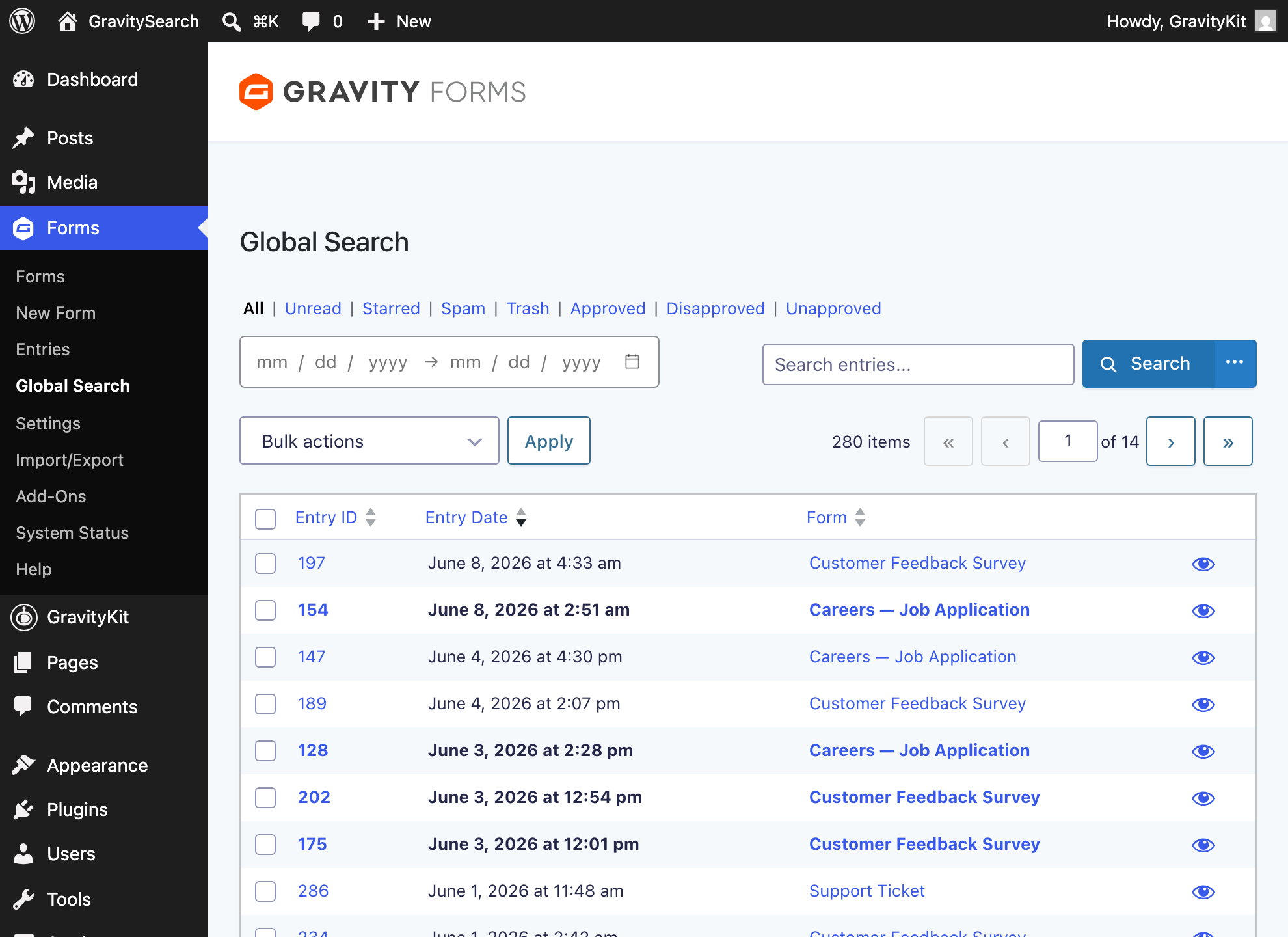
GravitySearch adds a new Global Search page to Gravity Forms. In the WordPress admin, go to Forms, then Global Search, and you get every entry on a single, searchable screen (no more hunting form by form!).
Type a name, an email address, an order number, or anything else, and GravitySearch searches across all of your forms at once. Each result also shows which field matched and what it found, so you are never guessing why an entry appeared.
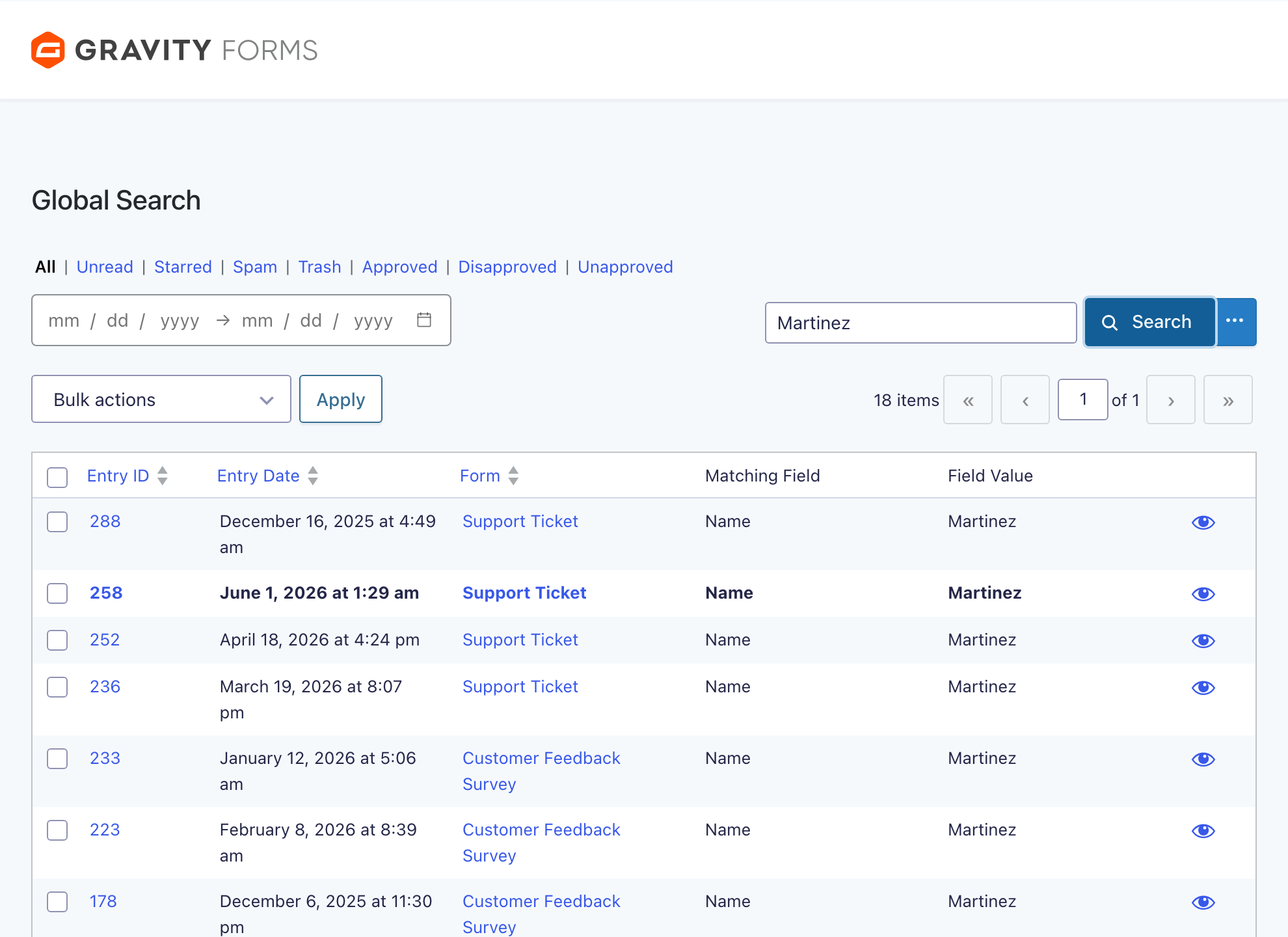
- Search every form at once – no more opening one entry list at a time.
- See the matching field and value for each result – instant context on why it matched.
- Sort by entry ID, date, or form, and page through large result sets.
- Results, pagination, and filters update instantly – everything is Ajax-powered, with no full page reloads.
Every search lives in the page URL, so you can bookmark a result set or send it to a teammate and they will land on the same view.
Build advanced filters with AND/OR logic
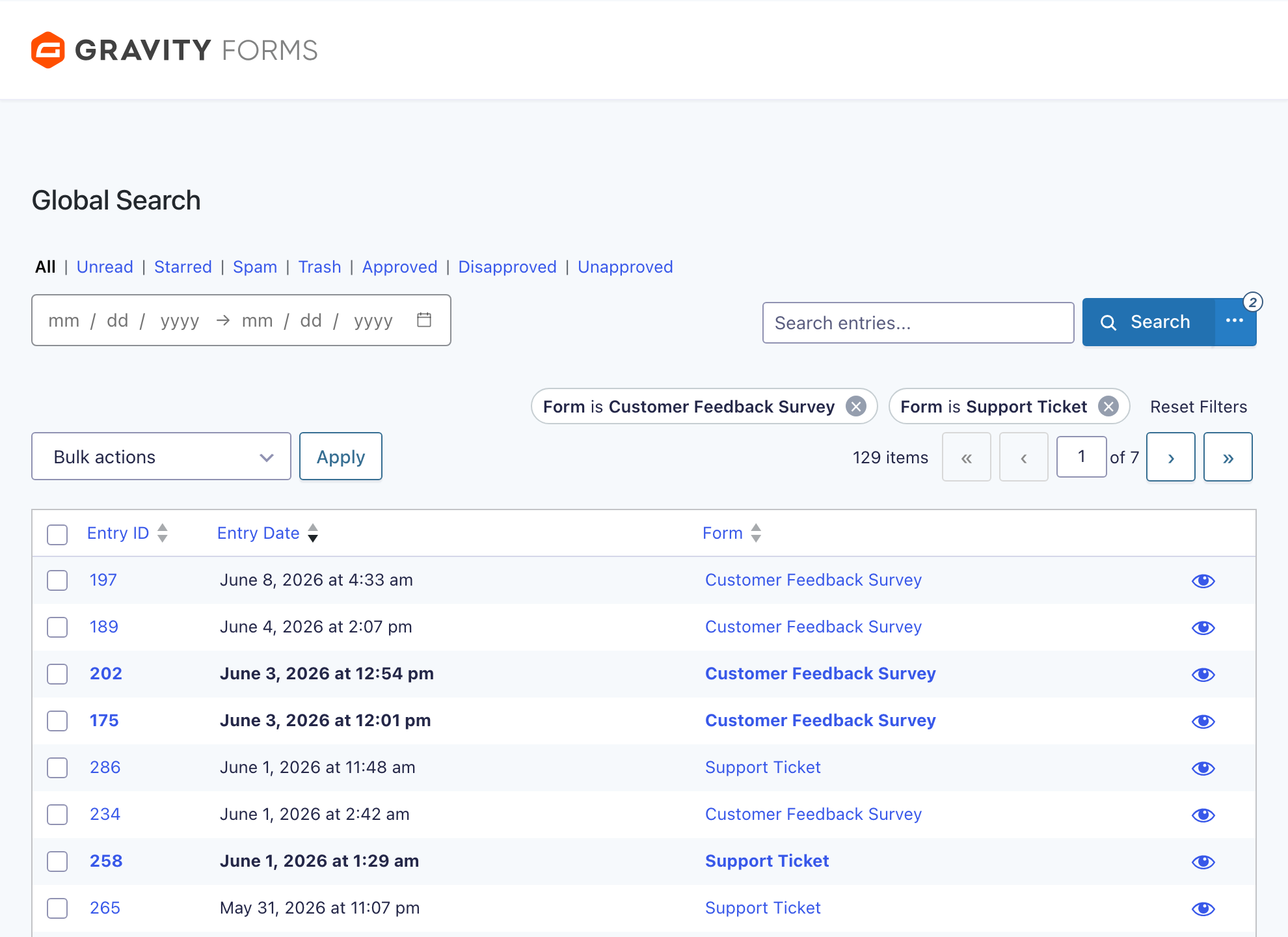
When a keyword is not enough, open the Advanced Search builder to construct the exact search you need. Combine conditions with AND/OR logic, group them, and filter on any field or entry property.
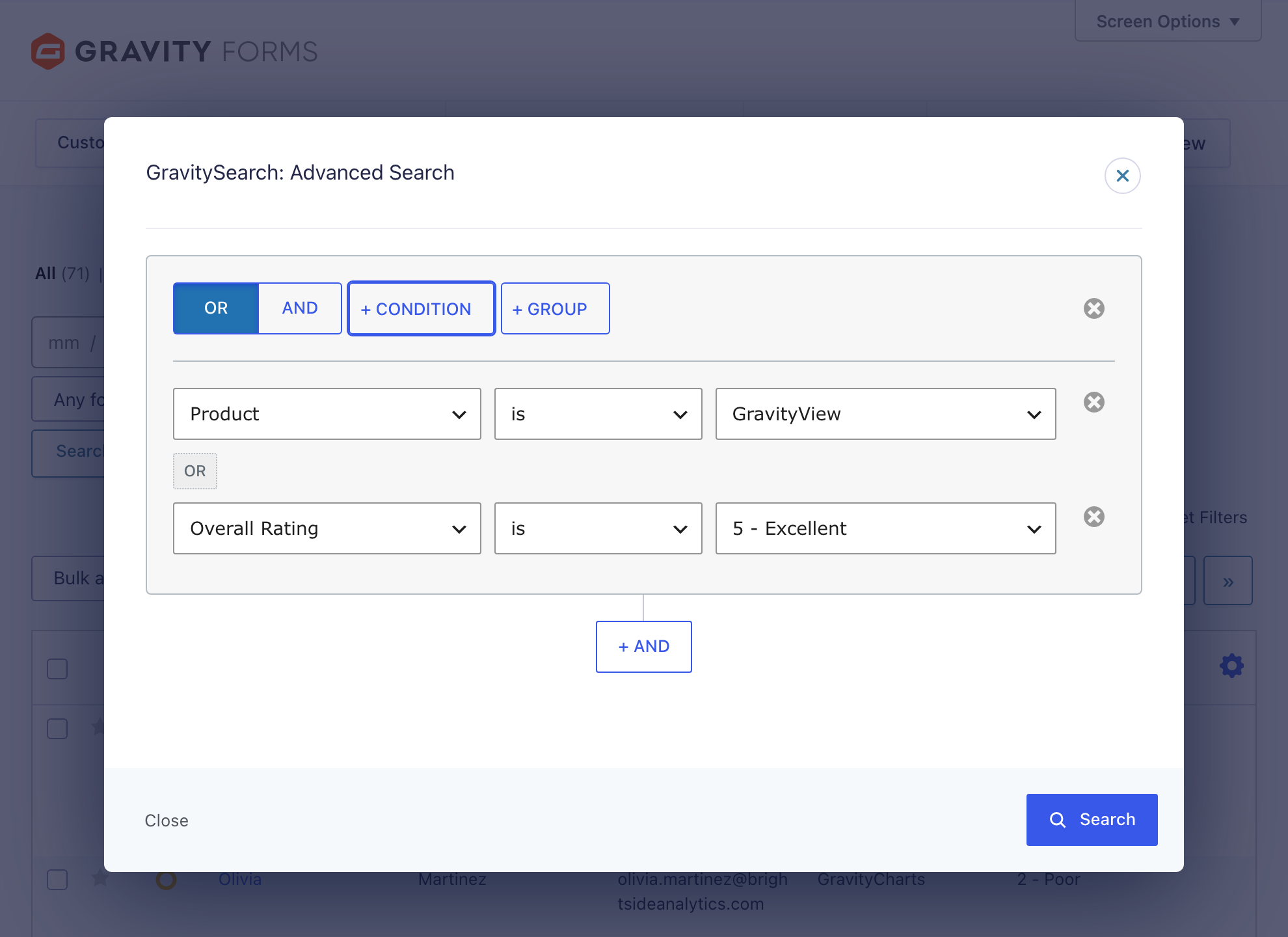
- Mix AND and OR conditions – match all of your rules, any of them, or a nested combination.
- Group conditions – build logic like “status is active AND (rating is 5 OR rating is 4)”.
- Filter on any field or property – form fields, dates, created-by, entry status, and more.
- Filter by form – include or exclude specific forms (
is,is not,has any of,has none of) with a fast, type-to-find picker that scales to hundreds of forms.
Apply the filter and your results stay on one screen. Active conditions show up as chips you can read at a glance and clear with a single click.
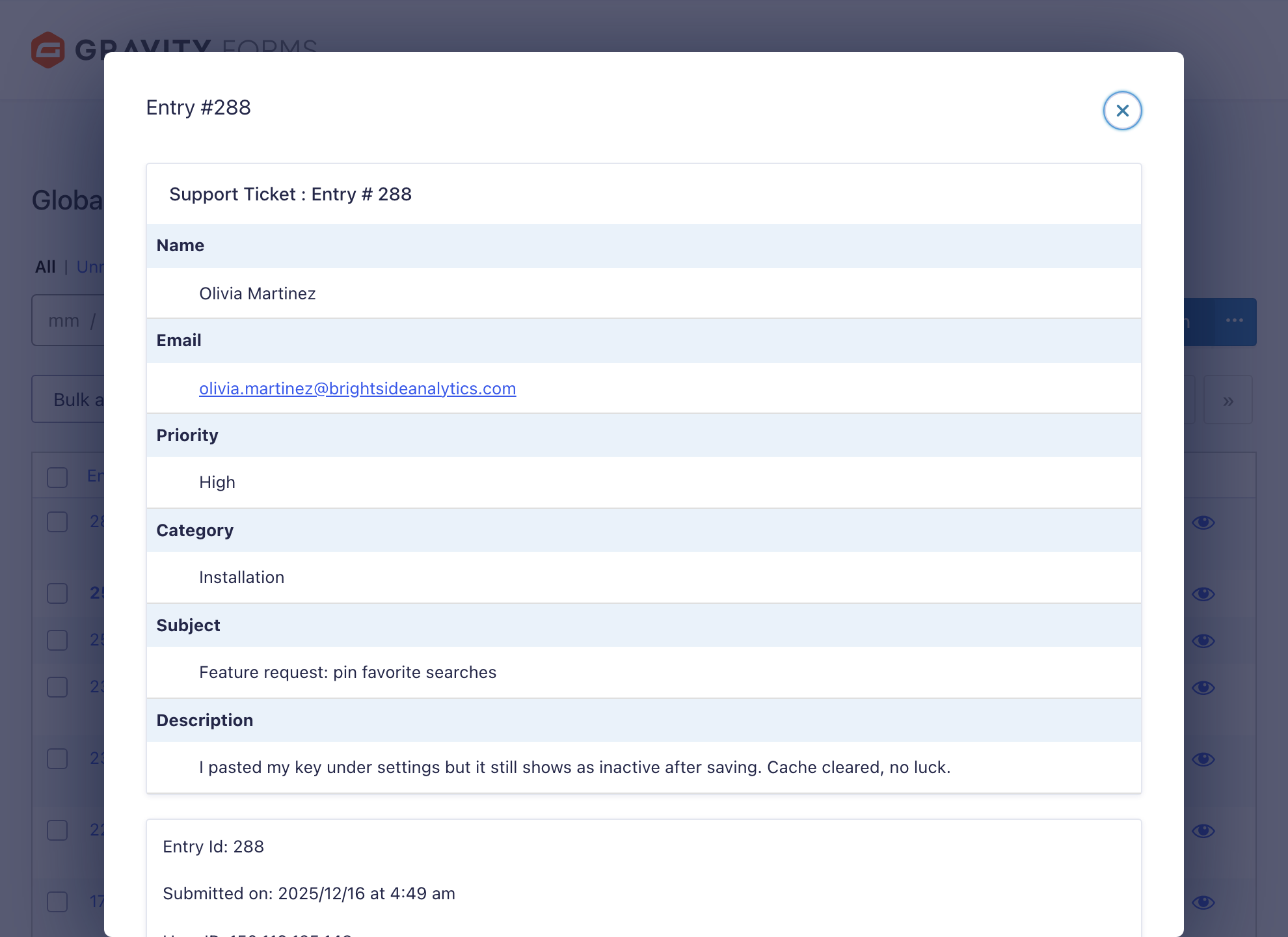
Preview entries without leaving your results
Found the entry you were looking for? Open it right where you are. GravitySearch shows the full entry in a modal, so you can read every field without losing your place in the results.
Filter by status, date, and more
Narrow results without typing a thing. Switch between active, unread, starred, spam, and trashed entries with a click, set a date range, and run bulk actions on what you find.
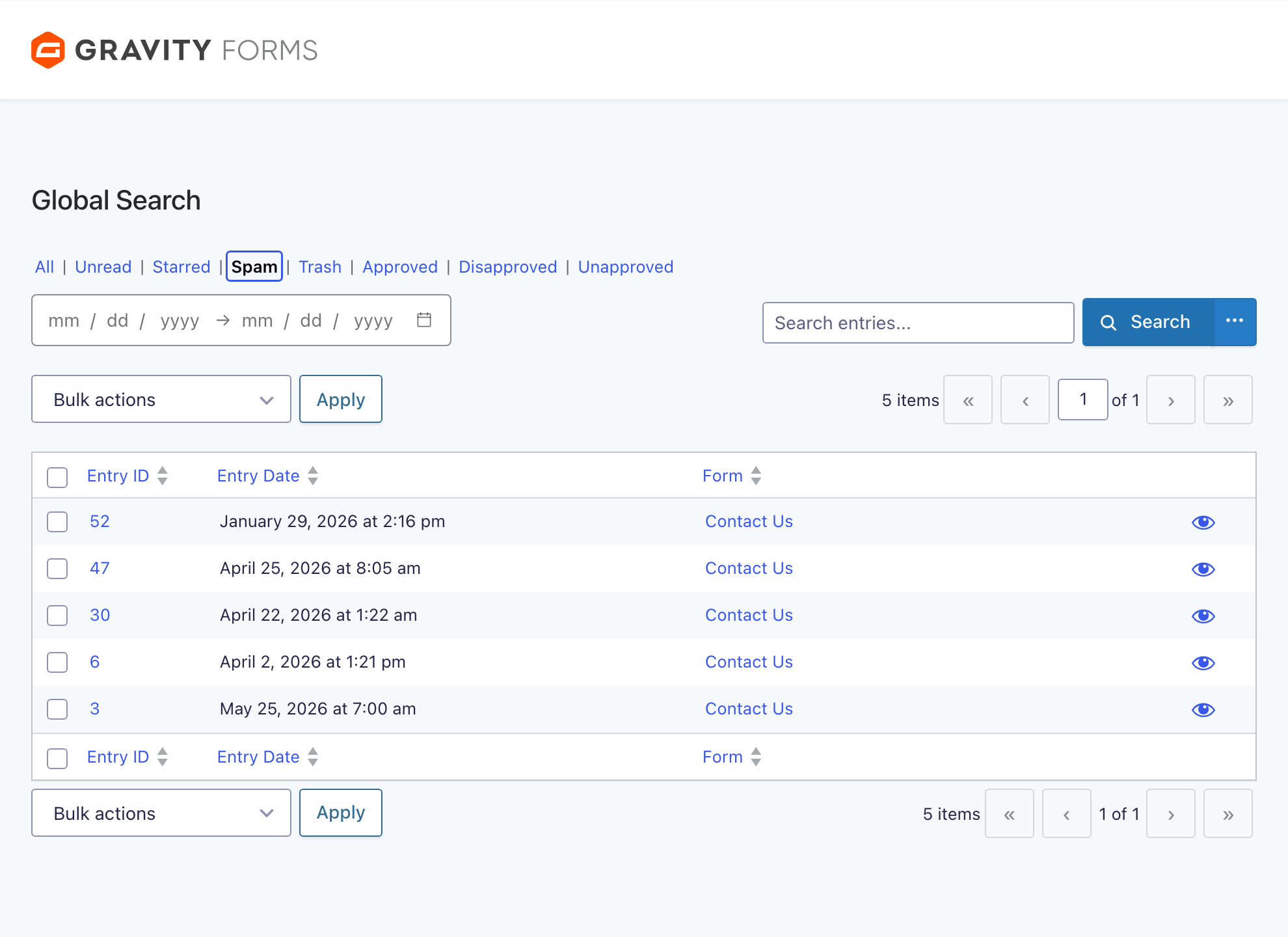
- Status tabs – switch between all, unread, starred, spam, and trashed entries (approval states appear when GravityView is active).
- Date range filtering – choose a preset range or set custom start and end dates.
- Bulk actions on results – apply Gravity Forms’ built-in entry actions (mark as read or unread, star, spam, trash, and more) to everything your search returns.
Advanced search for each form’s entry list
Global Search is only half the story. GravitySearch also upgrades the search on each individual form’s entry list, so the entry screen you already use gets the same advanced filtering, with no new workflow to learn.
- The same Advanced Search builder, available on every form.
- Save and share a search through its URL – bookmark it or send it to a teammate.
- Works alongside the standard Gravity Forms entry list you already know.
- Filter on multiple fields at once – not just Gravity Forms’ default single-field entry search.
- Faster, Ajax-powered entry loading, with bulk actions, read/unread/starred, and approval views all preserved.
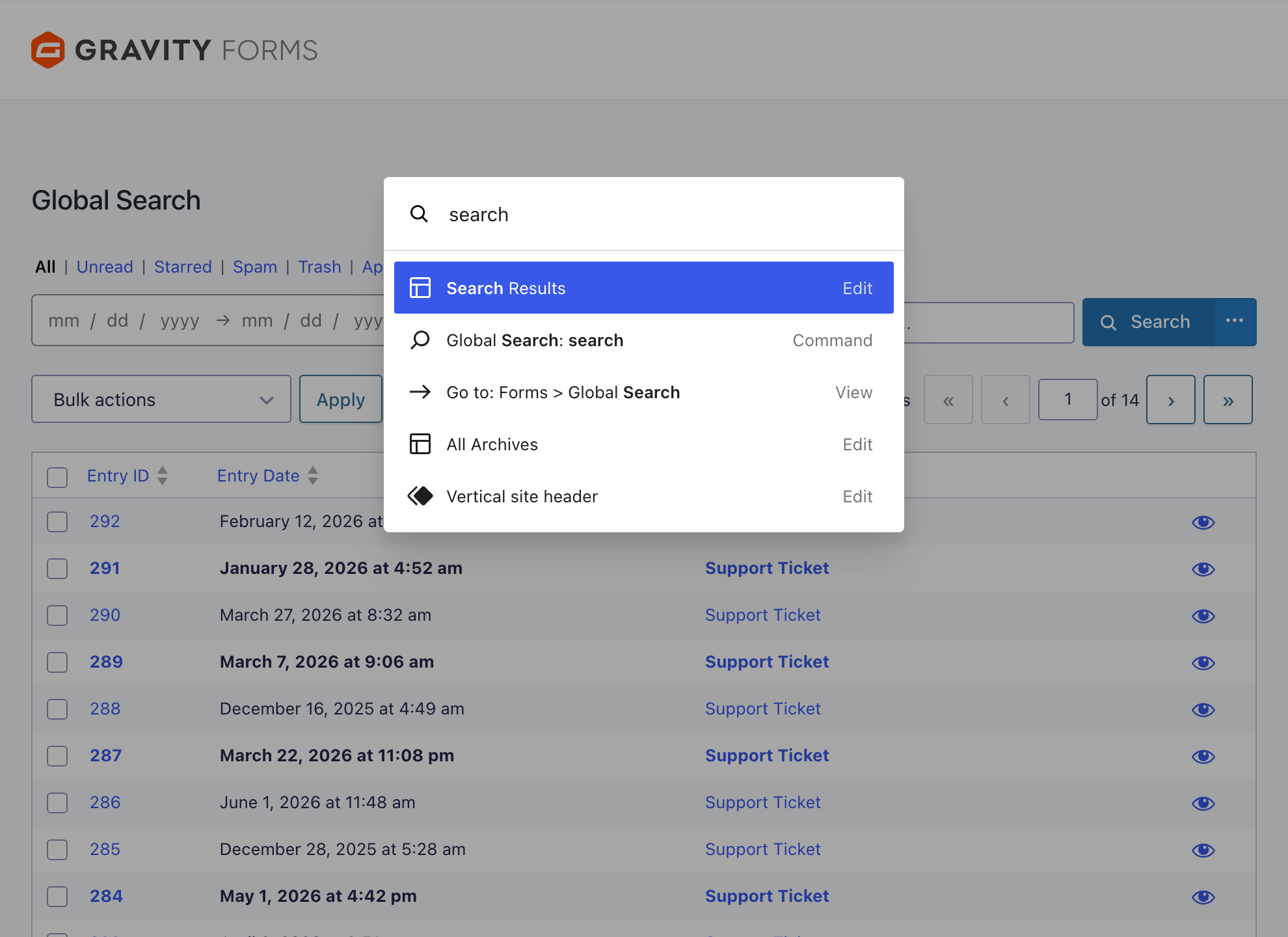
Search from anywhere with the command palette
GravitySearch plugs into the native WordPress command palette. Press Cmd+K (or Ctrl+K) from anywhere in the admin to run a search or jump to a form. Type a term to land straight on Global Search results, or type a form name and pick an action: List entries (L), Edit form (E), or Form settings (S). The whole flow is keyboard-driven.
For developers: the gk_search API
GravitySearch is built to extend. Filter any entry list programmatically with the gk_search query parameter, using plain JSON, Base64-encoded JSON, or a reference to a stored filter.
- Stored filters – save reusable filters globally or per user and reference them by ID.
- Hooks and AJAX endpoints – integrate global search results, the entry modal, and bulk actions into your own tools.
- Built on the Gravity Forms query system – your filters use the same engine Gravity Forms does.
We’ll have detailed documentation on this coming soon.
A better way to work with your entries
If you collect data with Gravity Forms, you probably spend real time looking for it again. GravitySearch gives that time back: one place to search every form, precise filters when you need them, previews and bulk actions in line, and command palette support shortcut for quick searches and easy navigation. Get GravitySearch today.

Get better at Gravity Forms, one email a week
New GravityKit releases, practical Gravity Forms tutorials, and subscriber-only discounts. One short email every week, unsubscribe anytime.
More articles

GravityMigrate 2.0: No-sweat WordPress form plugin migrations
Nobody wants to move forms between plugins. They want the site launched, the client onboarded, the referrals to stop falling through the cracks. GravityMigrate 2.0 makes moving forms effortless.

Launch Log: Two-way form migrations, a modernized chart block, and tighter board permissions
GravityMigrate 2.0.0 moves forms between Gravity Forms and seven other form plugins, GravityCharts modernizes its block in the WordPress editor, and GravityBoard tightens how board permissions are enforced.

9 ways to automate client work with the GravityKit MCP
Nine client jobs you can hand to the free GravityKit MCP, from auditing broken Views to cloning a finished build. Every one verified on a live site.