
Published
•
Updated
Launch Log: GravitySearch arrives, plus AI spam review and GravityView fixes
This week, releases are anchored by a brand-new product! GravitySearch joins the GravityKit suite with cross-form entry search for Gravity Forms. Alongside it, Gravity Forms Zero Spam picks up an AI-powered review step, and GravityView sees fixes for Enhanced Security, Edit Entry, and Entry Locking. Gravity Forms Zero Spam v1.9.0 This update to Gravity Forms…


This week, releases are anchored by a brand-new product! GravitySearch joins the GravityKit suite with cross-form entry search for Gravity Forms. Alongside it, Gravity Forms Zero Spam picks up an AI-powered review step, and GravityView sees fixes for Enhanced Security, Edit Entry, and Entry Locking.
Gravity Forms Zero Spam v1.9.0
This update to Gravity Forms Zero Spam adds an AI-powered spam review that works alongside the existing token check.
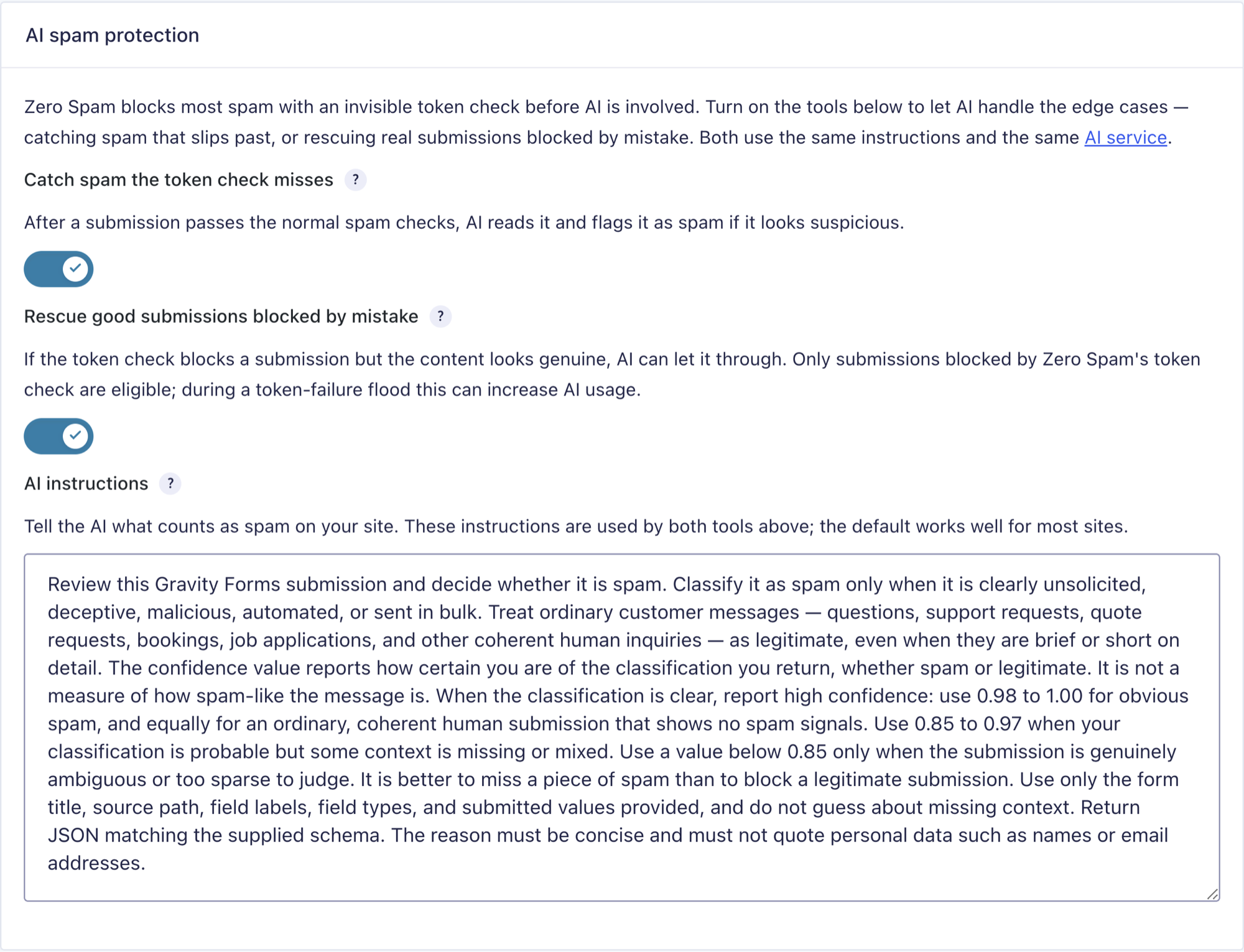
It flags likely spam the token check missed and recovers legitimate submissions that were blocked by mistake. The review runs through an AI service you connect via the native WordPress Connectors screen (requires WordPress 7.0+), with support for OpenAI, Anthropic, and Google Gemini.
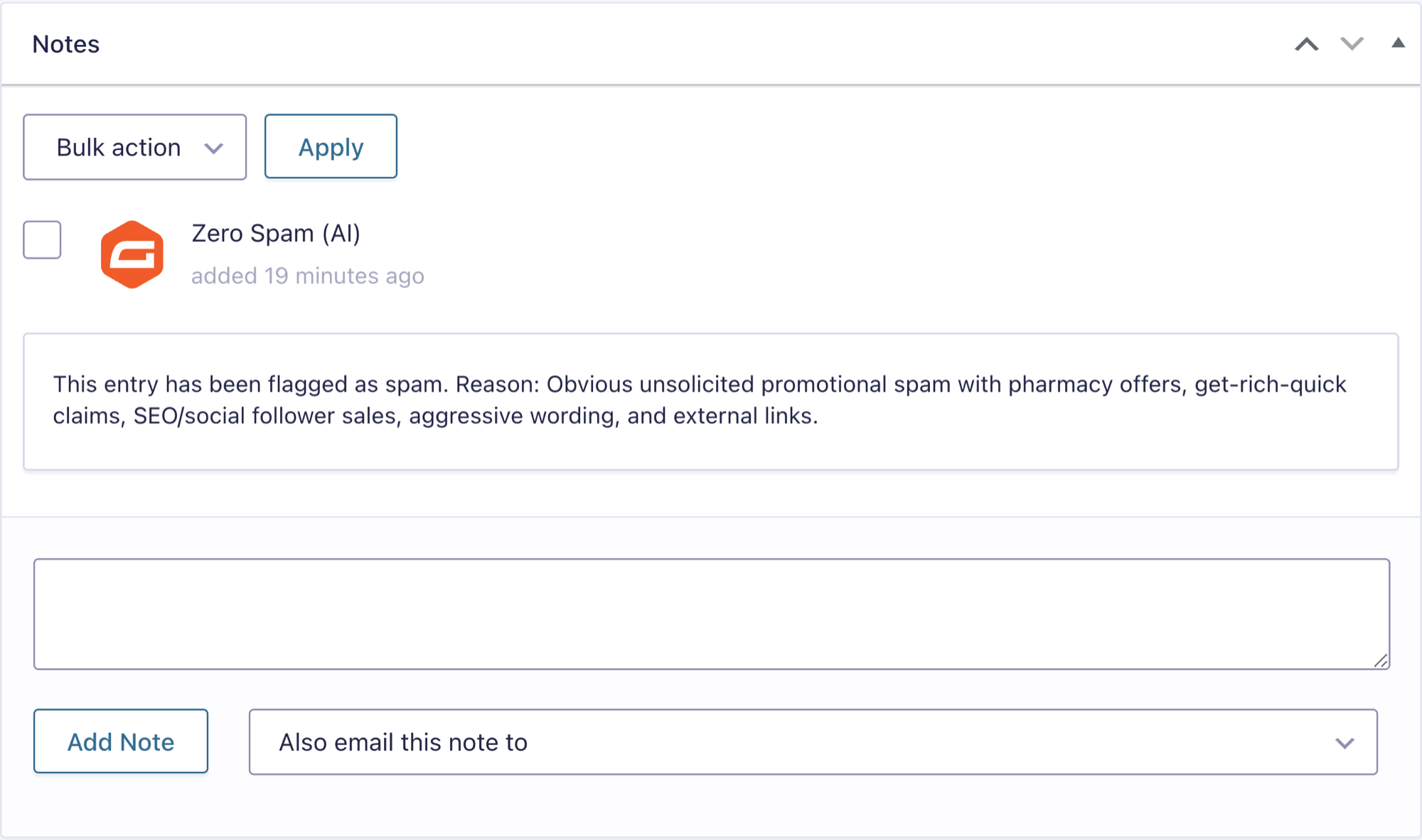
We also fixed an issue in the spam report email, where per-form links opened an empty Spam entries list and hid spam received after the previous report.
GravitySearch v1.0.0
GravitySearch is a brand-new add-on in the GravityKit suite, and this is its initial release. Gravity Forms stores submissions form by form, so finding a specific entry usually means knowing which form it came from first. GravitySearch removes that step by letting you search across every form at once, right from the WordPress admin.
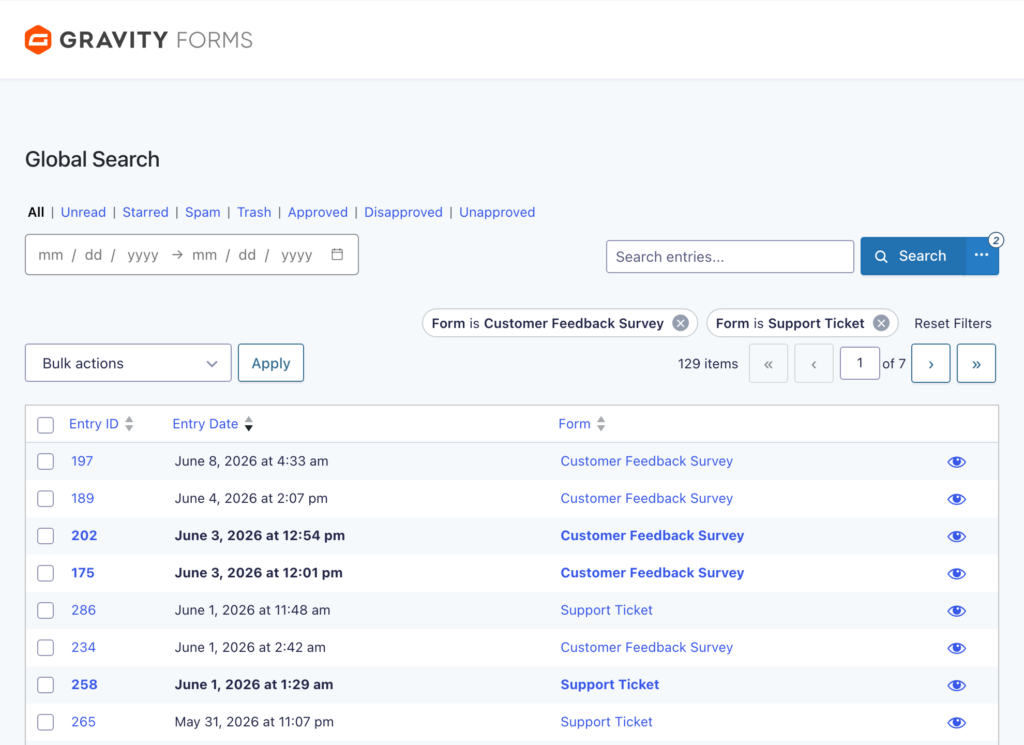
Results show the matching field and its value, so it is clear why each entry appeared.
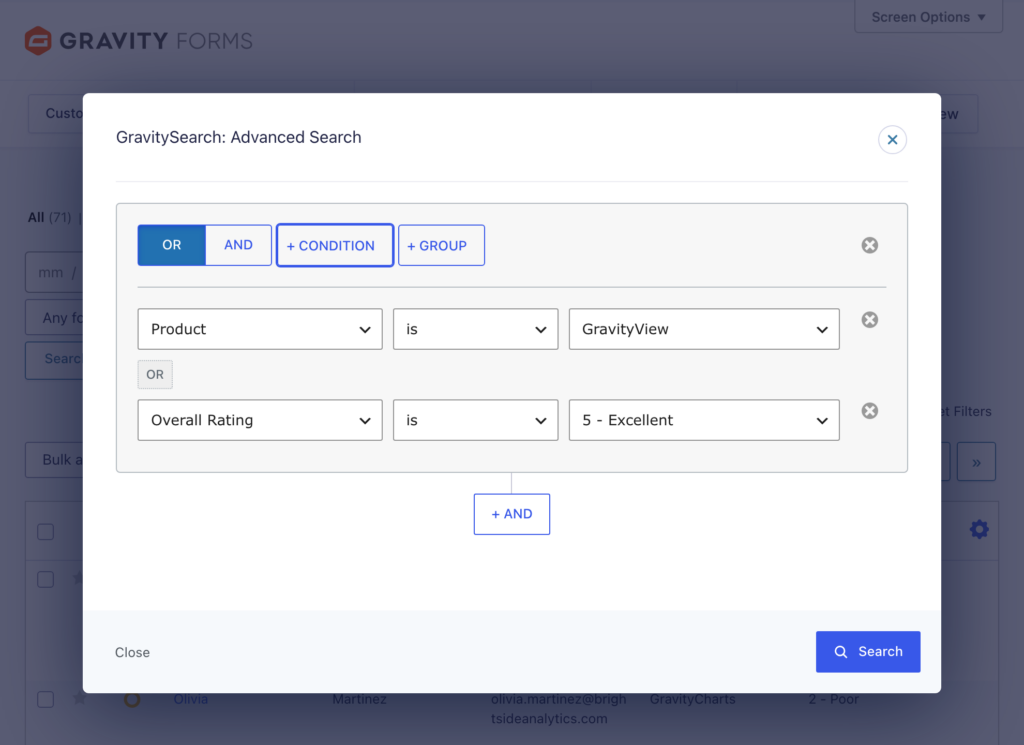
Furthermore, a visual advanced search builder lets you combine conditions with AND/OR logic and group them across any form field or entry property, without writing code.
You can preview a full entry in a pane over your results, run bulk actions like marking as read, starring, or trashing several entries at once, and share a set of results with your team through a URL-encoded link. It works with Gravity Forms 2.5 or later, with no additional plugins required, and your data stays self-hosted on your own site.
For more information about GravitySearch, read the full announcement here.
GravityView v2.62.0
This update to GravityView focuses on Enhanced Security, Edit Entry, and Entry Locking.
On the improvements side, the “missing secret” admin notice, shown when a View with Enhanced Security is embedded without its secret attribute, now appears once per page instead of once for every entry you visit. Entry Locking is also more efficient: it releases the lock as soon as the editor leaves the page and stores a single transient per entry, so other users can start editing sooner and the options table stays cleaner.
This release also fixes several issues. The {gv_entry_link} merge tag and [gv_entry_link] shortcode produced empty links on the Single Entry page of a View with Enhanced Security enabled. We also resolved a few Edit Entry behaviors:
- The “Cancel” button required a second click to leave Edit Entry after taking over a locked entry
- The “Cancel” button returned to the previous edit instead of the Single Entry after an entry had been updated
- Pressing Enter while editing an entry with a File Upload or Post Image field cleared form fields instead of submitting
In summary
The GravityKit suite gains GravitySearch and its cross-form entry search, Gravity Forms Zero Spam adds an AI review step that catches missed spam and recovers false positives, and GravityView resolves merge tag, Edit Entry, and Entry Locking issues tied to Enhanced Security.
As always, we recommend updating to the latest versions to benefit from these improvements and to keep everything compatible across the GravityKit suite!

Get better at Gravity Forms, one email a week
New GravityKit releases, practical Gravity Forms tutorials, and subscriber-only discounts. One short email every week, unsubscribe anytime.
More articles

Launch Log: AI-assisted migrations and a stronger Prevent Direct Access setting
GravityMigrate can now hand a whole migration to an AI assistant, GravityKit MCP installs into Claude Desktop in one click, and GravityView tightens the Prevent Direct Access setting.
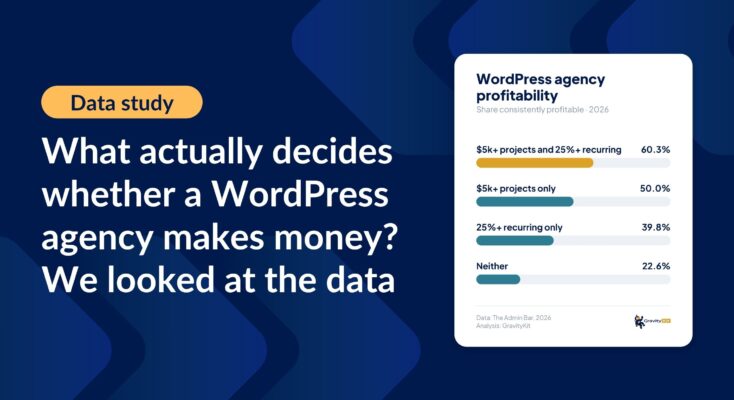
What actually decides whether a WordPress agency makes money? We looked at the data
Two 2026 surveys of 832 WordPress agencies, plus our own analysis of the raw data. What separates the profitable agencies from the rest, and what does not.

GravityMigrate 2.0: No-sweat WordPress form plugin migrations
Nobody wants to move forms between plugins. They want the site launched, the client onboarded, the referrals to stop falling through the cracks. GravityMigrate 2.0 makes moving forms effortless.