Skip to content
GravityKit
Buy
Sign in
0 items
  • Plugins

    GravityKit All Access

    Our complete Kit of essential tools for extending and enhancing Gravity Forms—everything you need to build powerful web apps and workflows.

    Learn more
    • GravityView

      GravityView

      Bestseller

      Display Gravity Forms entries on the front-end of your site and build powerful web applications.

    • GravityImport

      GravityImport

      Trending

      Import entries from CSV files into Gravity Forms to transfer data, create new forms, or update existing entries.

    • GravityEdit

      GravityEdit

      Quickly edit Gravity Forms entries inline to save time, reduce clicks, and streamline your workflow.

    • GravityCharts

      GravityCharts

      Trending

      Turn Gravity Forms entries into interactive charts and graphs.

    • GravityActions

      GravityActions

      Update multiple Gravity Forms entries at once, send bulk emails, and streamline your workflow.

    • GravityCalendar

      GravityCalendar

      Turn Gravity Forms entries into dynamic calendars to showcase events, schedules, appointments, and more.

    • GravityExport

      GravityExport

      Export Gravity Forms entries to Excel, CSV, or PDF and share them instantly with secure download links.

    • GravityMath

      GravityMath

      Perform advanced calculations on Gravity Forms entries to display totals, averages, or build custom calculators.

    • GravityRevisions

      GravityRevisions

      Track, compare, and restore changes made to Gravity Forms forms and entries with a full version history.

    • GravityMigrate

      GravityMigrate

      Migrate all Gravity Forms data, including forms, entries, Views, feeds, uploads, and more.

    • GravityBoard

      GravityBoard

      Manage projects with collaborative project management. Coordinate with your team and streamline your workflows.

  • Ideal For

    • Nonprofits
    • Web Agencies
    • Education
    • Developers
    • Small Businesses
    • Startups
    Explore All Use Cases

    Case studies

    • West Fork Schools
    • Princeton University
    • BrightLeaf Giving
    • Jacksonville Port Authority
    • National Severe Storms Lab
    • Leadpal
    • Mediebruket
    • Dragonfly
    View All Case Studies
  • Resources

    • Blog
    • Case studies
    • Support
    • Live Demos
    • Documentation
    • Developer docs
    • GravityKit Academy
    • GravityKit Live!

    Ultimate guides

    • How to use Gravity Forms
    • Editing Gravity Forms entries
    • Importing Gravity Forms entries
    • Exporting Gravity Forms entries
    • Displaying Gravity Forms entries
    • Gravity Forms conditional logic
    • Gravity Forms calculations
    View More Articles
  • Plugins

    • GravityView

      GravityView

      Bestseller

      Display Gravity Forms entries on the front-end of your site and build powerful web applications.

    • GravityImport

      GravityImport

      Trending

      Import entries from CSV files into Gravity Forms to transfer data, create new forms, or update existing entries.

    • GravityEdit

      GravityEdit

      Quickly edit Gravity Forms entries inline to save time, reduce clicks, and streamline your workflow.

    • GravityCharts

      GravityCharts

      Trending

      Turn Gravity Forms entries into interactive charts and graphs.

    • GravityActions

      GravityActions

      Update multiple Gravity Forms entries at once, send bulk emails, and streamline your workflow.

    • GravityCalendar

      GravityCalendar

      Turn Gravity Forms entries into dynamic calendars to showcase events, schedules, appointments, and more.

    • GravityExport

      GravityExport

      Export Gravity Forms entries to Excel, CSV, or PDF and share them instantly with secure download links.

    • GravityMath

      GravityMath

      Perform advanced calculations on Gravity Forms entries to display totals, averages, or build custom calculators.

    • GravityRevisions

      GravityRevisions

      Track, compare, and restore changes made to Gravity Forms forms and entries with a full version history.

    • GravityMigrate

      GravityMigrate

      Migrate all Gravity Forms data, including forms, entries, Views, feeds, uploads, and more.

    • GravityBoard

      GravityBoard

      Manage projects with collaborative project management. Coordinate with your team and streamline your workflows.

    GravityKit All Access

    Our complete Kit of essential tools for extending and enhancing Gravity Forms—everything you need to build powerful web apps and workflows.

    Learn more
  • Ideal For

    • Nonprofits
    • Web Agencies
    • Education
    • Developers
    • Small Businesses
    • Startups
    Explore All Use Cases

    Case studies

    • West Fork Schools
    • Princeton University
    • BrightLeaf Giving
    • Jacksonville Port Authority
    • National Severe Storms Lab
    • Leadpal
    • Mediebruket
    • Dragonfly
    View All Case Studies

    How to build...

    • Property Management
    • Product Catalog
    • Fundraising Dashboard
    • Real Estate Directory
    • Document Library
    • Academic Journal
    • Volunteer Management
    • Meal Tracker
    View All Guides
  • Resources

    • Blog
    • Case studies
    • Support
    • Live Demos
    • Documentation
    • Developer docs
    • GravityKit Academy
    • GravityKit Live!

    ultimate guides

    • How to use Gravity Forms
    • Editing Gravity Forms entries
    • Importing Gravity Forms entries
    • Exporting Gravity Forms entries
    • Displaying Gravity Forms entries
    • Gravity Forms conditional logic
    • Gravity Forms calculations
    View More Articles
  • Pricing
  • About
0 items

Search

Results appear automatically as you type.
Loading results…

results found matching

    Sign in
    Buy
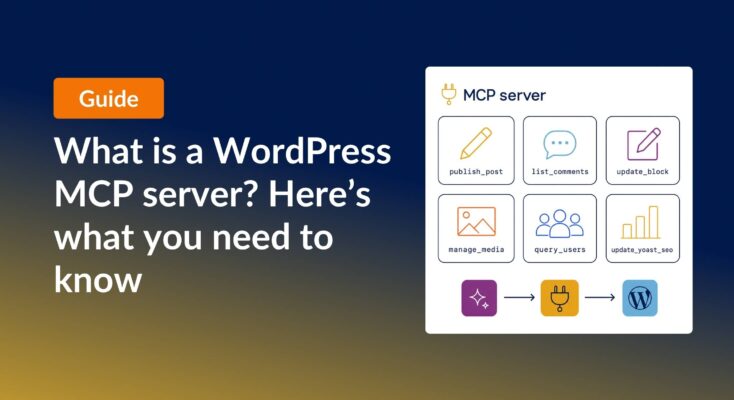
    Announcement card with the title 'What is a WordPress MCP server? (And which ones are worth using)' next to a diagram of an MCP server exposing six tool cards to AI agents and WordPress.
    General WordPress
    May 28, 2026

    What is a WordPress MCP server? (And which ones are worth using)

    A WordPress MCP server lets AI agents read and edit your site through a standardized protocol. Here is what they do, why they matter, and how six popular options compare.

    Read article on What is a WordPress MCP server? (And which ones are worth using)

    Product updates

    Launch Log May 22
    Product Updates
    May 22, 2026

    Launch Log: Reusable import profiles, Edit Entry fixes, and bulk actions in GravityView 3.0 beta

    GravityImport gains reusable import configurations and WP-CLI support, GravityView ships fixes to interactive features and Edit Entry, and the GravityView 3.0 beta previews frontend bulk actions.

    Read article on Launch Log: Reusable import profiles, Edit Entry fixes, and bulk actions in GravityView 3.0 beta
    Launch Log May 15
    Product Updates
    May 15, 2026

    Launch Log: GravityView search fixes, DataTables column filtering

    Last week’s releases landed on a single day, May 14, 2026. Five products shipped updates including GravityView Search Bar fixes, DataTables per-column filtering, and stable export ordering.

    Read article on Launch Log: GravityView search fixes, DataTables column filtering

    CATEGORIES

    • Case Study (28)
    • General WordPress (65)
    • Gravity Forms (54)
    • GravityActions (2)
    • GravityBoard (6)
    • GravityCalendar (8)
    • GravityCharts (6)
    • GravityEdit (2)
    • GravityExport (14)
    • GravityImport (14)
    • GravityMath (4)
    • GravityMigrate (4)
    • GravityRevisions (2)
    • GravityView (131)
    • Marketing & News (62)
    • Product Updates (123)

    Latest Posts

    Schedule recurring exports in Gravity Forms
    GravityExport
    March 18, 2026

    How to schedule recurring exports in Gravity Forms

    Schedule Gravity Forms exports daily, weekly, or monthly with GravityExport. Deliver reports automatically to Dropbox, SFTP, or local storage.

    Read article on How to schedule recurring exports in Gravity Forms
    3 ways to export Gravity Forms entries to Google Sheets
    GravityExport
    March 12, 2026

    How to export Gravity Forms entries to Google Sheets: 3 easy methods

    Google Sheets is a go-to tool for organizing, analyzing, and sharing data—and if you’re using Gravity Forms, integrating the two can streamline your workflow and eliminate manual exports. Whether you need real-time syncing, automated entry updates, or a simple one-time export, there are multiple…
    Read article on How to export Gravity Forms entries to Google Sheets: 3 easy methods
    How to export your Gravity Forms entries to PDF (3 easy eays)
    GravityExport
    March 11, 2026

    How to export Gravity Forms entries to PDF (4 easy methods without code)

    Four easy ways to export Gravity Forms entries to PDF without code. Generate invoices, save submissions, or send reports using trusted third-party WordPress plugins.

    Read article on How to export Gravity Forms entries to PDF (4 easy methods without code)
    How to export your Gravity Forms entries to Excel easily
    GravityExport
    March 10, 2026

    How to export Gravity Forms entries to Excel (complete guide)

    Export Gravity Forms entries directly to Excel with three methods, including the free GravityExport Lite plugin. No manual CSV conversion required. Step-by-step guide inside.

    Read article on How to export Gravity Forms entries to Excel (complete guide)
    Build a product rental catalog with Gravity Forms and GravityView
    GravityView
    March 5, 2026

    How to build a product catalog on WordPress with GravityView

    Build a searchable product catalog or equipment directory on WordPress without WooCommerce. Use Gravity Forms for data entry and GravityView for a filterable front-end display.

    Read article on How to build a product catalog on WordPress with GravityView
    Export entries from multiple Gravity Forms to one Excel file
    GravityExport
    March 3, 2026

    How to export multiple Gravity Forms forms to one Excel workbook

    Learn how to export entries from multiple Gravity Forms into a single Excel file with separate worksheets using GravityExport Lite (free).
    Read article on How to export multiple Gravity Forms forms to one Excel workbook
    Create a two-step intake workflow using GravityView
    GravityView
    February 26, 2026

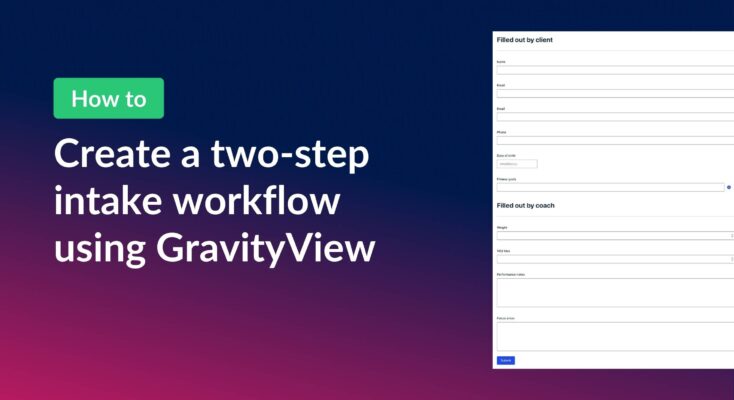
    How to create a two-step intake workflow with Gravity Forms and GravityView

    Learn how to build a two-step intake workflow where customers start a form online and staff complete it later. Uses GravityView’s Search Bar and Edit Entry features.

    Read article on How to create a two-step intake workflow with Gravity Forms and GravityView
    How to create an 'Edit profile' link in GravityView
    GravityView
    February 24, 2026

    How to create a dynamic “Edit Profile” link in GravityView

    Add a dynamic Edit Profile link to any page that takes logged-in users directly to their GravityView entry edit screen, without requiring access to the WordPress admin area.

    Read article on How to create a dynamic “Edit Profile” link in GravityView

    Posts navigation

    Previous 1 2 3 4 … 63 Next

    Helpful tips right in your inbox.

    Subscribe to get the latest articles, information on releases and helpful Gravity Forms tips!

    GravityKit
    • How to Build It
    • Pricing
    • Products
    • Our Team
    • Our Values
    • Work With Us
    • Coupons
    Support
    • Support
    • Contact
    • Documentation
    • Scope of Support
    • Brand Guidelines
    • Privacy Policy
    • Terms of Service (“Terms”)
    I am a...
    • Nonprofit
    • Web agency
    • Small business owner
    • Web developer
    • Educational institution
    • WordPress freelancer
    • Startup founder
    • One-person agency
    Get notified of updates.

    We’re constantly improving GravityKit. Fill out your email below and we’ll notify you anytime major updates drop.

    • Facebook
    • Twitter
    • Mastodon
    GravityKit is a Gravity Forms Certified Developer.

    Copyright © 2026, Katz Web Services, Inc.

    GravityKit and GravityView are registered trademarks of Katz Web Services, Inc.