
Published
•
Updated
Launch Log: GravityView search fixes, DataTables column filtering
Last week's releases landed on a single day, May 14, 2026. Five products shipped updates including GravityView Search Bar fixes, DataTables per-column filtering, and stable export ordering.


This week’s releases include updates across five products. GravityView, GravityExport, GravityMigrate, and the Gravity Forms Widget for Elementor each see fixes for specific issues, while the DataTables Layout gets per-column server-side filtering added for Gravity Forms fields with multiple sub-inputs.
Gravity Forms Widget for Elementor v1.0.2
This update to the Gravity Forms Widget for Elementor fixes two rendering issues in the Elementor editor preview. Forms with conditional logic could appear as an empty grey box, and the widget’s settings flyout would fail to open. In addition, when multiple Gravity Forms widgets were placed on the same page, each widget could pick up styles from the others rather than render with its own theme. Both issues are resolved.
GravityExport v1.11.1
GravityExport now produces a stable, repeatable order for exported entries across runs. Previously, when the configured sort column contained duplicate values or no sort was specified, exports could return rows in a different order each time. The fix ensures consistent ordering for downstream workflows.
GravityMigrate v1.1.5
This update to GravityMigrate resolves three issues. A “Server returned an invalid response” error that could appear during export on certain configurations has been fixed. The Remove button for uploaded import files no longer requires a second page reload to fully clear them. And a PHP fatal error in the admin menu, triggered when another GravityKit product was reactivated while GravityMigrate was active, is resolved.
GravityView v2.60.1
This release of GravityView fixes three issues. An empty search keyword submitted via the Search Bar widget could trigger a fatal error on the View page. Date fields could display today’s date instead of the entry’s actual date when a custom Date Format was used. And a deprecated hook notice could appear in the WordPress admin when viewing entries in a lightbox.
GravityView – DataTables Layout v3.8.0
This update to the DataTables Layout adds server-side per-column filtering for Gravity Forms fields with multiple sub-inputs, such as Name, Address, and Email with Confirmation enabled. The release also fixes an issue where per-column filter inputs on DataTables columns bound to Gravity Forms Hidden fields were rendered as <input type="hidden"> and were therefore invisible to the user.
In summary
GravityView sees fixes for Search Bar, Date field, and admin notice issues. The DataTables Layout gets per-column filtering extended to multi-input Gravity Forms fields, plus a fix for an invisible-input bug. GravityExport sees more stable ordering of exported entries across runs. GravityMigrate gets fixes for an export error, a stuck Remove button, and a fatal error tied to reactivating other GravityKit products. The Gravity Forms Widget for Elementor sees fixes for rendering issues in the Elementor editor preview.
As always, we recommend updating to the latest versions to benefit from these improvements and to ensure compatibility across the GravityKit suite.

Get better at Gravity Forms, one email a week
New GravityKit releases, practical Gravity Forms tutorials, and subscriber-only discounts. One short email every week, unsubscribe anytime.
More articles

Launch Log: A range slider for search, AI-managed calendars, and security updates in ten products
GravityView adds a Slider search input, GravityCalendar lets AI assistants manage calendars, and ten GravityKit products get security fixes. Here’s what shipped.

9 nonprofit apps you can build with Gravity Forms and GravityKit
Nine apps nonprofits build on WordPress from Gravity Forms data: volunteer databases, member directories, client portals, donation pages, grant review and more.
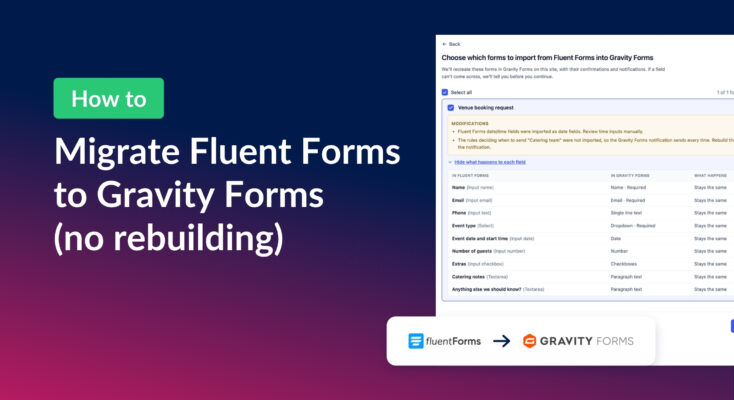
How to migrate from Fluent Forms to Gravity Forms without rebuilding your forms
Move your Fluent Forms forms into Gravity Forms with GravityMigrate, then bring your entries across with GravityImport. Every step was tested on the free version of Fluent Forms.