

Announcing GravityView 3.0: a fresh new look, AI View creation, and native page builder support
GravityView 3.0 is here: restyle Views with the new Vantage theme, build them with AI, embed them in any page builder, and run bulk actions on the front end.
Product updates

Launch Log: GravityView 3.0, plus upgrades to Block MCP and GravityKit MCP
GravityView 3.0 lands with the new Vantage theme, frontend bulk actions, and AI-assisted View creation. This launch log also covers updates to GravityKit MCP, Block MCP, and Dashboard Views.

Launch Log: GravitySearch arrives, plus AI spam review and GravityView fixes
This week, releases are anchored by a brand-new product! GravitySearch joins the GravityKit suite with cross-form entry search for Gravity Forms. Alongside it, Gravity Forms Zero Spam picks up an AI-powered review step, and GravityView sees fixes for Enhanced Security, Edit Entry, and Entry…
Latest Posts
Ultimate guide to using Gravity Forms with custom post types and fields
WordPress is powerful, but sometimes you need more than standard posts and pages. Using Gravity Forms with custom post types and custom fields can help you collect, organize, and display user-generated content on your site! In this guide, I’ll show you how to send…
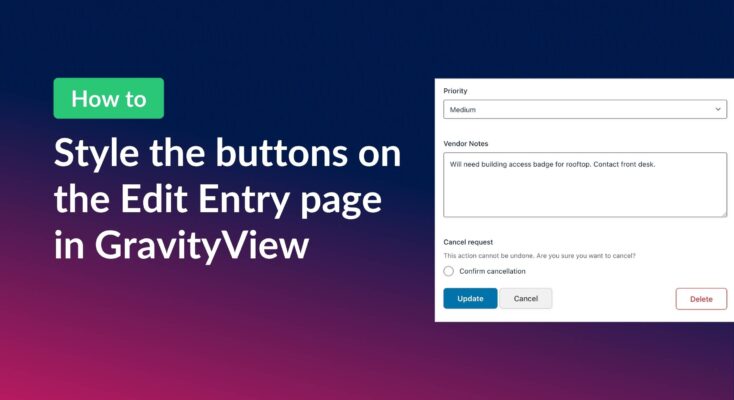
How to style the buttons on GravityView’s Edit Entry page
Customize the Update, Cancel, and Delete buttons on the GravityView Edit Entry page using CSS. Includes copy-paste examples that work with any WordPress theme.
Gravity Forms file uploads: A comprehensive guide (manage your files with ease!)
The Gravity Forms File Upload field allows users to upload images, videos, documents, and other files as part of their form submissions. Gravity Forms is one of the most widely used form plugins on WordPress, which runs a third of the web in 2026,…
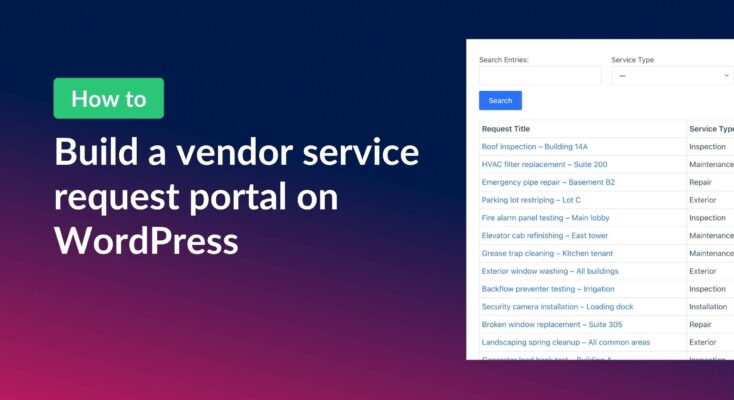
How to build a vendor service request portal with Gravity Forms and GravityView
Learn how to build a vendor portal where users submit, track, edit, and cancel service requests using Gravity Forms and GravityView Pro.

How to schedule recurring exports in Gravity Forms
Schedule Gravity Forms exports daily, weekly, or monthly with GravityExport. Deliver reports automatically to Dropbox, SFTP, or local storage.

How to export Gravity Forms entries to Google Sheets: 3 easy methods
Google Sheets is a go-to tool for organizing, analyzing, and sharing data—and if you’re using Gravity Forms, integrating the two can streamline your workflow and eliminate manual exports. Whether you need real-time syncing, automated entry updates, or a simple one-time export, there are multiple…
How to export Gravity Forms entries to PDF (4 easy methods without code)
Four easy ways to export Gravity Forms entries to PDF without code. Generate invoices, save submissions, or send reports using trusted third-party WordPress plugins.

How to export Gravity Forms entries to Excel (complete guide)
Export Gravity Forms entries directly to Excel with three methods, including the free GravityExport Lite plugin. No manual CSV conversion required. Step-by-step guide inside.

Helpful tips right in your inbox.
Subscribe to get the latest articles, information on releases and helpful Gravity Forms tips!