
Published
•
Updated
Launch Log: GravityView 3.0, plus upgrades to Block MCP and GravityKit MCP
GravityView 3.0 lands with the new Vantage theme, frontend bulk actions, and AI-assisted View creation. This launch log also covers updates to GravityKit MCP, Block MCP, and Dashboard Views.


This week is headlined by GravityView 3.0, the largest GravityView update in years. Alongside GravityView’s new Vantage theme, frontend bulk actions, and MCP-based View creation, Block MCP fixes connecting on sites behind a server security firewall and GravityKit MCP gets more reliable at saving Gravity Forms entries. The Dashboard Views extension also gets a small fix for an editor notice.
Block MCP v2.0.2
This update to Block MCP fixes a problem that blocked connection setup on sites running a server security firewall, such as Monarx. Setup previously stalled partway through with an “Access Denied” page and never finished.
Connecting now happens in two steps so the firewall no longer flags it. The dedicated assistant account is created when you open the connect screen, and its credential is issued on a separate step once you approve, instead of creating an account and handing out its password in a single action that a firewall could mistake for suspicious behavior.
GravityKit MCP v2.4
This update to GravityKit MCP focuses on getting Gravity Forms entries to save correctly for every field type, so an AI assistant gets the entry format right the first time. It adds explicit support for the password field type and for Gravity Wiz’s Nested Forms, and introduces a benchmark suite that verifies the MCP works well with smaller models.
On the discovery side, gf_list_field_types now includes expanded entry_input hints for every field type whose entry format isn’t an obvious plain string, and the registry documents the GP Nested Forms configuration (gpnfForm for the child form ID and gpnfFields for the summary fields shown in the nested summary).
Several improvements reduce the back-and-forth with smaller models. gf_create_form now auto-assigns field IDs when you omit them, the gf_delete_form and gf_delete_entry descriptions state the safe Trash default explicitly, and the server instructions now point to GravityView’s search-bar flow. One-shot clients that read the ability catalog only once, such as claude -p, now wait to receive the full GravityKit ability list.
This release also corrects storage structures for many field types, improving first-time success rates for complex fields including address, chainedselect, survey_rank, date, and the survey, quiz, and poll fields. Sorting is now interpreted strictly, so sorting.is_numeric applies only when it genuinely means true and otherwise falls back to Gravity Forms’ lexical ordering. Crashed or improperly closed clients also no longer leave an orphaned process running.
Developer updates
- Adds dev-only benchmark suites that are not shipped in the npm package:
npm run benchdrives the full MCP surface through a small model and grades real Gravity Forms and GravityView state, withbench:field-output,bench:field-storage, andbench:nested-formscovering field output, field storage, and a nested-forms front-end render test.
GravityView v3.0
This update to GravityView is a major release, so the changes below are grouped into what’s new, what improved, and developer-facing updates.
New
Vantage is a new theme for Views, with a built-in card layout you can configure through the Columns control. You can enable it on an existing View from the Styles tab in your View Settings, and a new site-wide Default theme setting (under GravityKit, then Settings, then GravityView, then Appearance) applies Vantage to new Views automatically.
Frontend bulk actions now let people act on selected entries directly from table-layout Views, without needing WordPress admin access. The available actions are:
- Delete, Approve, Disapprove, and Export
- Bulk Edit of field values, including complex field types such as dropdown, radio, checkbox, multiselect, Name inputs, and Address text inputs
- Resend Notifications to re-send Gravity Forms notifications
- Download Attachments to package file-upload attachments into a single ZIP download
- Optional background processing on each action, for large entry sets
You can also create and configure Views with the GravityKit MCP, which lets an AI assistant control your View and create or edit Gravity Forms forms. This is powered by the WordPress Abilities API available in WordPress 6.9 and newer.
The Search Bar gains date range presets (including This Week, This Year, Last Year, and the last four completed quarters), a new Date range layout setting that offers either two separate date pickers or a combined date range picker, and minimum and maximum date settings that limit which dates a visitor can select. Date limits support both absolute dates (such as 2026-01-31) and relative dates (such as “-1 year” or “now”).
Finally, Views now keep a revision history, with one-click restore from the Revisions box in the Edit View screen.
Improvements
Switching View types, for example from Table to Layout Builder, now keeps your configured fields instead of resetting them. New Views also have form fields pre-filled for every layout type, not just Table and DataTables. The Page Links widget adds a Display Mode setting with three options: Numbers with arrows (the default), Numbers with Previous/Next labels, or Previous/Next only. Multiple Views on the same page can now paginate independently of one another, and the block editor loads significantly faster on sites with many Views.
To learn more about GravityView 3.0, read the full release post.
Developer updates
GravityView 3.0 includes a substantial set of developer-facing changes. Start with the migration guide before upgrading, and explore the new GravityKit Developer MCP for faster reference lookups.
- A new GravityView Theme CSS Token System for styling every part of a View.
- The codebase now uses a PSR-4 autoloaded
GravityKit\GravityView\namespace, with core classes moved fromincludes/andfuture/into a unifiedsrc/directory. Lazy-loaded class aliases keep legacyGV\andGravityView_*class names working. - New
Contractsinterfaces for core components, including Views, Entries, Fields, Forms, and Widgets. - A new GravityView Abilities layer:
gk-gravityview/*abilities registered with the WordPress Abilities API that make View authoring available over REST and to AI agents through MCP. Add-ons can register their own abilities and hook into the View lifecycle (for example,gk/gravityview/rest/view/clonedandgk/gravityview/rest/view-config/apply/after). - A new
gk/gravityview/bulk-actions/*filter and action namespace for the frontend bulk actions, including hooks to register actions, gate their availability, and configure per-action settings and field requirements, plus background-processing controls. - A new
gk/gravityview/admin/field-type/classfilter to modify the field-type rendering class. It deprecatesgravityview/setting/class/{$field_type}and removesgravityview/setting/class_file/{$field_type}; legacyGravityView_FieldType_*names still resolve viaclass_alias(). - The jQuery UI datepicker has been replaced with a modern, accessible date picker from Query Filters across the Search Bar and View editor. The
jquery-ui-datepickerscript and Google-hosted jQuery UI stylesheet are no longer enqueued, and thegravityview_datepicker_settingsfilter is deprecated in favor ofgk/query-filters/date-picker/translationsandgk/query-filters/date-range-picker/translations. - New revision hooks:
gk/gravityview/view/revisions/tracked-meta-keysto track additional View meta keys, and thegk/gravityview/view/revisions/restoredaction fired after a revision is restored. - Per-View pagination parameters (
pagenum_{View ID}) so multiple Views can paginate independently, enabled with thegk/gravityview/pagination/scoped-keysfilter (off by default). - New Search Bar date filters:
gk/gravityview/search/datepicker/min-dateandmax-dateto set a date field’s selectable range per View, andgk/gravityview/search/date-range-picker/presetsto customize the preset list. - A new
gk/gravityview/admin-views/template-switch/fieldsfilter to modify the migrated field configuration when a View’s layout is switched, and a newgravityview/view-config-errorJavaScript event ondocument.bodyfired after the editor recovers from a failed zone configuration request.
GravityView – Dashboard Views v2.0.3
This update to GravityView – Dashboard Views fixes an editor notice that appeared under the wrong condition. The “This View is configured for display in the Dashboard only” notice previously showed when the Restrict to Internal-Only View setting was disabled, rather than when it was enabled.
In summary
Block MCP fixes connecting on sites protected by a server security firewall, GravityKit MCP gets more reliable entry handling and new field-type support for AI assistants, GravityView 3.0 brings a new Vantage theme, frontend bulk actions, AI-assisted View creation, expanded Search Bar date controls, and View revision history, and Dashboard Views gets a fix for a misfiring editor notice.
As always, we recommend updating to the latest versions to benefit from these improvements and to keep everything compatible across the GravityKit suite.

Get better at Gravity Forms, one email a week
New GravityKit releases, practical Gravity Forms tutorials, and subscriber-only discounts. One short email every week, unsubscribe anytime.
More articles

Launch Log: AI-assisted migrations and a stronger Prevent Direct Access setting
GravityMigrate can now hand a whole migration to an AI assistant, GravityKit MCP installs into Claude Desktop in one click, and GravityView tightens the Prevent Direct Access setting.
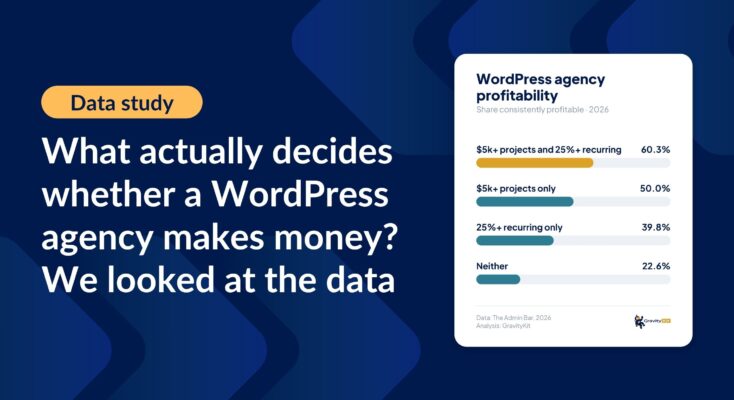
What actually decides whether a WordPress agency makes money? We looked at the data
Two 2026 surveys of 832 WordPress agencies, plus our own analysis of the raw data. What separates the profitable agencies from the rest, and what does not.

GravityMigrate 2.0: No-sweat WordPress form plugin migrations
Nobody wants to move forms between plugins. They want the site launched, the client onboarded, the referrals to stop falling through the cracks. GravityMigrate 2.0 makes moving forms effortless.