
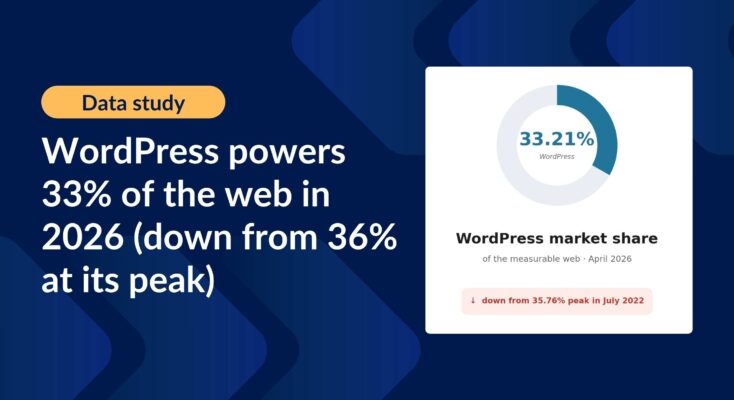
WordPress powers 33% of the web in 2026 (down from 36% at its peak): CMS market share report
Updated WordPress CMS market share figures using HTTP Archive data, picking up where Joost de Valk’s foundational research left off.
Product updates

Launch Log: 3D maps in the Maps Layout, plus enhanced conditional logic in Charts and Calendar
3D map types and an Edit Entry location picker land in the Maps Layout, plus conditional logic upgrades in GravityCharts and GravityCalendar.

Launch Log: WordPress 7 polish, cloud storage monitoring, and a GravityView 3.0 beta update
GravityView 2.61.0 adapts to WordPress 7, GravityExport adds cloud storage monitoring, plus fixes across GravityImport, Maps, and a GravityView 3.0 beta update.
Latest Posts

How to easily add Gravity Forms to Divi: step-by-step guide
Two methods to embed Gravity Forms in the Divi page builder, plus tips for styling your forms and displaying submitted entries on the front end of your site.

How to build a volunteer management system on WordPress without code
Nonprofits depend on volunteers, but managing them efficiently can be a challenge. While many organizations turn to expensive software solutions, there’s a more affordable, flexible alternative: build your own volunteer management system using WordPress. In this step-by-step guide, you’ll learn how to create a…

How to edit Gravity Forms entries on the frontend using GravityView
Allow site visitors to edit their Gravity Forms submissions from the front end without admin access. Ideal for member profiles, job applications, and registration forms.

How to display Gravity Forms entries on a page or post
Gravity Forms is a powerful WordPress plugin for collecting user input, but what if you want to display that data publicly on your site? That’s where GravityView comes in. In this tutorial, we’ll show you how to display Gravity Forms entries on a WordPress…

How to build an intranet to power your business with Gravity Forms & GravityView (no code required)
Looking for a way to manage your team, projects, or HR processes from one central place, without the cost of expensive SaaS solutions? With Gravity Forms and GravityKit, you can create a powerful, flexible intranet on WordPress that’s tailored to your business needs (all…

How to automatically export Gravity Forms entries and send reports via email
If you rely on Gravity Forms to collect data, you probably wish there was an easier way to export submissions. By default, Gravity Forms only lets you export entries manually (and only as CSV files). What if you want to automate exports, generate Excel…

GravityKit turns 11: Celebrate with us and save 40% on select products
On July 24, GravityKit turns 11! We’re celebrating with a limited-time birthday sale on select products! 🎉 What started as a single plugin has grown into a powerful toolkit powering thousands of websites worldwide. And it’s all thanks to you. To our customers, partners,…

How to set up an entry approval workflow in Gravity Forms (2 simple methods)
If you use Gravity Forms to collect data on your WordPress site, having an approval workflow can help you manage and moderate entries before they’re published or processed. Whether you’re handling job applications, event registrations, or user-generated content, an approval system helps ensure control…

Helpful tips right in your inbox.
Subscribe to get the latest articles, information on releases and helpful Gravity Forms tips!