
Case study
How WISDAA runs Wisconsin’s student speech and theatre contests with GravityKit
The Wisconsin Interscholastic Speech & Dramatic Arts Association (WISDAA) runs speech, debate, one-act theatre, and film contests for middle and high schools across the state. Executive director Adam Jacobi built the association’s contest calendar and a jobs board for contest adjudicators on Gravity Forms, using GravityView and GravityCalendar.
Meet Adam Jacobi
Adam Jacobi is the executive director, and the only full-time employee, of the Wisconsin Interscholastic Speech & Dramatic Arts Association. WISDAA is Wisconsin’s state activity association for middle and high school public speaking, debate, one-act theatre, and film contests.
Adam started his career as an educational theatre director, speech coach, and classroom teacher. He volunteered for nonprofits in his field, mostly on the technology side, and ran several of their websites. That volunteering grew into a career in nonprofits that serve schools, with stints teaching and coaching speech at the college level as well as in schools in Changzhou, China. Today he is also working on a doctorate in educational leadership with a nonprofit focus.

Discovering GravityKit
Adam has been a GravityKit customer for so long that he no longer remembers how he found us. His best guess is an article or a directory listing on the Gravity Forms website. Why he stayed is easier to say: he values how much the products can do and the support behind them. He uses a few other tools for other jobs, but for building on Gravity Forms data, he hasn’t found anything as versatile.
The way the company is run matters to him as well. Adam admires how founder Zack Katz sets out the values GravityKit runs on and lives by them.
I feel GravityKit is compatible with the values and mission of my nonprofit organization.
He also credits the original My Pal Floaty music video from 2015 with drawing him to GravityKit, “as silly and sappy as it sounds.”
Building with GravityKit
Contests are at the heart of what WISDAA does. Each season, middle and high school students compete in speech, debate, one-act theatre, and film at district, sectional, and state contests hosted by schools around Wisconsin. WISDAA’s website is where schools, coaches, volunteers, and staff find and share the information that keeps those contests running.
Adam built the site on Gravity Forms, which collects the information, and GravityKit, which puts it to work on the site. GravityView displays form entries on the front end as tables, directories, and dashboards that people can search and, where allowed, edit. GravityCalendar shows entries with dates on a calendar.
Adam also uses other GravityKit add-ons, including GravityEdit, GravityExport, GravityImport, and GravityMath.
A self-service calendar for the whole contest season
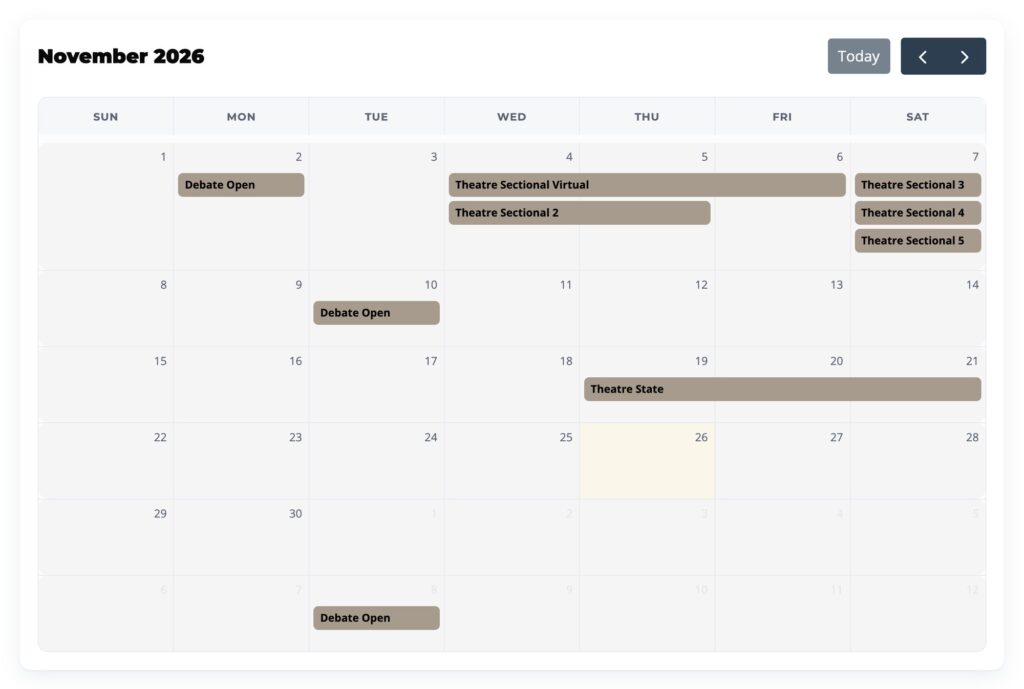
WISDAA’s year revolves around its contests and meetings, which are hosted by schools and organized by volunteers across the state. The event calendar brings all of them together in one place.
Coaches and educators use it to see when and where each event is happening and to get the details they need to attend, and WISDAA’s staff use it to plan the support each contest needs. Adam calls it the best example of what Gravity Forms and GravityKit do together.
GravityCalendar also let WISDAA drop the bulky event plugins it used to rely on, and the site has loaded faster since!
The calendar runs on submissions from the people who organize each event. Volunteers and board members add their contests and meetings through a form on WISDAA’s site, which uses conditional logic to show only the questions that apply to each type of event.
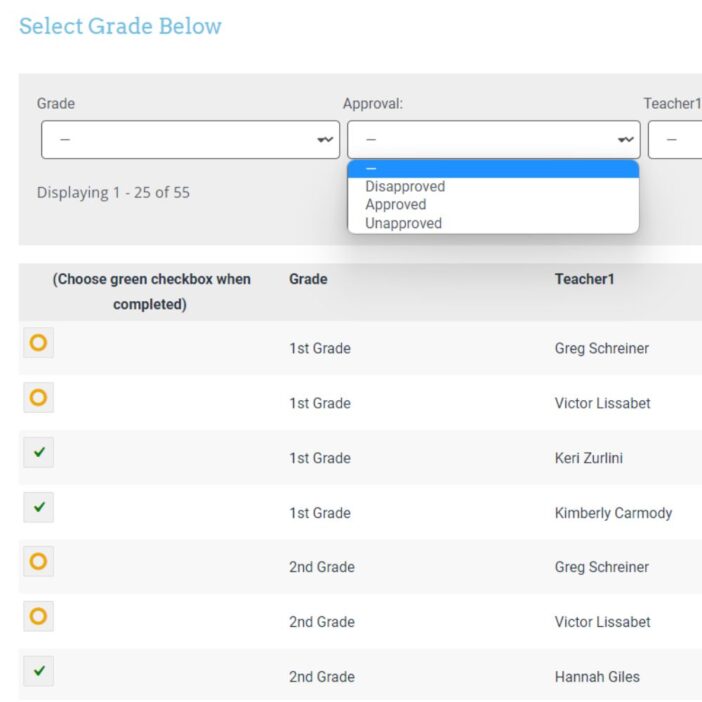
Each organizer then has a personal dashboard, powered by GravityView, that lists just their own submissions and lets them make changes at any time. That frees up WISDAA’s staff, who don’t have to enter or correct every date themselves.
We use Gravity Forms and GravityKit to power this use case because it gives us far more control over how we collect and display data for various interest-holders.
Behind the scenes, Adam and his administrative assistant work from a staff dashboard, also powered by GravityView, that shows every submission. It includes extra fields that only staff can see, where they track each event’s progress as they prepare for it.
The same contest information appears on the public site without anyone copying it over. GravityCalendar shows events on an interactive month calendar, and each activity’s contest page lists the season’s festivals by date. When an organizer updates an event, the public pages stay in sync.
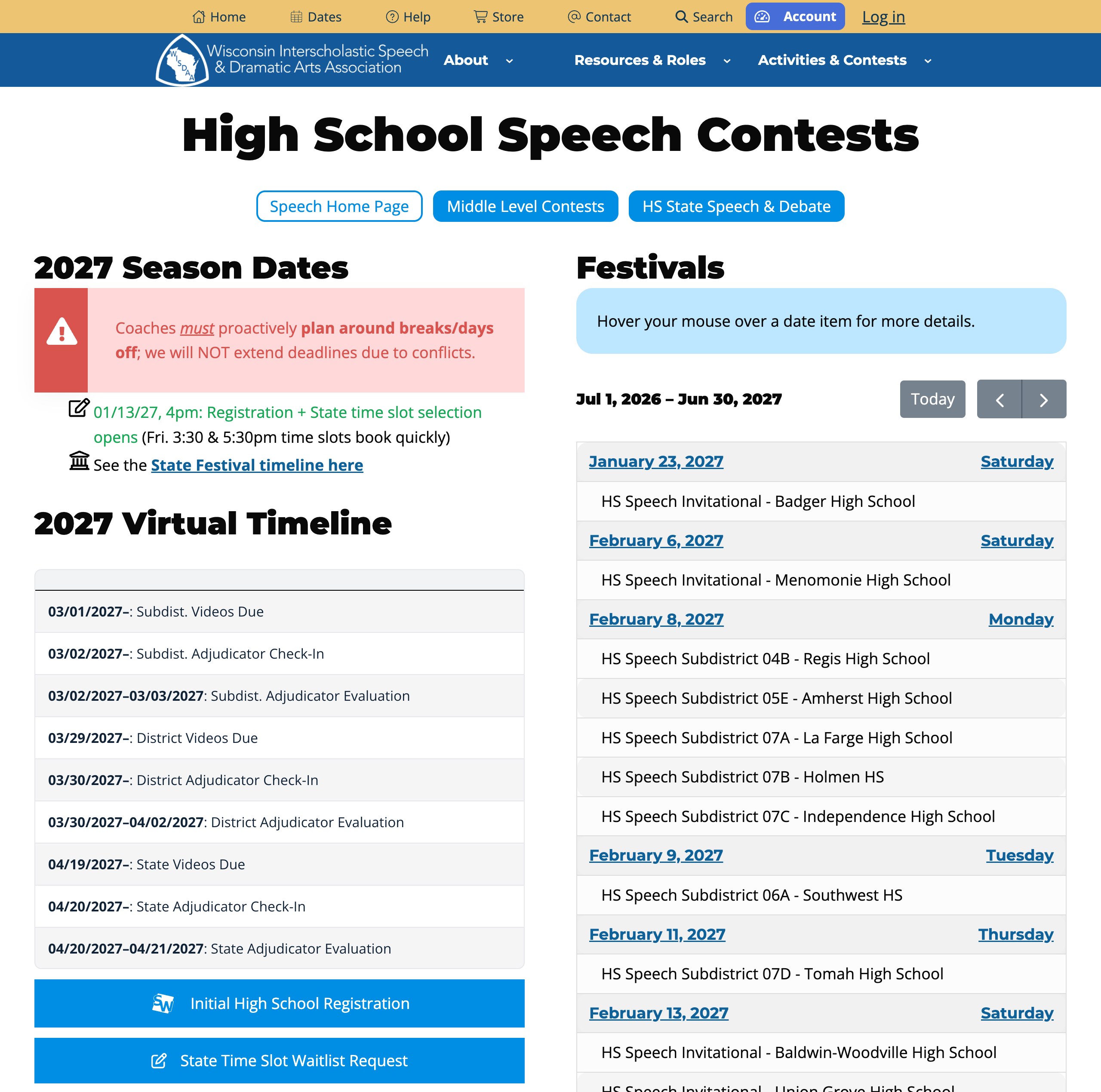
One of my favorite features of GravityKit is GravityCalendar and other ways GravityKit interfaces with dates.
A jobs board that matches adjudicators with contests
Every contest needs adjudicators, the educators who judge and evaluate each performance, and WISDAA helps make sure each contest has enough of them.
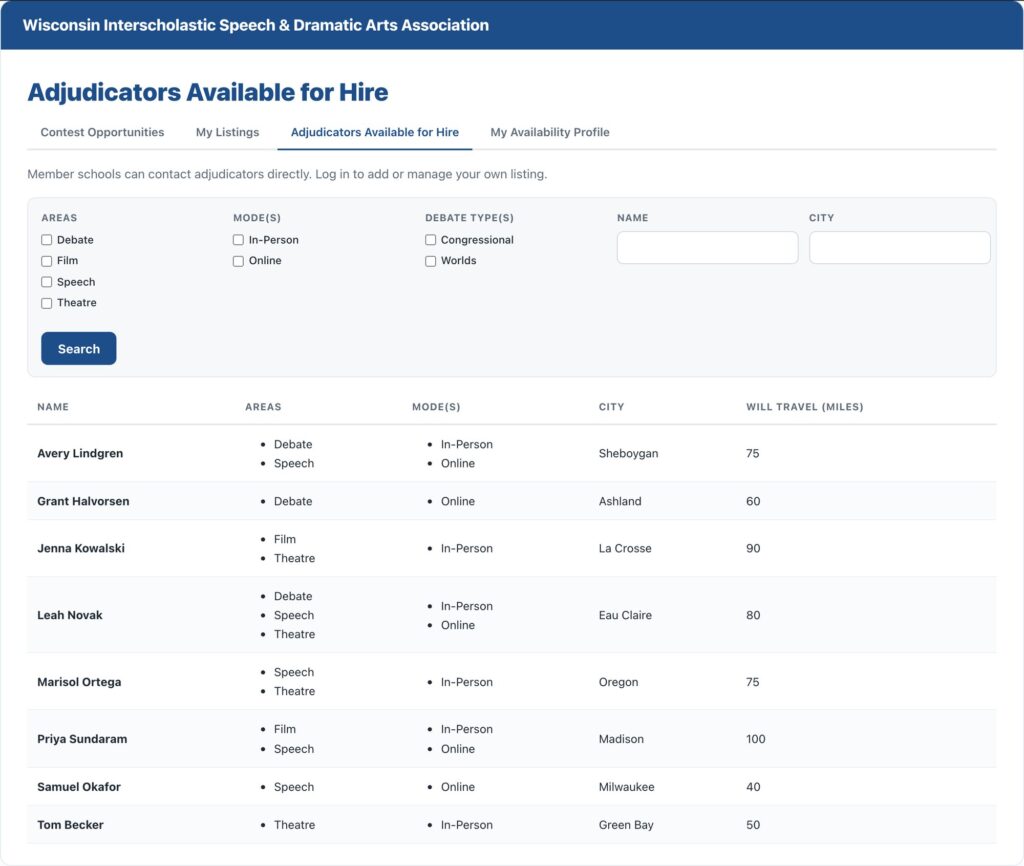
To do that, Adam built what he calls a “jobs board” of sorts. Educators who want to adjudicate list themselves as available, and a separate list shows upcoming contests that need officials.
Together, the two lists work as a way to match adjudicators with contests that need them. Member schools can search the available adjudicators by activity, location, and name, and educators can find contests that need judges in their area.
The impact
In Adam’s words, GravityKit has benefited WISDAA “immensely.” Much of the association’s day-to-day work now runs through Gravity Forms and GravityKit, including how it works with schools and volunteers and how it tracks information internally.
As a small nonprofit organization, GravityKit has revolutionized efficiency with collecting and tracking data, giving us incredible control and creating user experiences that value the time busy teachers put into submitting and utilizing the data our forms track.
Next, Adam is using GravityView and Gravity Flow, the workflow add-on for Gravity Forms, to link WISDAA’s membership with a partner organization’s. Educators will sign up once through WISDAA’s membership form, and the partner can see and confirm those sign-ups, so nobody has to register twice.
When we asked if he’d recommend GravityKit to other WordPress builders, Adam was quick to answer:
Yes, 100%. I have used other form ecosystems, and nothing is as robust for building dynamic applications for collecting data, managing it, and sharing it like Gravity Forms and GravityKit.
Takeaways
With Gravity Forms and GravityKit, WISDAA is able to organize speech, debate, theatre, and film contests for schools across Wisconsin with a very small staff.
The volunteers who organize events and the educators who judge them enter and update their own information, and that information appears wherever it’s needed: on the public calendar, on each contest page, and in the staff dashboard. With GravityKit handling the data and dashboards, staff can focus their time on the contests themselves.
WISDAA’s example shows how Gravity Forms and GravityKit can help small organizations and nonprofits run their day-to-day operations with a small team, from collecting information to the dashboards, directories, and calendars that put it to use.

Ready to get
started?
GravityKit’s integrated toolkit of Gravity Forms add-ons transforms your data into actionable applications.
Browse more case studies

BrightLeaf Giving: live ledger
Be There Local
Killer Shorts
Think:Kids
Leadpal
Jacksonville Port Authority
Princeton University
South Florida Web Advisors
NSSL
Dragonfly
West Fork School District
HappyTree IT
Mediebruket
Bet Hannon
Experience Solutions
Slight Revision
LifterLMS
Jamie Madden
GCPE