Case study
How Farm and Market Trail built a community directory without custom code using GravityKit
The Farm and Market Trail team set out to launch a directory of small businesses selling locally produced goods, with submissions, moderation, and a map of every shop in the network. They built it on WordPress using Gravity Forms for listing submissions and GravityView for managing entries and displaying them on the front end, including a map view so shoppers can find what’s nearby. No custom development required.
Meet the team at Farm and Market Trail
Farm and Market Trail exists to help shoppers find small businesses that sell farm-fresh goods locally. The directory covers a wide range of categories, and the team wanted every one of them represented in a single, browsable place.
Our goal at Farm and Market Trail is to create a comprehensive directory of small businesses like yours that offer: Fresh Produce, Fresh Baked Goods, Fresh Eggs, Flowers, Livestock Sales and Services, Meat & Poultry, Wine & Spirits, and Crafts.
The challenge was familiar to a lot of small teams. They had a clear vision for an interactive site where shop owners could submit listings and shoppers could browse them, but a custom build would have meant hiring engineers, designers, and QA, plus ongoing maintenance. That cost was out of reach.
Discovering GravityKit
The team’s wishlist had three parts: a way for business owners to submit listings, a workflow for reviewing and publishing them, and a map that showed every approved shop. Each piece sounded like a custom development project on its own. Stacked together, they sounded like a small fortune.
Instead, the team turned to WordPress and went looking for plugins that could handle each part of the puzzle. Gravity Forms covered submissions cleanly. The next question was what to do with the entries after they came in, and that’s where GravityView came into the picture.
I started working with GravityView a few months ago. In that time, I have been able to build a map based website that, short of spending a small fortune on coding, would not have been possible.
Building with GravityKit
The team broke the build into three jobs and matched each one to a piece of the stack.
1. Accepting listings from business owners
The directory only works if shop owners can add themselves to it. Using Gravity Forms, the team built a submission form for the listing categories the directory accepts. Because Gravity Forms is built specifically for WordPress, setup came down to installing the plugin and configuring the fields. No custom code, no integration headaches.
2. Reviewing and publishing submissions
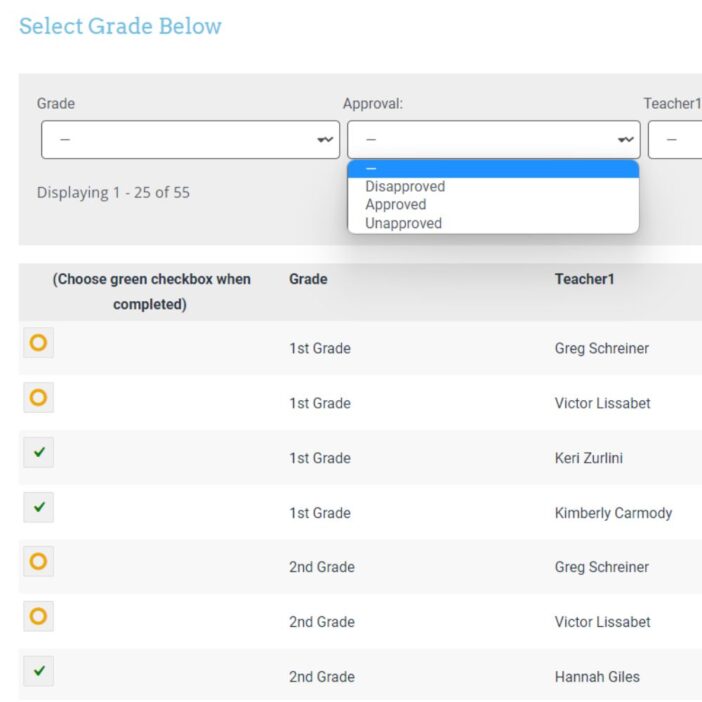
Form entries are useful, but they aren’t a workflow on their own. The team uses GravityView to surface incoming submissions, review what came in, and publish the listings that belong on the site.
That review step matters more than it sounds. Any community-submitted directory attracts spam and off-topic posts, and a directory full of unrelated listings stops being useful fast. GravityView gives the team a single place to vet and approve entries before they go public, without leaving WordPress and without writing code.
3. Plotting every shop on a map
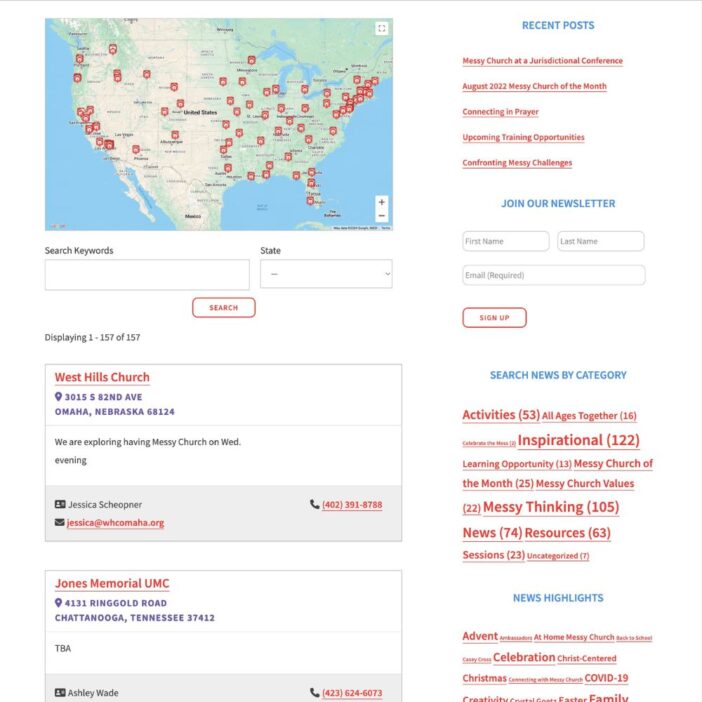
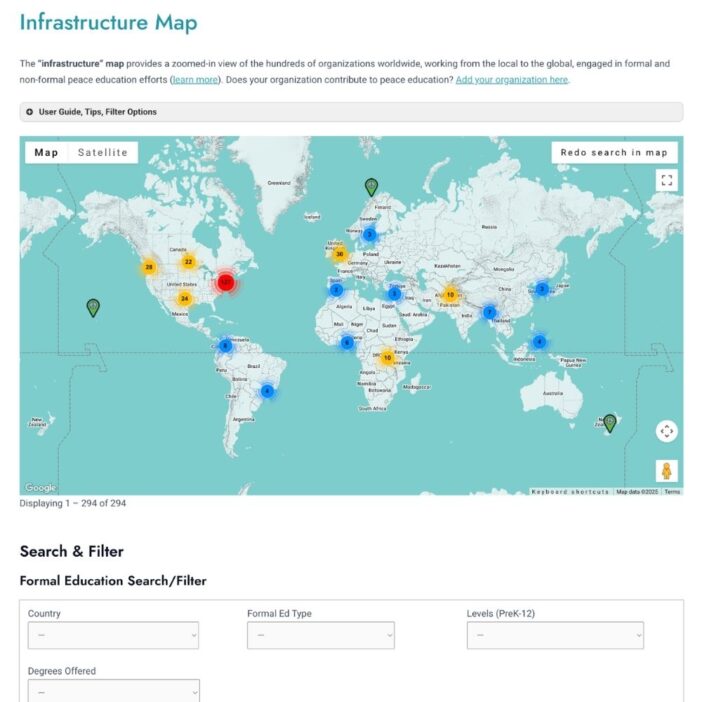
A list of locations is useful. A map of locations is far more useful when a shopper is trying to find a farm stand within driving distance. Using GravityView’s Maps Layout, the team turned approved listings into pins on an interactive map. Visitors land on a view of farm-fresh shops in their area instead of paging through a long text list.
The impact
The full directory runs on a single WordPress install, with three plugins doing the work that would otherwise require a development team. Submissions come in through Gravity Forms, the team approves them in GravityView, and shoppers find them on the Maps Layout. Every piece of functionality the project needed is covered without a line of custom code.
The combination of Gravity Forms & GravityView is very empowering.
The team also called out the support experience as part of why the project came together.
The support I have received from the GravityView team is quite simply outstanding.
For a small business with a specific mission, the result is a site that’s maintainable in-house, sits on familiar WordPress infrastructure, and grows with the directory instead of needing a rebuild every time the project evolves.
Takeaways
- GravityView turns Gravity Forms into a finished application. Form entries become managed listings with a public front end, no developer required.
- The Maps Layout adds discovery as a feature. Any directory with a location field can become a browsable map without extra plumbing.
- Workflow is as important as data capture. Community submissions only work if the team behind the site can review, edit, and approve them efficiently.
- With GravityKit, small teams can ship sophisticated sites. A WordPress install plus the right combination of plugins replaces a custom build for a wide range of directory and community projects.
- The right plugins compound. Gravity Forms covers input, GravityView covers display and moderation, and Maps covers discovery, so each piece does one job well and they add up to a finished product.
If you’re evaluating GravityView for a directory, listings site, or any project that turns Gravity Forms entries into something visitors can browse, the Farm and Market Trail build is a useful proof point: three plugins, one WordPress install, and a working community site without a development budget.

Ready to get
started?
GravityKit’s integrated toolkit of Gravity Forms add-ons transforms your data into actionable applications.
Browse more case studies
Be There Local
Killer Shorts
Think:Kids
Leadpal
Jacksonville Port Authority

Princeton University
South Florida Web Advisors
NSSL

Dragonfly
West Fork School District
HappyTree IT
Mediebruket
Bet Hannon
Experience Solutions
Slight Revision
LifterLMS
Jamie Madden
GCPE
Rochelle Victor