
Published
•
Updated
Launch Log: New GravityCalendar widget for Elementor, keyboard-friendly entry approval, and more
GravityCalendar gets an Elementor widget, GravityView makes entry approval keyboard-accessible and fixes Edit Entry with Gravity Flow, and embed-only Views stay out of sitemaps.


This week GravityCalendar gets an Elementor widget and per-embed height control, GravityView sees an accessibility overhaul of the entry approval chooser and a fix for Edit Entry on sites running Gravity Flow, and the Social Sharing & SEO extension keeps embed-only Views out of XML sitemaps. GravityBoard, GravityEdit, and the DataTables Layout round things out with fixes for the WordPress 7.1 editor, nested Views, and memory use on large forms.
GravityBoard v1.4.4
This update to GravityBoard brings the GravityBoard block up to date with the current WordPress editor. The block now previews inside the editor’s iframed canvas, and the editor no longer logs a deprecation warning for it. Pages saved with earlier GravityBoard versions keep working unchanged.
We also fixed the Active/Inactive toggle on the All Boards screen, which had been rendering as a plain, unstyled button.
GravityCalendar v2.22.0
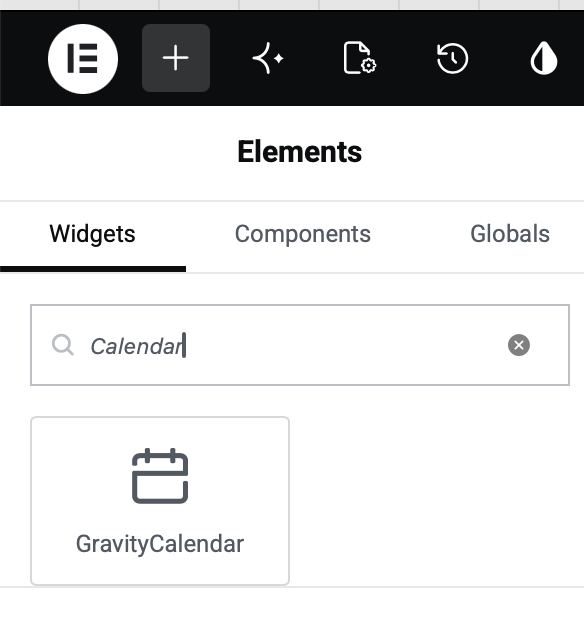
This update to GravityCalendar adds a calendar widget for Elementor. Drag it onto the page, pick a calendar, and it renders in the Elementor editor as it will on the published page, with no shortcode to paste. You will find it under the GravityKit category in the widget panel.
You can now also override a calendar’s height where you embed it, so the same calendar can be short in a sidebar and tall on a full-width page without creating a second calendar. Set it in any of these places:
- Shortcode – Add a
heightattribute, for example[gravitycalendar id="5" height="400px"]. - GravityCalendar block – Use the Height field under Calendar Size in the block settings.
- Elementor widget – Use the Height slider on the Style tab.
Each accepts the same values as the calendar’s own Height setting (pixels, percentages, or viewport units) plus auto.
The GravityCalendar block now uses version 3 of the Block Editor’s block API, which resolves a run of problems in the WordPress 7.1 editor:
- The block preview showed “This block has encountered an error and cannot be previewed” instead of the calendar
- The Stack and Grid buttons of the multi-month layout did not switch
- The Filter button stayed in place instead of giving way to the search box
- Event tooltips opened away from their event when the interactive option was off
- The browser console filled with JavaScript errors
- Clicking the export link in the GravityCalendar Buttons block preview downloaded the calendar file
The preview also now recovers when a feed is selected again after its settings failed to load.
Other fixes in this release:
- Calendars whose feed was created through the API, or before the Sizing setting existed, logged a PHP warning on every render
- Only administrators could open a form’s GravityCalendar feed settings, and administrators on sites running the Members plugin could not see them at all. Anyone who can edit forms can now edit the feed
- Merge tag pickers were missing from the feed settings screen
- The Active/Inactive toggle on the All Calendars screen displayed as a plain button
- Calendar toolbar buttons showed an HTML character code in place of punctuation in some languages, such as the apostrophe in the French “Aujourd’hui”
- The Filter control did nothing on calendars localized to a language other than English
GravityCalendar now requires WordPress 5.6 or newer.
GravityEdit v2.11.1
This update to GravityEdit fixes Inline Edit when one View is embedded inside another, whether through a Custom Content field or the GravityView View field. Nested Views had a few problems:
- The Enable Inline Edit button toggled every editable View nested in or around it instead of only its own, so the button labels fell out of step with which fields were editable
- An embedded View lost its own Inline Edit setting between page loads, because the setting was saved under the surrounding View’s name
- An embedded View was dimmed, with its links and toggle button unresponsive, whenever the surrounding View had Inline Edit turned on
Each View now keeps to itself.
Two compatibility fixes round it out. On WordPress 7.1, clicking the first column’s header in the entries list did not open that column’s fields for column editing. On Gravity Forms 3.0.3 or newer, the Inline Edit toggle button disappeared from an entries list with no entries. GravityEdit now requires PHP 7.4 or newer.
GravityView v3.3.4
This update to GravityView fixes an incompatibility with Gravity Flow on Gravity Forms 3.0 and newer. With Gravity Flow active, clicking Update or Next on the Edit Entry screen did nothing, with no error shown and no changes saved, because the form tag and buttons were missing the attributes the Gravity Forms 2.9+ submission API reads. The same change removes the “Unsupported submission flow detected” warning Edit Entry logged to the browser console every time it was displayed.
The approval status chooser is now fully usable with a keyboard and a screen reader, in the Gravity Forms Entries list and in Views on your site alike. Press Enter or Space on an entry’s approval button to open the chooser, use the arrow keys to move between Approve, Disapprove, and Reset Approval, and press Enter or Space to choose one. Escape or Tab closes it and returns you to the approval button.
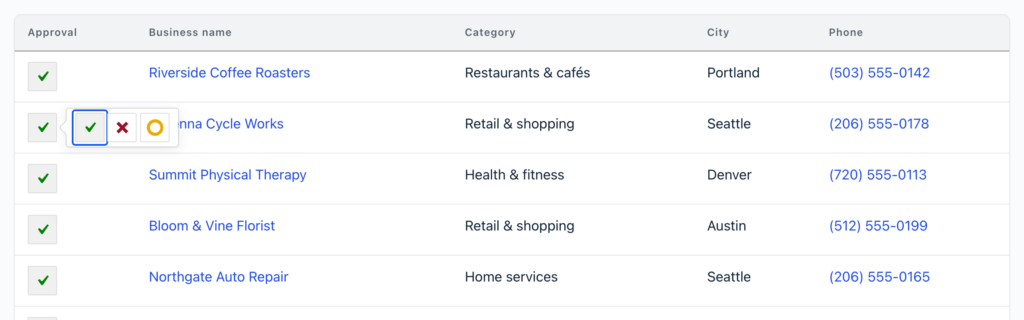
A screen reader now says which status an entry is set to and reports the new status once it changes. Opening the chooser with the keyboard no longer jumps the page to the bottom, and the approval button and its three options are large enough to be a comfortable target on a touch screen. The chooser also now works in a DataTables View before the table has been redrawn by sorting or paging.
Other fixes in this release:
- A search field’s Input Type and other field-specific settings disappeared from its settings window after saving the View, until the field was removed and re-added. This affected fields added from your form, including Gravity Flow workflow fields
- The Entry Approval field could show and change another form’s entry in Views with joins made with the Multiple Forms extension
- Entry Approval buttons showed HTML code instead of the approve, disapprove, and reset icons when another plugin loaded its own copy of the Tippy tooltip library, and GravityView’s bundled Tippy and Popper libraries broke tooltips in plugins that bundle their own copies
- Searching by entry creator on a page showing more than one View could search using another View’s settings and return the wrong entries
Developer updates
- Added the
gk/gravityview/edit-entry/form-tagfilter, which modifies the opening<form>tag of the Edit Entry form - Removed the
gravityview_entries_list-popperandgravityview-field-approval-popperscript handles. The bundled tooltip library includes Popper, so the separate file was never used
GravityView – DataTables Layout v3.13.2
This update to the DataTables Layout fixes a memory exhaustion issue when searching a table on a large form, particularly with “Show entries” set to All. If your tables cover thousands of entries, this one is worth installing right away.
GravityView – Social Sharing & SEO v3.4
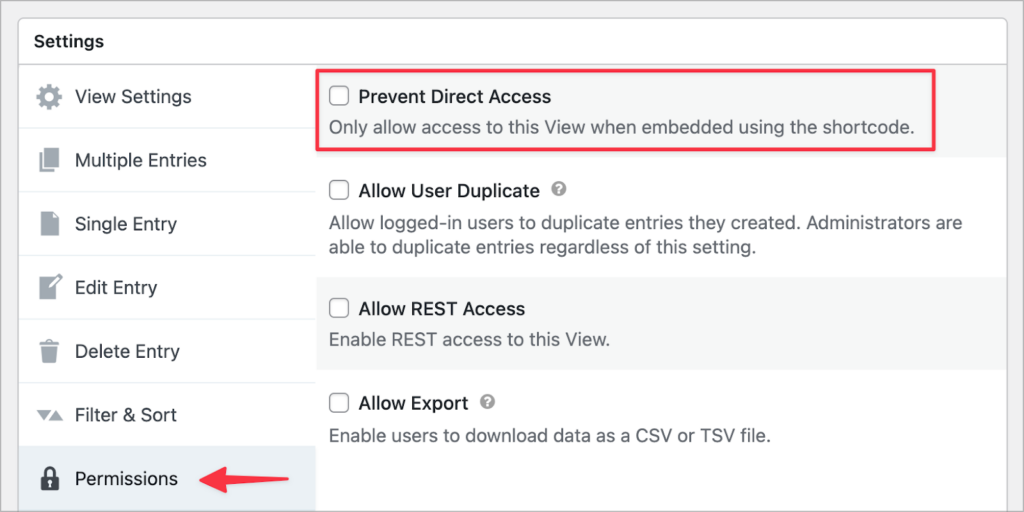
This update to the Social Sharing & SEO extension keeps Views with Prevent Direct Access enabled out of your XML sitemap. Views are a public post type, so a View’s own URL used to land in the sitemap even when you only ever showed it embedded in a page, and search engines were pointed at a URL you had kept off your site.
There is nothing to configure. Turn on Prevent Direct Access and the View drops out of the sitemap built into WordPress, and out of the sitemaps generated by Yoast SEO, Rank Math, All in One SEO, SEOPress, The SEO Framework, Slim SEO, Jetpack, and SmartCrawl.
References to Twitter throughout the extension have also been updated to X.
Developer updates
- Now uses the current GravityView hooks instead of ones deprecated in GravityView 2.55
In summary
GravityCalendar gains an Elementor widget and per-embed heights, GravityView sees a keyboard-accessible approval chooser and a fix for Edit Entry on sites running Gravity Flow, and the Social Sharing & SEO extension keeps embed-only Views out of sitemaps. GravityEdit fixes Inline Edit in nested Views, the DataTables Layout stops running out of memory on large searches, and GravityBoard’s block works in the current editor.
As always, we recommend updating to the latest versions to benefit from these improvements and to ensure compatibility across the GravityKit suite!

Get better at Gravity Forms, one email a week
New GravityKit releases, practical Gravity Forms tutorials, and subscriber-only discounts. One short email every week, unsubscribe anytime.
More articles

9 nonprofit apps you can build with Gravity Forms and GravityKit
Nine apps nonprofits build on WordPress from Gravity Forms data: volunteer databases, member directories, client portals, donation pages, grant review and more.
How to migrate from Fluent Forms to Gravity Forms without rebuilding your forms
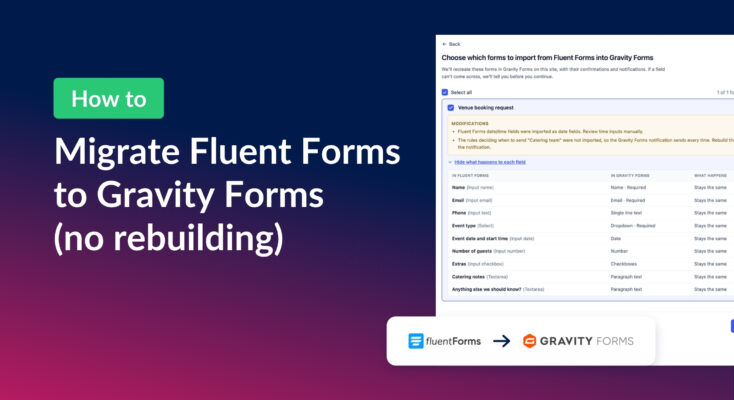
Move your Fluent Forms forms into Gravity Forms with GravityMigrate, then bring your entries across with GravityImport. Every step was tested on the free version of Fluent Forms.

Launch Log: AI-built boards, inline Entry Tags editing, and Views kept on uninstall
This week: AI-built GravityBoard boards, inline Entry Tags editing in Views, Views kept when GravityView is deleted, and security fixes we recommend installing.