
Published
•
Updated
Launch Log: Google Sheets export, adaptive DataTables columns, and calendar sync fixes
This week's GravityKit releases bring Google Sheets export to GravityExport, smarter DataTables columns, calendar sync fixes, and GravityView updates.


This week’s releases bring Google Sheets export to GravityExport, new control over how DataTables columns behave on narrow screens, more reliable calendar subscriptions in GravityCalendar, and a round of fixes for GravityView and Gravity Forms Zero Spam.
Gravity Forms Zero Spam v1.10.2
This update to Gravity Forms Zero Spam makes rejection rules more dependable. Regular expression rules could previously change when saved (a starting or ending period was removed, and anything after a < character was cut off), so they never matched. Rules were also checked against a lowercased copy of the submitted text, which changed the meaning of case-sensitive patterns and could block real submissions. Both issues are fixed.
We also fixed a quiet failure: email rejection rules added to a specific field did nothing when the feature was turned off in the plugin settings. The form editor now lets you know and links to the setting. Finally, custom rejection messages now have HTML safely removed before being shown to visitors.
GravityCalendar v2.20.0
This update to GravityCalendar adds support for appending .ics to generated calendar subscription links, for calendar applications that only accept URLs ending in .ics. Existing links continue to work without the suffix.
We also fixed an issue where events in a calendar subscription received a new identifier on every refresh, causing subscribed calendars to re-add all events on each sync instead of updating the ones they already have.
GravityExport v1.15.0
GravityExport can now send your Gravity Forms entries to Google Sheets. Connect a Google account once in your GravityKit settings, then point a form’s export feed at a new or existing spreadsheet. Data arrives typed: numbers as numbers, dates as dates, and currency as currency, so you can sort, filter, and build formulas in the sheet without converting anything first. GravityExport only asks Google for access to the spreadsheets you create or pick, not your whole Drive.
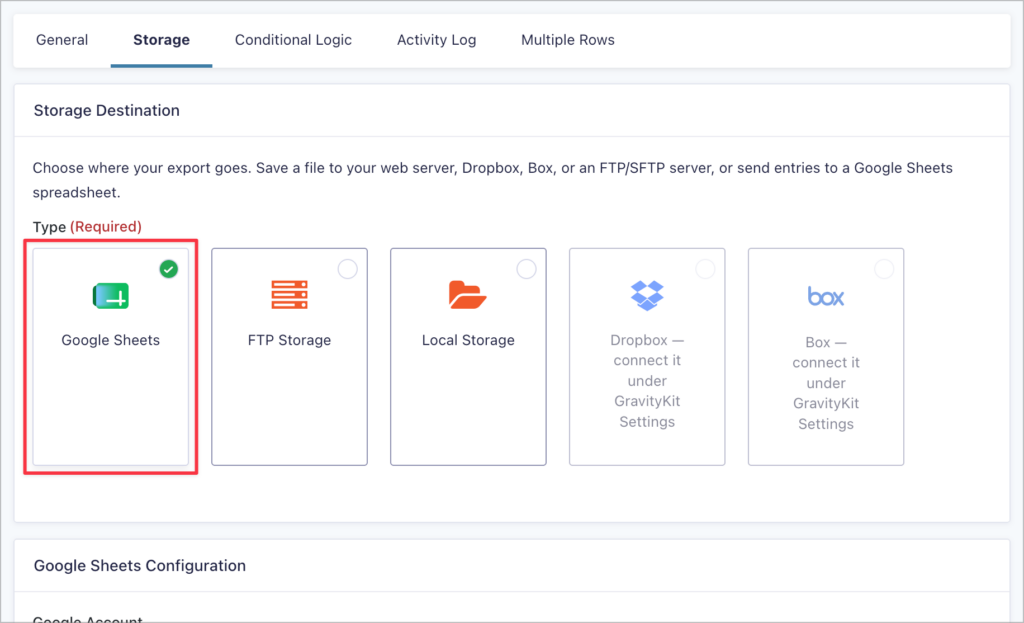
The sheet works as a mirror of your form rather than a growing file. Every export rewrites the feed’s tab in full, so the tab always reflects the current state of your entries, including edits and deletions. You choose what causes an export: automatically on every new entry (edits included), on a schedule, or when a webhook URL is called. Each feed keeps an Activity Log of its recent exports, and optional connection monitoring alerts you if Google stops accepting the connection before your exports quietly stop.
Learn more by reading our full setup guide: Export Gravity Forms entries to Google Sheets.
GravityView v3.3.1
This update to GravityView focuses on fixes. For Views that combine entries from multiple forms using the Multiple Forms extension, the Entry Notes field no longer shows another form’s notes, and choice-based fields from joined forms now include the setting that chooses between showing the choice value or the choice label.
We also fixed an issue where the Export Link widget offered a download link to visitors who are not allowed to export, on Views with “Prevent Direct Access” enabled or Views that are not published publicly.
Two View display settings issues are resolved as well: the “Hide the View” and “Hide View until search is performed” settings had no effect on Views using a theme or multiple columns, and Views lost their theme, custom CSS class, and the “Hide the View” setting when the site’s theme contained a GravityView template override.
GravityView – DataTables Layout v3.13.0
This update to the DataTables Layout adds a “Column Widths” setting on the DataTables tab for columns using a Percent Width, with two behaviors:
- Widen the table and scroll sideways – The default, which keeps every value readable on narrow screens.
- Keep the column at its set width – Holds your configured widths at any screen size, letting a wider value overlap the next column.
Percent Widths also behave more naturally now: a percentage is the share of the table a column aims for rather than a width it is held to, so columns whose values need more room can take it once the rows load. Choose “Keep the column at its set width” to have the percentages honored exactly.
On the fixes side, exports no longer repeat a value’s link address after the value itself. A name linked to its entry previously exported as “Jane Doe (https://example.com/view/entry/123/)“, and phone or email columns exported their own address alongside the value. File Upload, Website, Entry Link, and Edit Link columns still export the address, since there the address is the value.
We also fixed several column alignment issues, most visible on mobile devices: columns rendering narrower than the values they held, headings and footers staying behind when the table was scrolled sideways, and headings keeping an outdated width when a web font finished loading after the table drew.
In summary
Gravity Forms Zero Spam sees fixes that make rejection rules work as written, GravityCalendar gets .ics-friendly subscription links and stable event syncing, GravityExport gains Google Sheets export, GravityView resolves display setting and multi-form issues, and the DataTables Layout adds column width control alongside export and alignment fixes.
As always, we recommend updating to the latest versions to benefit from these improvements and to ensure compatibility across the GravityKit suite!

Get better at Gravity Forms, one email a week
New GravityKit releases, practical Gravity Forms tutorials, and subscriber-only discounts. One short email every week, unsubscribe anytime.
More articles

Launch Log: A range slider for search, AI-managed calendars, and security updates in ten products
GravityView adds a Slider search input, GravityCalendar lets AI assistants manage calendars, and ten GravityKit products get security fixes. Here’s what shipped.

9 nonprofit apps you can build with Gravity Forms and GravityKit
Nine apps nonprofits build on WordPress from Gravity Forms data: volunteer databases, member directories, client portals, donation pages, grant review and more.
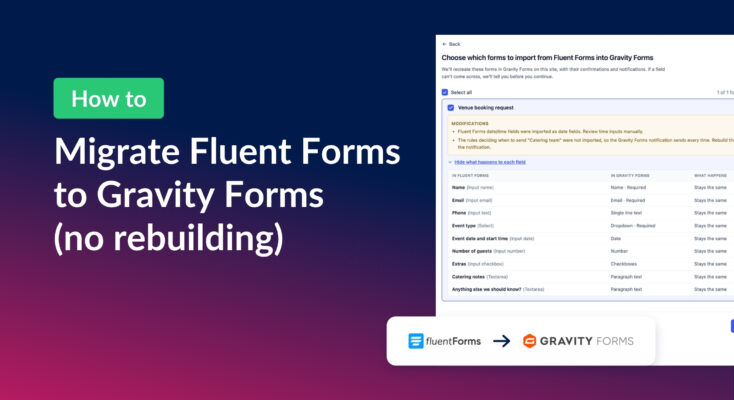
How to migrate from Fluent Forms to Gravity Forms without rebuilding your forms
Move your Fluent Forms forms into Gravity Forms with GravityMigrate, then bring your entries across with GravityImport. Every step was tested on the free version of Fluent Forms.