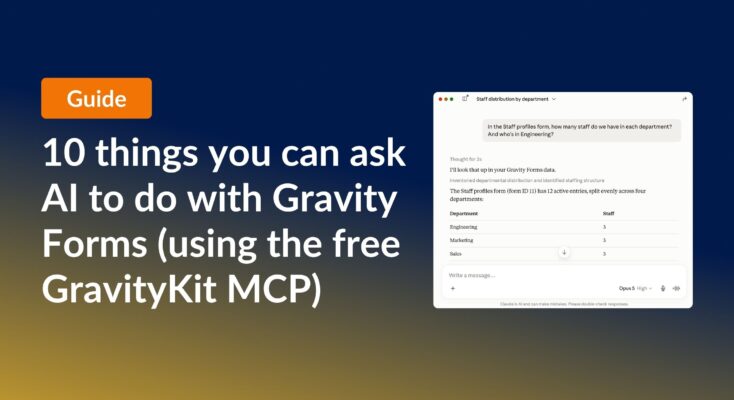
10 things you can ask AI to do with Gravity Forms (using the free GravityKit MCP)
See 10 practical things you can ask AI to do with Gravity Forms using the free GravityKit MCP: create forms, manage entries, build Views, and more.
Product updates

Launch Log: theme template editing in Block MCP, Shield silentCAPTCHA for Zero Spam, and GravityView fixes
Block MCP adds safe theme template editing, Gravity Forms Zero Spam gains Shield silentCAPTCHA support, and GravityView fixes lightbox and notice bugs.

Launch Log: Row headers for screen readers, smarter conditional logic, and multi-View fixes
GravityView 3.1 adds row headers for screen readers, plus smarter conditional logic in GravityCalendar and fixes for DataTables, Maps, and Dynamic Lookup.
Latest Posts
A developer’s take on GravityView 2.0 Beta
Briefing GravityView 2.0 strives to deal with some inherent issues in the older versions of GravityView, while extending functionality to bring in new features, stability and performance. Disclaimer This is a beta. While we have written a lot of automated tests and made pretty…

Want to edit Gravity Forms entries 340% faster?
Do you edit a lot of Gravity Forms entries? You need our new plugin: Inline Edit. Data entry is a pain. It was one of my first jobs, and I’ll never forget it. If you’ve ever spent hours updating a single value for hundreds or…

GravityView version 1.21.5!
Update GravityView to keep compatible with Gravity Forms 2.2 and newer GravityView 1.21 included an important update to make GravityView’s Edit Entry functionality work properly with Gravity Forms 2.2 or newer. If you haven’t yet updated, update GravityView now to keep everything working smoothly….
Version 1.20: Edit Product & Pricing Fields
Edit existing entry in Gravity Forms Gravity Forms doesn’t allow you to edit any order information (product options, or quantity, for example). If you try, you’ll see “Product fields are not editable”. This is a problem for many of our customers—there are valid reasons…

Add “Claim Entry” functionality in GravityView
TLDR: You can claim an entry in GravityView using the Gravity Flow plugin as described in this how-to article. What’s “Claim Entry”? Many of our customers use GravityView to display a list of businesses (a directory). They add the businesses and then want the…
Whoops! We sent incorrect license renewal emails ✉️
Are you a customer? If you have purchased GravityView or Entry Importer, you may have received an inaccurate license renewal email today. If you have already renewed and you got an email saying you didn’t: sorry about that! Your renewed license is valid. You…

The Top 3 GravityView Features Added in 2016
At the end of the year, let’s take a look back at the top three features of 2016 We made changes to the code 717 times in 2016—that’s an average of 2 updates per day! From all those changes, it’s hard to find the few…
GravityView + WPML
If you want to run a site in multiple languages, the WPML plugin is a powerful tool. Lots of our GravityView customers use WPML, so we wanted to put together a how-to to translate a View into multiple languages. Read how to translate a View

Helpful tips right in your inbox.
Subscribe to get the latest articles, information on releases and helpful Gravity Forms tips!