
Published
•
Updated
Meet GravityMCP: Manage Gravity Forms with familiar AI assistants
We’re excited to announce the release of GravityMCP! This free MCP server connects AI assistants like Claude to Gravity Forms, allowing you to manage forms and entries through natural language commands. Instead of clicking through menus and forms, you can simply tell your AI assistant what you want to do in plain English. No need…

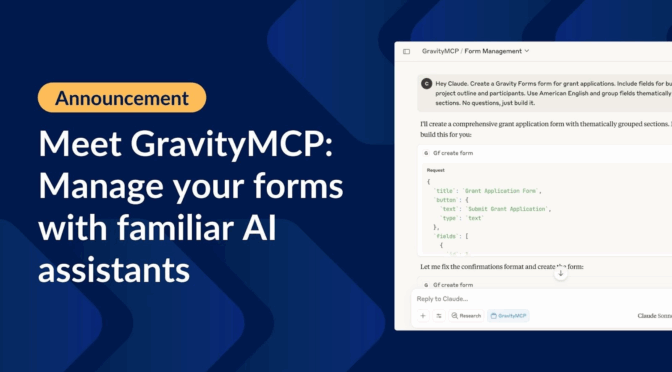
We’re excited to announce the release of GravityMCP! This free MCP server connects AI assistants like Claude to Gravity Forms, allowing you to manage forms and entries through natural language commands.
Instead of clicking through menus and forms, you can simply tell your AI assistant what you want to do in plain English. No need to even log in to your WordPress site!
What is an MCP server?
An MCP server (Model Context Protocol server) is a bridge that connects AI assistants to external applications or data sources, allowing them to perform tasks based on natural language commands. Learn more about what a WordPress MCP server is.
Instead of the AI directly handling complex APIs, the MCP server interprets the assistant’s commands and translates them into structured API requests, then returns the results back in context.
In the case of GravityMCP, the MCP server connects an AI assistant like Claude to Gravity Forms running on a WordPress site, so you can manage forms and entries conversationally while ensuring security, permissions, and validation are handled correctly.
How to set up GravityMCP
GravityMCP is easy to set up. Simply follow the instructions on our official GitHub repository.
- Install the MCP server
- Create your credentials — a WordPress application password (recommended) or a Gravity Forms REST API key
- Connect to your MCP-compatible AI assistant (e.g., Claude Desktop)
Here’s a quick video walkthrough to help you get set up:
Create and edit forms using familiar AI assistants
Ask your AI assistant to perform tasks for you in Gravity Forms by simply describing them in plain English.
For example, I asked Claude:
Hey Claude. Create a Gravity Forms form for grant applications. Include fields for budget, project outline and participants. Use American English and group fields thematically into sections.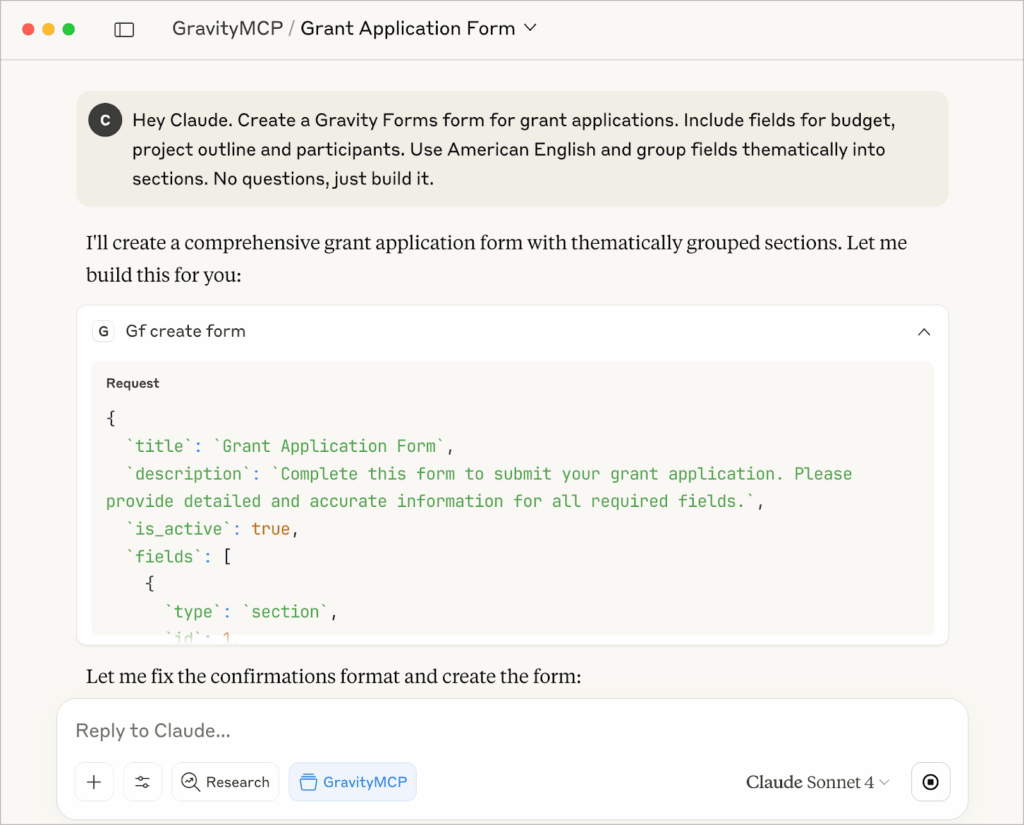
In seconds, Claude generated a form with 44 fields, marking key fields as required, grouping them into logical sections, and even customizing the submit button to match the form’s purpose.
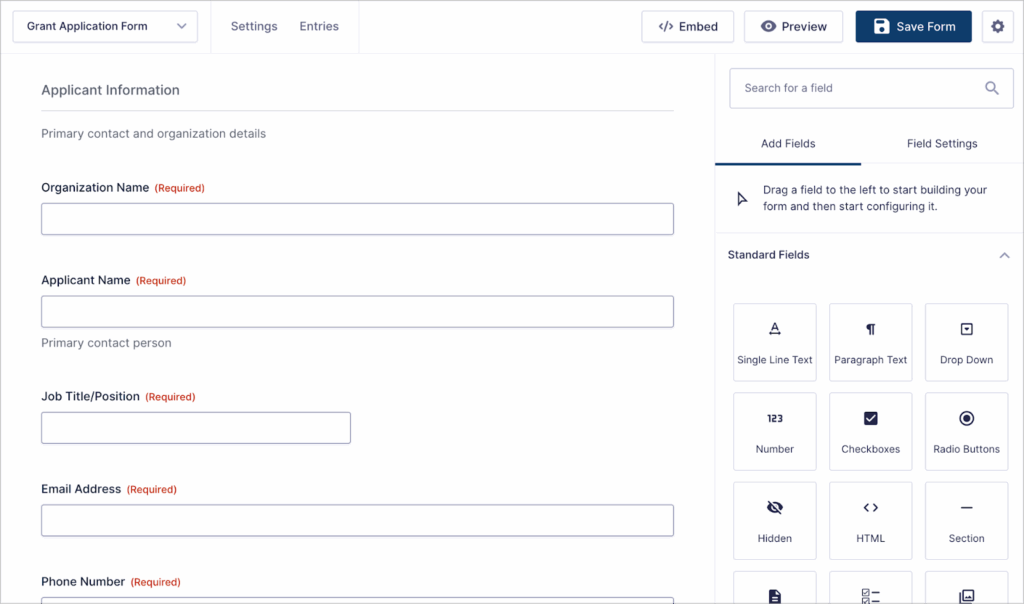
Form building is just the start. You can also ask your assistant to add entries, retrieve and edit submissions, send tailored notifications and confirmations, analyze responses, and more.
Want to know the average grant amount across all applications, or which project requested the largest budget? Just ask. Claude instantly pulls the data and delivers clear answers.
What is the average grant amount across all applications submitted? And which requires the most budget?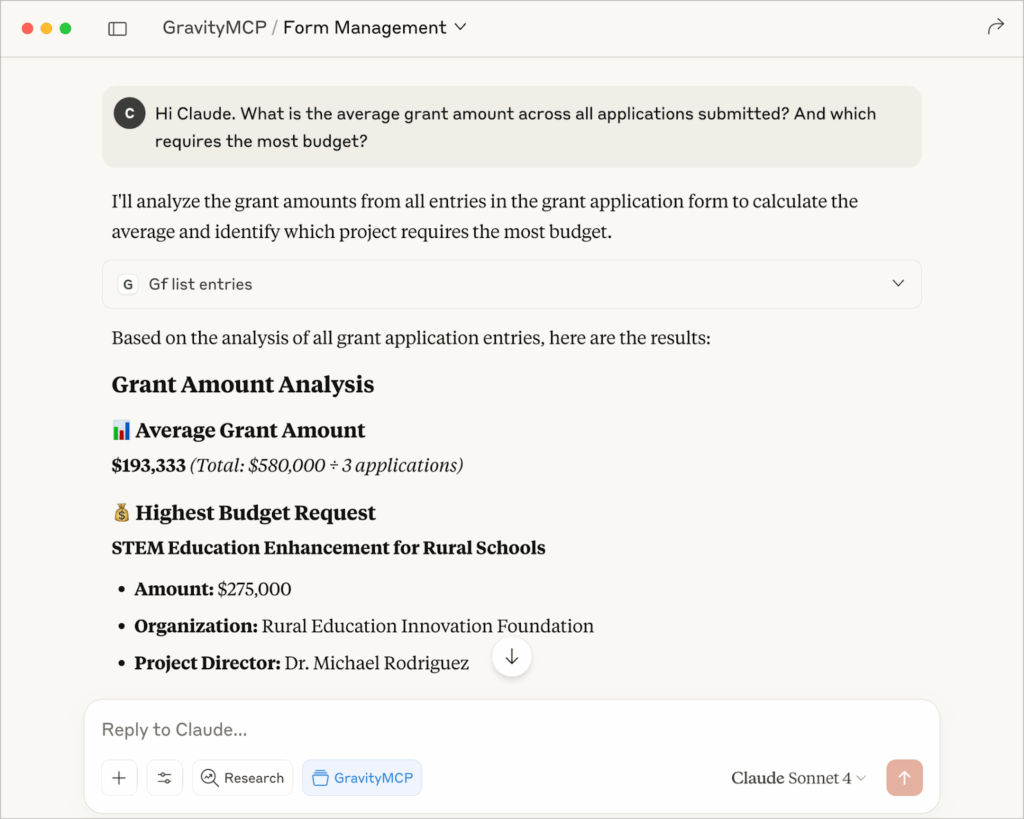
Since then, Views have arrived: with GravityView 3.0, you can build and manage Views just by describing them to Claude through the GravityKit MCP. And there’s still more on the way, with upcoming support for charts, boards, and add-on feeds.
Why use GravityMCP?
Gravity Forms is one of the most popular form plugins on WordPress (which still powers a third of the web), so any tool that makes managing forms faster has a huge audience. With GravityMCP, you can simply tell your AI assistant what you need instead of clicking through endless dashboards.
Agencies can save hours by updating client forms with a single command, deploying standardized templates instantly, and rolling out compliance updates across multiple sites at once.
Site administrators gain instant visibility into registrations, signups, and survey results. This includes the ability to generate custom reports or uncover trends with nothing more than a simple request.
For developers, GravityMCP accelerates prototyping and testing: spin up MVPs in minutes, seed them with sample data, debug specific issues on demand, and test integrations conversationally without repetitive manual steps.
We’re excited to see what you do with it!
Security and privacy
Security and privacy are built into GravityMCP from the ground up. All communications run over encrypted API connections, and the server respects existing WordPress and Gravity Forms permissions through Application Passwords.
Importantly, GravityMCP never stores your form data. Everything stays within your WordPress site. With Gravity Forms logging enabled, every action is recorded for full transparency, while pre-validation ensures form values are checked before requests are sent, reducing errors and unnecessary API calls.
Take GravityMCP for a spin
GravityMCP opens up an entirely new way to work with Gravity Forms. Whether you’re managing dozens of client sites, keeping tabs on event registrations, or building prototypes on the fly, conversational control with AI can take the friction out of form management.
Best of all, GravityMCP is free and ready for you to try today. Head over to the GitHub repository to get started, and explore the documentation.

Get better at Gravity Forms, one email a week
New GravityKit releases, practical Gravity Forms tutorials, and subscriber-only discounts. One short email every week, unsubscribe anytime.
More articles

GravityMigrate 2.0: No-sweat WordPress form plugin migrations
Nobody wants to move forms between plugins. They want the site launched, the client onboarded, the referrals to stop falling through the cracks. GravityMigrate 2.0 makes moving forms effortless.

Launch Log: Two-way form migrations, a modernized chart block, and tighter board permissions
GravityMigrate 2.0.0 moves forms between Gravity Forms and seven other form plugins, GravityCharts modernizes its block in the WordPress editor, and GravityBoard tightens how board permissions are enforced.

9 ways to automate client work with the GravityKit MCP
Nine client jobs you can hand to the free GravityKit MCP, from auditing broken Views to cloning a finished build. Every one verified on a live site.