
Published
•
Updated
Best WordPress Kanban board plugins (2025 edition)
Kanban boards are one of the simplest and most effective ways to manage tasks visually. Instead of juggling spreadsheets or disconnected tools, you can track projects, deadlines, and responsibilities at a glance—right inside WordPress. In this roundup, we’ve curated the best WordPress Kanban board plugins for 2025. Each option is actively maintained, offers distinct features,…

Kanban boards are one of the simplest and most effective ways to manage tasks visually. Instead of juggling spreadsheets or disconnected tools, you can track projects, deadlines, and responsibilities at a glance—right inside WordPress.
In this roundup, we’ve curated the best WordPress Kanban board plugins for 2025. Each option is actively maintained, offers distinct features, and can help you streamline your workflow without leaving your site.
1. GravityBoard
Best for: Existing Gravity Forms users, agencies, professional teams
Pricing: Starts at $119/year for a single site license.
Demo: View a live demo of GravityBoard and get your own free trial site to test out the plugin.
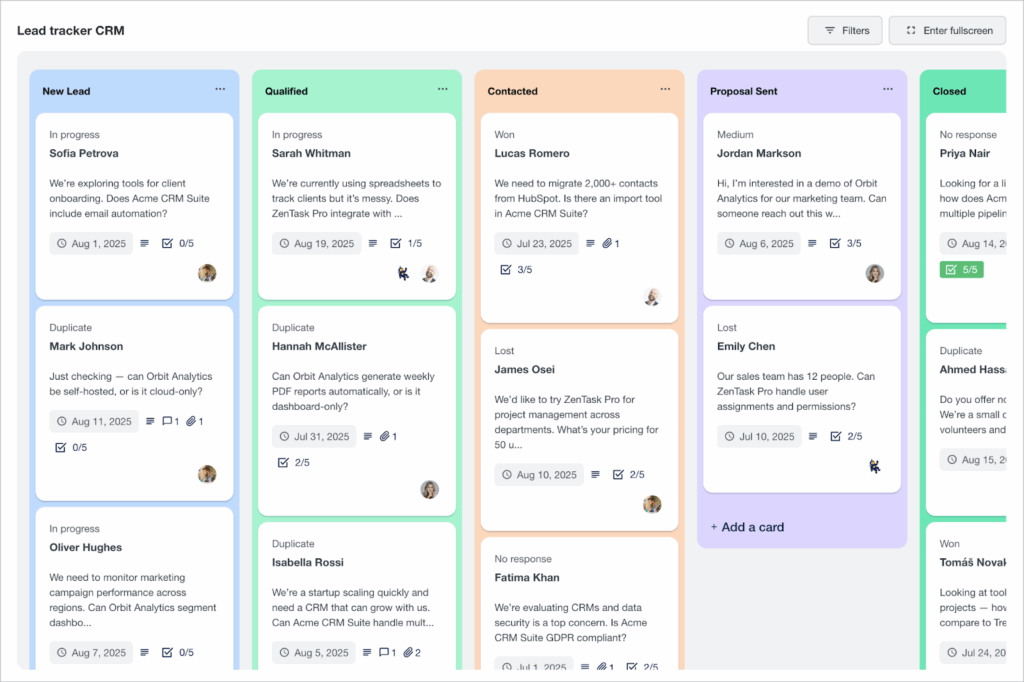
If you’re already using Gravity Forms, GravityBoard is a no-brainer. It’s the only Kanban board plugin designed specifically for Gravity Forms, transforming the way you manage form submissions.
Instead of just collecting entries, GravityBoard turns them into actionable tasks on a drag-and-drop board. Each submission becomes a card that you can move between columns, update in real-time, and customize to match your workflow.
Whether you’re running a sales pipeline, managing tasks, or processing employment applications, you can tailor the board to your exact needs.
Because GravityBoard is built on Gravity Forms, it plugs directly into the ecosystem you already rely on. Add fields for priority, assignee, due dates, file uploads, or progress notes—and see that information instantly displayed on your board. This tight integration means no juggling external tools, extra logins, or spreadsheets.
From small teams to complex operations, GravityBoard provides powerful workflow management capabilities. You get a Kanban board that looks and feels like part of your WordPress site, while leveraging the proven reliability of Gravity Forms.
Key features
- Real-time updates and task tracking from your website’s front end
- Drag-and-drop interface
- File attachments
- Customizable email notifications
- Assign tasks to different users
- Restrict user permissions
- Add checklists and subtasks to cards
- Markdown (rich text) support
- Advanced filters
2. PublishPress Planner
Best for: Editorial teams managing content publishing workflows and calendars.
Pricing: Free on WordPress.org.
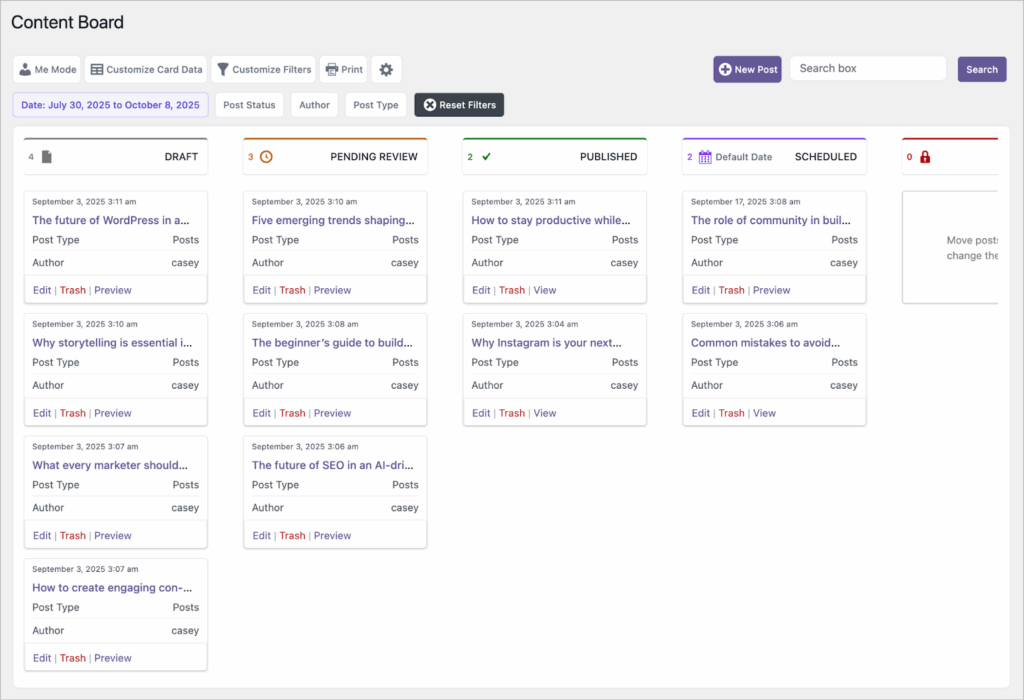
PublishPress Planner is a popular editorial calendar and content management plugin for WordPress. It helps teams organize their publishing workflow by making it easy to see what’s in progress, what’s coming up, and what needs attention.
The plugin includes a simple but effective Kanban board where you can drag and drop posts between stages of your publishing pipeline. You can also switch to a calendar view to see upcoming content laid out by week or month.
Filters make it easy to zero in on exactly what you need—whether that’s posts by author, category, or status. To keep everyone in the loop, PublishPress Planner also includes email notifications that alert team members when a post is updated or assigned.
If your main goal is to manage blog posts and editorial content without leaving WordPress, PublishPress Planner is a solid choice.
Key features
- Custom filters to quickly find posts by status, author, or category
- Calendar view for planning and scheduling content
- Choose what data to show on cards
- Designed specifically for editorial workflows in WordPress
FluentBoards
Best for: Project managers and existing users of Fluent products.
Pricing: Free version available; premium version starts at $119/year for a single site license.
Demo: Try a free demo of the premium version here.
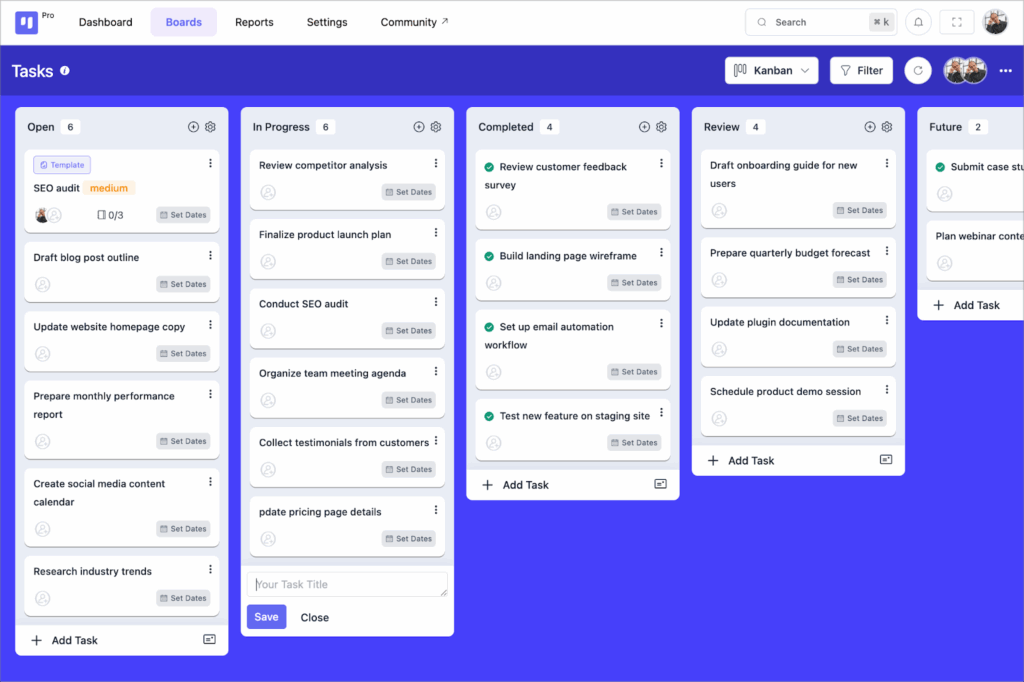
FluentBoards is a dedicated project management plugin that brings Kanban functionality directly into your WordPress dashboard. It’s designed as a WordPress-native alternative to SaaS tools like Trello or Asana, giving you the ability to create boards, manage tasks, and track progress without ever leaving your site.
The plugin is part of the wider Fluent ecosystem (which includes FluentCRM, Fluent Forms, and more), meaning it slots neatly into a broader stack of productivity tools for WordPress.
While FluentBoards doesn’t offer the same deep customization as GravityBoard, it does have a polished interface and practical extras—like built-in time tracking and progress monitoring.
Key features
- Task creation, assignment, and progress tracking
- Multiple views: Kanban, calendar, list
- User assignments
- Integration with the wider Fluent ecosystem (CRM, forms, etc.)
- Time tracking and reporting features
Zephyr
Best for: Solopreneurs looking to stay organized and manage their to-dos.
Pricing: Free version available; premium version starts at $99/year for 5 sites.
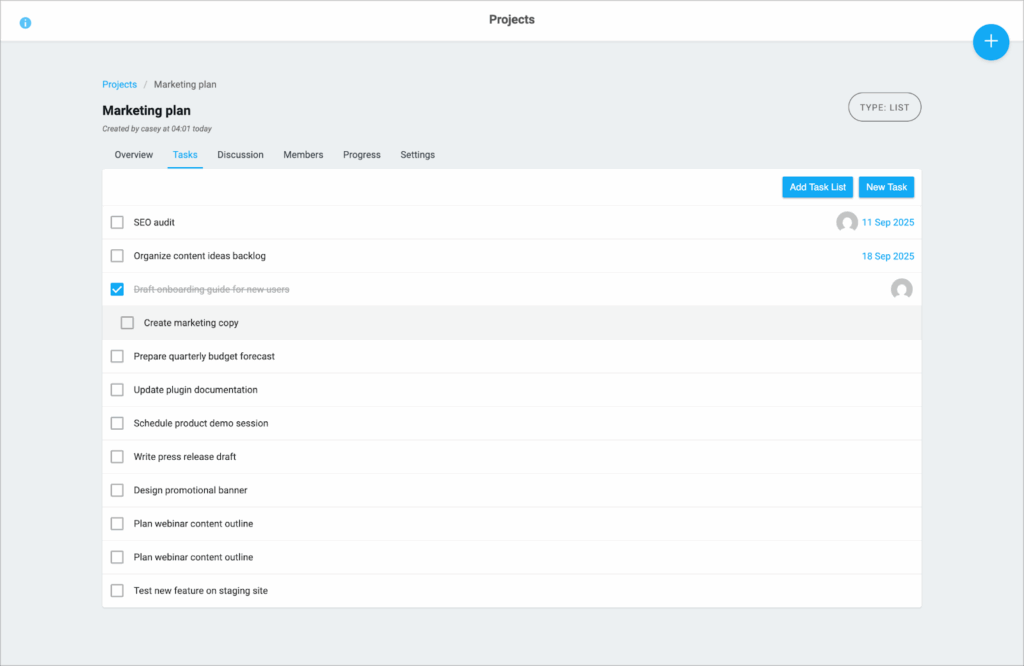
Zephyr is a straightforward project management plugin that keeps everything inside your WordPress dashboard. At its core, Zephyr lets you create task lists and organize them into projects, making it a simple tool for teams or individuals who just need to stay on top of their to-dos.
The free version of Zephyr focuses on list-based task management, but upgrading to Zephyr Pro unlocks a Kanban view. This allows you to visualize tasks on a board, drag them between stages, and get a clearer sense of progress at a glance. The interface is clean and minimal, with tabs at the top for switching between discussions, progress tracking, and project settings.
While Zephyr doesn’t offer deep customization options, it does support basic email notifications to alert team members when tasks are updated—though these aren’t highly configurable. For some users, that simplicity is part of its appeal: no clutter, no extras, just a way to keep tasks organized inside WordPress.
Key features
- Create and manage subtasks
- Ability to assign users
- Add due dates to tasks
- View tasks in a list or on a calendar
- Asana integration
WP Project Manager
Best for: Small teams and project managers.
Pricing: Free version available; premium version starts at $296 per year for a single site license.
Demo: There is a free demo of the premium version available on the wedevs website.
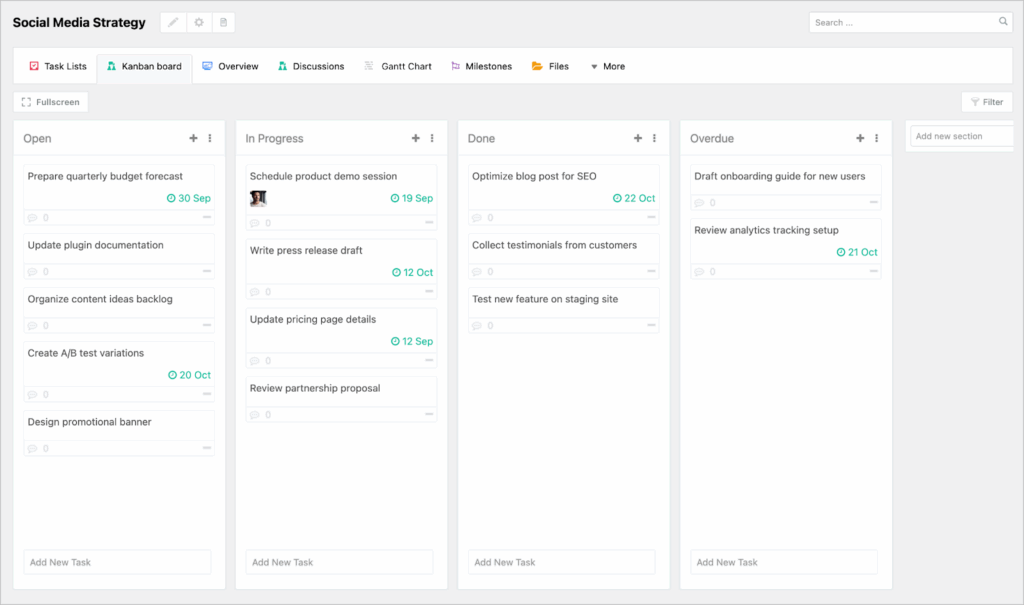
WP Project Manager is one of the more feature-rich Kanban solutions for WordPress, designed to handle both simple task lists and complex team collaboration. It provides multiple ways to visualize work, including Kanban boards and Gantt charts.
Collaboration is at the heart of the plugin. You can centralize documents within projects, exchange direct messages with team members, or leave comments for asynchronous communication. This makes it a good option for teams who need everything in one place, rather than juggling multiple tools.
For freelancers or businesses working with contractors, WP Project Manager includes a handy time tracking feature. User permissions ensure that contractors only see the projects relevant to them, giving managers peace of mind.
Other helpful tools include recurring tasks for ongoing projects and granular control over who can access what. Combined, these features make WP Project Manager a flexible all-in-one project management system inside WordPress.
Key features
- Gantt charts
- Discussion board
- Upload and manage files
- Set milestones
Why these plugins didn’t make the cut
Although they are often recommended in other articles, there were two WordPress Kanban plugins that I purposefully left out:
- KanbanWP
- Upstream
KanbanWP no longer appears to offer a demo sign-up, which suggests the plugin may have been abandoned (their last blog post was from 2021!). Meanwhile, Upstream hasn’t been updated in over a year (at the time of writing), which is never a good sign when it comes to ongoing support and security.
Both plugins may be effectively abandoned. If you’re looking for a long-term solution you can rely on, I recommend choosing one of the actively maintained plugins from this list instead.
Add a Kanban board to your WordPress site today
Whether you need a lightweight task tracker or a full project management suite, there’s a WordPress Kanban solution that fits your workflow. From GravityBoard’s deep Gravity Forms integration to FluentBoards’ time tracking and WP Project Manager’s advanced features, the right choice depends on your team’s needs.
The key is to choose a plugin that’s reliable, actively supported, and flexible enough to grow with you. With the options above, you can build a visual project management system that keeps your team organized, all without leaving WordPress.

Get better at Gravity Forms, one email a week
New GravityKit releases, practical Gravity Forms tutorials, and subscriber-only discounts. One short email every week, unsubscribe anytime.
More articles

Launch Log: A range slider for search, AI-managed calendars, and security updates in ten products
GravityView adds a Slider search input, GravityCalendar lets AI assistants manage calendars, and ten GravityKit products get security fixes. Here’s what shipped.

9 nonprofit apps you can build with Gravity Forms and GravityKit
Nine apps nonprofits build on WordPress from Gravity Forms data: volunteer databases, member directories, client portals, donation pages, grant review and more.
How to migrate from Fluent Forms to Gravity Forms without rebuilding your forms
Move your Fluent Forms forms into Gravity Forms with GravityMigrate, then bring your entries across with GravityImport. Every step was tested on the free version of Fluent Forms.