
The {gravitycharts} merge tag
The {gravitycharts} merge tag puts a static image of a chart in a Gravity Forms notification or confirmation.
Inserting the merge tag #
In a notification or confirmation, open the merge tag picker and search for GravityCharts. The GravityCharts group lists the form’s charts.
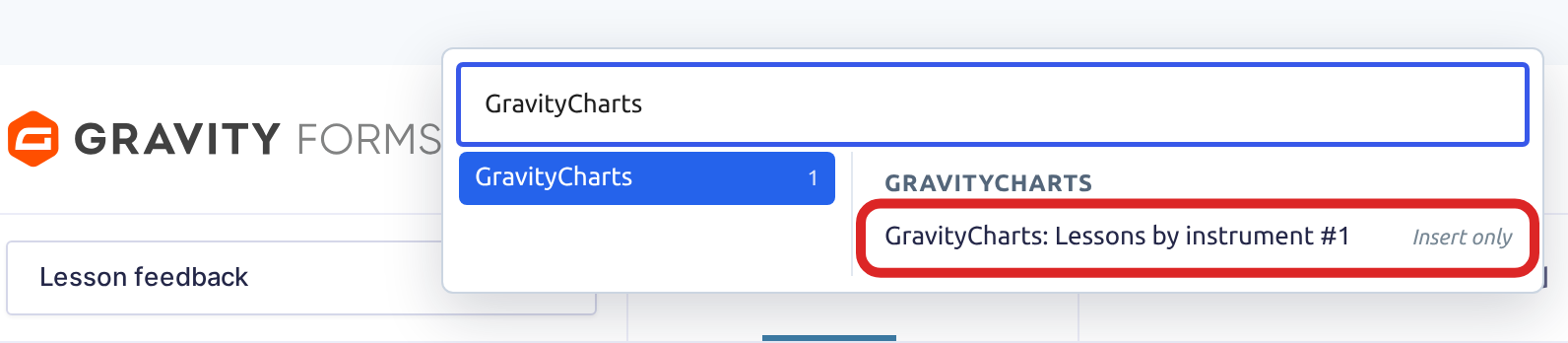
The picker inserts the chart’s ID only, such as {gravitycharts:5}. Add the chart’s secret and the image size after a second colon, separated by spaces:
{gravitycharts:5:secret=a1b2c3d4e5f6 width=500 height=250}The secret is in the chart’s shortcode, in the Shortcode (Click to copy) column on the All Charts screen (GravityKit, then All Charts). While Enable security for this chart is on, the merge tag stays as plain text without it. Set both width and height, in pixels, so the image shows.
Charting the entry just submitted #
Add entry=true to chart only the entry being submitted, for example in a confirmation:
{gravitycharts:5:secret=a1b2c3d4e5f6 entry=true width=500 height=250}Other attributes #
The merge tag takes the same attributes as the [gravitycharts] shortcode. It always makes an image, so it ignores embed_type.

