

Casey Burridge
Head of Marketing

Recent Posts
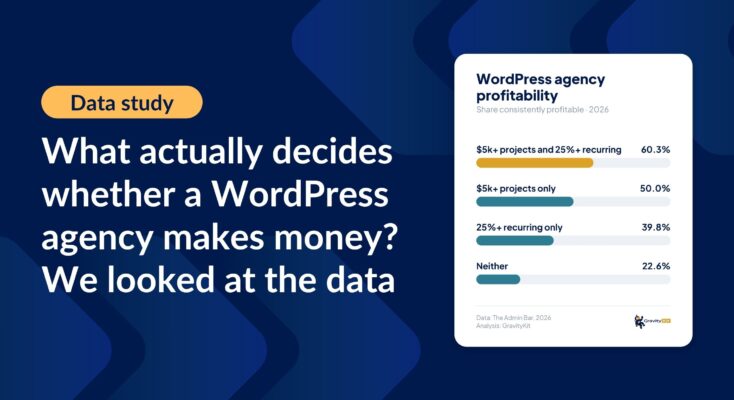
What actually decides whether a WordPress agency makes money? We looked at the data
Two 2026 surveys of 832 WordPress agencies, plus our own analysis of the raw data. What separates the profitable agencies from the rest, and what does not.

Launch Log: Two-way form migrations, a modernized chart block, and tighter board permissions
GravityMigrate 2.0.0 moves forms between Gravity Forms and seven other form plugins, GravityCharts modernizes its block in the WordPress editor, and GravityBoard tightens how board permissions are enforced.

9 ways to automate client work with the GravityKit MCP
Nine client jobs you can hand to the free GravityKit MCP, from auditing broken Views to cloning a finished build. Every one verified on a live site.

Launch Log: New GravityCalendar widget for Elementor, keyboard-friendly entry approval, and more
GravityCalendar gets an Elementor widget, GravityView makes entry approval keyboard-accessible and fixes Edit Entry with Gravity Flow, and embed-only Views stay out of sitemaps.

9 client apps you can build with Gravity Forms and GravityKit
Nine client apps agencies build on Gravity Forms without custom code: portals, dashboards, directories, CRMs, boards, and more. Walkthroughs for each.

Launch Log: Faster calendar subscriptions, undo-able form restores, and security hardening
GravityCalendar gets faster, always-current subscriptions, GravityRevisions adds undo-able form restores, and GravityMigrate and GravityView receive security fixes.

WordPress form plugin market share 2026: CF7, Gravity Forms, and more
Contact Form 7 is on 29.74% of WordPress sites, Gravity Forms on 3.53%, WPForms on 2.43%. HTTP Archive data on the most used WordPress form plugins in 2026, with year-over-year change and Fluent Forms measured for the first time.

How to get your Gravity Forms data into external tools
Learn 6 ways to get Gravity Forms data into external tools—from scheduled exports to REST API and Zapier. Covers CRMs, spreadsheets, and more.

Launch Log: Refined conditional logic filters, choice labels in Math Summary, and WordPress 7.1 fixes
The August 20 releases refine the Advanced Filter conditional logic builder, add choice labels to GravityMath’s Math Summary, and fix entry approval on WordPress 7.1.