
Published
•
Updated
Introducing Block MCP: the WordPress MCP we built because nothing else worked
Block MCP is the WordPress MCP server we built to let AI agents edit posts at the block level without breaking the block structure. It's now open source and available on GitHub.

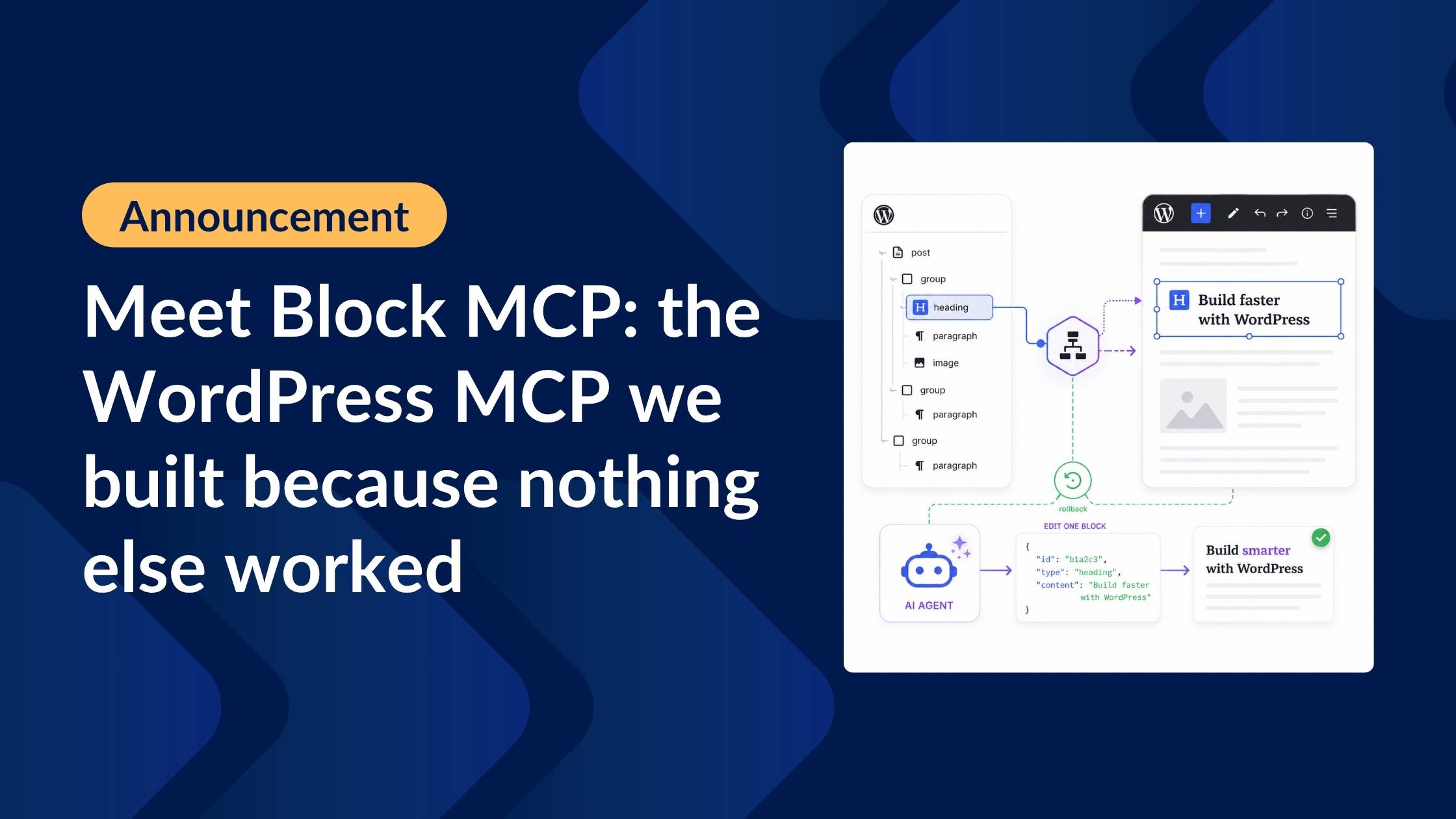
Today we’re releasing Block MCP as an open-source project. It’s the WordPress MCP server we built to let AI agents edit our own posts and pages without breaking them, and it’s now available for any WordPress user who has hit the same wall!
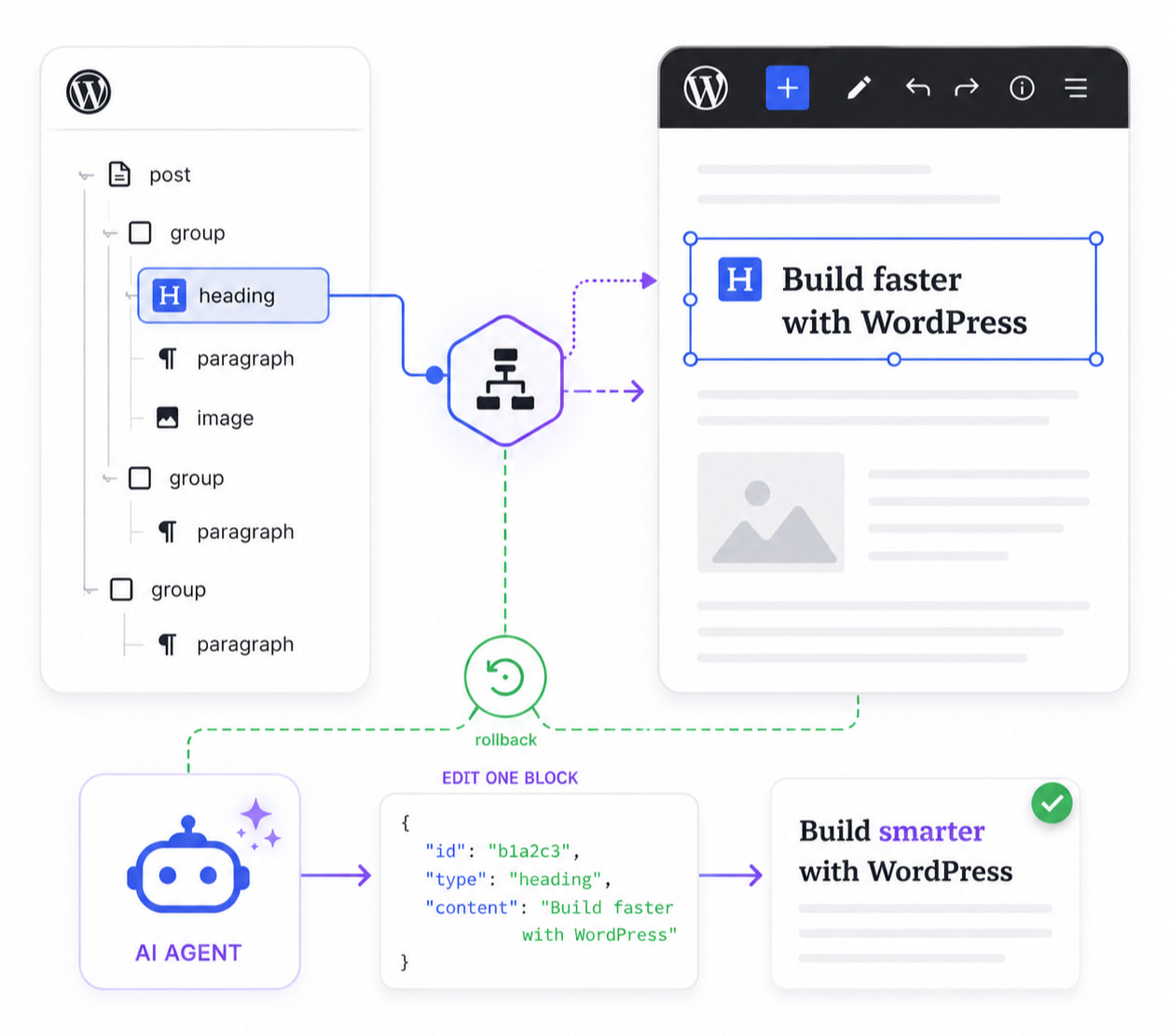
Block MCP is two pieces working together: a WordPress plugin that exposes Gutenberg posts and pages as a structured block tree, and an MCP server that hands those tools to your AI agent. Instead of treating a post as one big blob of HTML, every block becomes an addressable unit with a unique ID.
This enables your AI agent to make surgical edits to your page content: add rows to a comparison table, move headings further down the page, swap CTA buttons, and insert new paragraphs inside a group.
Keep reading to find out what sets Block MCP apart from other WordPress MCPs, why it should be part of your toolkit, and how you can set it up for your own site.
Why we built it
WordPress still powers a third of the web, and most of that content now lives in the block editor. That’s exactly where our agents needed to work.
We use AI agents to help us draft, revise, and update content on gravitykit.com. Most of that content lives in the WordPress block editor. Our agents, equipped with the WordPress MCPs available at the time, kept producing output that looked like it worked, but didn’t.
The heading text changed. The new paragraph appeared. The call to action got swapped. Then we’d reopen the post in WordPress and find every block flagged with “This block contains unexpected or invalid content.”
The problem was structural. Existing WordPress MCPs treat a post as a single string of HTML. To change one heading, the agent reads the entire post_content, modifies it, and writes the whole thing back through the standard REST API.
That round trip can strip the <!-- wp:* --> block delimiters that WordPress uses to identify blocks. When you reopen the post, WordPress sees raw HTML and collapses everything into a single Classic block. The structure is gone.

As heavy users of the block editor, we needed something that worked at the block layer. So we built it.
What Block MCP actually does
Block MCP exposes a WordPress post as a structured tree of blocks instead of a string of HTML. This ensures your AI agent understands the structure of your content the moment it connects, including the blocks you’ve chosen, and the patterns you’ve saved. You tell it what to do and it just works the way you want it. No broken pages, no mangled blocks.
What Block MCP gives your AI agent
- Edit individual blocks, not whole posts: Read, insert, update, delete, move, duplicate, wrap, and replace blocks one at a time. No more rewriting the entire page to fix a single paragraph.
- Persistent block IDs: Every block gets a stable reference that survives edits, so an agent can plan a series of changes up front and execute them across multiple turns without re-reading the post.
- Batch edits, all-or-nothing: Apply up to 50 changes in a single revision. If one fails validation, none of them touch the post.
- Smart auto-updates: Change a heading from H2 to H3 and the tag updates to match. Flip a list to ordered and the markup follows. Attributes and HTML stay in sync automatically.
- Block preferences per site: Mark blocks as preferred, acceptable, avoid, or legacy. The agent steers toward your favorites and gets suggested replacements when it reaches for something you’ve deprecated.
- One-click undo: Every edit is revision-backed. Roll back any change, any time.
- Yoast SEO built in: Read and write titles, meta descriptions, focus keywords, canonical URLs, and schema. Same tool, same workflow.
How it compares to the WordPress REST API
Most WordPress automation today (including other MCP servers!) ultimately writes through the standard WP REST API, which treats a post as one big blob of HTML. That’s fine for publishing a finished draft, but it falls apart fast when an AI agent needs to make small, targeted edits to an existing page. Here’s what changes when the agent can work at the block level instead.
| What the agent can do | Standard WP REST API | Block MCP |
|---|---|---|
| Edit one heading without touching the rest of the page | ❌ Rewrites the entire page on every edit | ✅ Updates just the one heading |
| Make 5 edits in a row without re-sending the whole page each time | ❌ Sends the full page body 5× | ✅ Sends only what changed |
| Find which block contains “Pricing” without scanning rendered HTML | ❌ No structured search—agent has to regex through HTML | ✅ Built-in search by text or block type |
| Stop legacy/deprecated blocks from being saved in the first place | ❌ No block-aware validation. Deprecated blocks save without warning | ✅ Server rejects legacy blocks, suggests modern replacements |
| Edit a page and have it still open cleanly in the block editor afterward | ❌ Edits as raw HTML. Expect many blocks with “This block contains unexpected or invalid content” because the original block markers got stripped | ✅ Block markup is preserved exactly. |
| Keep editing the right block after adding or removing other blocks above it | ❌ Re-reads the whole page after each edit | ✅ AI can keep working without re-reading |
| Fix N typos across one page in a single revision | ❌ N round-trips, N revisions cluttering history | ✅ One update_blocks call, one revision, atomic — partial failure rolls back the whole batch |
What happens when you actually ask AI to edit a page
We put Claude in front of popular WordPress MCPs and gave it the following instruction: “change the H2 heading ‘Code samples’ to H3” . We then re-opened the page to inspect it. 27 runs total: 3 MCP servers, 3 different models (Haiku, Sonnet, Opus), 3 runs each:
| Model | Block MCP | AI Engine Pro | InstaWP/mcp-wp |
|---|---|---|---|
| Haiku | 🟢 3 / 3 · 10 s avg | 🟡 2 / 3 · 44 s avg | 🔴 0 / 3 · 20 s avg |
| Sonnet | 🟢 3 / 3 · 9 s avg | 🟢 3 / 3 · 14 s avg | 🔴 0 / 3 · 36 s avg |
| Opus | 🟢 3 / 3 · 9 s avg | 🟢 3 / 3 · 13 s avg | 🟡 2 / 3 · 38 s avg |
| Total | 🟢 9 / 9 | 8 / 9 | 2 / 9 |
Only Block MCP worked reliably across all 3 models!
Getting set up
Getting Block MCP up and running takes about five minutes. Start by downloading the latest release ZIP from the GitHub repo and installing it on your WordPress site.
Next, the MCP server needs a way to log in to your site. In your WordPress admin, open your user profile (or create a new user) and scroll down to Application Passwords. Generate a new one—that’s all the AI needs to read and write content. Any editor or administrator account will work—they already have the permissions the AI needs.
The last step is telling your AI client where to find the server. Clone the Block MCP repo to your machine, run npm install, and then add the server to your client’s MCP config. In Claude Desktop, open Settings, head to the Developer tab, and click Edit Config. That’ll open claude_desktop_config.json in your default editor. Add the block-mcp entry under mcpServers:
{
  "mcpServers": {
    "block-mcp": {
      "command": "node",
      "args": ["/absolute/path/to/block-mcp/dist/index.cjs"],
      "env": {
        "WORDPRESS_URL": "https://example.com",
        "WORDPRESS_USER": "your-wp-username",
        "WORDPRESS_APP_PASSWORD": "xxxx xxxx xxxx xxxx xxxx xxxx"
      }
    }
  }
}
Three things to swap in:
/absolute/path/to/block-mcp/dist/index.cjs– the full path todist/index.cjsinside the repo you just cloned.WORDPRESS_URL– your website’s URL, no trailing slash.WORDPRESS_USERandWORDPRESS_APP_PASSWORD– the username and Application Password from the previous step. Keep the spaces in the password exactly as WordPress generated them.
Save the file and quit Claude Desktop completely before reopening it. The block-mcp tools will be available on next launch!
Try the Block MCP
Block MCP is MIT-licensed and free on GitHub. The README has the full feature list, install steps, and a reproducible benchmark script you can run against your own site.
If you’re already using a WordPress MCP and your AI-edited posts keep coming back with broken blocks, this is the gap it fills. We use it every day on gravitykit.com (for editorial workflows, SEO updates, batch metadata changes, and more). It’s the WordPress MCP we wanted but couldn’t find. Now it’s yours too!
Got a bug, a feature idea, or a workflow you’d like to share? Open an issue or a discussion on the repo. Pull requests welcome.

Get better at Gravity Forms, one email a week
New GravityKit releases, practical Gravity Forms tutorials, and subscriber-only discounts. One short email every week, unsubscribe anytime.
More articles
Announcing Visual Merge Tags: tags you can read, edit, and preview in Gravity Forms
Visual Merge Tags turns Gravity Forms merge tags into chips you can read, change from a settings panel, and preview with real entries before you save.

Launch Log: Visual Merge Tags, Elementor widget style settings, and security updates
Visual Merge Tags arrives with Foundation 1.35.0, GravityView and Magic Links get security fixes, and the Elementor widget gains the form block’s style settings.

10 school apps you can build with Gravity Forms and GravityKit
Ten apps schools and universities build on Gravity Forms without custom code: application review, enrollment, student portals, report cards, libraries, calendars, and more. Walkthroughs for each.