
GravityBoard common issues
Cards not appearing on the board, but lanes are showing #
If no cards (entries) are appearing on your board, but entries exist in Gravity Forms, a common cause is a Conditional Logic rule in the feed configuration preventing entries from appearing on the board.
Under in the GravityBoard feed configuration, click on the Advanced tab and find Feed Conditions. There, you will see a setting called Condition Logic, where filters are set for entries that apepar on the board.
Here’s an example of a rule that would prevent entries from showing that have a field called Tasks:

Solution:
- Open your GravityBoard feed settings.
- Click on the Advanced tab
- Review the Feed conditions section.
- Remove or adjust any conditional logic rules that could be excluding valid entries.
- Save your changes.
If this was the issue, the cards will display again.
The board says it is showing only some of its cards #
In GravityBoard 1.5.0 and later, a board shows at most a set number of cards, so large boards load faster and use less server memory. When the board holds more, a notice above the lanes reads "Showing [number] of [total] cards. Narrow the board with filters to reach the rest."
By default, the limit depends on the PHP memory limit on your server. It is 250 cards on a server with little memory and goes up to 1,000 cards, which is also the default when PHP has no memory limit.
The board’s Filters panel searches only the cards on the board, so it can’t reach the rest. To show other cards, limit which entries the board loads: in the board’s settings, open the Advanced tab and use Conditional Logic under Feed Conditions. Developers can change the limit with the gk/gravityboard/data/max-entries filter.
Some cards are in a lane called Not set #
In GravityBoard 1.5.0 and later, a card whose lane field value matches none of the board’s lanes appears in a lane named Not set at the end of the board. This happens, for example, when an entry was submitted without a value in the lane field, or when the choice it holds was removed from the field. You can’t add cards to the Not set lane, and it goes away once no card is left in it.
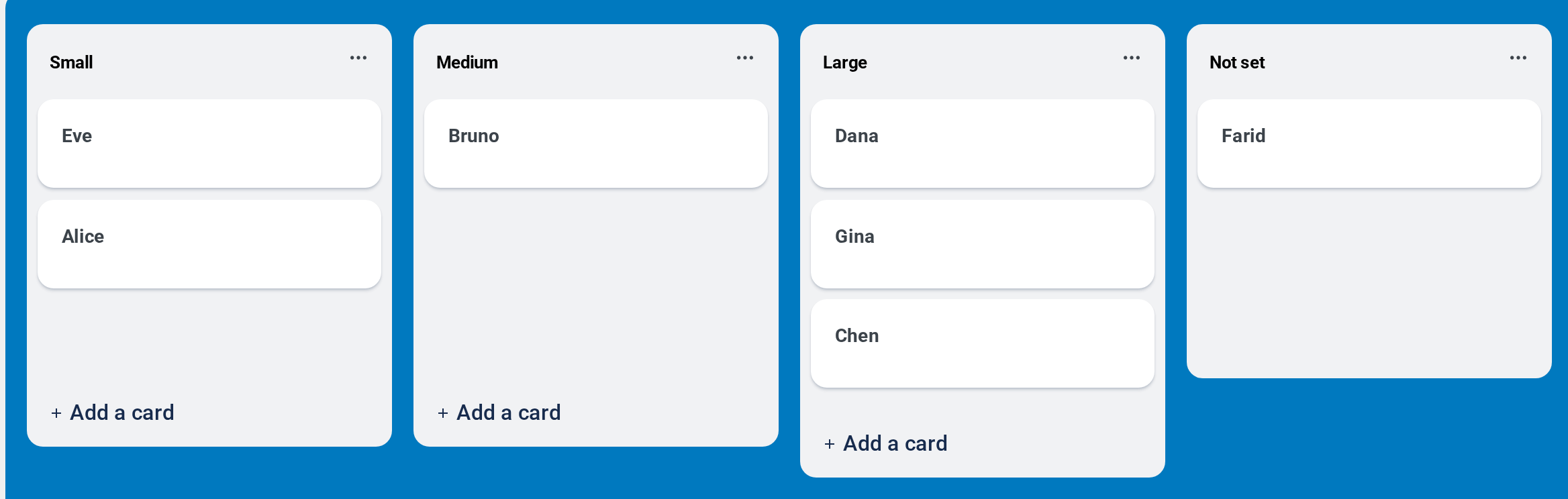
To move a card out of it, give the entry a value that matches one of the lanes, for example by editing the entry in Gravity Forms.
Images don’t appear in card notes #
In GravityBoard 1.5.0 and later, card notes don’t show images. GravityBoard removes images from a note when the note is saved and when it is shown, because an image loaded from another site can report the IP address and browser of everyone who reads the note to whoever added it.
Developers can allow images in notes again with the gk/gravityboard/notes/allowed-html filter. It shows images again in notes saved before 1.5.0. Notes saved since then were stored without their images, so those images have to be added again.

