
Published
•
Updated
Announcing GravityBoard 1.2: Checklist templates, granular permissions, and enhanced filtering
We’re excited to announce the release of GravityBoard 1.2! This update is packed with improvements to help you work smarter and manage your boards with even more control. From checklist templates that save you time, to more granular permission settings and enhanced filtering for pinpoint accuracy, this release makes organizing and tracking tasks easier than…

We’re excited to announce the release of GravityBoard 1.2! This update is packed with improvements to help you work smarter and manage your boards with even more control.
From checklist templates that save you time, to more granular permission settings and enhanced filtering for pinpoint accuracy, this release makes organizing and tracking tasks easier than ever.
Let’s dive into what’s new!
Checklist templates
Save time with default checklist items that automatically apply to new entries. Configure a checklist template in the Advanced settings tab of your board feed. When you add a new card to your board, a new checklist will automatically be created for it with the items from your template.
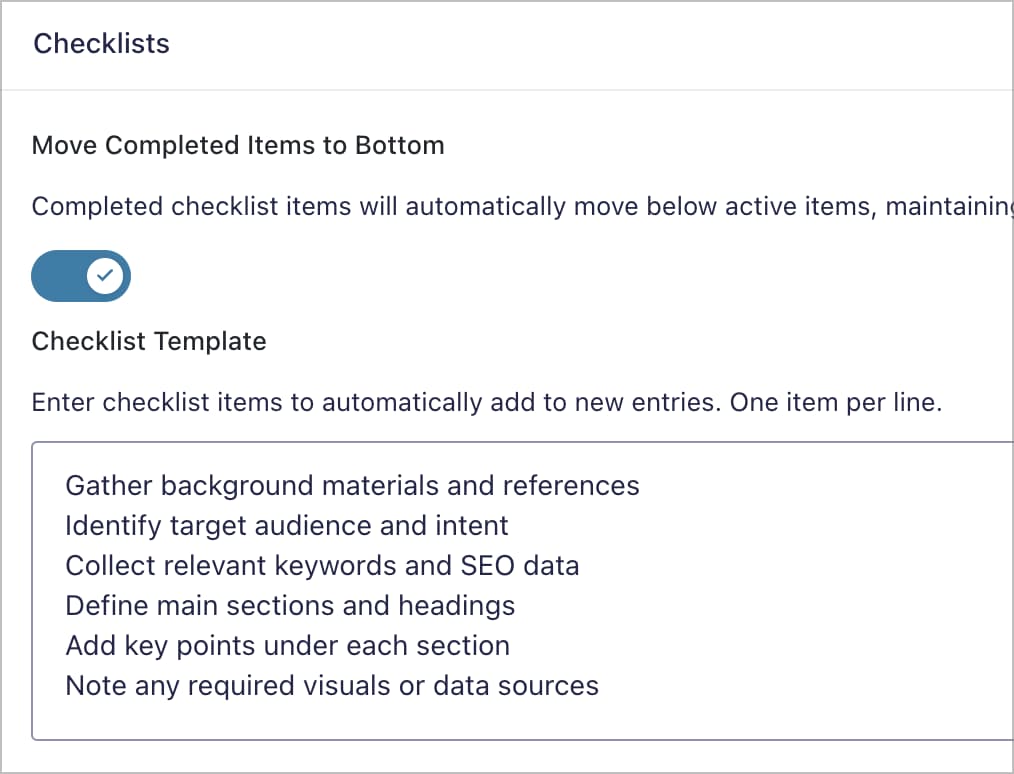
Let’s say you’re using GravityBoard to manage your content publishing pipeline. If each new card represents a post, you might want a standard checklist representing the content creation process.
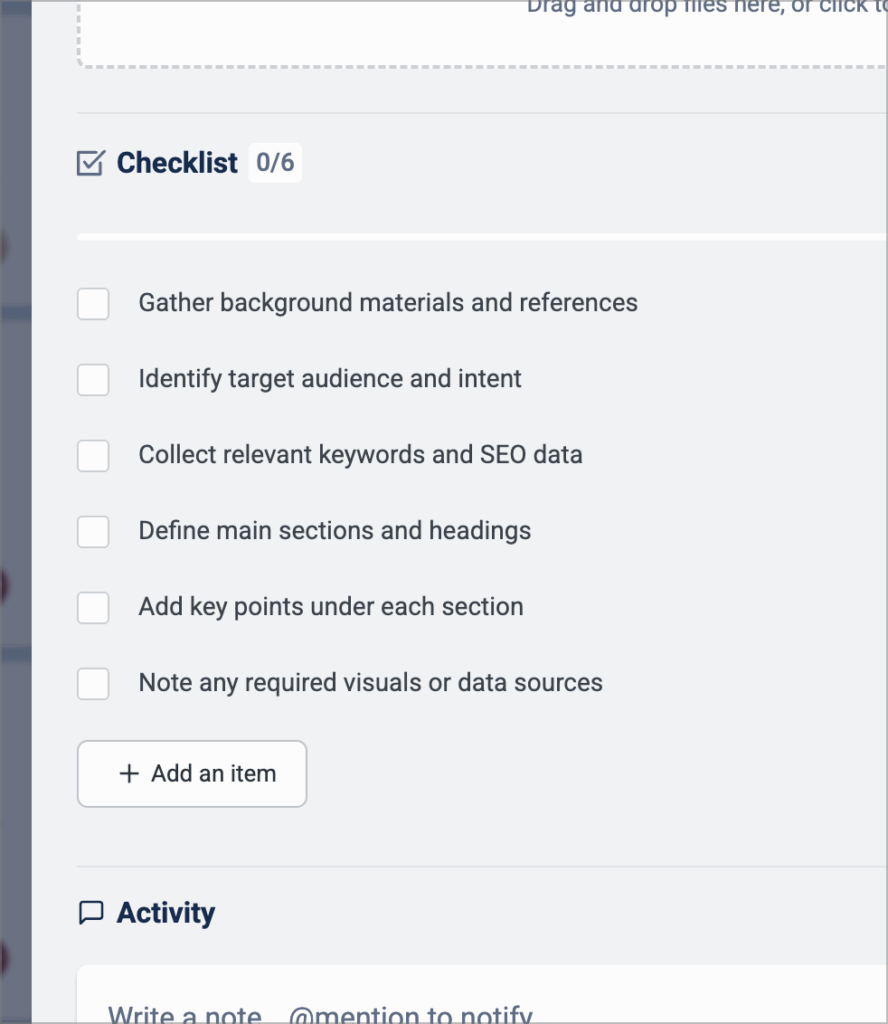
This is a great way to automate the creation of subtasks for standardized workflows, removing the need to constantly add new checklists when a task is added to the board.
Granular board permissions
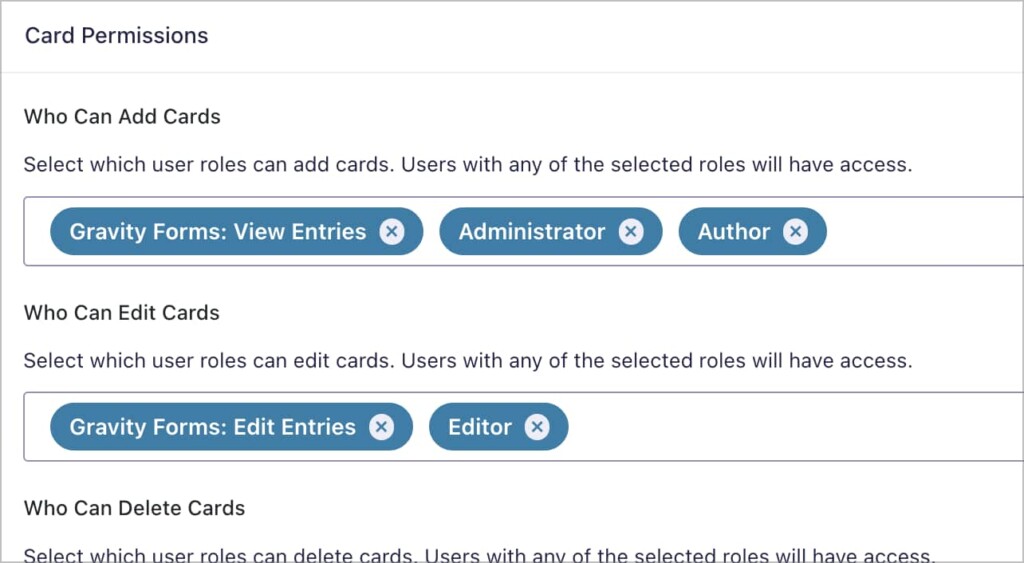
GravityBoard supports granular permission controls, enabling you to choose which users have access to perform different actions on a board.
However, previously you could only assign one role to each board permission. With the release of version 1.2, you can now assign multiple roles to each board permission for even more precise control over access and management.
Enhanced filtering capabilities
With the integration of our advanced conditional logic settings (the same implementation we use in the GravityView Advanced Filtering Extension), you can now create virtually any kind of filtering setup you can imagine. Use AND/OR groups to combine rules, and stack multiple conditions for pinpoint accuracy.
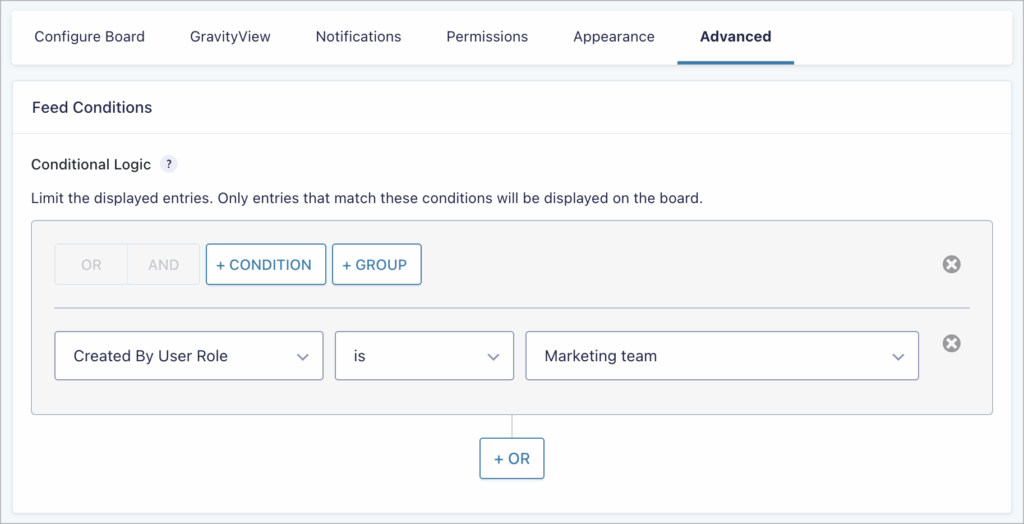
For example, only show cards assigned to a certain user and marked as “Urgent,” or display entries created in the last 7 days by specific user roles. This enables you to create personalized boards for different teams, or hide/show tasks based on user roles, field values, entry meta, and other parameters.
You’ll find the conditional logic setting under the Advanced tab in your feed settings.
Developer updates
As part of our commitment to ensuring our plugins are as developer-friendly as possible, this release adds a new action that runs when checklist templates are applied to an entry, along with several new API methods for working with checklists.
These include merging multiple checklists into one, adding items in bulk for faster performance, retrieving template settings, and converting text templates into checklist objects.
You can check out our comprehensive developer documentation to learn more.
Explore GravityBoard 1.2
GravityBoard 1.2 brings smarter checklists, finer permission controls, and powerful new filtering options. It’s all about making your boards more efficient, customizable, and easier to manage. If you haven’t tried GravityBoard yet, you can explore everything it offers with our 7-day free demo.
Already a user? Update to version 1.2 now from the “Manage Your Kit” page in your WordPress dashboard to start using the new features today, or see the changelog for the full release notes.

Get better at Gravity Forms, one email a week
New GravityKit releases, practical Gravity Forms tutorials, and subscriber-only discounts. One short email every week, unsubscribe anytime.
More articles

GravityMigrate 2.0: No-sweat WordPress form plugin migrations
Nobody wants to move forms between plugins. They want the site launched, the client onboarded, the referrals to stop falling through the cracks. GravityMigrate 2.0 makes moving forms effortless.

Launch Log: Two-way form migrations, a modernized chart block, and tighter board permissions
GravityMigrate 2.0.0 moves forms between Gravity Forms and seven other form plugins, GravityCharts modernizes its block in the WordPress editor, and GravityBoard tightens how board permissions are enforced.

9 ways to automate client work with the GravityKit MCP
Nine client jobs you can hand to the free GravityKit MCP, from auditing broken Views to cloning a finished build. Every one verified on a live site.