
Published
•
Updated
Announcing DataTables 3.2: Group rows by common field values
DataTables 3.2 introduces row grouping, letting you cluster table rows by a shared field value. Ideal for organizing results by category, status, region, or any repeating field.

We’re pleased to announce an exciting new update to our DataTables layout. This release sees the addition of row groupings, a highly anticipated feature that will transform the way you organize data!
With row grouping, you can effortlessly group rows in a table based on a common field value, bringing a new level of organization and clarity to your data.
Keep reading to find out everything you need to know.
Grouping rows by a common field value
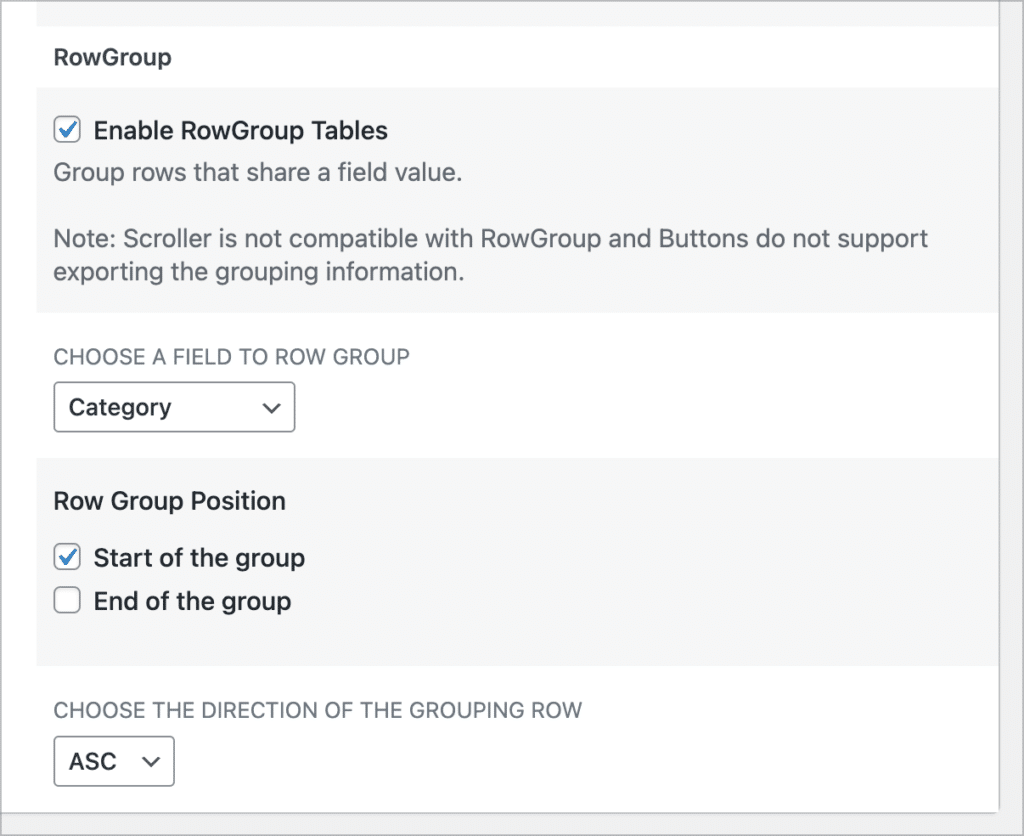
You can enable the new “RowGroup” feature in the View settings. Simply edit your View, scroll down to the View settings, click on the “DataTables” tab and check the box labeled “Enable RowGroup Tables”.
After that, you’ll need to select a field to use for row groupings. This should be a field with limited choices/values, as all rows with the same field value will be grouped together under that value.
Finally, choose where the row group header should be positioned, and select the group sort direction.
Here’s what row groupings look like on the front end. In this example, we’re grouping entries by the “Category” field (either Finance, Legal, Marketing or Technical).
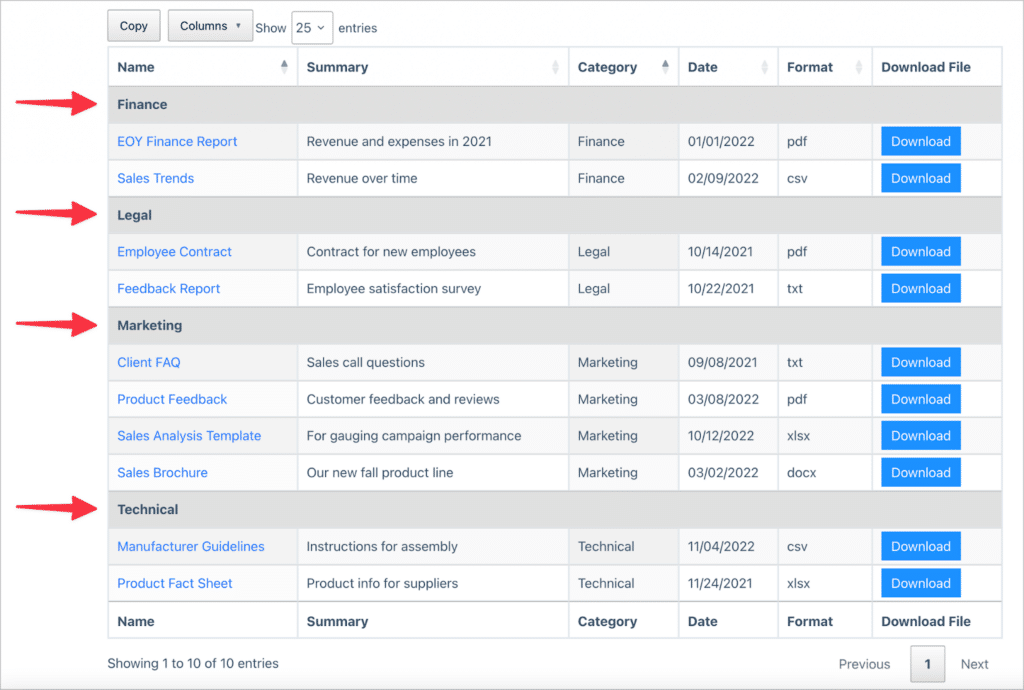
As you can see, all rows are grouped together based on their category, and each category acts as a subheading in the table. We’re excited about all the ways this new feature can help you optimize your data organization and presentation!
Upgrade your DataTables now
By grouping rows based on a common field value, you can now bring enhanced clarity and organization to your tables. To experience the power of RowGroup firsthand, don’t forget to update DataTables to the latest version!
If you would like to see the full release, check out the changelog here.

Helpful tips right in your inbox.
Subscribe to our weekly newsletter for tips, special offers, and more!
Helpful tips right in your inbox.
Subscribe to our weekly newsletter for tips, special offers, and more!

Helpful tips right in your inbox.
Subscribe to get the latest articles, information on releases and helpful Gravity Forms tips!
More articles

Launch Log: 3D maps in the Maps Layout, plus enhanced conditional logic in Charts and Calendar
3D map types and an Edit Entry location picker land in the Maps Layout, plus conditional logic upgrades in GravityCharts and GravityCalendar.
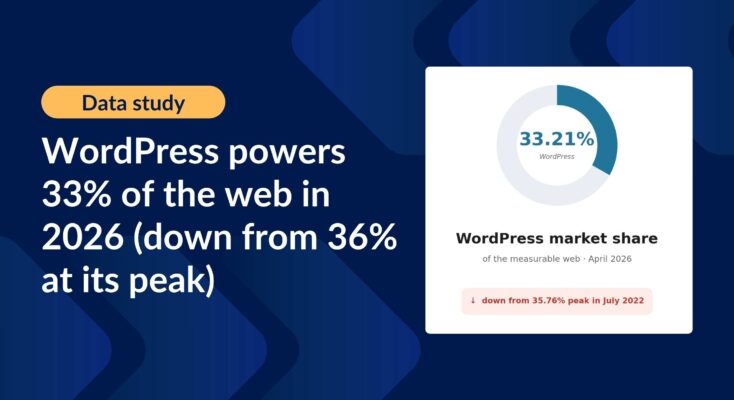
WordPress powers 33% of the web in 2026 (down from 36% at its peak): CMS market share report
Updated WordPress CMS market share figures using HTTP Archive data, picking up where Joost de Valk’s foundational research left off.

Launch Log: WordPress 7 polish, cloud storage monitoring, and a GravityView 3.0 beta update
GravityView 2.61.0 adapts to WordPress 7, GravityExport adds cloud storage monitoring, plus fixes across GravityImport, Maps, and a GravityView 3.0 beta update.