
Published
•
Updated
Launch Log: GravityExport Lite accessibility upgrades, and improvements to GravityView
This week, we released a set of focused improvements across GravityExport Lite, Gravity Forms Dynamic Lookup, and GravityView. We improved export configuration and accessibility in GravityExport Lite, clarified how Dynamic Lookup field values are displayed, and refined file handling and filtering behavior in Views. Keep reading for the full breakdown! GravityView GravityView v2.52 focuses on…


This week, we released a set of focused improvements across GravityExport Lite, Gravity Forms Dynamic Lookup, and GravityView. We improved export configuration and accessibility in GravityExport Lite, clarified how Dynamic Lookup field values are displayed, and refined file handling and filtering behavior in Views. Keep reading for the full breakdown!
GravityView
GravityView v2.52 focuses on cleaner file handling and more consistent behavior across filtering and populated fields.
File Upload fields now generate cleaner, more flexible secure download links. Several issues were resolved, including inconsistent behavior between URL-based View filtering and the Search Bar Widget, and problems with choice fields populated by the GP Populate Anything plugin showing raw values instead of labels when “Show Label” was enabled.
Additional fixes address Gravity Forms field behavior. Embedded forms with conditional logic now render correctly, and form resubmissions after an initial validation failure no longer trigger an “Another submission is already in progress” error.
GravityExport Lite
GravityExport Lite v2.5.0 makes it easier to configure exports for complex forms and improves usability for a wider range of users.
You can now search within the Enabled and Disabled Fields lists on the feed settings page, which helps when working with forms that include many fields. The field selector has also been improved for accessibility, with better screen reader announcements, full keyboard navigation, visible focus indicators, and clearer ARIA labels. Right-to-left language support was added to ensure the interface works correctly in RTL environments.
Exports of complex fields like Name and Address are more flexible. New filter hooks let you control how subfields are combined, making it easier to format exported data to match your needs. A PHP warning that could occur when field names were treated as regular expressions without proper delimiters was also fixed.
Developer updates
Two new filters are available for customizing how complex fields are combined in exports.
gfexcel_field_separated_separatorchanges the default separator used for all combined subfields. The default is a newline.gfexcel_field_{field_type}_separatorchanges the separator for a specific field type, such asgfexcel_field_name_separator.
Gravity Forms Dynamic Lookup
Gravity Forms Dynamic Lookup v1.5.0 improves how Dynamic Lookup fields are displayed in confirmations and notifications.
When using the {all_fields} merge tag, Lookup fields now show their configured display values, such as user names or post titles, instead of raw IDs. This makes messages clearer and more readable for recipients without requiring additional customization.
In summary
This week, GravityExport Lite received usability and accessibility improvements that make configuring and formatting exports easier, especially for complex forms. Gravity Forms Dynamic Lookup now displays clearer, human-readable values in notifications and confirmations, while GravityView gained cleaner file download links and several fixes that improve filtering, populated fields, and form reliability.

Get better at Gravity Forms, one email a week
New GravityKit releases, practical Gravity Forms tutorials, and subscriber-only discounts. One short email every week, unsubscribe anytime.
More articles

Launch Log: AI-assisted migrations and a stronger Prevent Direct Access setting
GravityMigrate can now hand a whole migration to an AI assistant, GravityKit MCP installs into Claude Desktop in one click, and GravityView tightens the Prevent Direct Access setting.
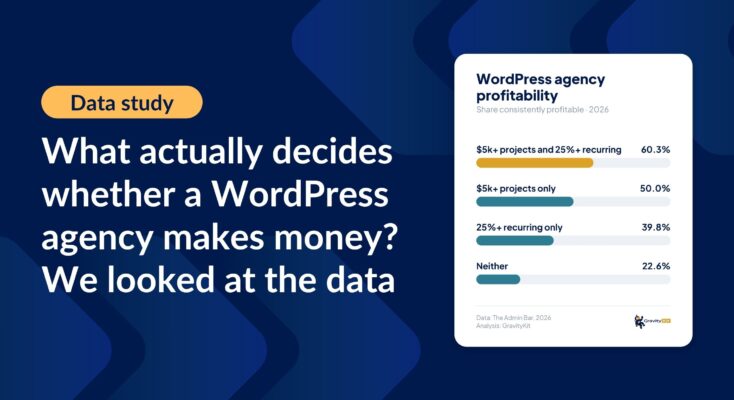
What actually decides whether a WordPress agency makes money? We looked at the data
Two 2026 surveys of 832 WordPress agencies, plus our own analysis of the raw data. What separates the profitable agencies from the rest, and what does not.

GravityMigrate 2.0: No-sweat WordPress form plugin migrations
Nobody wants to move forms between plugins. They want the site launched, the client onboarded, the referrals to stop falling through the cracks. GravityMigrate 2.0 makes moving forms effortless.