
Published
•
Updated
Launch Log: Distance sorting for radius searches, DataTables search improvements, and import reliability fixes
The latest GravityKit releases add distance sorting to map searches, bring built-in search to DataTables, and fix GravityCharts and GravityImport edge cases.


This week’s releases include opening more GravityView View settings to the REST API and the GravityKit MCP, and refining how search works across the Maps and DataTables layouts. GravityCharts and GravityImport round things out with fixes that keep specific workflows from failing.
GravityCharts v1.20.1
This update to GravityCharts resolves a couple of issues that could interrupt setup and display. Timeline charts no longer trigger a fatal error on the front end when an entry has a stored but empty date value. Conditional logic controls also load correctly on chart feed settings now when Gravity Forms No Conflict Mode is enabled.
GravityImport v2.11.3
This update to GravityImport makes imports more resilient when a single row runs into trouble. Imports to forms mapped to a Pod through the Pods Gravity Forms add-on now run reliably: every row is saved to the Pod, and a row that leaves a required Pods field empty no longer stops the entire import. More broadly, a feed that errors while importing a row no longer halts the rest; the row is recorded as an error and the import continues.
GravityKit MCP v2.4.1
This update to the GravityKit MCP lets its field tools work with custom and third-party field types, not just the ones built into Gravity Forms, and tightens input handling and security across the server.
The gf_add_field tool now accepts field types registered by other plugins, which the built-in registry previously rejected; for custom compound or choice fields, pass inputs or choices explicitly. When a field’s id is auto-assigned or changed, its sub-input ids (such as 5.1 and 5.2) are rebased to match, so name, address, and custom compound fields save to the right inputs. The gf_update_field tool also no longer writes a change before reporting it as blocked; its conditional-logic dependency check now runs before the write, matching gf_delete_field.
On the safety side, the field, validation, and dependency helpers now handle malformed or hostile input cleanly instead of failing opaquely. This release also hardens several security checks: loopback detection no longer treats a remote 127.x domain as local, Cookie headers and values are masked in logs, confirmation-redirect URL validation accepts dotless hosts such as localhost, and duplicate or out-of-range field ids are corrected so generated forms stay valid.
GravityView v3.0.2
This update to GravityView hardens access control for entries opened in a lightbox and fixes two issues affecting the lightbox and the Bulk Edit field picker. Because it tightens lightbox entry access, we recommend updating to the latest version.
We fixed an entry incorrectly showing “The requested entry could not be found.” when opened or edited in a lightbox, a regression introduced in 3.0.1, even though the same entry opened correctly as a full page. This affected Views set to “Embed Only” and Views using a custom entry slug. We also fixed the Bulk Actions “Edit Entries” action with “Pick specific fields,” where a selected form field was no longer shown the next time the View editor settings were opened, causing the selection to be lost when the View was saved again.
GravityView – DataTables Layout v3.9.0
This update to the GravityView DataTables Layout brings its entry search in line with GravityView’s core search and exposes its settings to GravityView’s REST API. DataTables now uses GravityView’s built-in search instead of its own custom entry search, on GravityView 2.57 and newer. Its View settings can also be read, configured, and discovered through GravityView’s REST inspector API and the GravityKit Abilities API, so the GravityKit MCP can manage them. On the fixes side, the Approval and Star per-column filters once again appear as dropdown menus rather than plain text inputs.
GravityView – Maps Layout v3.9.0
This update to the GravityView Maps Layout lets visitors see and sort by how far each entry is from their searched location, and corrects several search accuracy issues.
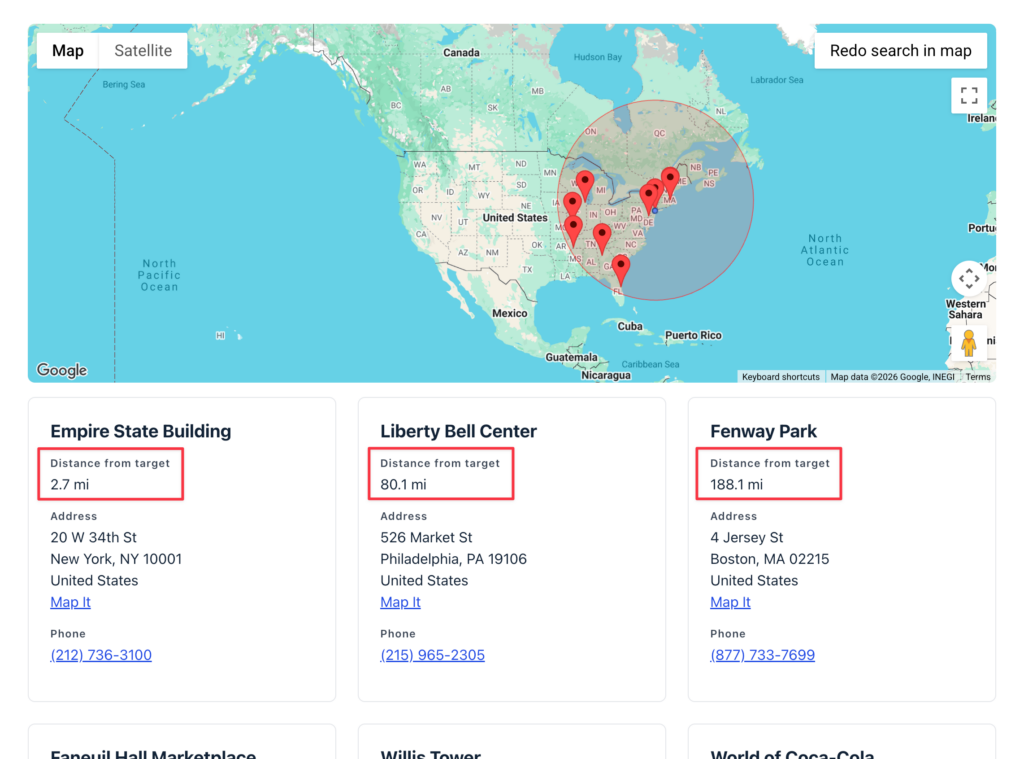
The Geolocation Radius search (which requires GravityView 2.57 or newer) gains two related features: a Distance field that shows how far each entry is from the searched location, in the unit used for the search (kilometers or miles), and a View setting to sort radius search results by distance so the nearest entries appear first.
This release also fixes several search problems. Map area searches (“Search as the map moves”) could return entries outside the visible area when the Search Bar’s search mode was set to match any field, and they could prevent other plugins from applying their own changes to search results. Radius searches could return inaccurate results in some cases. We also resolved a deprecation notice logged when editing Maps field settings in the View editor on GravityView 2.55 or newer, and a PHP error that could occur when another plugin or theme registered a script without a source URL.
Developer updates
- Added the
gk/gravitymaps/fields/distance/outputfilter to modify the Distance field output. - Added the
gk/gravitymaps/search/radius/sort-by-distancefilter to programmatically enable or disable distance sorting for radius search results. - Added Map View settings to GravityView’s View inspector REST API under the
maps.*namespace, so REST and AI abilities clients can read, configure, and discover them through thetemplate_settingsendpoints (requires GravityView 3.0.0 or newer).
In summary
GravityCharts and GravityImport each see fixes that keep charts and imports from failing on edge cases, the GravityKit MCP gains broader field-type support along with input and security hardening, GravityView hardens lightbox entry access and fixes a couple of lightbox and Bulk Edit issues, the DataTables Layout adopts GravityView’s built-in search and opens its settings to the REST API, and the Maps Layout adds distance display and sorting for radius searches plus several search accuracy fixes.
As always, we recommend updating to the latest versions to benefit from these improvements and to keep everything compatible across the GravityKit suite.

Get better at Gravity Forms, one email a week
New GravityKit releases, practical Gravity Forms tutorials, and subscriber-only discounts. One short email every week, unsubscribe anytime.
More articles

Launch Log: A range slider for search, AI-managed calendars, and security updates in ten products
GravityView adds a Slider search input, GravityCalendar lets AI assistants manage calendars, and ten GravityKit products get security fixes. Here’s what shipped.

9 nonprofit apps you can build with Gravity Forms and GravityKit
Nine apps nonprofits build on WordPress from Gravity Forms data: volunteer databases, member directories, client portals, donation pages, grant review and more.
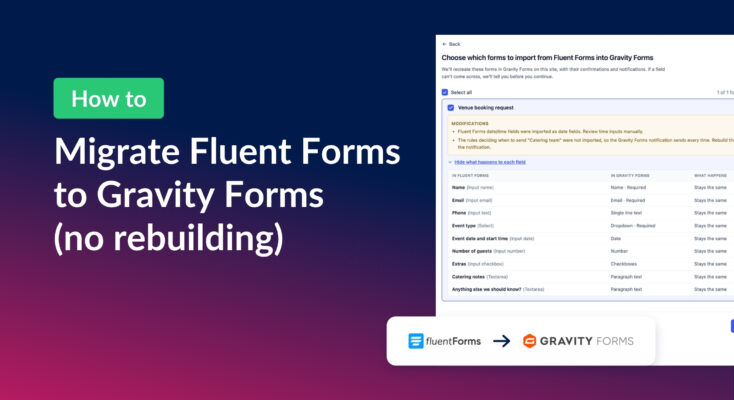
How to migrate from Fluent Forms to Gravity Forms without rebuilding your forms
Move your Fluent Forms forms into Gravity Forms with GravityMigrate, then bring your entries across with GravityImport. Every step was tested on the free version of Fluent Forms.