
Published
•
Updated
Gravity Forms payment gateways: A guide to official and community add-ons
Want to accept payments from your WordPress site? No problem! Gravity Forms makes it easy to build a custom payment form for eCommerce transactions, nonprofit donations, subscription billing for digital products and services, and beyond. But first, you’ll need to choose one of Gravity...


Want to accept payments from your WordPress site? No problem! Gravity Forms makes it easy to build a custom payment form for eCommerce transactions, nonprofit donations, subscription billing for digital products and services, and beyond. But first, you’ll need to choose one of Gravity Forms’ payment gateways.
In this guide, we’ll explore all five official Gravity Forms payment add-ons — Stripe, PayPal Checkout, Square, Mollie, and 2Checkout — so you can choose the right one for your business.
Does Gravity Forms charge additional fees?
Gravity Forms doesn’t charge any transaction fees based on usage. You pay one flat fee for the applicable Gravity Forms license, which includes unlimited payments and pay forms.
Of course, the payment processor you choose will charge their own fees (see below). Still, it’s nice to know you won’t have any other transaction fees added on.
The 5 official Gravity Forms payment gateways
Gravity Forms offers a variety of optional add-ons, including CRM integrations, advanced form fields, and, of course, payment gateways. It’s important to note that some of these extensions are “Official Add-ons,” supported and maintained by Gravity Forms. Others are community add-ons supported by third-party developers (more on that below).
First, we’ll explore the five official Gravity Forms payment add-ons:
1. Stripe
Plans: Available with a Gravity Forms Pro, Elite, or Nonprofit License.
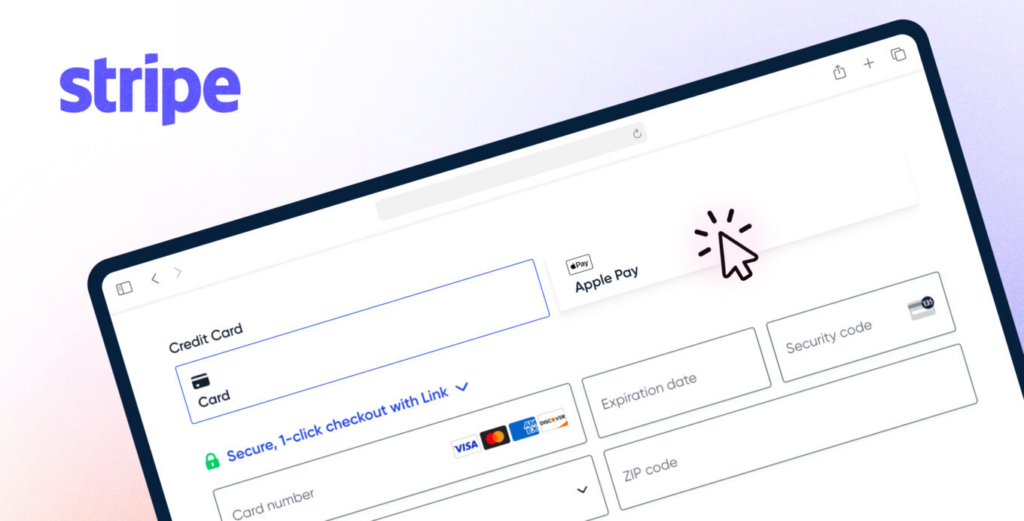
Stripe is an established payment processor and gateway known for being intuitive and versatile. It’s a great choice for WordPress users, since most plugins and extensions work with Stripe. Plus, your customers will recognize Stripe by name and feel confident sharing their payment details.
This add-on supports all major credit cards, Google Pay, Apple Pay, Link, ACH Debit, and more, for either one-time or recurring payments. You can also delay payments if you’d like to offer free trials to your customers or accept pre-orders on upcoming products or services.
Managing payments is easy with Stripe. Details on sales, subscriptions, refunds, and more appear on your WordPress dashboard. Even more convenient, try the Gravity Forms Stripe app for insight on-the-go.
Stripe offers robust security and fraud prevention through Radar machine learning, so your customers can enter their payment details with utmost confidence. You can discover more about Stripe on their official website.
Key features:
- Accepts major credit cards, digital wallets, Link, and ACH Direct
- One-time and subscription payments
- Registration fees, free trials, and pre-orders
- Accelerated checkout with Stripe Link
- Gravity Forms Stripe app
- Radar fraud protection
Pro tipLearn how to integrate Stripe and Gravity Forms with this comprehensive guide.
2. PayPal Checkout
Plans: Available with a Pro, Elite, or Nonprofit License.

PayPal Checkout is a well-known payment gateway and processor with a fantastic reputation. This add-on offers lots of flexibility. For one, it supports over 100 currencies and 200 countries. And, it gives users the option to pay through their PayPal accounts or via credit card and digital wallet (no account required).
PayPal Checkout also supports Venmo payments and “Buy Now, Pay Later” (BNPL) for staggered installments.
PayPal is a secure solution for all parties, offering seller protection, fraud prevention, and chargeback protection features. And, since PayPal is so prolific, it integrates with other Gravity Forms add-ons, so you don’t have to worry about glitches.
One-time payments and subscription billing are both intuitive, secure, and seamless with PayPal.
Key features:
- Accept payments via PayPal, credit card, Venmo, BNPL, digital wallets, and crypto
- Supports region-specific pay methods
- One-time and recurring payments
- Support for refunds
- Payment pre-authorization and capture
- Integrations with other WordPress plugins
Pro tipExplore PayPal Checkout’s official website and learn how to set up this add-on with Gravity Forms in this guide.
3. Square
Plans: Available with a Pro, Elite, or Nonprofit License.

Square is another popular payment gateway and processor. You’ve probably seen Square’s point-of-sale (POS) system used in brick-and-mortar retail shops and restaurants. But, the service also supports online payment processing. It’s a great option for business owners who sell products and/or services both online and in-person.
With this add-on, you can accept payments on your WordPress website from all major credit cards, Square Pay, Apple Pay, Google Pay, and more. Like PayPal’s Buy Now, Pay Later, Square also offers Afterpay for interest-free installments.
Square supports one-time and subscription billing, with the option to set custom amounts for subscription payments. Don’t forget to check out Square’s official website!
Key features:
- Accept payments via credit card, digital wallet, or After Pay
- One-time and customizable subscription billing
- Process refunds from the WordPress dashboard
- Authorize and capture for later-date payments
- Free processing for up to 180 days
Pro tipIf subscription billing is your thing, explore this article on accepting subscription payments using Gravity Forms and Square.
4. Mollie
Plans: Available with a Pro, Elite, or Nonprofit License.

Mollie is a payment processor and gateway based in Europe. This add-on is a great choice if you have a global customer base, or if security is your top focus. Mollie follows a “Three Lines of Defense” model, which involves regular audits by independent compliance officers.
Besides major credit cards and digital wallets, Mollie accepts common European pay methods like iDEAL, Klarna, Bancomat, and more. It’s a world-wide solution perfect for eCommerce and other monetized WordPress sites with broad appeal.
Mollie offers access to all major pay methods with only a single contract for a straightforward and hassle-free process.
Key features:
- One-time payments
- Accepts all major credit cards plus European pay methods
- User-friendly Mollie dashboard with advanced filters
- No hidden fees
- Verified security through independent audits
- PCI-DSS Level 1 certified
Pro tipLearn more about Mollie and how to set up Mollie with Gravity Forms.
5. 2Checkout
Plans: Available with an Elite or Nonprofit License.

2Checkout is the fifth and final official payment gateway add-on available for Gravity Forms. It’s a wonderful choice if your business caters to a broad market, supporting more locations, currencies, payment methods, and languages than any other payment add-on.
Whether you already have a global audience or you want to leave room for scalability in the future, 2Checkout covers all the bases. Plus, by accepting one-time and recurring payments, this add-on works for most business models.
Note that 2Checkout is the only official payment add-on not included in the Gravity Forms’ Pro license. You’ll need an Elite or Nonprofit plan to use this add-on.
Key features:
- One-time and subscription billing
- 200+ countries
- 100+ currencies
- 45+ payment methods
- 30+ languages
- Advanced reporting and analytics
Pro tipExplore 2Checkout here and be sure to review the documentation when you’re ready to get started.
How to set up a payment gateway in Gravity Forms
While the setup varies slightly depending on which gateway you choose, the general workflow is the same for all official payment add-ons:
- Install and activate the add-on: Hover over Forms and click Add-Ons in your WordPress dashboard, find your payment gateway, and click Install. You’ll need a Pro license or higher for Stripe, PayPal Checkout, and Square, or an Elite license for 2Checkout.
- Connect your payment account: Hover over Forms, click Settings and then click on your gateway’s tab (e.g., “Stripe”). Follow the prompts to authenticate with your payment provider. For Stripe and Square, this is a one-click connection flow. For PayPal, you’ll link your PayPal Business account.
- Add payment fields to your form: Open your form in the editor and add a Product field (to define what the user is paying for) and a Total field (to display the final amount). For Stripe, you’ll also add a Stripe field, which renders a secure, Stripe-hosted payment input.
- Create a payment feed: Go to your form’s Settings, select your gateway’s feed, and click Add New. A feed tells Gravity Forms what to do when the form is submitted. For example, charge a one-time payment or set up a recurring subscription. You’ll map the payment amount to your form’s Total field and configure options like receipts and conditional logic.
- Test your form: Most gateways offer a test or sandbox mode so you can submit test payments without being charged. Enable test mode in the gateway settings, submit your form, and verify the payment shows up in your gateway’s dashboard.
For detailed setup instructions specific to each gateway, see the official Gravity Forms documentation:
- Setting up the Stripe add-on
- Creating a Stripe-compatible form
- Creating a payment feed (Stripe example — other gateways follow a similar process)
Transaction fee comparison
Gravity Forms itself doesn’t charge any transaction fees. You only pay the fees set by your payment processor. Here’s how the five official gateways compare:
| Gateway | Standard online rate (US) | International surcharge | Monthly fee | GF license required |
|---|---|---|---|---|
| Stripe | 2.9% + 30¢ | +1.5% | None | Pro |
| PayPal Checkout | 3.49% + 49¢ | +1.5% | None | Pro |
| Square | 2.9% + 30¢ (Plus plan) / 3.3% + 30¢ (Free plan) | N/A (US-only) | $0–$149 depending on plan | Pro |
| Mollie | From 1.8% + €0.25 (EU cards) | Varies by card type | None | Pro |
| 2Checkout | 3.5% + 35¢ (2Sell plan) | +2% cross-border | None | Elite |
A few things to keep in mind:
- Stripe is the most popular choice for Gravity Forms users. It has the lowest fees for US transactions alongside Square, supports the widest range of payment methods (cards, wallets, ACH, SEPA), and has the most seamless Gravity Forms integration with its dedicated Stripe field.
- PayPal Checkout has higher per-transaction fees than Stripe, but offers access to PayPal’s massive user base, Venmo, and Buy Now, Pay Later (which can increase conversion rates).
- Square recently raised its free-plan online rate to 3.3% + 30¢. The lower 2.9% rate now requires a paid plan ($49/mo+). Square is best if you also process in-person payments and want a unified system.
- Mollie offers the lowest rates for European transactions.
- 2Checkout is best suited for businesses selling internationally across many countries and currencies.
Fees change regularly, so always check the provider’s current pricing page before making a decision.
Community payment add-ons for Gravity Forms
In addition to the five official Gravity Forms payment gateways we’ve covered, there’s a world of community add-ons to explore. These third-party extensions are created and maintained by independent developers. Whether you’re looking for a gateway tailored to your region or one that supports a niche payment method, community add-ons offer unmatched flexibility.
However, since these add-ons are not supported or maintained by Gravity Forms, it’s important to proceed with care. Before installing a community add-on, always verify that it’s actively maintained and updated. It’s also helpful to read reviews and assess support documentation to help ensure a smooth and secure payment integration.
Cryptocurrency payment add-ons
If you want to accept bitcoin or cryptocurrency payments on your website, check out these crypto payment gateways from the Gravity Forms community developers:
- CryptoPay (currently supports Bitcoin, Solana and Tron)
- Coinbase Commerce (currenly supports Bitcoin, Ethereum, Bitcoin Cash, Doge, Litecoin, USDC and Dai)
General payment add-ons
If you’re looking to integrate your forms with other payment networks, you’re in luck! There is a host of community add-ons for this purpose and we’ve compiled an exhaustive list below:
| Community Add-On | Description |
| Elavon Converge | Converge is a comprehensive payment gateway and omnichannel solution provided by Elavon. |
| Clover | Clover is a cloud-based Android point-of-sale (POS) platform. |
| Affirm | Affirm is a leading “buy now, pay later” service. |
| Peach Payments | Best for Africa-based businesses. Supports card, EFT, BNPL (buy now, pay later), QR code, wallet, voucher, mobile money, and alternative credit. |
| Pay.com | Pay.com is a comprehensive payment processing platform designed to simplify online transactions for businesses. |
| Pin Payments | Pin Payments is designed to facilitate online card payments for small businesses and platforms in Australia and New Zealand. |
| CyberSource | Cybersource is a global payment management platform that enables businesses to securely accept payments across various channels. |
| DPS Payment Express PxPay | PxPay 2.0 by Windcave (formerly DPS Payment Express) is a hosted payment solution. |
| eWAY | Eway is a reliable online payment gateway that enables businesses to accept credit card payments from customers anywhere, on any device. |
| GoCardless | GoCardless is a UK-based company specializing in bank payments, including recurring payments, Direct Debit processing, and Open Banking. |
| Helcim | Helcim is a Canadian-based payment processing company that offers transparent, low-cost solutions for businesses in Canada and the United States. |
| iATS Payments | iATS Payments by Deluxe provides secure payment processing for nonprofits, enabling seamless donation and payment acceptance across multiple channels. |
| Klarna | Klarna is a Swedish fintech company specializing in “buy now, pay later” (BNPL) services. |
| Nexi XPay | Nexi XPay is an e-commerce payment platform that supports multiple payment methods, including credit cards and digital wallets. |
| NMI/Network Merchants | NMI is a comprehensive, white-label payment gateway solution that enables businesses to accept payments across various channels. |
| PagOnline Unicredit | PagOnline is UniCredit’s e-commerce payment gateway, enabling merchants to securely accept online payments via major credit cards like Visa, MasterCard, and Maestro. |
| Payrexx | Payrexx is a Swiss-based payment service provider enabling businesses to accept over 200 payment methods. |
| Satispay | Satispay is a mobile payment app that enables users to pay in stores and online, exchange money with contacts, and save with Cashback. |
| Transactium | Transactium offers a range of services such as payment gateways, white-label solutions, and managed services. |
| USAePay | USAePay is a payment gateway that enables businesses to accept credit card and electronic check payments across various channels. |
| WPdirectdebit | WPdirectdebit connects directly to your customers’ bank accounts via GoCardless. |
| Pronamic Pay with Mollie | This add-on appears to offer the same functionality the official Mollie add-on for Gravity Forms. |
Zapier
Can’t find your preferred payment gateway? There’s always Zapier, an official add-on that allows you to connect Gravity Forms to thousands of other apps and services, including payment gateways.
Certified add-ons for Gravity Forms
While payment gateways handle transactions, there are several certified Gravity Forms add-ons that can further enhance your business, whether you’re in eCommerce, running a membership site, or something else entirely.
For instance, with GravityView, you can build paid directories for users to submit content. Think job advertisements, real estate listings, or local business directories.
If you need to automate processes, Gravity Flow allows you to create customized workflows that ensure every transaction, order, or membership request is efficient from start to finish.
Or, take your eCommerce forms to the next level. Gravity Wiz eCommerce Fields provides advanced customization options for product and payment forms, allowing you to tailor the user experience to your exact needs.
With these and other certified add-ons, you can go beyond accepting payments and ultimately transform how you manage transactions, memberships, and dynamic content on your site.
Pick a payment gateway and start taking payments
Gravity Forms has five official payment gateway add-ons — Stripe, PayPal Checkout, Square, Mollie, and 2Checkout — plus a growing ecosystem of community add-ons for everything from cryptocurrency to regional processors. Find the one that matches your processor and your forms.
Install, connect your account, and your forms can take payments in minutes.

Helpful tips right in your inbox.
Subscribe to get the latest articles, information on releases and helpful Gravity Forms tips!
More articles

Our docs just moved (and got a lot better!)
GravityKit documentation has a new home at gravitykit.com/docs — with faster search, a sticky table of contents on every article, and easier filtering by product.

How to build a Canny alternative on WordPress with GravityBoard voting
Build a Canny alternative on WordPress with GravityBoard’s new card voting — collect, rank, and manage feature requests without leaving your site.

Launch Log: GravityBoard voting, conditional logic upgrades, and HTTP Basic Auth support
This week’s releases introduce card voting in GravityBoard, conditional logic improvements across the suite, and background-job support for sites behind HTTP Basic Authentication.