
Published
•
Updated
Announcing GravityBoard 1.1: Card checklists, GravityView integration, and more
We’re excited to release GravityBoard 1.1, a major update that brings more flexibility, control, and clarity to your workflow. This release includes several highly requested features, including card checklists, integration with GravityView, enhanced keyboard navigation, and more. A big thank-you to our early users for your thoughtful feedback and suggestions. You’ve helped shape this release…

We’re excited to release GravityBoard 1.1, a major update that brings more flexibility, control, and clarity to your workflow. This release includes several highly requested features, including card checklists, integration with GravityView, enhanced keyboard navigation, and more.
A big thank-you to our early users for your thoughtful feedback and suggestions. You’ve helped shape this release in a big way.
Read on for all the details!
Card checklists
One of our most requested features? Being able to add checklists inside a card. And with GravityBoard 1.1, now you can. Whether you’re managing subtasks, tracking progress, or just love ticking boxes, card checklists make it easy to stay organized.
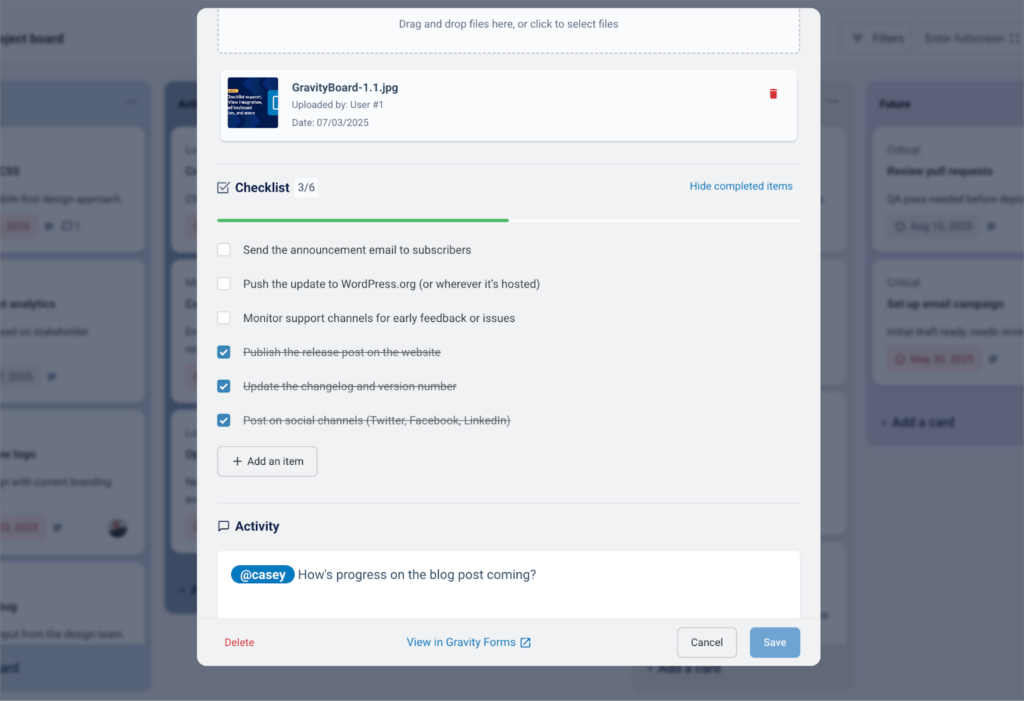
You can easily create, edit, delete, and reorder checklist items using drag-and-drop, and stay on top of your work with a visual progress indicator that updates in real time.
Checklists are fully integrated with the Gravity Forms entries table, so you can view checklists in the backend, and even include checklist data in entry exports. We’ve also added fine-grained permission controls so you can manage who can view or edit checklist items. Plus, you can filter your board by checklist completion status!
Vieo demo: Adding and editing checklists
GravityView integration
GravityBoard 1.1 makes it easier than ever to connect your boards with GravityView. Simply link a View to your board, and each card will automatically include direct links to view and edit the corresponding entry in GravityView. It’s a simple but powerful way to move between visual project management and detailed data views.
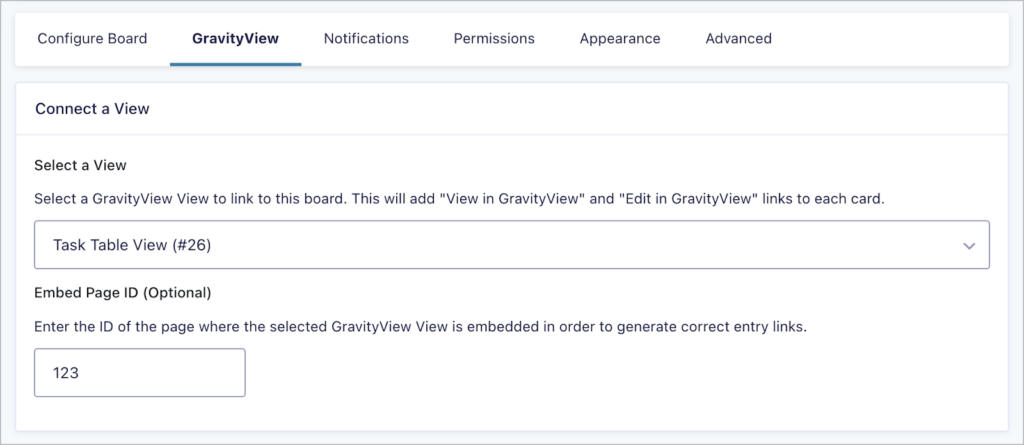
This is just the beginning. We’re laying the foundation for deeper GravityView integration in future releases, so stay tuned for even more powerful ways to work across both tools.
Video demo: Connecting a View to a board
Enhanced navigation with keyboard shortcuts
GravityBoard 1.1 introduces a full set of keyboard shortcuts to streamline your workflow and keep your hands on the keys. Press Shift + / anytime to bring up the shortcuts help screen.
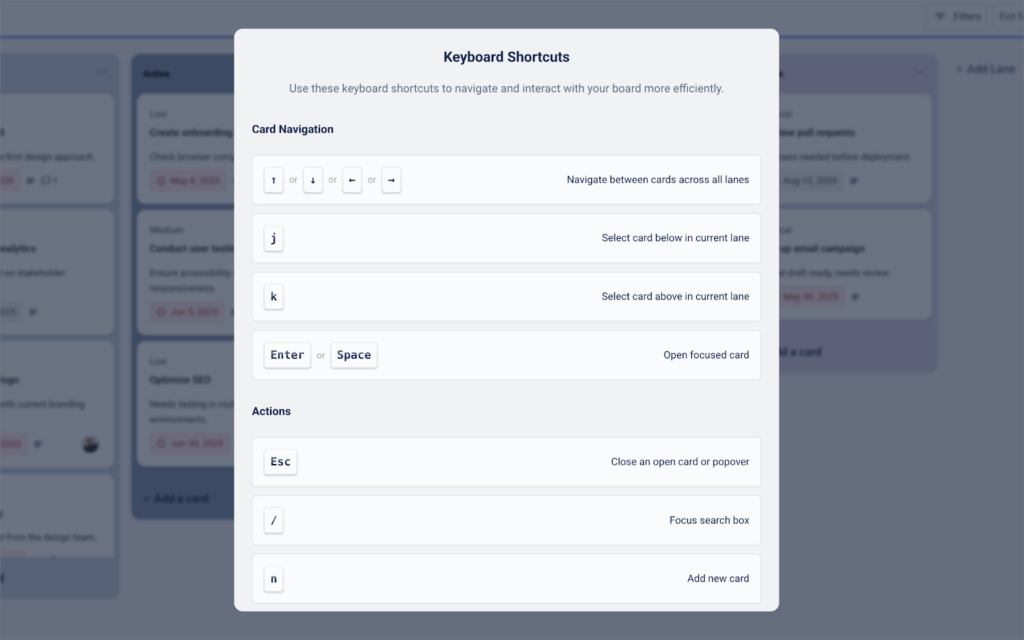
Quickly navigate between cards with the arrow keys or j/k for vertical movement within a lane. Add new cards or lanes in seconds with n and Shift + n, toggle fullscreen with f, and jump to the search bar with /. You can also press Enter or Space to open a card, and Esc to close it or clear filters.
Just make sure your board is in focus or fullscreen mode for shortcuts to work smoothly.
More flexibility with advanced customization options
GravityBoard 1.1 adds a variety of new filters and actions to give developers greater control over the checklists feature and GravityView integration. These hooks open the door for deeper customization and smarter workflows tailored to your needs.
We’ve also added a new gk/gravityboard/translation-overrides filter to make it easier to customize the language used throughout GravityBoard. Want to rename “card” to “job” or “task” to better fit your team’s workflow? Now you can. Just use a simple PHP filter to override any translated string.
Did you know about Markdown support?
Have you found yourself wanting to add structure, images, or emphasis to your card descriptions? Markdown support has been built into GravityBoard from the start!
Markdown is a lightweight formatting language that lets you add bold text, italics, links, images, bullet points, and more without writing a single line of HTML.
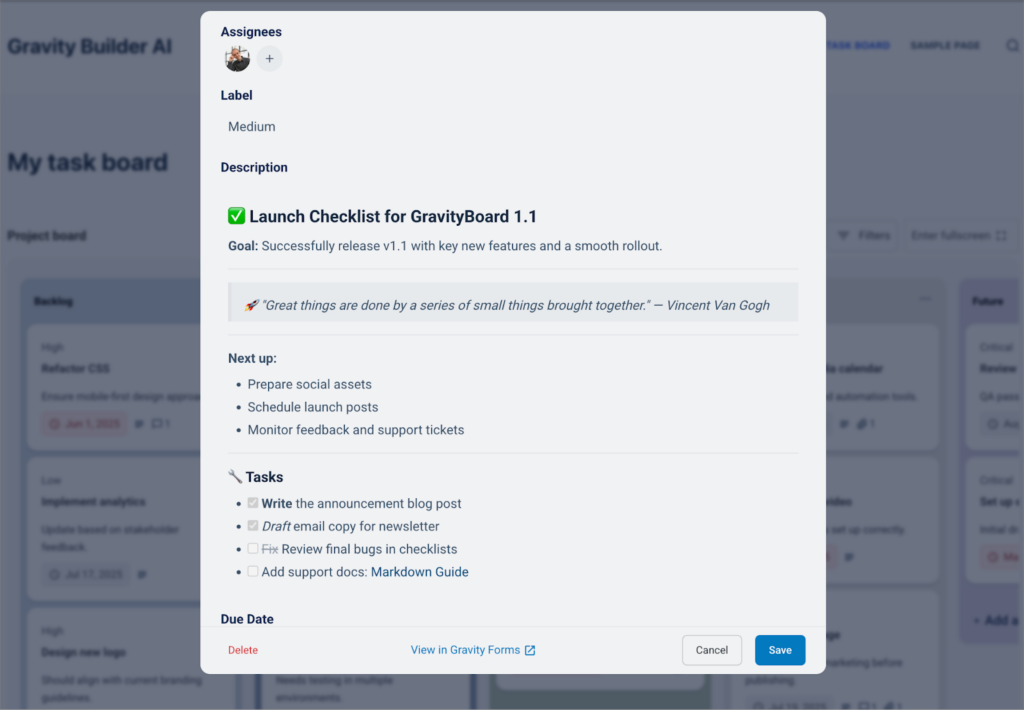
Use Markdown to keep your card content clean, readable, and easy to navigate, especially when outlining steps or adding helpful context.
Video demo: Adding rich text using Markdown
Upgrade to GravityBoard 1.1, today
GravityBoard 1.1 brings powerful new features like card checklists, integration with GravityView, enhanced keyboard navigation, and more. We’re excited to see how you’ll put these new tools to work!
For a complete list of updates, improvements, and fixes, be sure to check out the full changelog.

Get better at Gravity Forms, one email a week
New GravityKit releases, practical Gravity Forms tutorials, and subscriber-only discounts. One short email every week, unsubscribe anytime.
More articles

GravityMigrate 2.0: No-sweat WordPress form plugin migrations
Nobody wants to move forms between plugins. They want the site launched, the client onboarded, the referrals to stop falling through the cracks. GravityMigrate 2.0 makes moving forms effortless.

Launch Log: Two-way form migrations, a modernized chart block, and tighter board permissions
GravityMigrate 2.0.0 moves forms between Gravity Forms and seven other form plugins, GravityCharts modernizes its block in the WordPress editor, and GravityBoard tightens how board permissions are enforced.

9 ways to automate client work with the GravityKit MCP
Nine client jobs you can hand to the free GravityKit MCP, from auditing broken Views to cloning a finished build. Every one verified on a live site.