

GravityView – Advanced Elementor Widget
The Advanced Elementor Widget for GravityView lets you visually customize your Views using Elementor’s intuitive drag-and-drop interface. Adjust colors, fonts, and layouts in real time—no code required.



Style your Views visually in Elementor
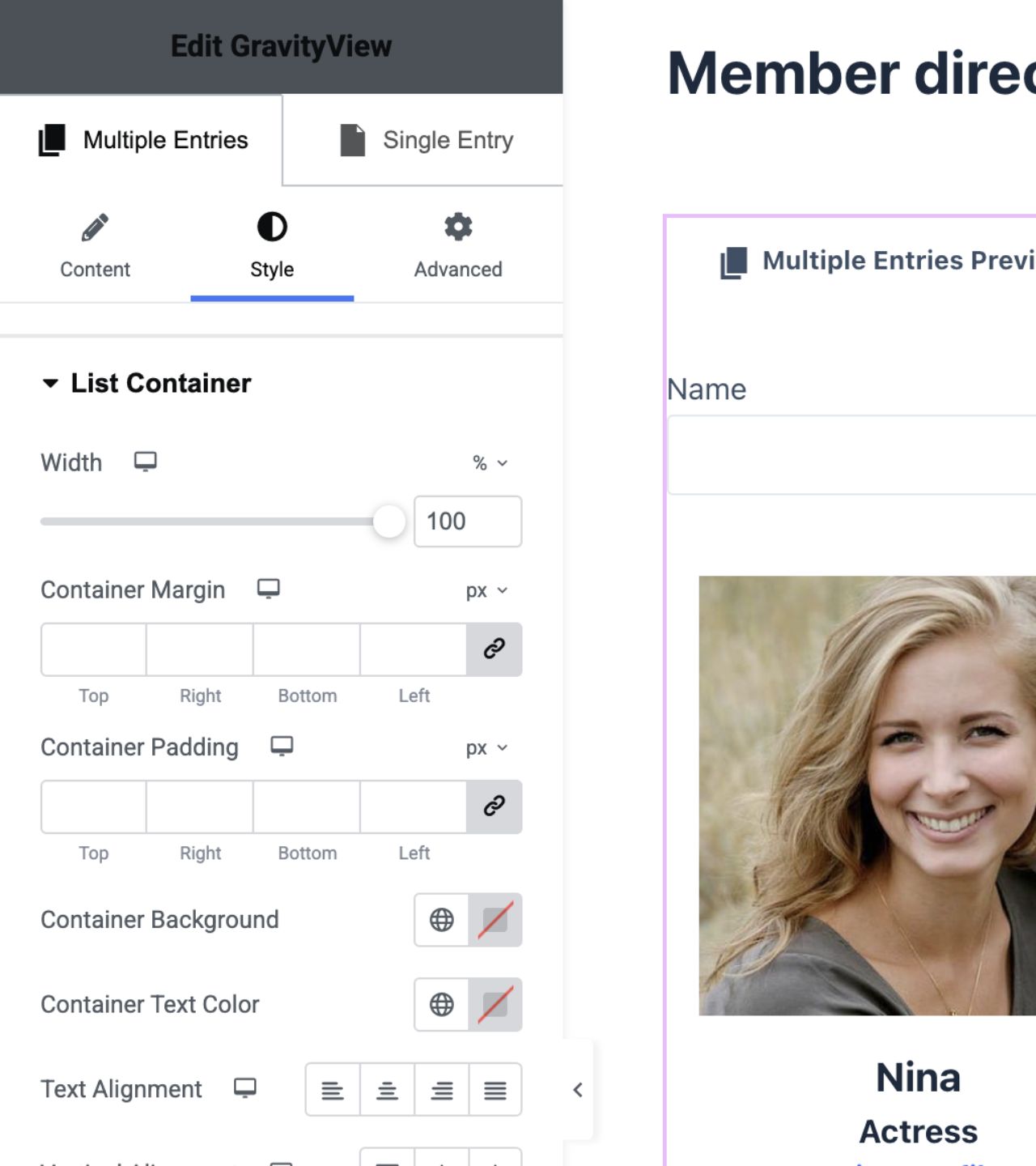
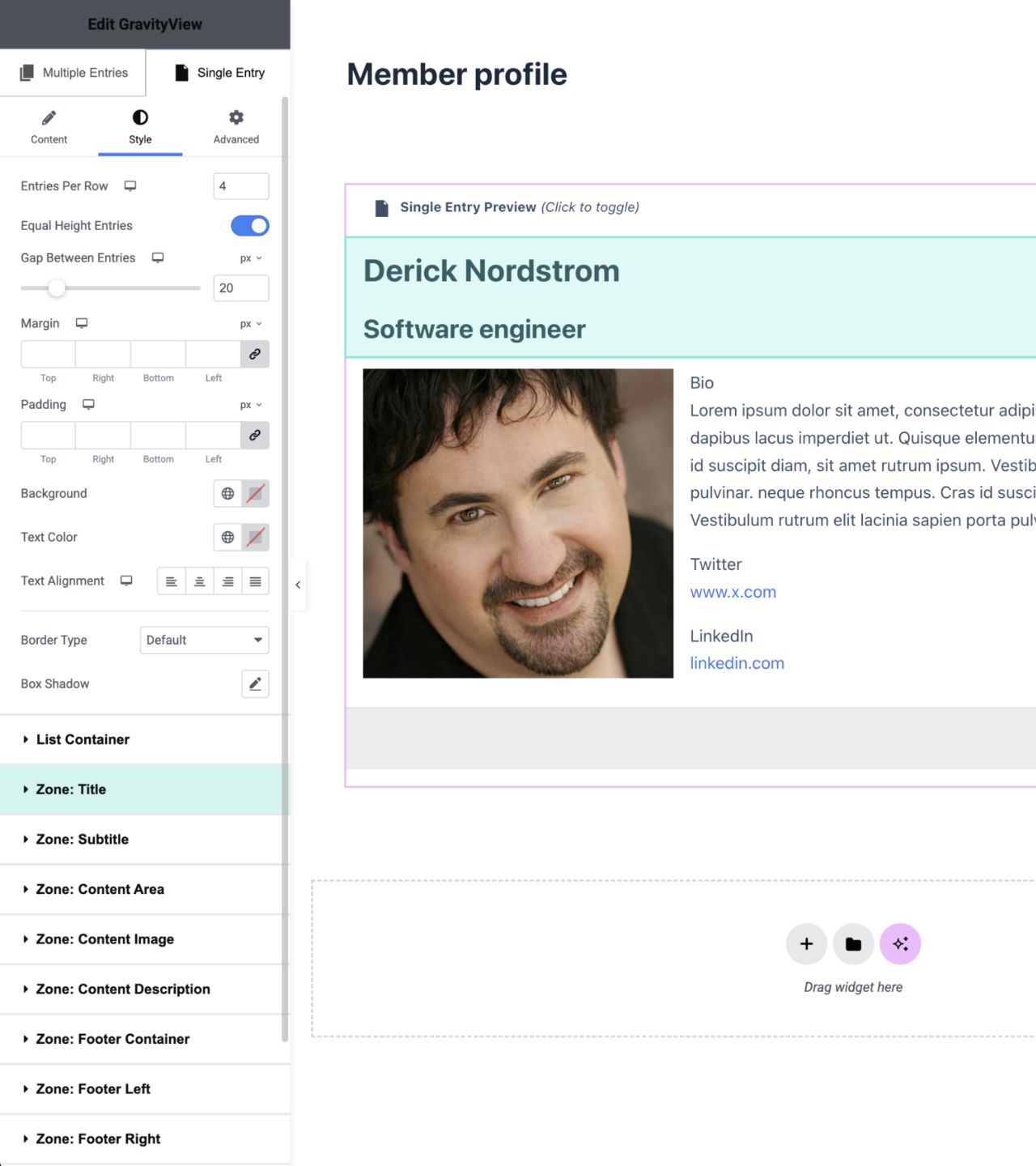
The Advanced Elementor Widget lets you design GravityView layouts directly inside Elementor’s visual editor—no CSS, no theme overrides, no bouncing between settings panels. See every change instantly, style both Multiple and Single Entry layouts, and control exactly how your data appears on any device.
- Style Views in real time with Elementor’s live preview.
- Customize layouts, spacing, and typography without writing code.
- Embed and design Views directly on any Elementor page.
Full creative control with responsive, intuitive design tools
Build polished, on-brand Views with per-device controls, intelligent hover indicators, and broad layout compatibility. Get complete freedom to shape the presentation of your Gravity Forms data—faster, clearer, and entirely inside the editor you already use.
- Fine-tune desktop, tablet, and mobile layouts independently
- Enjoy seamless support for List, Table, DIY, Maps, and Layout Builder Layouts.
- Hover to reveal which styling controls affect each part of your View.


Trusted by thousands of businesses and developers



Not only does GravityKit have excellent support with fast response times, they continually add a lot of new features to their products.
See what people are saying.
GravityKit is trusted by developers, nonprofits, web agencies, entrepreneurs, and experienced WordPress users.
“Prior to discovering GravityKit, I had to hire developers, or build solutions that could take months. Then I would have to maintain that custom code for years. GravityKit allows me to focus on getting results today.”
“GravityKit is absolutely an essential plugin for our business. It gives us the ability to quickly and easily deliver effective and efficient web tools to our clients to meet their unique needs.”
“GravityKit has enabled me to get creative across a variety of websites, building powerful features without the need for custom PHP or complex coding. It’s saved me significant development time.”
“When we wanted to implement a certain feature, there was always a GravityKit plugin that did what we needed. It’s been a delightful experience! Instead of needing to write custom code for things we want, we are able to leverage the power of the Gravity Forms ecosystem.”
“I really like what you’re doing with Gravity Forms stuff. Your tools have helped me build better tools and improved functionality for my clients. Big fan!”
“Any apps that require you to create, read, update, or delete data can be built using Gravity Forms and GravityKit—you can literally throw together an MVP within a day!”
Simple pricing.
Infinite possibilities.
GravityKit is trusted by agencies, nonprofits, developers, and WordPress users all over the world.
Our complete Kit of essential tools for extending and enhancing Gravity Forms—everything you need to build powerful web apps and workflows.
- All GravityKit Add-Ons
- All GravityView Layouts & Extensions
- Perfect for heavy Gravity Forms users
- Priority support via email
- Save $713 (65%) vs. buying separately
Take GravityView to the next level with all premium Layouts, Extensions, and advanced functionality in one package.
- All premium GravityView Layouts and Extensions
- Build web apps using drag and drop
- Edit entries from the front end
- Advanced Elementor integration
- Powerful search and filtering

We proudly offer a 30-day money-back guarantee
We want you to be 100% happy with your purchase, or we’ll make it right.
Got questions? Ask away!
Got a question about the GravityView – Advanced Elementor Widget or any other GravityKit plugin? Our AI assistant can help you find answers instantly.

Ready to get started?
Unlock the full power of GravityView.
More premium extensions, included in GravityView Pro

Magic Links
The Magic Links extension for GravityView enables users to update their Gravity Forms entries through secure, time-limited links sent by email—no login required.

Dashboard Views
The Dashboard Views extension for GravityView enables you to embed Views directly inside your WordPress admin dashboard.

Multiple Forms
The Multiple Forms extension for GravityView enables you to join related entries from different Gravity Forms forms, or stack entries from multiple forms into one combined View.

Ratings & Reviews
The Ratings & Reviews extension for GravityView enables visitors to rate, review, and comment on Gravity Forms form entries from the frontend of your site.

A-Z Filters
The Alphabetical Filters extension for GravityView enables users to filter Gravity Forms form entries alphabetically using a list of links from A to Z.

Featured Entries
The Featured Entries extension for GravityView enables you to mark Gravity Forms entries as “featured” so they appear highlighted and stay pinned to the top of your View.

Social Sharing & SEO
The Social Sharing & SEO extension for GravityView enables you to add social sharing buttons to Views and enhance the search engine visibility of Gravity Forms entries.

Advanced Filtering
The Advanced Filtering extension for GravityView enables you to apply smart conditional logic for enhanced personalization and finer control over which Gravity Forms entries are displayed in a View.
Have more questions?
Here are a few common questions that help explain what is possible with the power of GravityKit.
You must log in to submit a review.