Published
•
Updated
Join us for GravityKit Live #5: Optimizing your workflow & exciting GravityView updates
GravityKit Live #5 airs May 21 at 11am EST. Tune in for new GravityView feature previews, a GravityActions bulk email walkthrough, and a live Q&A with the GravityKit team.

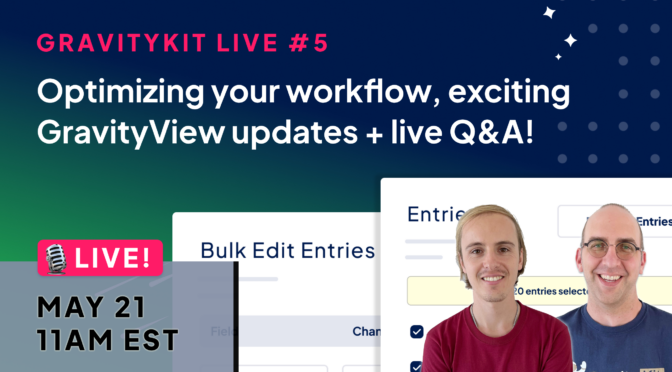
Join us on May 21, at 11am EST for a free live broadcast! GravityKit Live is our once-a-month show where we update you on what’s new in Gravity Forms and GravityKit, unveil exciting new features, and answer your questions.
Here’s what we’re going to cover:
- Exciting new features in GravityView
- Bulk updating entries and bulk email sending using GravityActions
- Live Q&A: Zack and Casey answer your questions
Whether you’re new to GravityKit or an experienced user, your success matters to us! If you have questions you’d like us to answer, submit them ahead of time using the form below.
Important details
🕛 When: May 21st, 11am EST (see time in your timezone)
🗓️ Add to your calendar: Google | iCal
📍 Where: Live on YouTube & Facebook
Additional must-know information:
- No login is required to join. Just sign-up using the form below and we’ll send you a link when it starts
- The broadcast is free to join!
- If you have questions, submit them through the form below
- If you can’t make the live session, sign up anyway to receive a link to the recording afterward
Save your spot
Fill out the form below to submit your questions and save your spot. We hope to see you there 👋

Helpful tips right in your inbox.
Subscribe to get the latest articles, information on releases and helpful Gravity Forms tips!
More articles

Launch Log: Refined conditional logic filters, choice labels in Math Summary, and WordPress 7.1 fixes
The August 20 releases refine the Advanced Filter conditional logic builder, add choice labels to GravityMath’s Math Summary, and fix entry approval on WordPress 7.1.
How to export Gravity Forms entries to Google Sheets: 4 methods
There are four ways to export Gravity Forms entries to Google Sheets, and one of them now keeps the sheet in sync with your form. Here’s how each works, what it costs, and when to use it.
Announcing Google Sheets export for GravityExport: spreadsheets that keep up with your forms
GravityExport now exports Gravity Forms entries straight to Google Sheets and keeps the spreadsheet in step with your form. New entries, edits, and deletions all reach the sheet, and numbers, dates, and currency arrive as real values. Available in GravityExport 1.15.0.