
Can GravityCalendar events be saved as drafts?
GravityCalendar has no draft setting, and every entry with a start date shows on the calendar as soon as it’s saved. To keep events off the calendar until they’re ready, add a rule under Filter Displayed Entries in the calendar’s settings.
A form saved with Gravity Forms’ Save and Continue isn’t an entry until it’s submitted, so it doesn’t show on the calendar.
Hold events back with a status field #
- Add a Drop Down field to the form, such as Status with the choices
DraftandPublished. To keep the choice away from visitors, set the field’s Visibility to Administrative. - Go to Forms, open your form’s Settings, then click GravityCalendar and open your calendar.
- Under Filter Displayed Entries, click Add Condition and set the rule to Status
isPublished. - Click Save Settings.
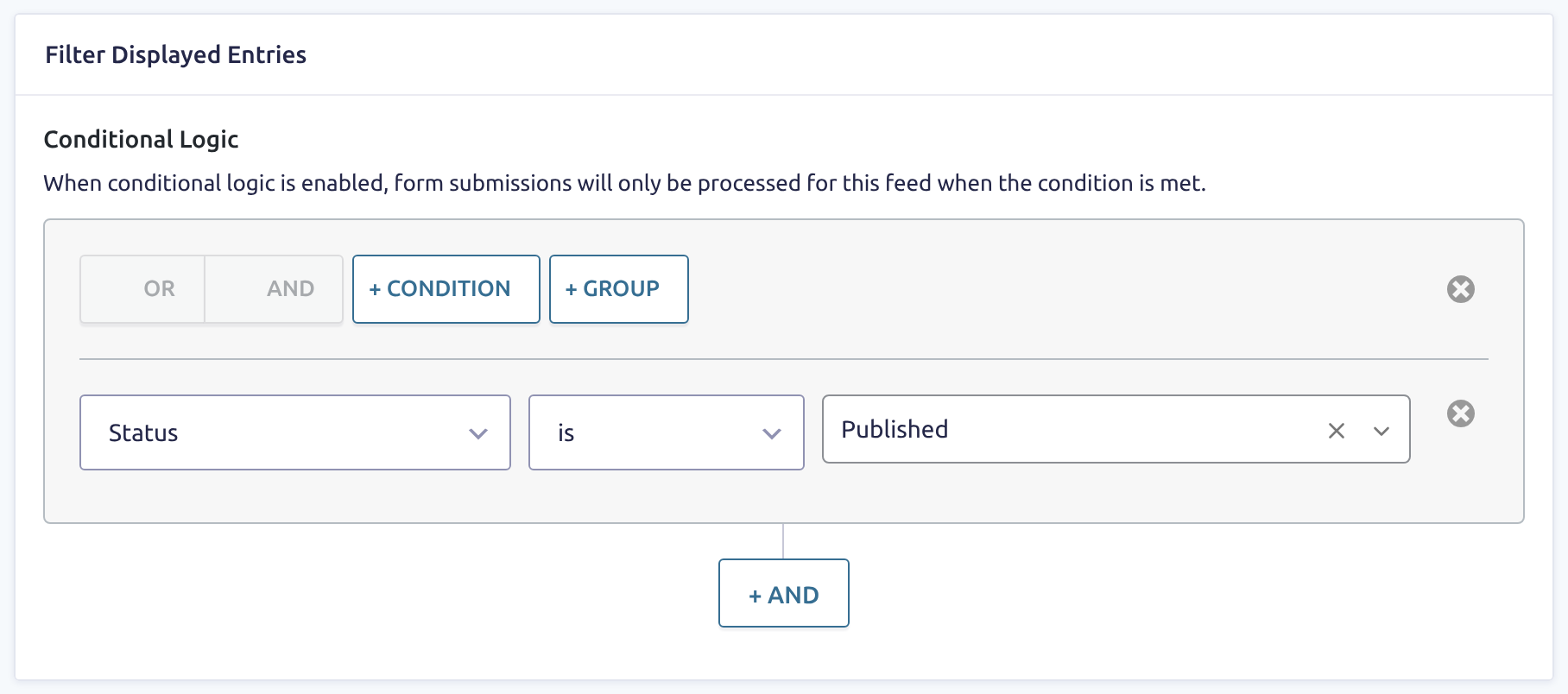
Entries with any other status, or with no status, stay off the calendar and out of its subscription. To publish an event, edit the entry and change its status. The calendar shows it right away, and calendar apps get it when they refresh.
Hold events back until they’re approved #
If you use GravityView, add the rule Approval Status is Approved under Filter Displayed Entries instead. An entry then shows on the calendar once it’s approved on the Entries screen.
Approving or disapproving an entry changes the calendar on your page right away. Calendar apps can take up to an hour longer, because approving an entry doesn’t rebuild the subscription’s stored copy.

