
Published
•
Updated
Launch Log: Smarter searches and dependable calculations
This week, we released updates that improve calculation reliability and search consistency across GravityMath and GravityView. We’ve also added more flexibility for date-based searches in GravityView’s DataTables Layout. GravityMath 2.9.1 This release fixes calculation issues with the GravityView Calculation field. Calculations involving currency-formatted Number or Product fields now work correctly. GravityView 2.48.1 This update resolves…


This week, we released updates that improve calculation reliability and search consistency across GravityMath and GravityView. We’ve also added more flexibility for date-based searches in GravityView’s DataTables Layout.
GravityMath 2.9.1
This release fixes calculation issues with the GravityView Calculation field. Calculations involving currency-formatted Number or Product fields now work correctly.
GravityView 2.48.1
This update resolves several issues related to filtering, display, and layout:
- Date filters using a single-input Entry Date field now correctly show entries created only on the specified date.
- Images from a File Upload field now respect the View’s lightbox settings for images, preventing unwanted lightbox behavior when disabled.
- Fixed an issue that caused button styles to break on the Edit Entry page when using the Layout Builder for the Single Entry.
GravityView – DataTables Layout 3.6
This release introduces new search capabilities and several fixes for client-side processing mode.
- Added support for searching Date and Entry Date fields using single or range inputs.
- Fixed Number field range searches that were not working in client-side mode.
- Clearing a search now works smoothly without reloading the page.
- Fixed JavaScript errors that could occur when rendering the same View multiple times on a page.
AI updates – GravityMCP
During our latest episode of GravityKit Live!, we gave a demo showing how to create new forms and entries in Gravity Forms using Claude. This enables you to pull reports, perform detailed analyses, and create complex forms by simply telling Claude what you want.

Get better at Gravity Forms, one email a week
New GravityKit releases, practical Gravity Forms tutorials, and subscriber-only discounts. One short email every week, unsubscribe anytime.
More articles

Launch Log: AI-assisted migrations and a stronger Prevent Direct Access setting
GravityMigrate can now hand a whole migration to an AI assistant, GravityKit MCP installs into Claude Desktop in one click, and GravityView tightens the Prevent Direct Access setting.
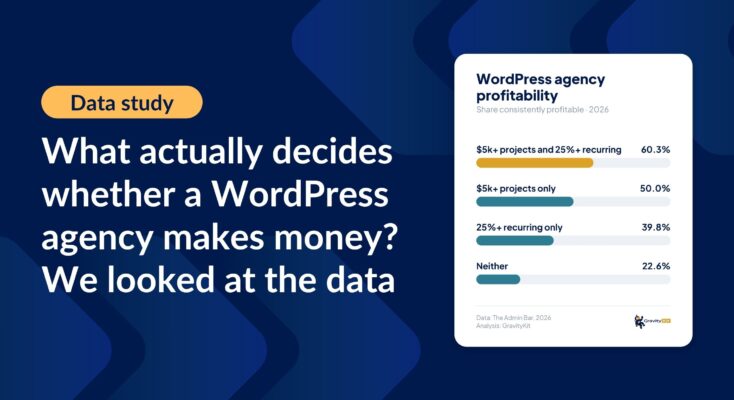
What actually decides whether a WordPress agency makes money? We looked at the data
Two 2026 surveys of 832 WordPress agencies, plus our own analysis of the raw data. What separates the profitable agencies from the rest, and what does not.

GravityMigrate 2.0: No-sweat WordPress form plugin migrations
Nobody wants to move forms between plugins. They want the site launched, the client onboarded, the referrals to stop falling through the cracks. GravityMigrate 2.0 makes moving forms effortless.