
Published
•
Updated
Launch Log: Email rejection rules for Zero Spam, fixes across four products
This week’s updates bring a significant new feature to Gravity Forms Zero Spam with email rejection rules, along with targeted fixes for GravityEdit, GravityImport, GravityView, and Gravity Forms Dynamic Lookup. Gravity Forms Dynamic Lookup v1.5.1 This update to Gravity Forms Dynamic Lookup fixes display issues with Source of Choices cards in the form editor, including…


This week’s updates bring a significant new feature to Gravity Forms Zero Spam with email rejection rules, along with targeted fixes for GravityEdit, GravityImport, GravityView, and Gravity Forms Dynamic Lookup.
Gravity Forms Dynamic Lookup v1.5.1
This update to Gravity Forms Dynamic Lookup fixes display issues with Source of Choices cards in the form editor, including a missing Gravity Forms icon and broken alignment on narrow screens.
Gravity Forms Zero Spam v1.5.0
Gravity Forms Zero Spam introduces email rejection rules, giving you a new way to validate email field submissions and take action when addresses, domains, or patterns match your criteria.
You can match by exact email, domain (e.g., @example.com), wildcard, or regular expression, then choose to block the submission (requires Gravity Forms 2.9.15+), flag it as spam, or log it with an entry note. Rules can be imported in bulk from a text list and enabled or disabled individually, and you can set field-specific overrides directly in the Form Editor.
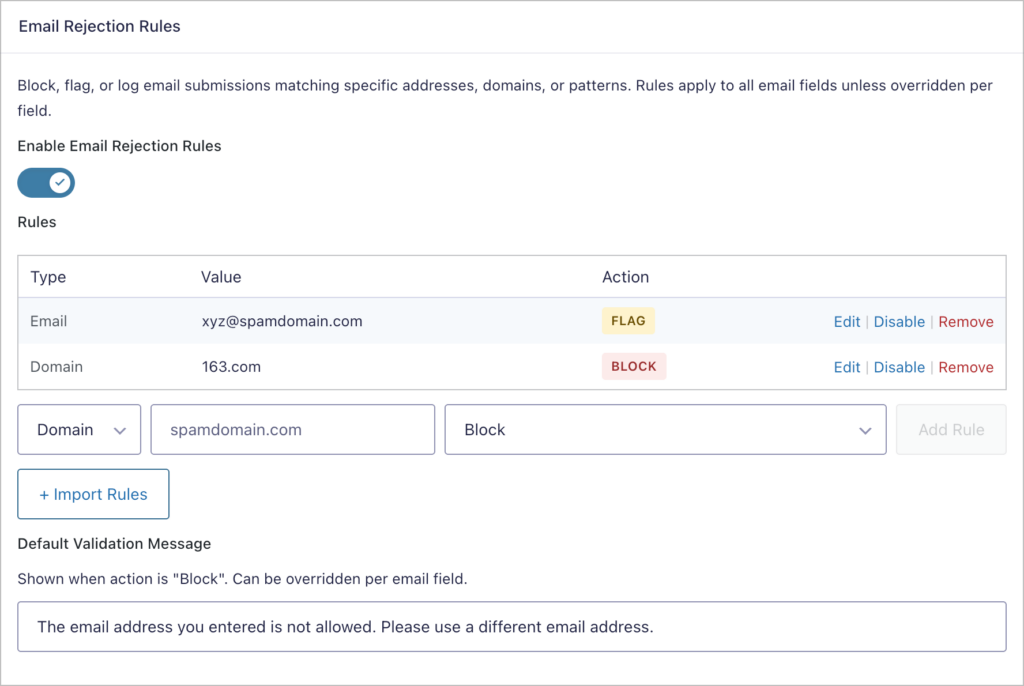
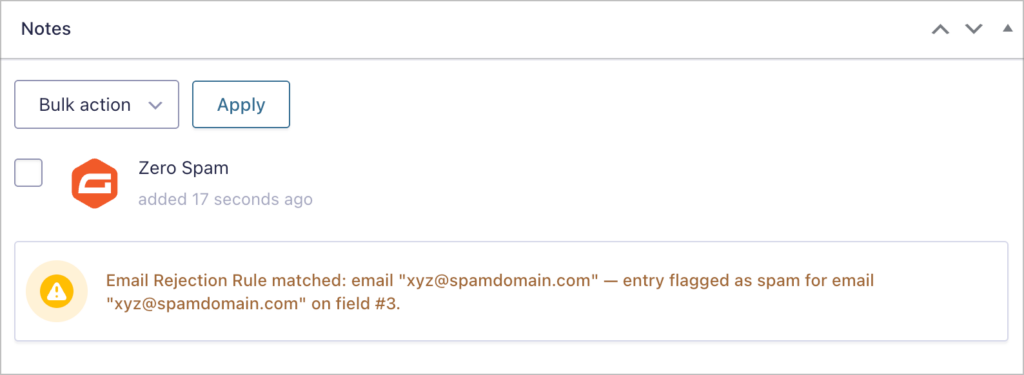
Additionally, spam entries now display the reason they were flagged, such as a missing or invalid key, or a rule match.
This release also adds spam protection for Save and Continue, preventing bots from creating spam drafts.
The Zero Spam toggle also now appears in the “Spam” form settings section on Gravity Forms 2.9.21+. On the performance side, redundant spam checks are skipped when an entry has already been flagged by another filter.
Developer updates
- Added
gf_zero_spam_email_rulesfilter to modify email rejection rules before evaluation. - Added
gf_zero_spam_email_rule_matchaction that fires when an email matches a rejection rule.
GravityEdit v2.9.1
This update to GravityEdit fixes two inline editing issues. Email fields with confirmation enabled no longer incorrectly show a “Your emails do not match” error during inline editing. Dynamic Lookup field values also now visually update immediately after an inline edit, without requiring a page refresh.
GravityImport v2.8.1
This hotfix for GravityImport restores the missing “Ignore Field Conditional Logic” toggle in the Configure step. Without this toggle, imported field values could be cleared when conditional logic conditions were not met by the CSV data.
GravityView v2.54.2
This update to GravityView fixes two search-related issues. Search now returns results correctly for Multi Select fields, and URL search parameters properly filter results when the Search Bar is configured with only the “Search Everything” field.
In summary
Gravity Forms Zero Spam gains powerful email rejection rules and spam protection for Save and Continue drafts, while GravityEdit, GravityImport, and GravityView each receive targeted fixes for inline editing, import configuration, and search functionality. We recommend updating to the latest versions to benefit from these improvements!

Get better at Gravity Forms, one email a week
New GravityKit releases, practical Gravity Forms tutorials, and subscriber-only discounts. One short email every week, unsubscribe anytime.
More articles

Launch Log: AI-assisted migrations and a stronger Prevent Direct Access setting
GravityMigrate can now hand a whole migration to an AI assistant, GravityKit MCP installs into Claude Desktop in one click, and GravityView tightens the Prevent Direct Access setting.

What actually decides whether a WordPress agency makes money? We looked at the data
Two 2026 surveys of 832 WordPress agencies, plus our own analysis of the raw data. What separates the profitable agencies from the rest, and what does not.

GravityMigrate 2.0: No-sweat WordPress form plugin migrations
Nobody wants to move forms between plugins. They want the site launched, the client onboarded, the referrals to stop falling through the cracks. GravityMigrate 2.0 makes moving forms effortless.