
Published
•
Updated
Launch Log: Clearer admin errors, custom code placeholders, and key fixes
Ever wondered why aliens don’t visit our solar system? It turns out they read the reviews, and it only has one star! Welcome to our first Launch Log of 2026. We’re kicking things off with a raft of exciting updates, including clearer error notices in GravityView, more flexible View-specific styling options, and several reliability and…


Ever wondered why aliens don’t visit our solar system? It turns out they read the reviews, and it only has one star!
Welcome to our first Launch Log of 2026. We’re kicking things off with a raft of exciting updates, including clearer error notices in GravityView, more flexible View-specific styling options, and several reliability and compatibility improvements.
GravityExport Lite
GravityExport Lite 2.4.2 sees the addition of a deterministic sort order to exports to prevent missing or duplicate entries in certain scenarios. Entries without a payment_date value now correctly export an empty value instead of the current date and time.
GravityView
GravityView 2.50 improves how errors are surfaced to administrators, adds new options for View-specific styling, and resolves a range of functional, performance, and compatibility issues.
Administrators now see detailed, actionable error messages when a View or entry cannot be displayed, replacing the generic permission message shown previously. Custom CSS and JavaScript settings now support placeholders that are automatically replaced with View-specific values, making it easier to scope styles and scripts to a single View without affecting others on the same page. The “Created By” field on the Edit Entry page now includes AJAX-powered search to simplify user selection.
A number of issues were fixed, including a JavaScript error that could break Edit Entry when forms used conditional logic on buttons, unnecessary database queries when caching was disabled, and incorrect display of serialized data in multi-column List fields revealed by conditional logic.
Furthermore, REST API requests for single entries now properly respect View settings such as “Prevent Direct Access” and REST API restrictions. Additional fixes address PHP 8.4 deprecation warnings, Name field hidden input settings from Gravity Forms, lingering hooks when switching lightbox providers, and a conflict that prevented the merge tag picker from appearing when Yoast SEO Premium was active.
Developer updates
- A new
gk/gravityview/custom-code/placeholdersfilter was added to allow modification or extension of the placeholders available in Custom CSS and JavaScript settings. - The
VIEW_SELECTORplaceholder is hard-coded to .gv-container.gv-container-{view_id}; if those classes are removed using thegravityview/render/container/classfilter,VIEW_SELECTORwill not work as expected andVIEW_IDshould be used instead. - View Custom CSS and JavaScript is now output only once per View, even when the same View is embedded multiple times on a page.

Get better at Gravity Forms, one email a week
New GravityKit releases, practical Gravity Forms tutorials, and subscriber-only discounts. One short email every week, unsubscribe anytime.
More articles

Launch Log: AI-assisted migrations and a stronger Prevent Direct Access setting
GravityMigrate can now hand a whole migration to an AI assistant, GravityKit MCP installs into Claude Desktop in one click, and GravityView tightens the Prevent Direct Access setting.
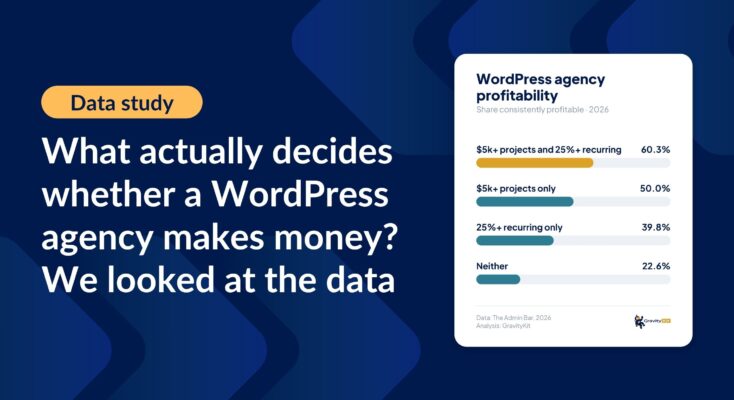
What actually decides whether a WordPress agency makes money? We looked at the data
Two 2026 surveys of 832 WordPress agencies, plus our own analysis of the raw data. What separates the profitable agencies from the rest, and what does not.

GravityMigrate 2.0: No-sweat WordPress form plugin migrations
Nobody wants to move forms between plugins. They want the site launched, the client onboarded, the referrals to stop falling through the cracks. GravityMigrate 2.0 makes moving forms effortless.