Showing fewer overlapping events in GravityCalendar
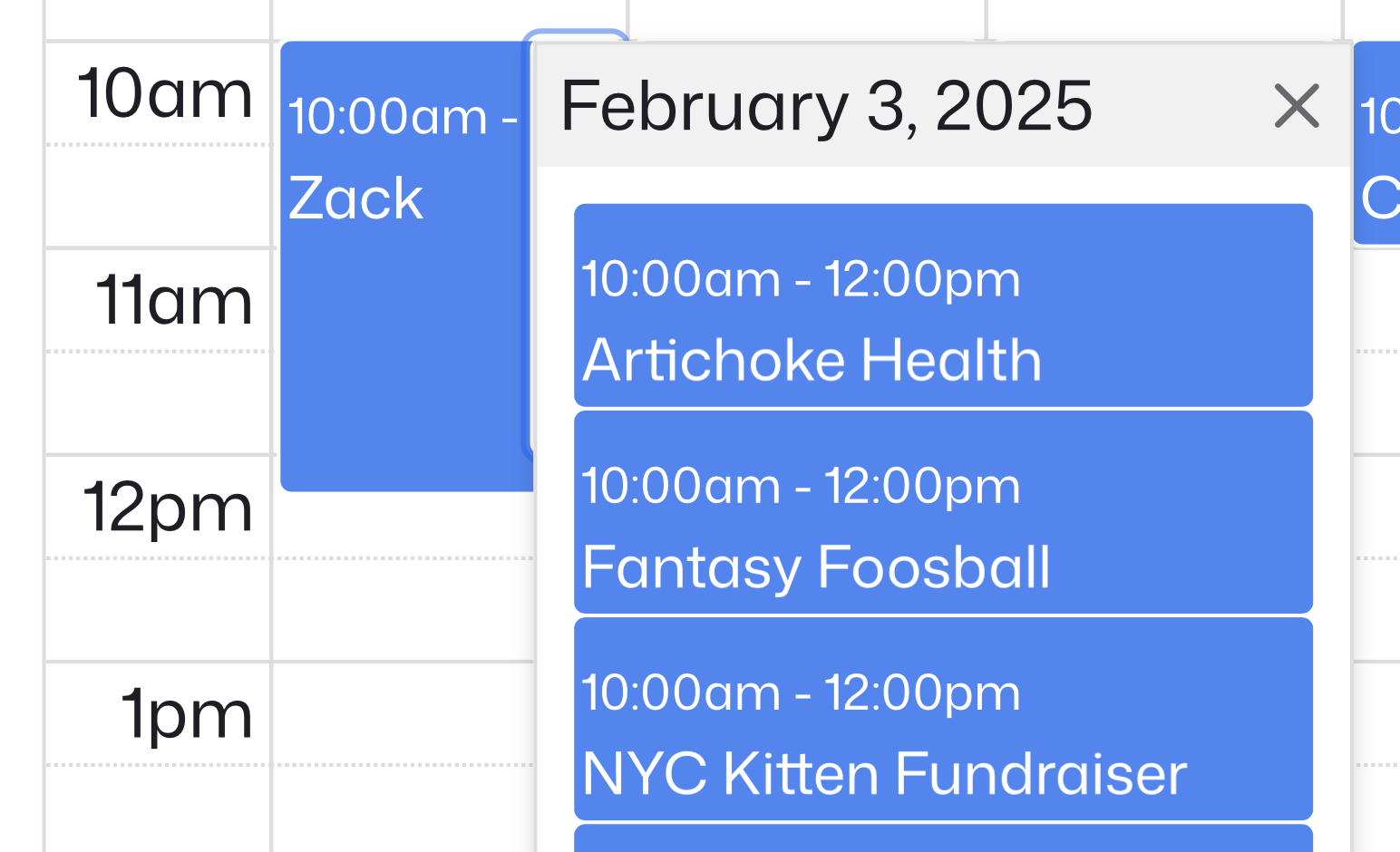
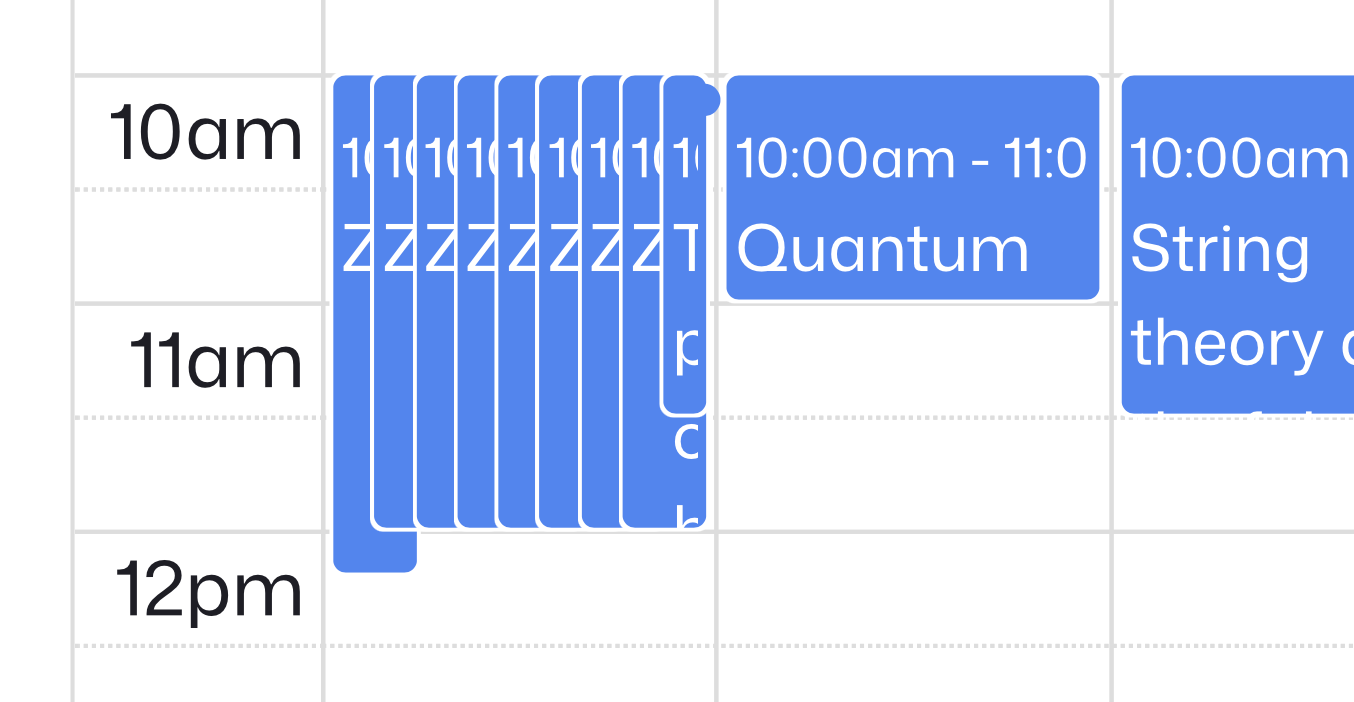
When multiple events occur at the same date and time, GravityCalendar (powered by FullCalendar) will by default show them all. This can result in events appearing stacked and too small. This article will show how to limit how many appear before displaying a “+ more” link.
How it works #
Time-based views (Day/Week): Controlled by FullCalendar’s eventMaxStack option
- Default: Unlimited (shows all overlapping events)
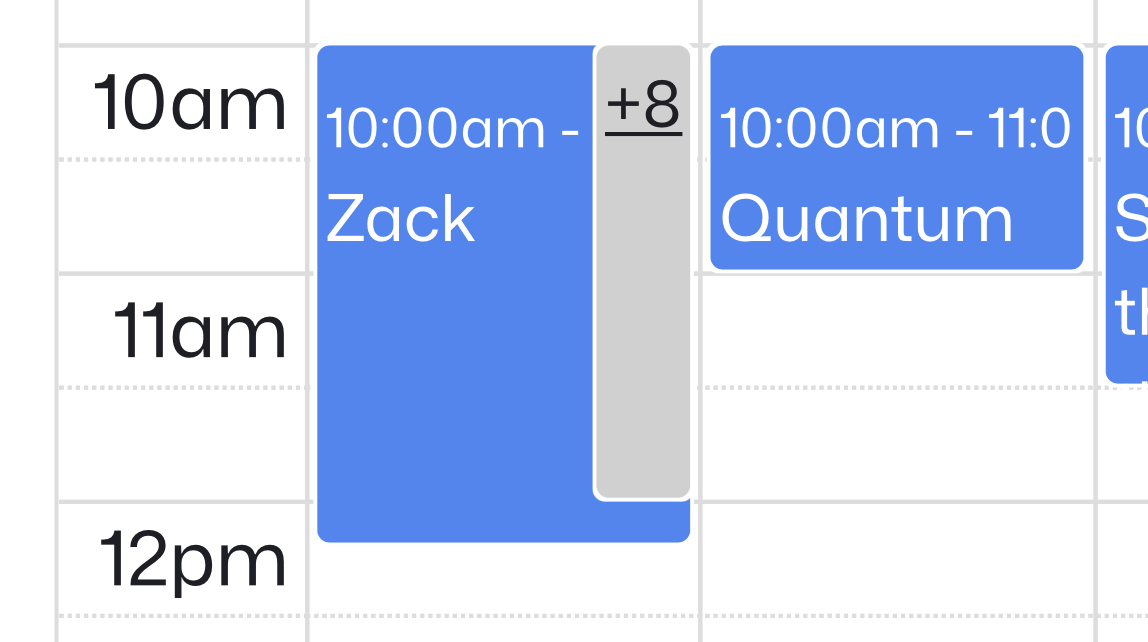
- If limited: You’ll see a cap (e.g., three events) before a “+ more” link appears
Month view (dayGrid ): Uses different settings (dayMaxEvents or dayMaxEventRows ).
📆 Read the FullCalendar docs for more settings & information:
Set the maximum number of visible events per time slot #
Add this snippet your website to limit the number of results shown in a time slot. (Not sure now? Here’s how to add custom snippets!)
/**
 * Limit how many simultaneous events are shown in a single time slot (`timeGrid`/`timeline`).
 *
 * Sets FullCalendar's `eventMaxStack` option for GravityCalendar.
 * Pass an integer (e.g., 3) to cap the number of visible overlapping events.
 *
 * @param array $calendar_options Calendar JS options passed to FullCalendar.
 * @param int   $form_id          Gravity Forms form ID.
 * @param int   $feed_id          GravityCalendar feed ID.
 *
 * @return array Modified options.
 */
function gk_limit_calendar_event_stack( $calendar_options, $form_id, $feed_id ) {
	$calendar_options['eventMaxStack'] = 3; // show at most 3 events per time slot
	return $calendar_options;
}
add_filter( 'gravityview/calendar/options', 'gk_limit_calendar_event_stack', 50, 3 );What this does
- Limits visible overlapping events to three per time slot
- Shows a “+ more” link for additional events
- Change the number
3to any value you prefer
> Tip: If another snippet overrides your setting, increase the priority (change 50 to a higher number like 100 ).
Month view behaves differently #
If you’re using month (dayGrid ) view, the relevant settings are different:
- Use
dayMaxEventsordayMaxEventRowsinstead ofeventMaxStack - These settings control how many events appear before a “+ more” link
Example
/**
 * Limit how many events are shown per day in month (`dayGrid`) view.
 *
 * Sets FullCalendar's `dayMaxEvents` option for GravityCalendar.
 * Pass an integer (e.g., 5) to cap the number of visible events per day.
 *
 * @param array $calendar_options Calendar JS options passed to FullCalendar.
 * @param int   $form_id          Gravity Forms form ID.
 * @param int   $feed_id          GravityCalendar feed ID.
 *
 * @return array Modified options.
 */
function gk_limit_calendar_month_events( $calendar_options, $form_id, $feed_id ) {
	$calendar_options['dayMaxEvents'] = 5; // show at most 5 events per day in month view
	// Alternatively, use dayMaxEventRows to limit by rows instead:
	// $calendar_options['dayMaxEventRows'] = 3;
	return $calendar_options;
}
add_filter( 'gravityview/calendar/options', 'gk_limit_calendar_month_events', 50, 3 );Note: dayMaxEvents and dayMaxEventRows only apply to dayGrid (month view). They automatically show a “+ more” link for additional events.
Quick reference #
| View type | Setting | Default | Purpose |
|---|---|---|---|
Day/Week (timeGrid ) | eventMaxStack | null (unlimited) | Limits overlapping events per time slot |
Month (dayGrid ) | dayMaxEvents | false (show all) | Caps total events shown per day |
Month (dayGrid ) | dayMaxEventRows | false (show all) | Caps number of event rows per day |
Summary
- For time views (Day/Week): Use
eventMaxStackto control overlapping events - For month view: Use
dayMaxEventsordayMaxEventRowsinstead - Default behavior is unlimited (shows all events)
Screenshots #
Before applying a filter:
After applying the filter:
There is a “+ more” link that, when clicked, shows a popup
and the popup contains full-size events: