
Published
•
Updated
Launch Log: GravityExport sees support for Box.com and Gravity Flow fields
This round of updates brings additional cloud storage and Gravity Flow field support to GravityExport, important search-related fixes for GravityView, and new spam prevention controls for Gravity Forms Zero Spam. Gravity Forms Zero Spam v1.7.4 This update to Gravity Forms Zero Spam adds a new “Anti-Spam Expiration” setting that lets you control how long spam…


This round of updates brings additional cloud storage and Gravity Flow field support to GravityExport, important search-related fixes for GravityView, and new spam prevention controls for Gravity Forms Zero Spam.
Gravity Forms Zero Spam v1.7.4
This update to Gravity Forms Zero Spam adds a new “Anti-Spam Expiration” setting that lets you control how long spam prevention tokens remain valid. You’ll find it under Forms > Settings > Zero Spam.
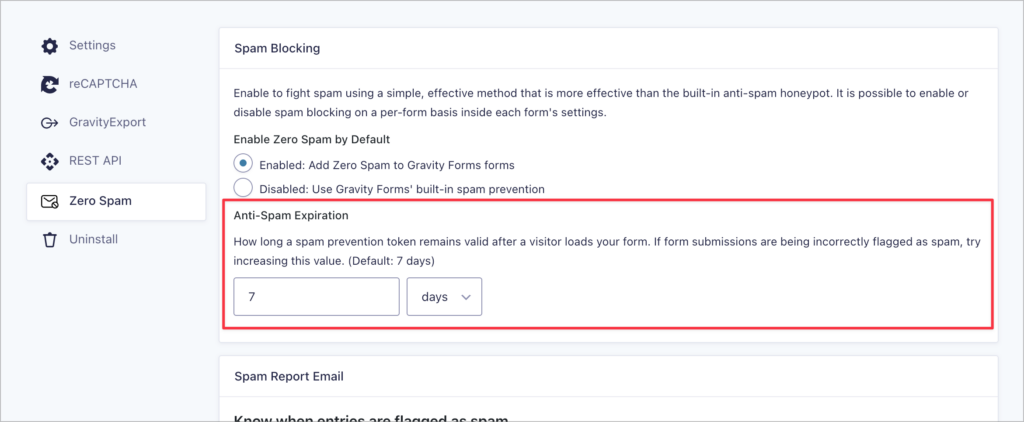
We also fixed two issues: email rejection settings and form editor scripts now load correctly when Gravity Forms No Conflict mode is enabled, and a form submission error (“Cannot read properties of undefined”) caused by a failing token fetch request.
GravityExport v1.9.0
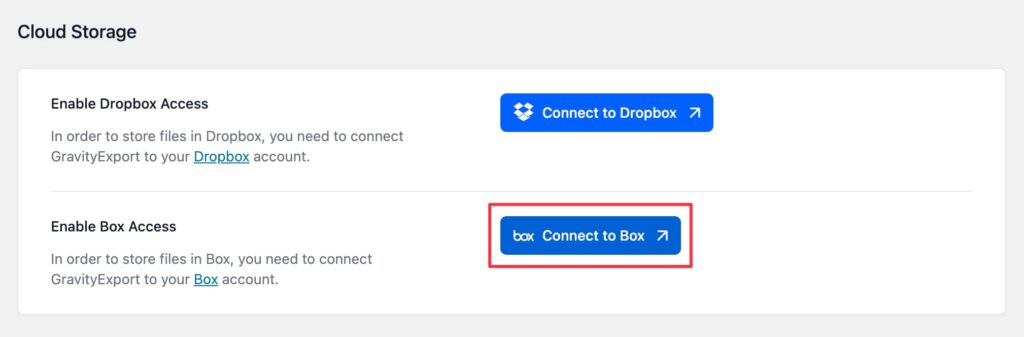
GravityExport now supports Box.com as a cloud storage destination in Save feeds, letting you automatically upload exported files to a specified Box folder.
Simply connect to your Box account from the GravityExport settings (under GravityKit > Settings > GravityExport), and then select Box as the storage destination in your Save feed.
This release also introduces support for Gravity Flow fields in exports, including User, Multi User, Assignee Select, Role, Timestamp, and Status fields. Each field type comes with filter hooks to control how values are displayed.
Finally, we fixed an issue where background exports were not saving the exported file when no custom storage path was configured.
Developer updates
- Added
gk/gravityexport/field/flow/translate-rolefilter to control translation of Gravity Flow Role field values. - Added
gk/gravityexport/field/flow/user-propertyfilter to specify which user property is used for Gravity Flow User field values. - Added
gk/gravityexport/field/flow/status-labelfilter to customize labels for Gravity Flow status values. - Added
gk/gravityexport/field/flow/timestamp-typefilter to control the display of Gravity Flow timestamp values. - Added
gk/gravityexport/field/flow/timestamp-formatfilter to customize formatting for Gravity Flow timestamp values.
GravityView v2.56.1
This update to GravityView resolves a search-related issue where the “Search in visible fields only” setting was incorrectly removing non-search conditions (such as approval status) from queries. This could allow unapproved entries to appear in results and break Single Entry access.
We also fixed an issue where the field_values attribute in the [gv_entry_link] shortcode was not being appended to URLs when using read or delete link types.
New: Install GravityKit products via Composer
GravityKit products can now be installed and managed via Composer using our private Composer repository at composer.gravitykit.com. If your team manages WordPress dependencies through Composer, you can add GravityKit plugins to your existing workflow—just authenticate with your license key and require the packages you need.
This is particularly useful for teams using version-controlled deployments or CI/CD pipelines. Credentials can be stored as environment variables for automated builds, and version constraints let you control exactly how updates are applied. For full setup instructions, see our Composer installation guide.
In summary
GravityExport adds Box.com as a cloud storage destination and introduces Gravity Flow field support, GravityView resolves a search setting issue that could expose unapproved entries, and Gravity Forms Zero Spam gains configurable token expiration and fixes for No Conflict mode compatibility.
As always, we recommend updating to the latest versions to benefit from these improvements and to ensure compatibility across the GravityKit suite!

Get better at Gravity Forms, one email a week
New GravityKit releases, practical Gravity Forms tutorials, and subscriber-only discounts. One short email every week, unsubscribe anytime.
More articles

Launch Log: AI-assisted migrations and a stronger Prevent Direct Access setting
GravityMigrate can now hand a whole migration to an AI assistant, GravityKit MCP installs into Claude Desktop in one click, and GravityView tightens the Prevent Direct Access setting.
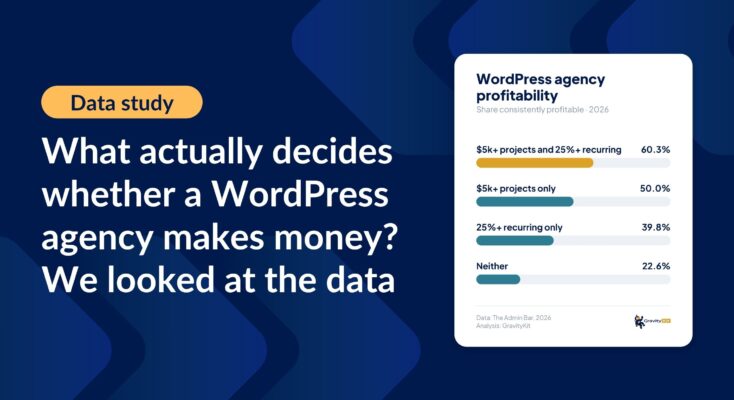
What actually decides whether a WordPress agency makes money? We looked at the data
Two 2026 surveys of 832 WordPress agencies, plus our own analysis of the raw data. What separates the profitable agencies from the rest, and what does not.

GravityMigrate 2.0: No-sweat WordPress form plugin migrations
Nobody wants to move forms between plugins. They want the site launched, the client onboarded, the referrals to stop falling through the cracks. GravityMigrate 2.0 makes moving forms effortless.