
Published
•
Updated
Launch Log: Background imports and scheduled exports
We couldn’t be more excited for this week’s releases, as they include two much-requested features! GravityImport now processes imports in the background, so you can start a large import, walk away, and come back later. GravityExport sees scheduled exports, allowing you to configure reports that run automatically on flexible intervals. GravityExport v1.7.0 GravityExport now supports…


We couldn’t be more excited for this week’s releases, as they include two much-requested features! GravityImport now processes imports in the background, so you can start a large import, walk away, and come back later. GravityExport sees scheduled exports, allowing you to configure reports that run automatically on flexible intervals.
GravityExport v1.7.0
GravityExport now supports scheduled exports for Save feeds, with options for hourly, twice daily, daily, weekly, or custom intervals. This means you can set up recurring reports that run automatically without any manual intervention. Learn more about scheduled exports.
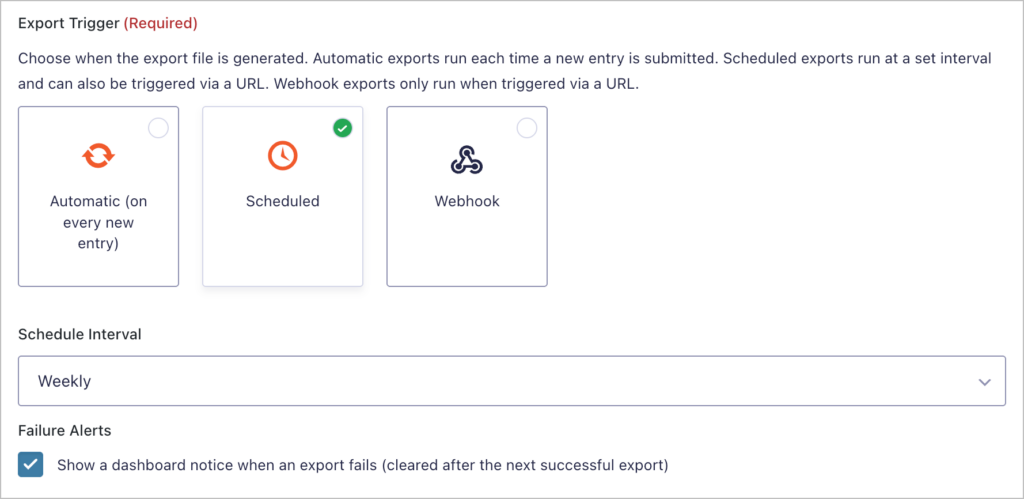
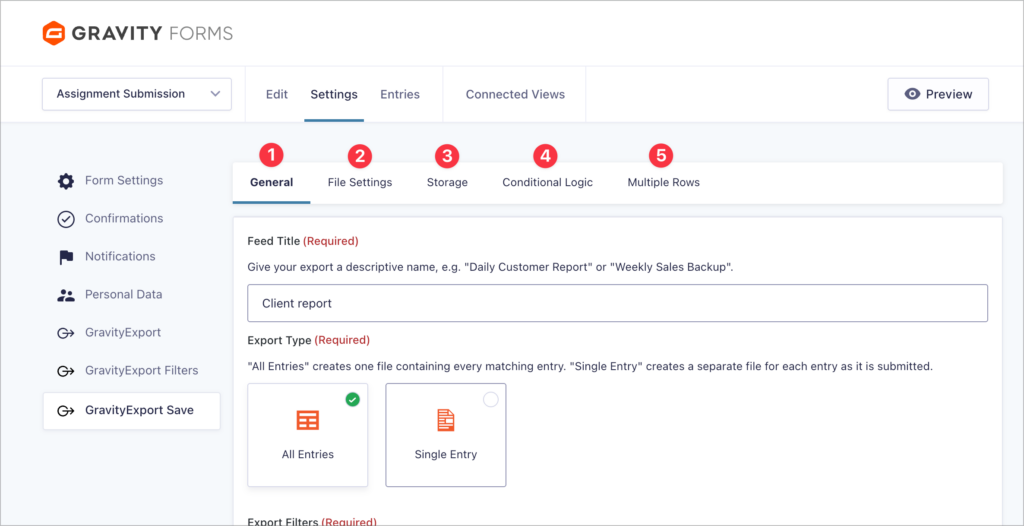
Both Save and Filter feed settings have also been reorganized into a tabbed interface, making configuration easier to navigate. Additionally, the “Filter Settings” section has been renamed to “Conditional Logic” for clarity.
Finally, we fixed an issue where date range values were not populated in the Filters feed Instant Download tab.
Developer updates
Added two new actions:
gk/gravityexport/save/cron/completed– fires when a scheduled export completes successfully.gk/gravityexport/save/cron/failed– fires when a scheduled export fails.
GravityImport v2.9.0
GravityImport now processes imports in the background. That means you can start an import, close your browser tab, and come back later to check on it. A live progress notice appears across the WordPress admin with a link back to the import page, and you can pause, resume, or cancel the import at any time.
This feature is also being rolled out for other GravityKit products. With background processing, the job (whether an import, export, etc) is queued and carried out behind the scenes. This helps larger actions finish more reliably without forcing everything to happen in a single request.
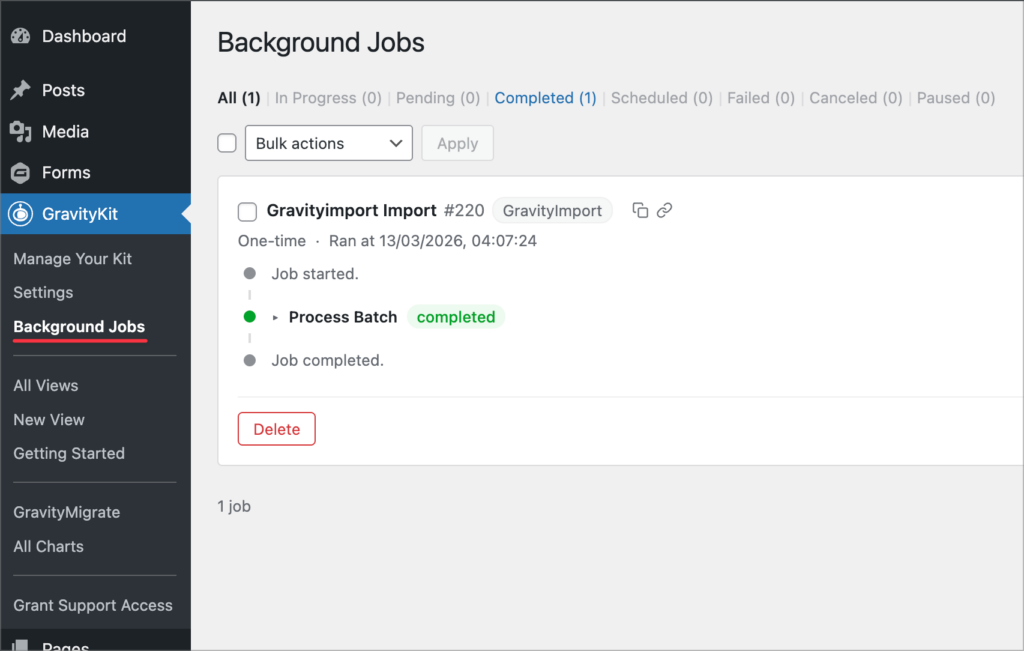
To view the status of past, current, and scheduled jobs, enable the Show Background Jobs option in the GravityKit settings. This adds a new Background Jobs page to the GravityKit menu, where you can monitor job progress and review completed tasks. Learn more about background processing.
This release also introduces failed record recovery. If some rows fail during an import, you can retry just those rows using the same field mapping or an updated one. You can also download the failed rows as a CSV, complete with a column explaining why each row failed.
Memory handling during imports with many failed records has been improved, and we fixed two issues: conditional logic settings from a previous import no longer carry over when the option is disabled on the Configure step, and cancelled imports now correctly report skipped and errored rows in the summary.
Gravity Forms Zero Spam v1.7.2
This update to Gravity Forms Zero Spam fixes an issue where forms using conditional logic could become invisible to visitors.
In summary
GravityImport introduces background processing and failed record recovery, making large imports far more manageable. GravityExport adds scheduled exports with flexible intervals and a cleaner settings interface, and Gravity Forms Zero Spam resolves a conditional logic visibility bug.
As always, we recommend updating to the latest versions to benefit from these improvements and to ensure compatibility across the GravityKit suite.

Get better at Gravity Forms, one email a week
New GravityKit releases, practical Gravity Forms tutorials, and subscriber-only discounts. One short email every week, unsubscribe anytime.
More articles

Launch Log: AI-assisted migrations and a stronger Prevent Direct Access setting
GravityMigrate can now hand a whole migration to an AI assistant, GravityKit MCP installs into Claude Desktop in one click, and GravityView tightens the Prevent Direct Access setting.
What actually decides whether a WordPress agency makes money? We looked at the data
Two 2026 surveys of 832 WordPress agencies, plus our own analysis of the raw data. What separates the profitable agencies from the rest, and what does not.

GravityMigrate 2.0: No-sweat WordPress form plugin migrations
Nobody wants to move forms between plugins. They want the site launched, the client onboarded, the referrals to stop falling through the cracks. GravityMigrate 2.0 makes moving forms effortless.