
Getting started with GravityMigrate
GravityMigrate moves a Gravity Forms setup from one WordPress site to another. It carries the forms themselves, the entries people have submitted, the files they uploaded, your GravityView Views, add-on feeds, Gravity Flow workflows and the settings that go with them. You create one migration file on the site you are leaving, then import that file on the site you are moving to, and a guided wizard walks you through both halves.
Two kinds of migration #
GravityMigrate handles two kinds of migration, and they work differently. Check which one you need before you start.
- Moving Gravity Forms to another site. Your forms and everything attached to them travel from one WordPress site to another in a single migration file. This article walks through that move.
- Switching form plugins. GravityMigrate recreates forms from Contact Form 7, Fluent Forms, Formidable Forms, Forminator, Ninja Forms, WPForms, or WS Form as Gravity Forms forms on the same site. It can also copy Gravity Forms forms into any of those plugins. Only the forms move. Entries stay in the plugin that collected them. Migrating forms from another form plugin walks through that route.
Before you start #
- Install and activate GravityMigrate on both sites. The steps are in Installing, activating, and updating GravityKit plugins.
- Install the plugins whose data you are moving on the new site as well, so there is somewhere for it to land. That means GravityView if you are moving Views, Gravity Flow if you are moving workflows, and so on.
- Take a backup of the new site. An import cannot be undone once it starts, and the wizard reminds you of that before it begins.
- Sign in as an administrator on both sites. The wizard only runs for administrators, because an import can replace settings, license keys and API credentials.
The best practices for moving data article has more on preparing the two sites.
How a migration works #
A migration is two visits to the same screen. On the old site, you export: pick the forms, pick what travels with them, and download one migration file. On the new site, you import: upload that file, confirm what comes in, and let GravityMigrate rebuild everything. The forms, entries and Views get new ID numbers on the new site, and GravityMigrate updates your Views so they point at the right forms.
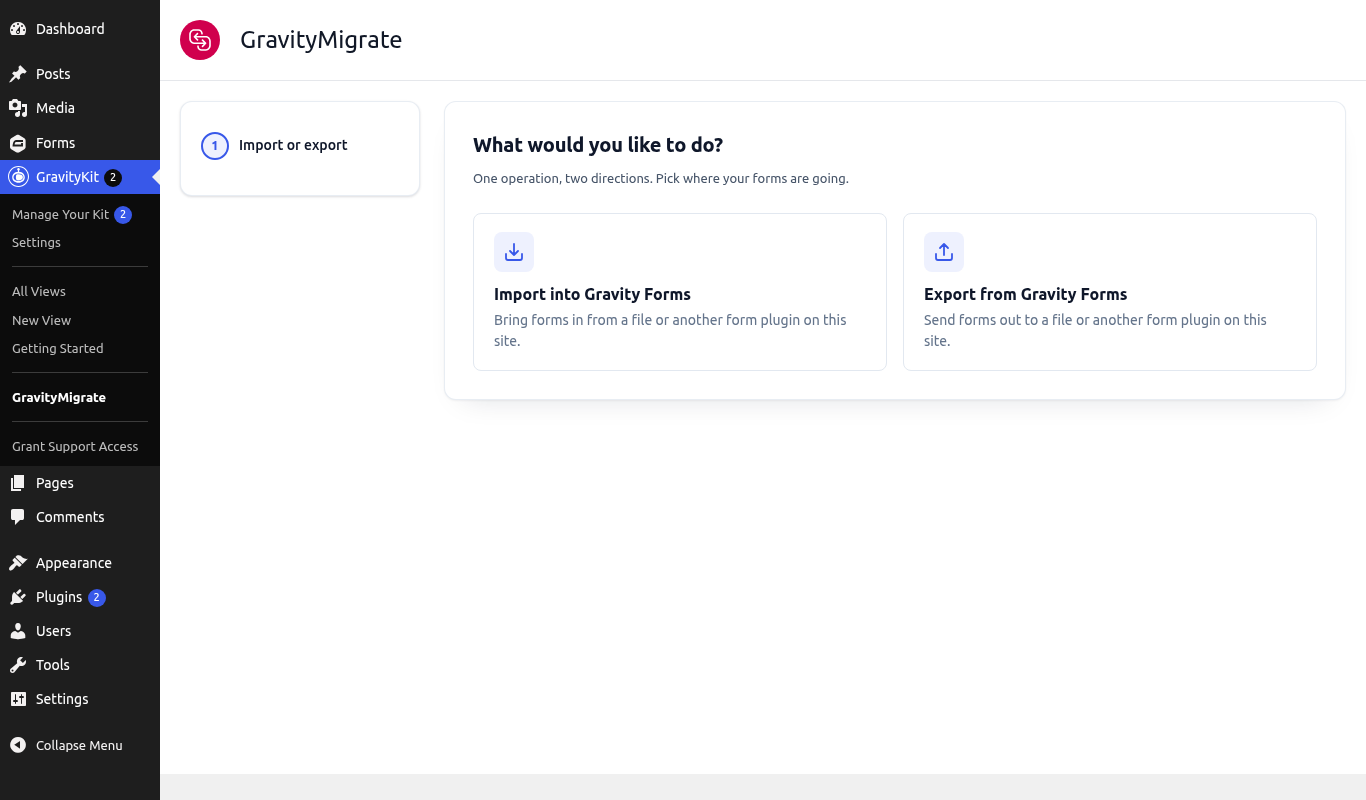
Open the wizard by going to GravityKit, then clicking GravityMigrate. The first step asks which direction you are going.
What GravityMigrate moves #
A migration file can carry everything below. On the Choose Data step you choose which of these go into the file. The step only lists the kinds of data the site actually has.
- Forms, with their fields, calculations, conditional logic, notifications, confirmations, and nested forms
- Entries, including drafts saved to finish later
- Uploaded files
- GravityView Views
- Pages and posts that embed your forms or Views
- Form and entry revisions
- Add-on feeds: Zapier, Mailchimp, Stripe, User Registration, Gravity Flow workflow steps, and every other add-on’s feeds
- Gravity Flow workflow history
- Settings (off by default): Gravity Forms, GravityKit, and GravityView settings, and REST API keys
Forms can also move to and from seven other form plugins, without their entries. Migrating forms from another form plugin covers that route.
Exporting from the old site #
- Click Export from Gravity Forms.
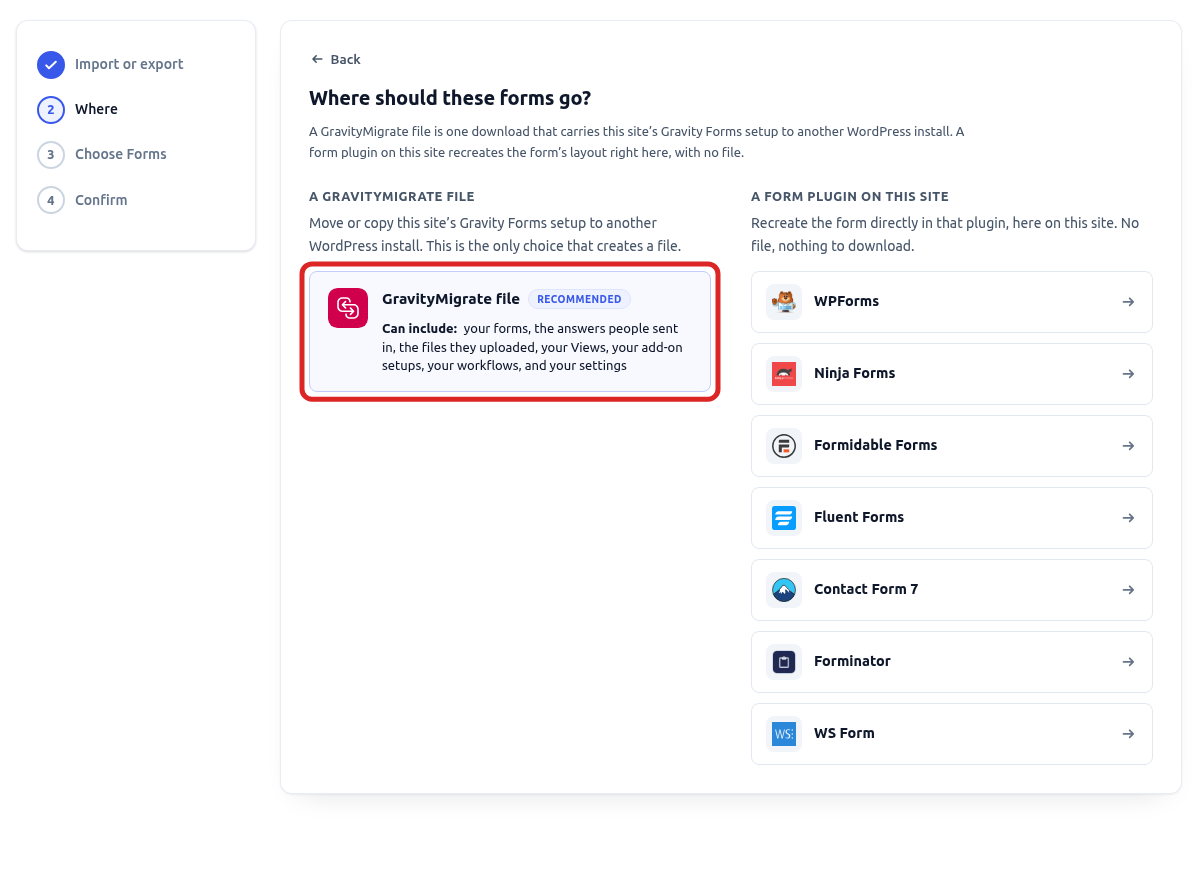
- On the Where step, choose GravityMigrate file. This is the choice that creates a file you can carry to another site, which is why it is marked as recommended. The other column lists form plugins installed on this site, and picking one recreates your forms in that plugin instead of creating a file.
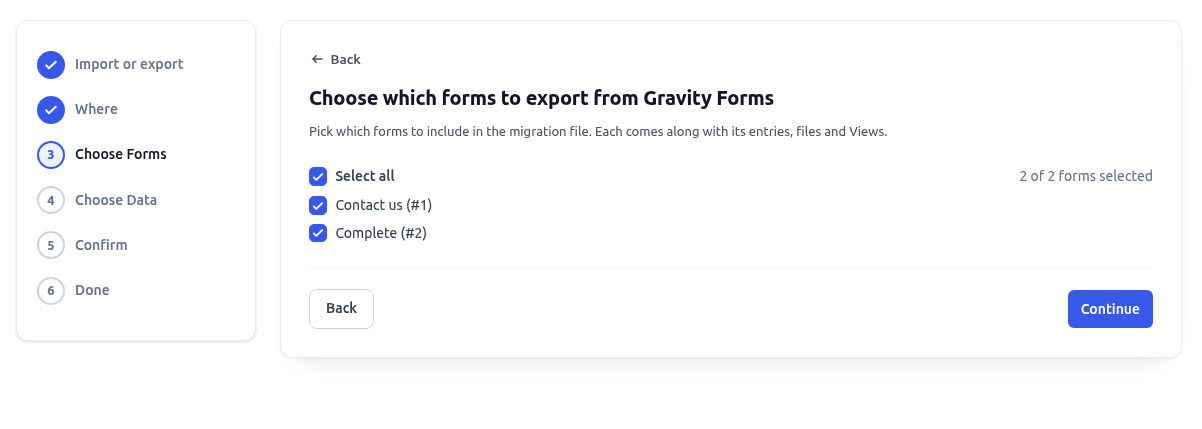
- On the Choose Forms step, tick the forms you want to move, or tick Select all. Each form brings its own entries, files and Views with it, so you only pick at the form level here.
- On the Choose Data step, decide what travels with the forms. GravityMigrate ticks sensible defaults, and the list only shows the kinds of data this site actually has. A site with no Views does not offer Views, and Entry Drafts appears only when someone has saved a form to finish later. Entries stay ticked whenever something else depends on them, such as uploaded files.
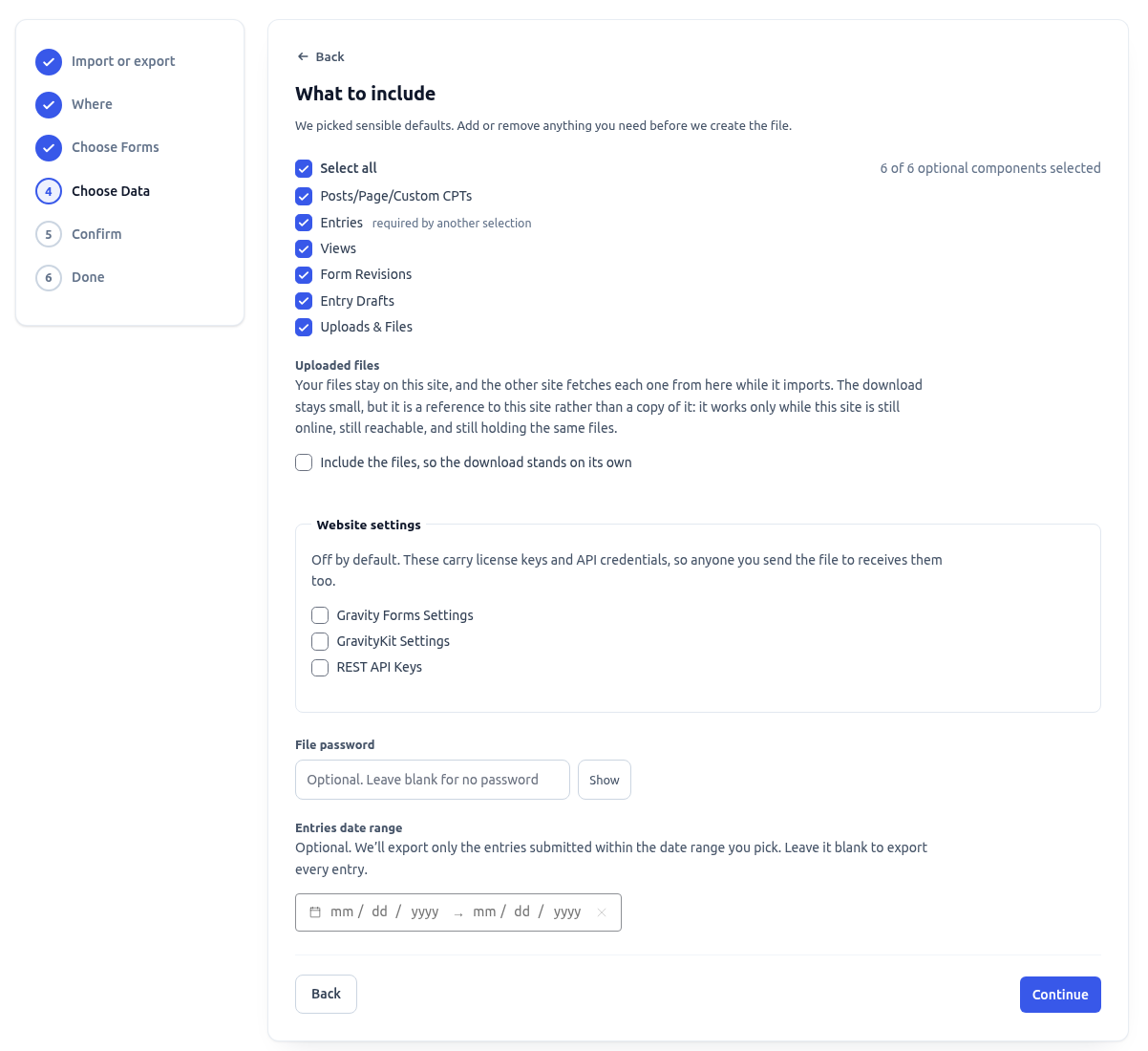
Three choices on this step deserve a closer look:
- Uploaded files. By default the migration file does not contain the files themselves. It records where they live on this site, and the new site downloads each one from here during the import, so the old site has to stay online and keep those files until the import has finished. Tick Include the files, so the download stands on its own to write the files into the migration file instead. Choose that whenever the old site might be offline, unreachable or gone by the time somebody imports, and especially if you are about to shut it down. The file gets larger, and the screen tells you how much can fit inside it.
- Website settings. Gravity Forms settings, GravityKit settings, GravityView settings and, when the site has any, REST API keys are off by default because they carry your license keys and API credentials, and anyone you hand the file to receives those too. Leave them off unless you are deliberately moving the whole site’s configuration.
- File password and Entries date range. A password protects the file, and the import asks for it before reading anything. A date range limits the export to entries submitted inside it, and an empty range exports every entry.

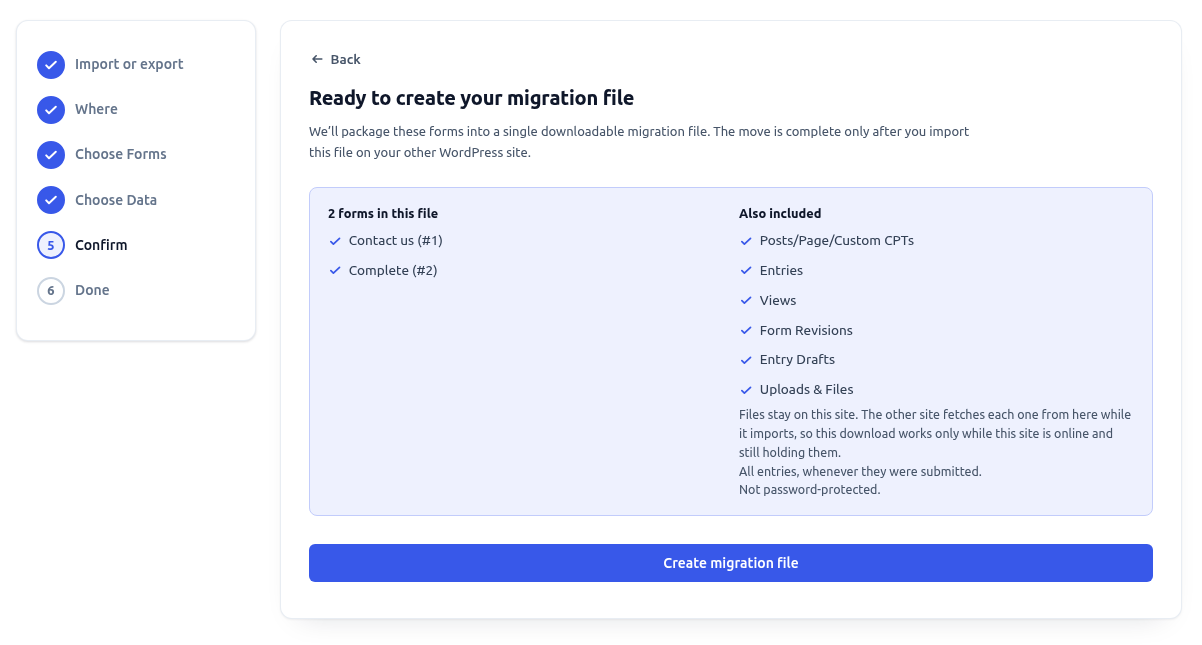
- The Confirm step summarizes what is going into the file: the forms, the data types, whether the files are inside the download or stay on this site, the entry date range and whether the file is password-protected. Click Create migration file when it reads the way you want.
- GravityMigrate works through each data type and shows its progress. When it finishes, the download starts on its own, and the Done step keeps a Download export file link in case it did not. The summary lists how many records of each type went into the file.
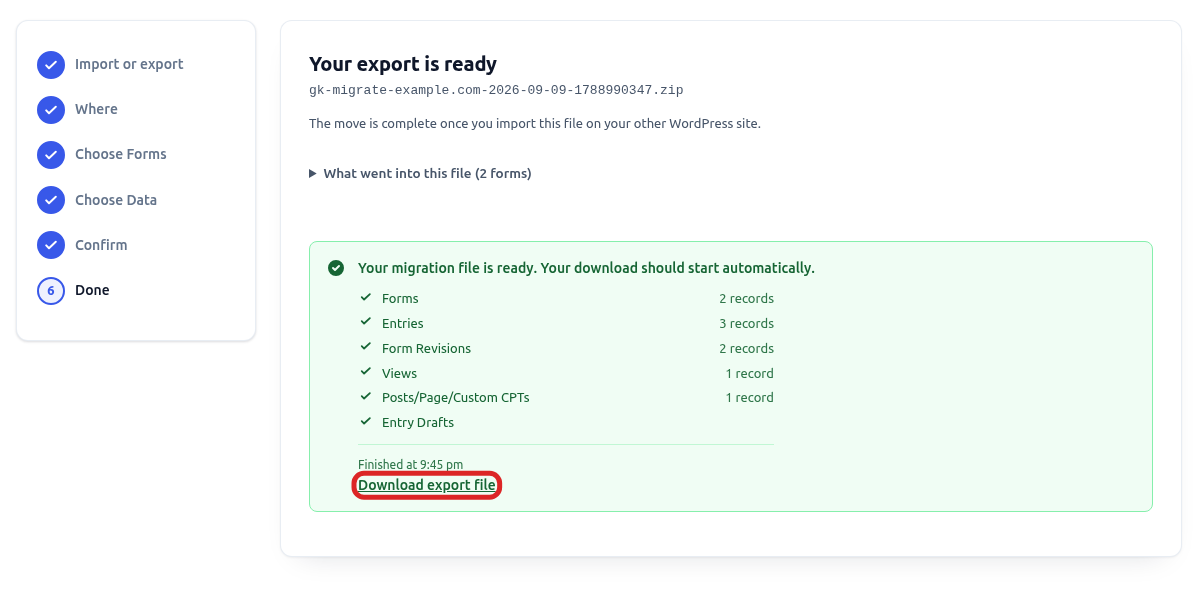
Keep the migration file somewhere safe. The move is only complete once you import it on the other site.
Importing on the new site #
- On the new site, go to GravityKit, then click GravityMigrate, and click Import into Gravity Forms.
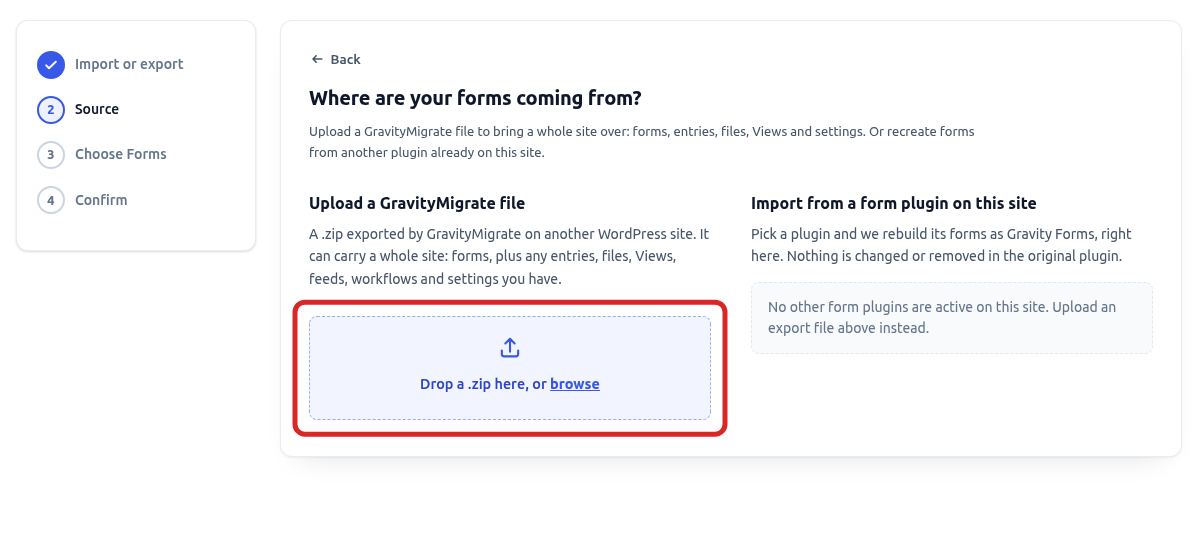
- On the Source step, drop the migration file onto the upload area, or click browse to pick it. If the file was exported with a password, the wizard asks for it here.
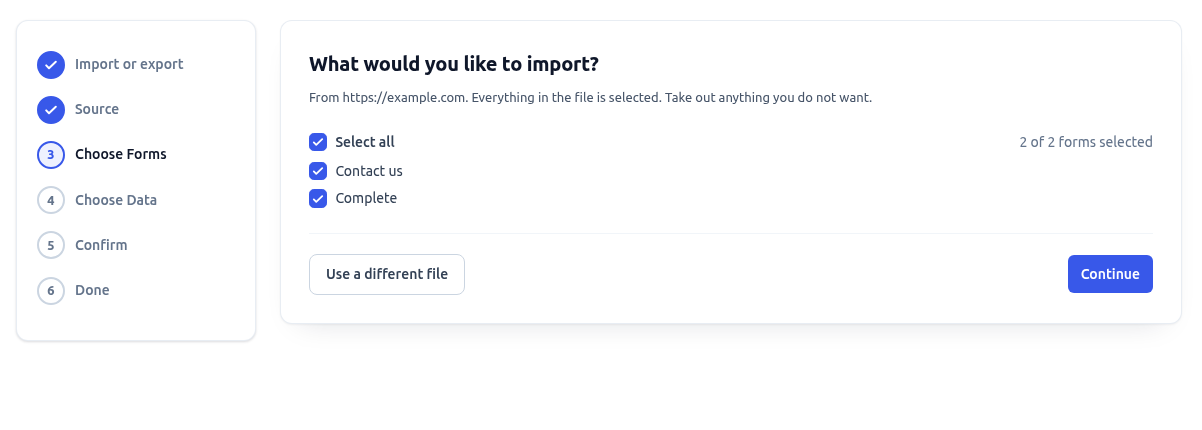
- Once the file is read, the Choose Forms step lists what it contains, with everything selected. The step names the site the file came from, so you can tell the right file from the wrong one before anything happens. Untick any form you do not want on this site.
- On the Choose Data step, only the data types that are actually in the file are listed, again with everything selected. Untick anything you want to leave behind.
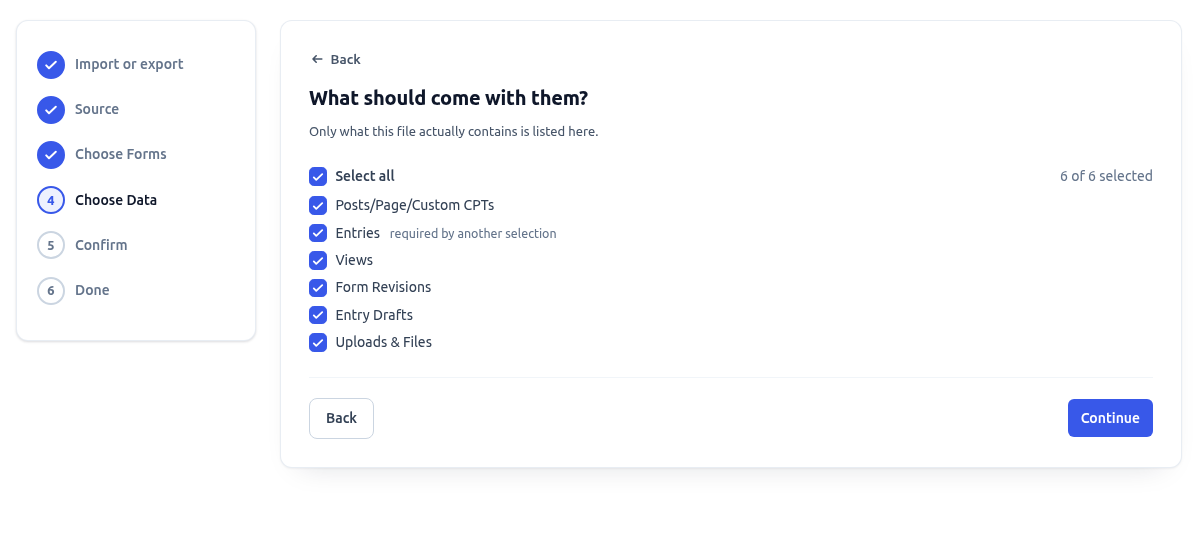
- If the file carries website settings and you leave them selected, the wizard adds an Overwrite settings step. It spells out what on this site would be replaced, license keys and API credentials included, and asks you to confirm before going on. You can also import without the settings from that step.
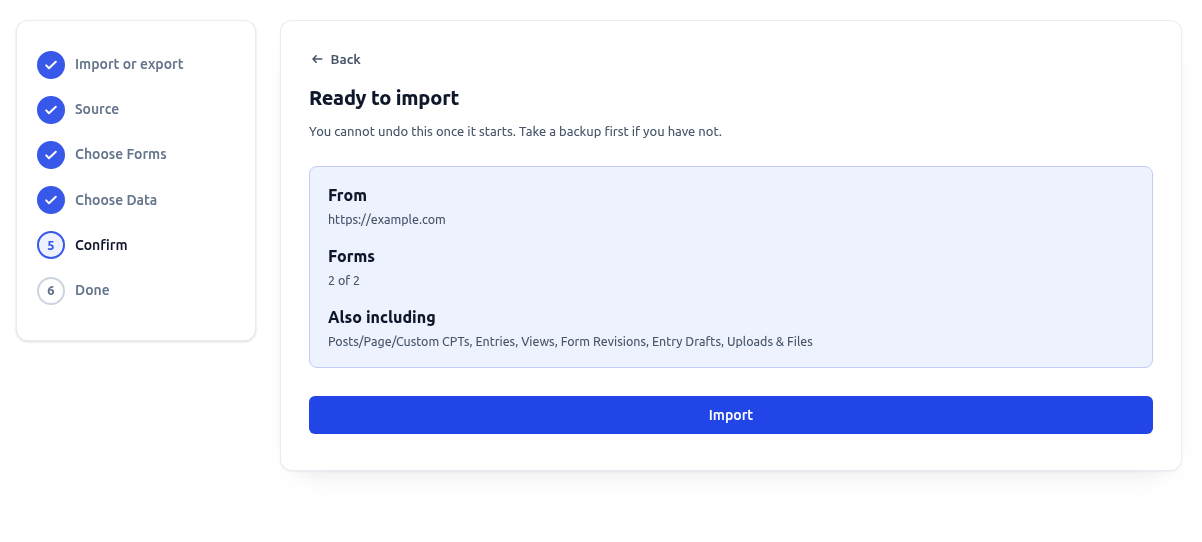
- The Confirm step shows where the file came from, how many forms are coming in, and what else is included. Take a backup if you have not already, then click Import.
- GravityMigrate builds everything aside first and writes to the site only at the very end. The Done step then reports what arrived: how many forms are now on this site, whether the uploaded files came across, and a link to each imported form. View your forms takes you to the Gravity Forms list.
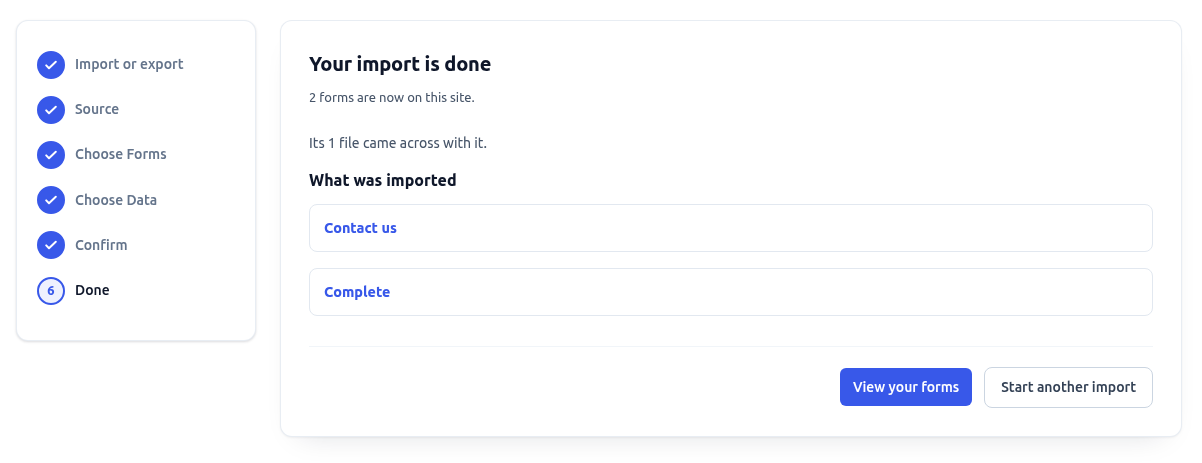
Note: If the files were not packaged into the migration file and the old site could not be reached during the import, the Done step says how many files did not come across. Those entries keep pointing at the old site, and they stop working when that site is taken down. Run the export again with Include the files, so the download stands on its own ticked, or keep the old site online until you have imported.
Moving between steps #
The Back button and the numbered steps on the left take you to an earlier step without losing your choices, and your browser’s back and forward buttons do the same. After a migration finishes, Start another migration on the export side and Start another import on the import side return you to the first step.
Large sites #
A migration with tens of thousands of entries or a lot of uploaded files can take a while. If your site can run background jobs, the wizard keeps going after you close the tab. A notice then follows you around the admin screens until it is done, and Background processing explains what that needs from your host. If a migration stops partway in the browser, the same migration runs from the command line, and Migrating Gravity Forms from the command line with WP-CLI covers wp gk migrate. If an export or import is refused with a server error, a firewall or security plugin is the usual cause. Firewall or WAF blocking GravityKit imports and exports lists what to allow.
On a multisite network #
GravityMigrate works on a multisite network one site at a time. Each site keeps its own forms, entries and settings. Each also has its own GravityMigrate screen under GravityKit, in that site’s own dashboard. There is no screen in the Network Admin, and no way to pick several sites at once.
Moving forms between two sites in the same network works like moving between two separate installs. Export from the source site’s dashboard, then import in the destination site’s dashboard. Everything above still applies, from the new IDs to the way uploaded files are fetched from the source site’s public address. On the command line, wp gk migrate takes WP-CLI’s usual --url flag to pick the site it runs against.
A license covers a number of sites, and activations are counted per site. Activate it on each site in the network where you use it. The pricing page lists the tiers.

