GravityKit helps your nonprofit get organized

Do you run a charity or nonprofit? GravityKit empowers you to build better digital systems to run your business, so you can focus on your mission of making the world a better place.

Two happy people; in the background is a heart between two hands symbolizing nonprofits and charities
Trusted by nonprofits all over the universe

Save time and improve the way you work

Build powerful web applications on WordPress using Gravity Forms

GravityKit provides a toolbox of essential add-ons for Gravity Forms (the ultimate form plugin for WordPress), allowing you to easily build diverse applications on your website using a drag-and-drop interface. No coding knowledge required.

A member directory built using GravityView

Create user profiles and manage your members

Create databases or directories for your staff, volunteers, donors, and board members; filter through profiles using different search criteria, and allow users to update their information directly from the front end.

Retain full control over your data with a WordPress solution

Build applications quickly using preset layouts

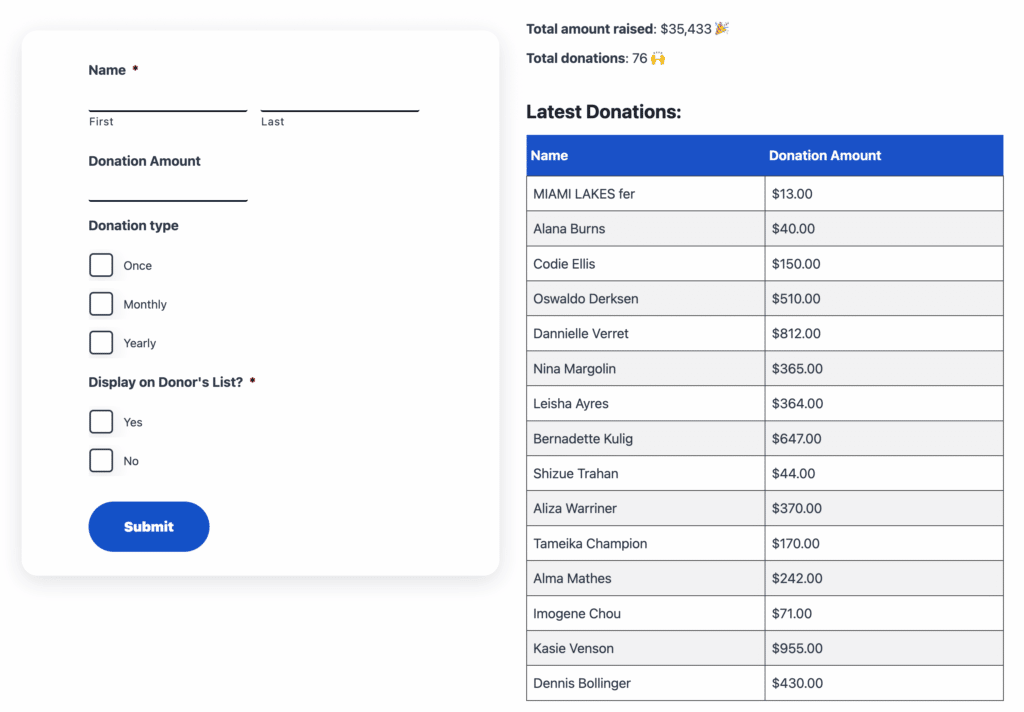
Keep track of your fundraising campaigns

Display recent donations on your website; list and sort donations by amount, date, and other parameters; only show donations within a certain date range, like “This Week” or “This Month”.
Build powerful interfaces on a budget

No code required

Fundraising dashboard
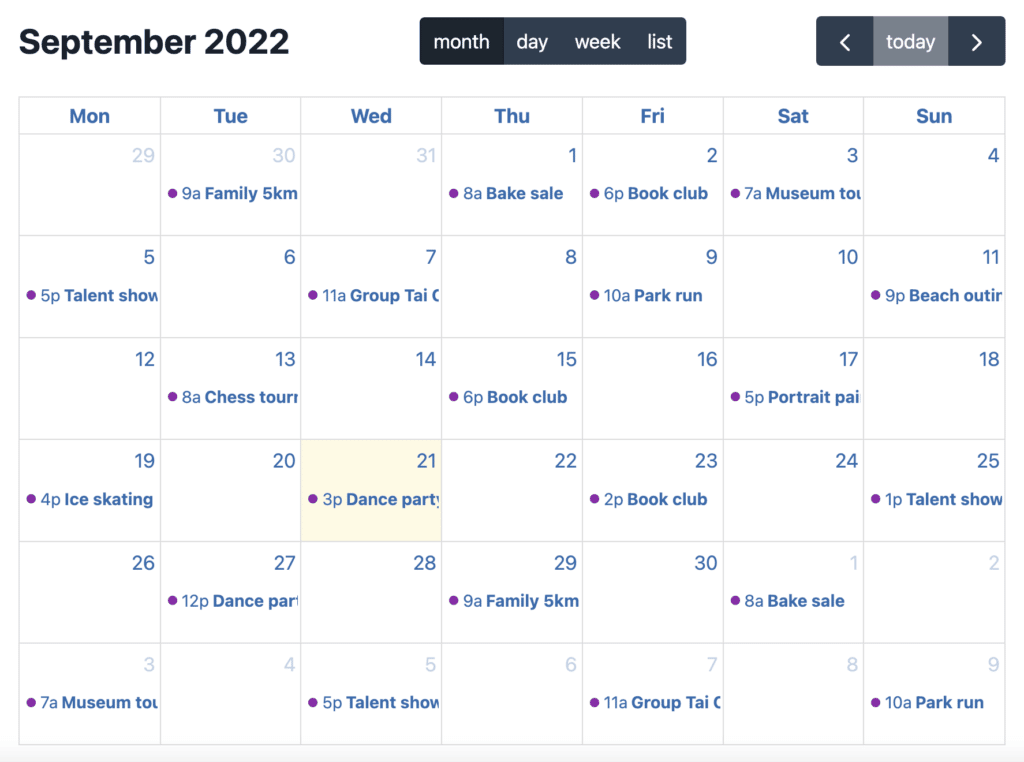
A calendar showing upcoming events built using the GravityCalendar plugin

Easily host and manage events

Host events for your organization and display upcoming events on an interactive calendar; edit events on the front end using drag and drop.

Display a calendar anywhere on your site

Engage with your members

Human support
No code required
Secure your data
Build anything

One Kit. Endess possibilities.

With the GravityKit All Access Pass, you get access to our full Kit of well-integrated add-ons for Gravity Forms.

GravityView

Display form submissions as searchable directories, tables, or custom layouts. Perfect for staff listings, public records, and resource databases.

GravityBoard

Manage projects and workflows with Kanban-style boards. Track initiatives, assignments, and progress across departments.

GravityExport

GravityExport

Generate automated reports in CSV, Excel, or PDF formats. Schedule regular exports for compliance reporting and data archiving.

GravityCharts

Create visual dashboards from your data. Display performance metrics, statistical reports, and trends in accessible formats.

GravityRevisions

Track and monitor all updates made to forms and entries. See who made changes and restore past versions when needed.

GravityCalendar

Display form submissions on a dynamic calendar. Showcase events, meeting times and stay aligned across teams and departments.

+ 5 more tools!

How nonprofits use GravityKit

GravityKit is trusted by charities, schools, nonprofits, and other organizations

Tony Jenkins

Tony Jenkins

Global Campaign for Peace Education

“Running a non-profit in the 21st century requires creativity and resourcefulness. GravityKit allows us to be proficient, accomplishing more with less.”

Use cases: Member management, interactive map, conference guides.

Read the Full Story

Michael Kastler

43Folders Technology Solutions

“GravityView is saving us so many hours of development time! It’s tremendously worth the price…Other competitors in the space haven’t been able to provide the same capabilities that GravityView has.”

Use cases: Grant application management.

Read the Full Story

Angie Weikman

Angie Weikmann

HappyTree IT

“I work exclusively with WordPress, and I’m not a developer, so having access to tools like Gravity Forms and GravityKit is very helpful!”

Use cases: Events directory, member management.

Read the Full Story

Allie Nimmons

Allie Nimmons

Web Pro Geeks

“When we wanted to implement a certain feature, there was always a GravityKit plugin that did what we needed. It’s been a delightful experience! Instead of needing to write custom code for things we want, we are able to leverage the power of the Gravity Forms ecosystem.”

Use cases: Events directory, event calendars.

Read the Full Story

Frequently asked questions

More about GravityKit for nonprofits

Do you have special pricing/discounts for nonprofits?

Yes, we do. GravityKit is proud to support the work of not-for-profit organizations and charities by offering special discounts across our suite of products.

Eligible organizations must meet the following requirements:

  1. Have legal status as a not-for-profit organization or charity in your country
  2. Have a website that clearly outlines your mission
  3. Have a mission that does not discriminate against any particular race, religion, age, sexual persuasion, or otherwise

Registered nonprofits can apply for discounted pricing by submitting this form. Our support team will provide a special coupon code within 48 hours.

Do nonprofits really use GravityKit to enhance their work?

Yes, absolutely. The Global Campaign for Peace Education, for example, utilizes GravityKit as the backbone of their digital operations. You can take a look at these case studies to learn more:

Do I need technical experience to use GravityKit?

No. GravityKit works with Gravity Forms to give you powerful tools through a user-friendly, drag-and-drop interface. You can build directories, event calendars, and information systems, without writing a single line of code.

What types of applications can I build with GravityKit?

You can create member directories, donor databases, fundraising dashboards, event calendars, volunteer management systems, and more. You can create almost any kind of dynamic app or information system using Gravity Forms and GravityKit. You can take a look at our Built It guides to see more examples.

Is my data secure and private with GravityKit?

Yes. Because GravityKit runs on your WordPress site, you retain full control over your data. There are no third-party servers and we don’t see any of your data. Everything stays secure on your own hosting environment.

Can we import our existing donor/member data?

Yes. Using our add-on, GravityImport, you can import existing data from a CSV file to Gravity Forms. Once your data is in Gravity Forms, you can use GravityKit to create front-end interfaces, reports, charts, and more.

What support is included with my license?

All nonprofits with an active license gain access to our expert support team via email who are available to help troubleshoot any issues you may run into. If you have an All Access license, you can receive support via live chat as well.

We offer discounts for registered nonprofits


(Fewer than 1% of our customers request a refund, but when they do, we make it easy.)

Gravity Forms Certified Developer badge
Like GravityView or your money back.