Published
•
Updated
GravityView version 1.5.4
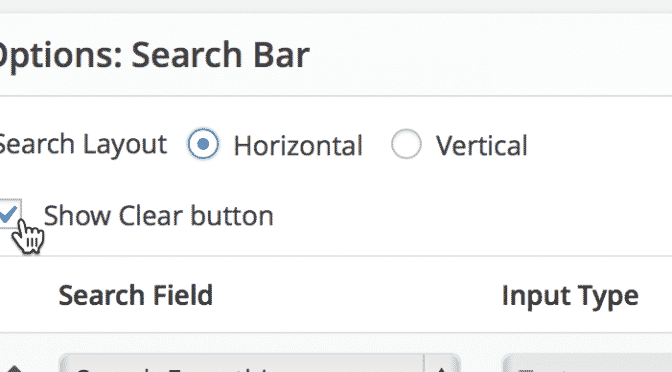
Version 1.5.4 added some sweet new stuff Hide data until a search The new setting allows you to hide the View results until a search has been performed. All that will be displayed is the Search Bar widget. Custom Content Widget Custom Content widgets allow you to add HTML, text, and shortcodes in the header…

Version 1.5.4 added some sweet new stuff
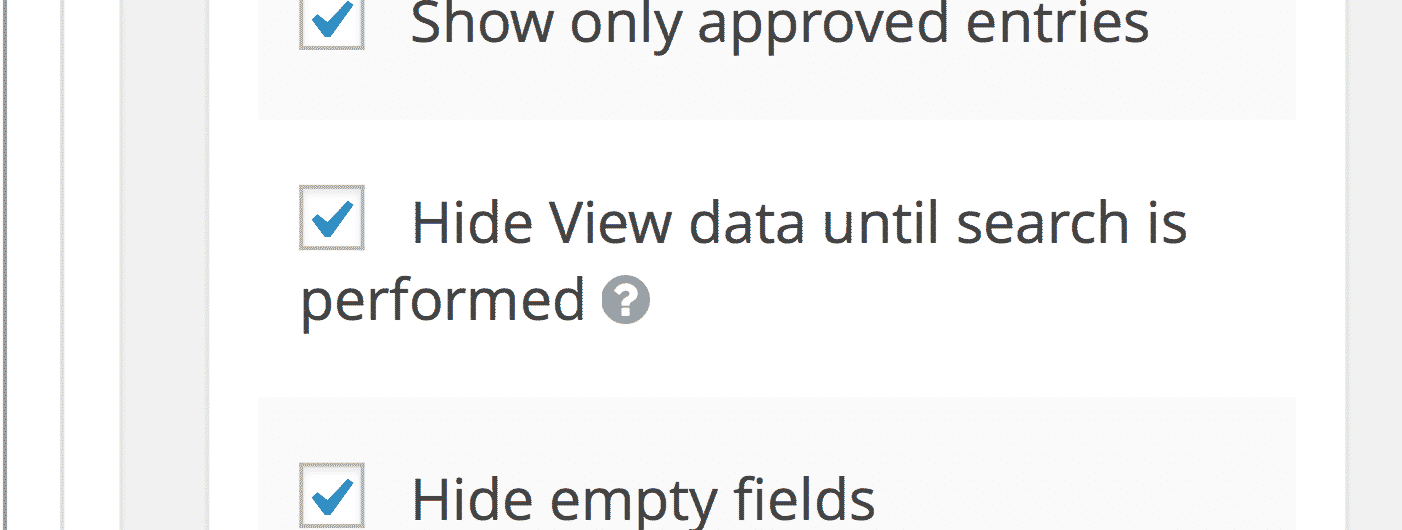
Hide data until a search
The new setting allows you to hide the View results until a search has been performed. All that will be displayed is the Search Bar widget.
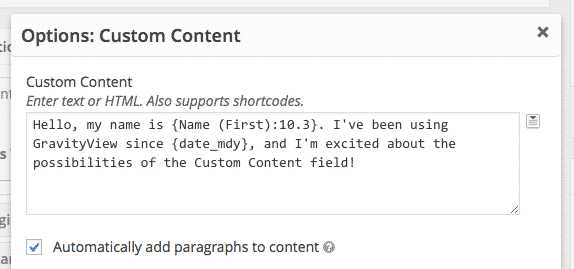
Custom Content Widget
Custom Content widgets allow you to add HTML, text, and shortcodes in the header or footer of a View.
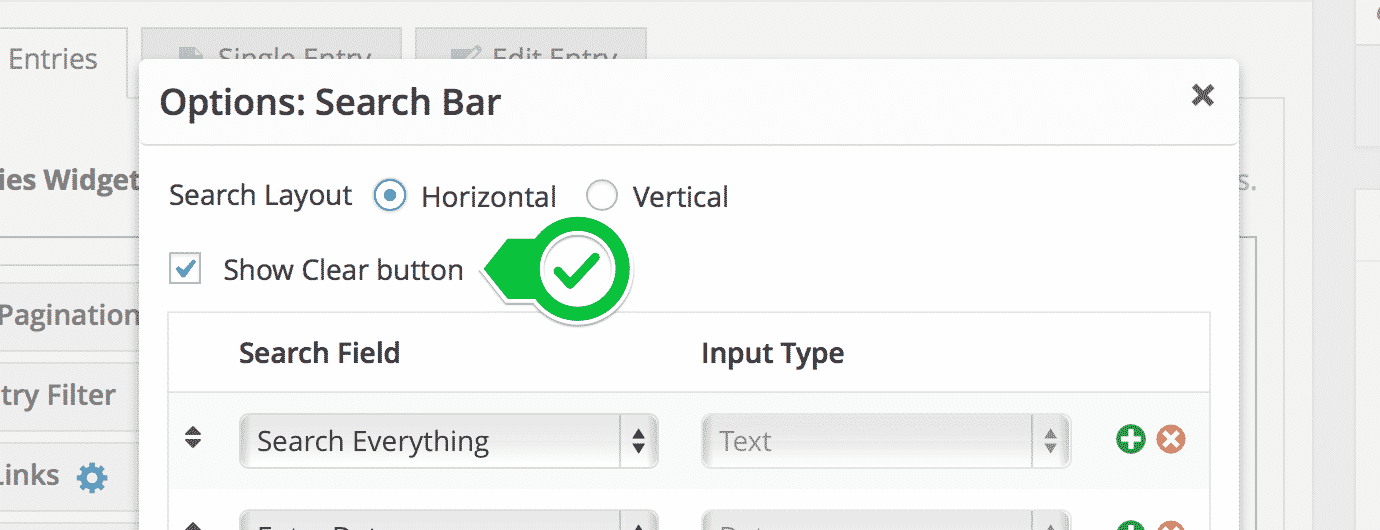
Clear existing search values
Allow users to easily clear existing search values with a “Clear” button.
Changes in 1.5.4 (Full List)
- Added: “Hide View data until search is performed” setting – only show the Search Bar until a search is entered
- Added: “Clear” button to your GravityView Search Bar – allows easy way to remove all searches & filters
- Added: You can now add Custom Content GravityView Widgets (not just fields) – add custom text or HTMLin the header or footer of a View
- Added:
gravityview/comments_openfilter to modify whether comments are open or closed for GravityView posts (previously always false) - Added: Hook to filter the success Edit Entry message and link
gravityview/edit_entry/success - Added: Possibility to add custom CSS classes to multiple view widget wrapper (Read how)
- Added: Field option to enable Live Post Data for Post Image field
- Fixed: Loading translation files for Extensions
- Fixed: Edit entry when embedding multiple views for the same form in the same page
- Fixed: Conflicts with Advanced Filter extension when embedding multiple views for the same form in the same page
- Fixed: Go Back link on embedded single entry view was linking to direct view url instead of page permalink
- Fixed: Searches with quotes now work properly
- Tweak: Moved
includes/css/,includes/js/and/images/folders into/assets/ - Tweak: Improved the display of the changelog (yes, “this is so meta!”)
- Updated: Swedish translation – thanks, @adamrehal
- Updated: Hungarian translation – thanks, @Darqebus (a new translator!) and @dbalage

Helpful tips right in your inbox.
Subscribe to get the latest articles, information on releases and helpful Gravity Forms tips!
More articles

Launch Log: theme template editing in Block MCP, Shield silentCAPTCHA for Zero Spam, and GravityView fixes
Block MCP adds safe theme template editing, Gravity Forms Zero Spam gains Shield silentCAPTCHA support, and GravityView fixes lightbox and notice bugs.
GravityKit turns 12: a year in review, and 30% off Lifetime All Access
GravityKit turns 12. A look back at a year of GravityView 3.0, GravitySearch, and AI-assisted building, plus a birthday sale on the Lifetime All Access Pass.

Launch Log: Row headers for screen readers, smarter conditional logic, and multi-View fixes
GravityView 3.1 adds row headers for screen readers, plus smarter conditional logic in GravityCalendar and fixes for DataTables, Maps, and Dynamic Lookup.