
Published
•
Updated
GravityView version 1.11.1
Hi everyone! This week, I got back from a two week trip to Portugal where I (finally) got to meet Luis and his business partner Fred. We had a really nice time and had good discussions about the future plans for GravityView. Lots of neat stuff coming up! And for those of you who have…


Hi everyone!

This week, I got back from a two week trip to Portugal where I (finally) got to meet Luis and his business partner Fred. We had a really nice time and had good discussions about the future plans for GravityView. Lots of neat stuff coming up! And for those of you who have never been to Lisbon, it’s wonderful. It has lots of hills and bay views like San Francisco, but the streets and sidewalks are covered in limestone patterns called calçada. Very relaxing, beautiful city.
We just released an update that fixes translations in Extensions and some other nice tweaks. Here’s the rundown:
1.11.1 on July 20
- Added: New filter hook to customise the cancel Edit Entry link:
gravityview/edit_entry/cancel_link - Fixed: Extension translations
- Fixed: Dropdown inputs with long field names could overflow field and widget settings
- Modified: Allow Genesis Framework CSS and Javascript in “No-Conflict Mode”
- Updated: Danish translation (thanks @jaegerbo!) and German translation

Get better at Gravity Forms, one email a week
New GravityKit releases, practical Gravity Forms tutorials, and subscriber-only discounts. One short email every week, unsubscribe anytime.
More articles

Launch Log: A range slider for search, AI-managed calendars, and security updates in ten products
GravityView adds a Slider search input, GravityCalendar lets AI assistants manage calendars, and ten GravityKit products get security fixes. Here’s what shipped.

9 nonprofit apps you can build with Gravity Forms and GravityKit
Nine apps nonprofits build on WordPress from Gravity Forms data: volunteer databases, member directories, client portals, donation pages, grant review and more.
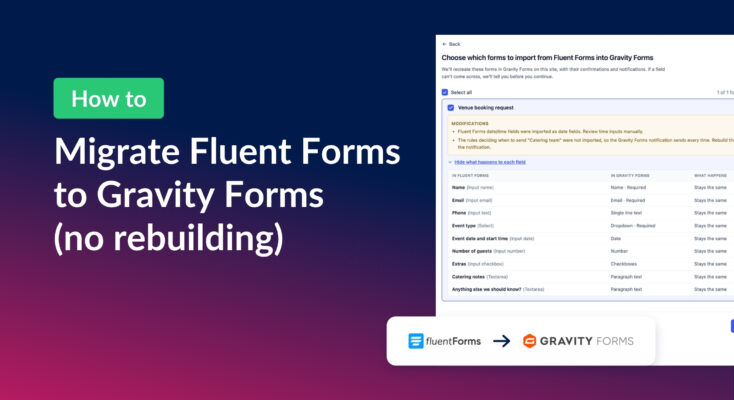
How to migrate from Fluent Forms to Gravity Forms without rebuilding your forms
Move your Fluent Forms forms into Gravity Forms with GravityMigrate, then bring your entries across with GravityImport. Every step was tested on the free version of Fluent Forms.